new.jpeg
Description
OsZ Individual Needs Decay Slider
Take control of how quickly your Zois' needs drop. Slow them down, speed them back up, or freeze them completely, one need at a time or all at once.
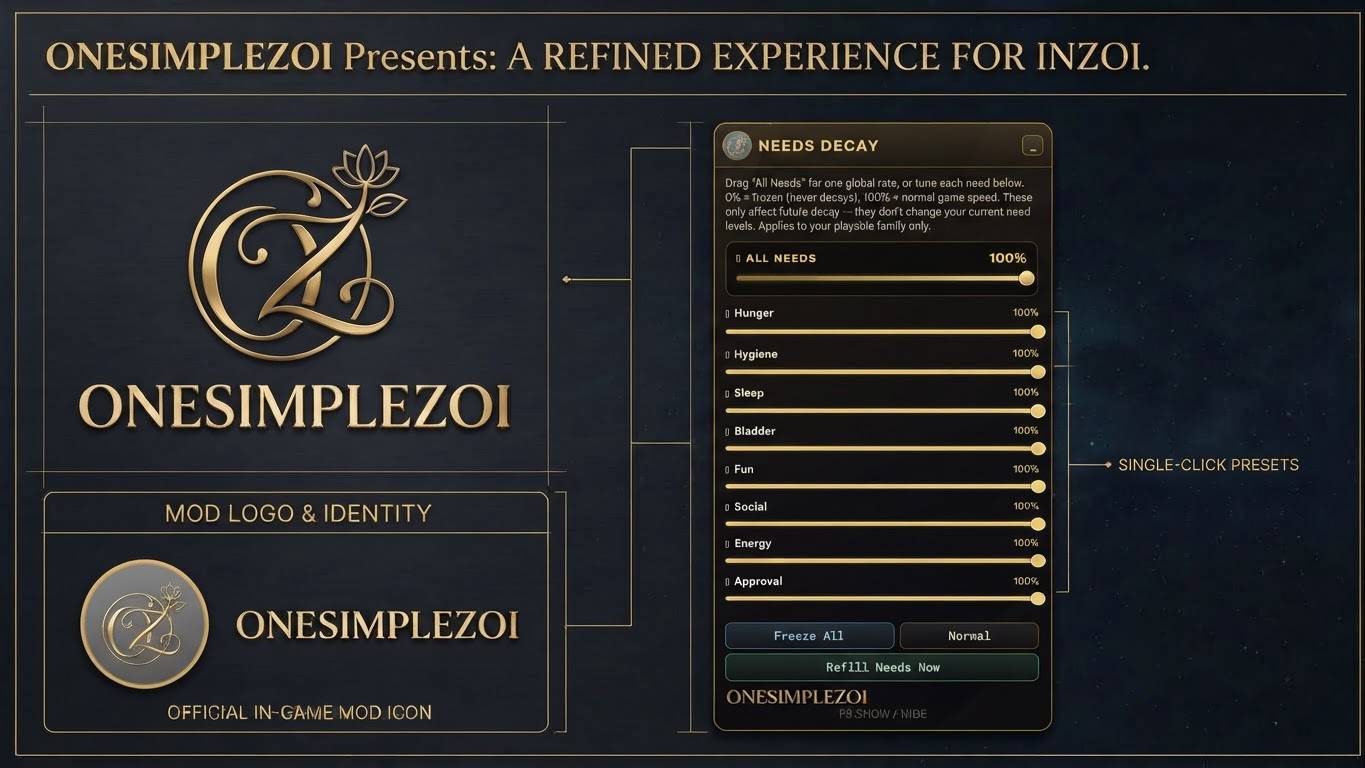
This mod adds a small in-game panel with a slider for every need. Set a need to 0% and it never drops. Set it to 100% and it behaves exactly as the game normally does. Anything in between slows it down.
Features
- A slider for each of the eight needs: Hunger, Hygiene, Sleep, Bladder, Fun, Social, Energy and Approval
- All Needs slider to set every need to the same rate in one drag
- Freeze All button to stop every need from dropping
- Normal button to put everything back to standard game speed
- Refill Needs Now button to top every need up to full in one click
- Your settings are saved, so you do not have to set them again each time you play
- Compact launcher: the mod sits on screen as a small round grey OneSimpleZoi button. Click it to open the panel, drag it anywhere you like, and use the _ button to tuck the panel away again
- F8 hotkey to show and hide the panel
- Black and gold panel styled to match the OneSimpleZoi brand
How to use
- Load into your game. The round grey OneSimpleZoi button appears on screen (it only shows in game, not on the menu screen).
- Click the button, or press F8, to open the panel.
- Drag All Needs for one overall rate, or drag the individual sliders to tune each need.
- Click _ in the title bar, or press F8, to shrink the panel back to the button.
Good to know
- 0% = frozen, 100% = normal game speed. Sliders move in steps of 5%.
- The sliders change how fast needs drop from now on. They do not change a need's current level. Use Refill Needs Now for that.
- Refill Needs Now can take a second or so to show in the needs panel.
- The mod applies to your playable family only.
What's new
- New black and gold look with the OneSimpleZoi logo
- New round launcher button
- The hotkey is now F8 (it was F9 in earlier versions)
- The X close button has been removed. Use _ or F8 instead
Installation
Install with the CurseForge app, or use the in-game mod browser. No other mods are required.
Terms of use
Conversions are not allowed.
Support
If you like this mod, please support my work and send me your suggestions for other mods!
- Discord: https://discord.gg/yNgJB8nY
- Ko-fi: https://ko-fi.com/onesimplezoi
OsZ Individual Needs Slider Mod Team

Owner