Interactive Zoi
- By
01_ConsoleTV.jpg
02_Omok.jpg
03_DietScale_Scene.jpg
04_DietScale_UI.jpg
05_ZoiAqua.jpg
Description
Interactive Zoi
Bring passive objects to life — a richer, truly interactive inZOI experience.
Interactive Zoi is built around one core idea: interaction. Objects and everyday routines in inZOI that were previously decorative or purely passive become genuinely playable, hands-on experiences. Enjoy 5 distinct interactive features seamlessly woven into your Zoi's daily life.
🛠️ Quick Start: Required Objects & Locations
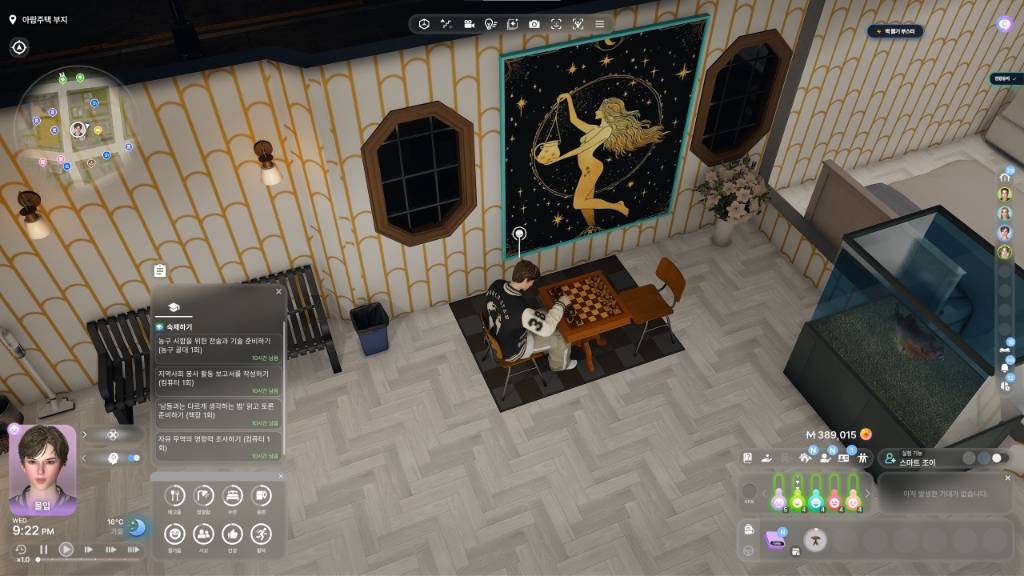
- 1. ♟️ Omok — Build Mode: Chessboard (체스판) in Hobby > Entertainment (780) + Chair ➔ Click & select 오목하기 (replaces Practice Chess)
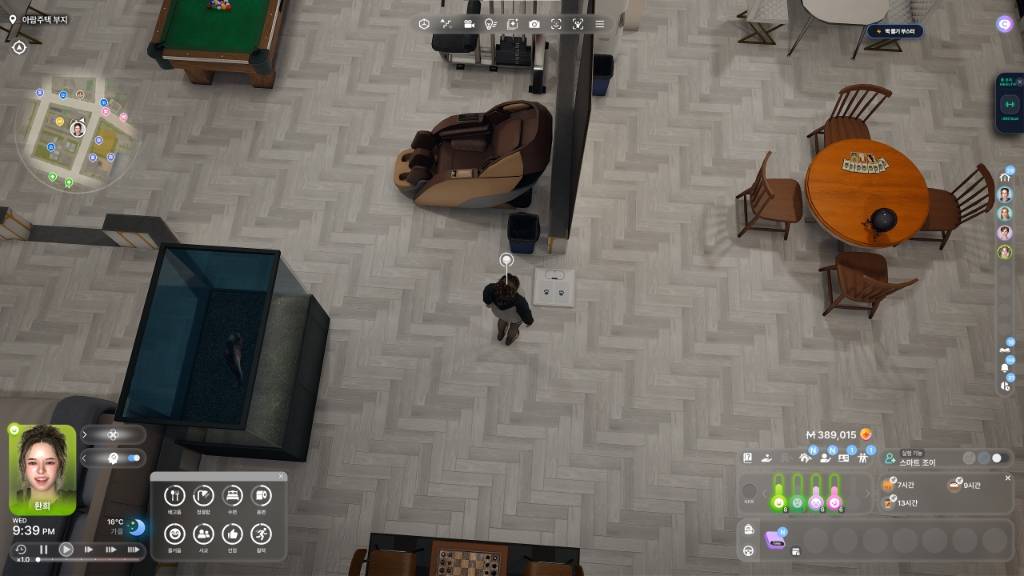
- 2. ⚖️ Smart Diet Scale — Build Mode: 스마트 체중계 ⚖️ in Props (10) ➔ Place on floor, click & select 체중 측정 및 다이어트 점검 ⚖️
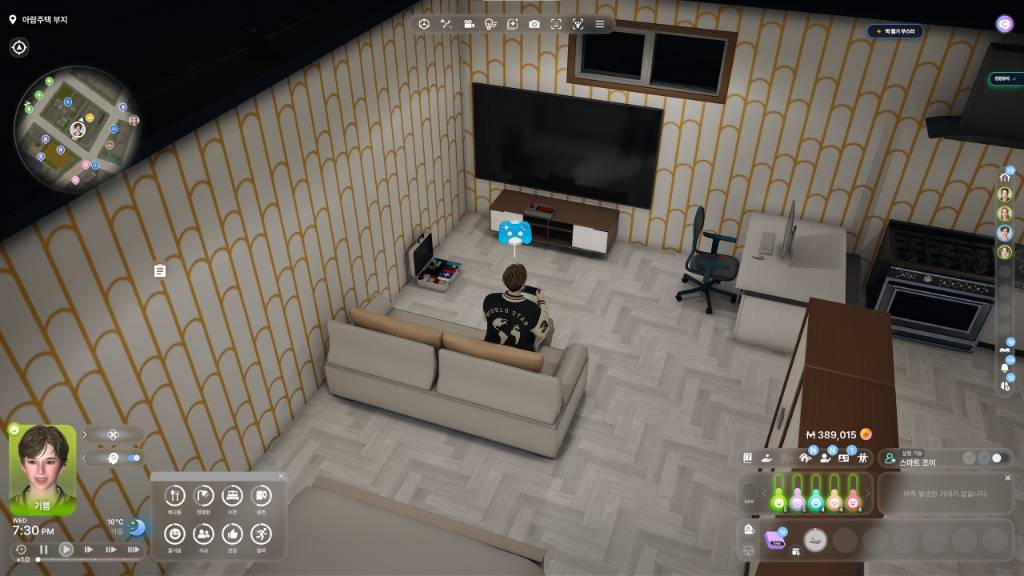
- 3. 🕹️ Retro Console TV — Build Mode: Arcade Stick (조이스틱) in Hobby > Entertainment (109) near a TV + Sofa (or Chair) ➔ Click & select Play a Game (조이 패드로 게임하기)
- 4. 🎣 Active Rhythm Fishing — No Build object needed ➔ Start interactive fishing at any waterfront fishing spot (supports one-click +4 consecutive casts)
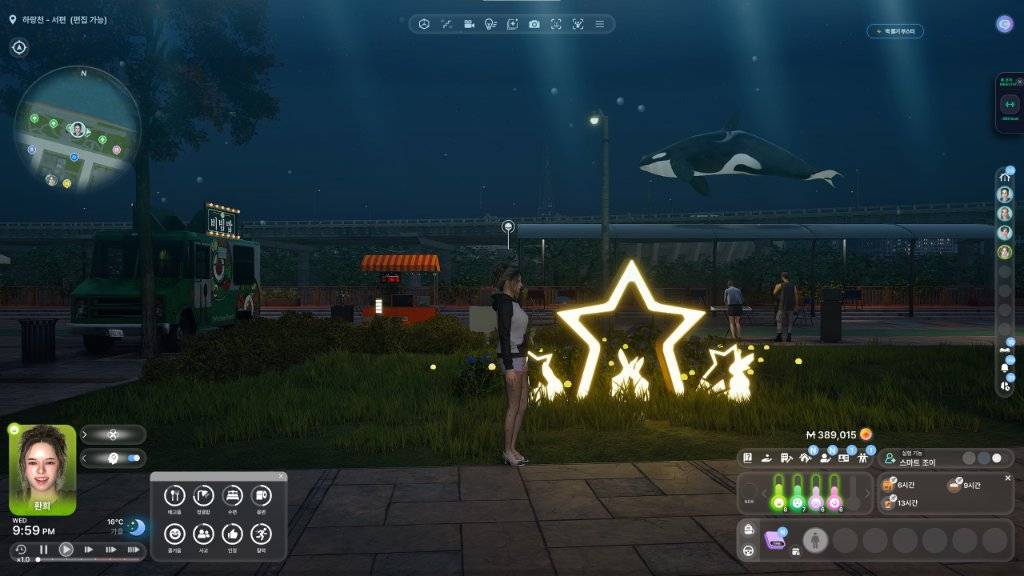
- 5. 🐠 ZoiAqua — No Build object needed ➔ Visit Harangcheon Park (하랑천 공원) in Dowon and look up at the sky
🎮 5 Interactive Experiences Included
1. ♟️ Omok — Accessible Board Game at the Chessboard
Instead of complex chess or shogi rules, anyone can jump right in with the simple, classic rules of Omok (Five in a Row).
- Required Object: Chessboard (체스판) — Build Mode > Hobby > Entertainment (780)
- How to Play: Click the Chessboard and select 오목하기. Play a 15×15 match against AI right on the board and earn skill EXP.
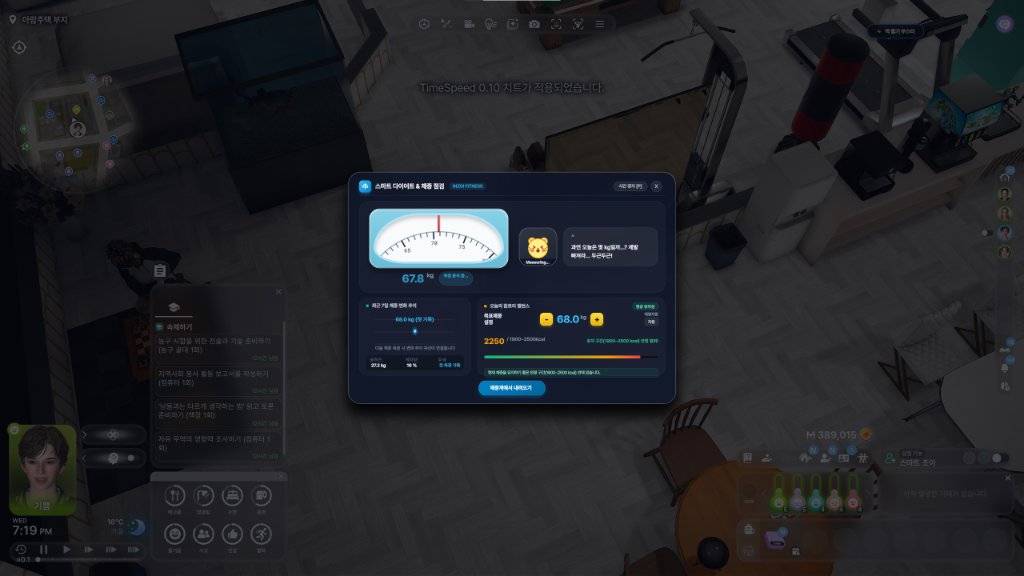
2. ⚖️ Smart Diet Scale — See & Shape Your Zoi's Body Clearly
Designed for players who care about their Zoi's physique. Rather than guessing hidden body changes, the Smart Diet Scale clearly displays accurate body metrics—weight, muscle mass, body fat, daily workout/meal calories, and a 7-day trend—so you can guide your Zoi toward the exact body shape you want.
- Required Object: 스마트 체중계 ⚖️ — Build Mode > Props (10)
- How to Play: Place the scale on the floor and select 체중 측정 및 다이어트 점검 ⚖️ to check stats, set weight goals, and automatically track daily calories.
3. 🕹️ Retro Console TV — A Cozy "Game Within a Game"
Unwind with a living-room console right inside inZOI—a small getaway inside the game. Turns the originally decorative Arcade Stick (조이스틱) into a playable retro console!
- Required Object: Arcade Stick (조이스틱) — Build Mode > Hobby > Entertainment (109)
- Setup Tip: Place the Arcade Stick on a table or TV stand near a TV and a Sofa (or Chair) so your Zoi can sit back and play on the screen.
- How to Play: Click the Arcade Stick and select Play a Game (조이 패드로 게임하기). Includes 3 playable starter titles as showcase examples of the console system, with extra channel slots (CH 04–10) reserved for future expansion:
- CH-01 Galaxy Zoi — Vertical space shooter
- CH-02 Zoi Blocks — Classic falling-block puzzle
- CH-03 Zoi Bubble — Bubble-popping puzzle
- Controls: Move
W/A/S/D| Action / Fire / RotateNumpad 1(or,/Z) | PauseP| Channel MenuBackspace| Exit ✕ TV 끄기 button
4. 🎣 Active Rhythm Fishing — Catch Fish With Your Own Hands
Move beyond repetitive, passive fishing animations. Your timing and balance directly decide whether you reel in the catch or let it slip away!
- How to Play: Start interactive fishing at any fishing spot (supports one-click +4 consecutive casts / 5 total during the bite wait). When a fish bites, time slows to 0.5x:
- Mouse Left / Right: Keep the bobber aligned with the moving red line.
FKey: Press in the golden timing zone to reel the fish straight into your bag.
5. 🐠 ZoiAqua — An Ocean Ecosystem in the Heart of Dowon
Unlike Cahaya or Bliss Bay, Dowon City has no coastline. ZoiAqua brings a vibrant marine ecosystem above Harangcheon Park, letting you experience the wonder of the ocean right in Dowon.
- How to Play: Visit Harangcheon Park (하랑천 공원) in Dowon (도원) and tilt your camera upward to watch 9 species of marine life—including Whale Sharks, Orcas, Dolphins, Manta Rays, and Sea Turtles—glide overhead through shimmering underwater light.
🇰🇷 한국어 소개
Interactive Zoi는 이름 그대로 '상호작용(Interactive)'에 집중한 통합 모드입니다.
인조이에서 직접 상호작용할 수 없거나 단순한 모션에 그치던 일상 오브젝트들에 생명을 불어넣어, 훨씬 풍성한 플레이를 즐길 수 있도록 5가지 인터랙티브 콘텐츠를 담았습니다.
- 1. ♟️ 오목 (체스판 / 건축 모드: 취미 > 오락, 780)
규칙이 복잡한 체스나 장기 대신 누구나 쉽게 즐길 수 있는 15×15 AI 대전 오목 미니게임입니다. 체스판 클릭 ➔ 오목하기로 바로 시작할 수 있습니다. - 2. ⚖️ 스마트 체중계 (스마트 체중계 ⚖️ / 건축 모드: 소품, 10)
짐작만 하던 조이의 체형 변화를 체중·근육·체지방·칼로리 변화와 7일 추이 그래프로 정확하게 시각화합니다. 바닥에 배치 후 체중 측정 및 다이어트 점검 ⚖️을 선택하세요. - 3. 🕹️ 거실 콘솔 TV (조이스틱 / 건축 모드: 취미 > 오락, 109)
원래 장식용이던 조이스틱을 실제 플레이 가능한 콘솔로 확장했습니다. TV와 소파(의자) 근처에 두고 조이 패드로 게임하기를 눌러 실행할 수 있으며, 콘솔 시스템을 보여주기 위한 예시 타이틀 3종(갤럭시 조이 · 조이 블록스 · 조이 버블)을 우선 수록하고 하단 빈 채널 슬롯(CH 04~10)은 향후 확장을 고려해 구성했습니다. (이동WASD/ 액션Num 1또는,,Z/ 일시정지P/ 채널 목록Backspace) - 4. 🎣 실감형 리듬 낚시 (물가 낚시터)
단순 반복 모션 대신 마우스 좌우 밸런싱과F키 타이밍 미니게임으로 직접 낚시 성공 여부를 결정합니다. 입질 대기 중 원클릭 +4회 연속 추가(총 5회) 기능도 지원합니다. - 5. 🐠 조이아쿠아 (도원 하랑천 공원)
바다가 없는 도원 시티의 하랑천 공원 상공에 아쿠아 생태계를 조성해, 고래상어·범고래·돌고래·해파리 등 9종의 바다 생물이 유영하는 힐링 풍경을 감상할 수 있습니다.
📦 Installation & Notes (설치 및 참고사항)
- Installation: Install directly from the in-game Mods (CurseForge) menu and enable Interactive Zoi in Installed Mods.
- Standalone: 100% standalone inZOI mod — no external tools or extra programs required.
- Display: UI layouts are optimized for 16:9 widescreen resolutions (1920×1080 or higher) in Borderless Windowed / Fullscreen mode.
[Creators & YouTube Channels]
모드 소식과 플레이 영상은 아래 유튜브 채널에서 확인하실 수 있습니다!
Check out showcases, tutorials, and updates on our YouTube channels:
- 래몽C (RaemonC): https://www.youtube.com/@lemong_C
- 김스팀 (kimssteam): https://www.youtube.com/@kimssteam
Interactive Zoi Team