1534-1792552613-149416612.webp
Description
Dreami adds a messaging app to your Zoi's phone. You can text the Zois you play, and your Zoi texts the other Zois they know. Each Zoi replies in their own voice, based on their personality, traits, mood, memories and how they feel about the person or Zoi texting them.
AI was used to help build Dreami, and Dreami requires an AI provider to write your Zois' replies. It will not work without an AI provider. You can bring your own provider.
What you can do with Dreami
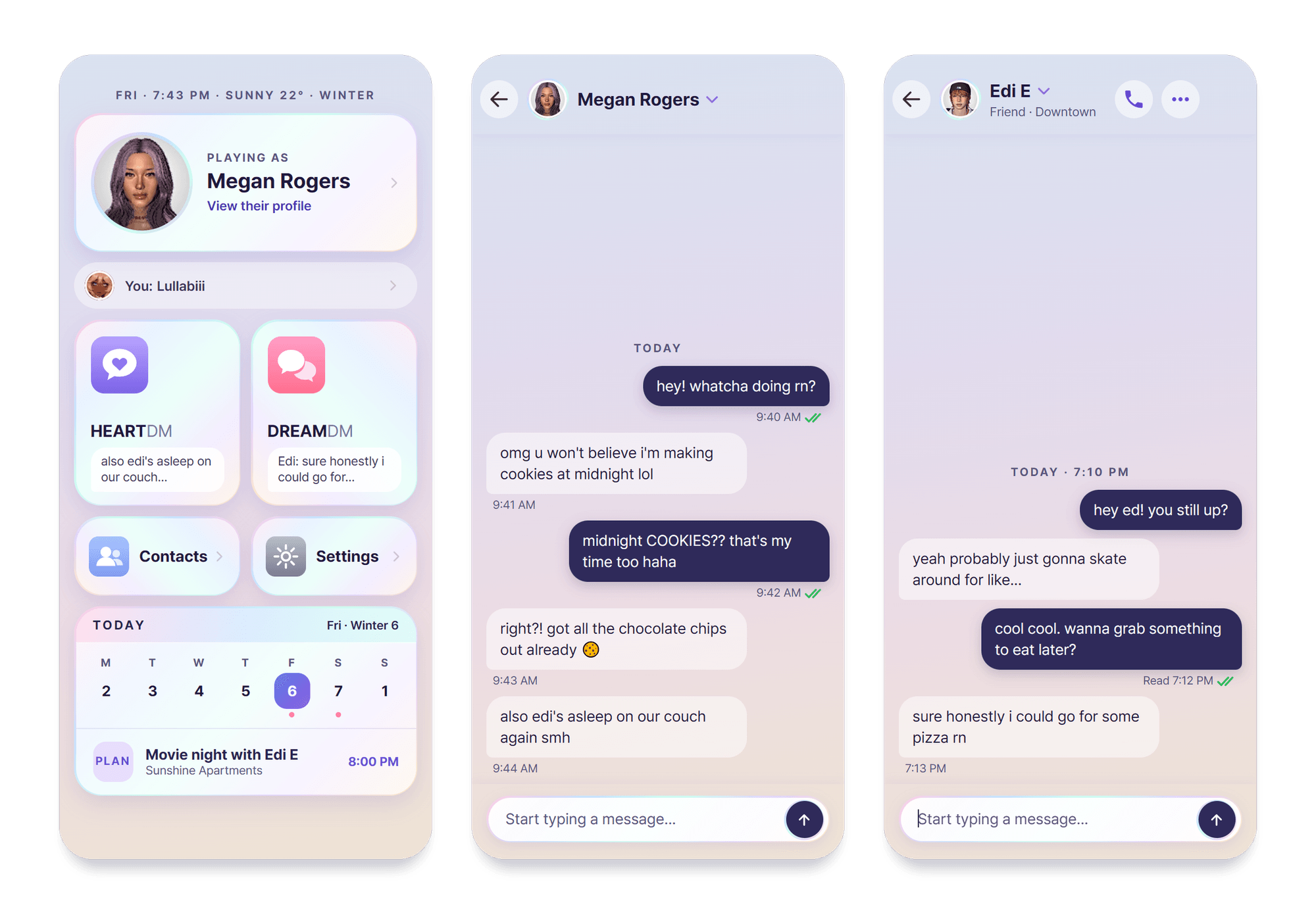
- HEARTDM: text the Zoi you're playing. Each Zoi has their own chat, and swapping Zois swaps phones.
- DREAMDM: your Zoi texts friends, family, partners and rivals. They get wrong numbers, tease each other and pass on news from the grapevine.
- How they sound: 52 traits in four flavors each, and two or three texting habits per Zoi, like all lowercase, one-word replies or a few short texts in a row.
- Texting: read receipts, tapbacks, quoted replies and typing dots that come and go. A Zoi might send a few texts in a row, leave you on read, or answer later. Now and then a thought cloud shows what they didn't say out loud.
- Zois text and call first: friends check in, pass on news and react to big moments, always for a real reason.
- Plans & Meet Ups: agree on a time and a place in a text, "next Friday at 11" or "see you in like 10" both work, and it goes on the game's schedule for everyone going.
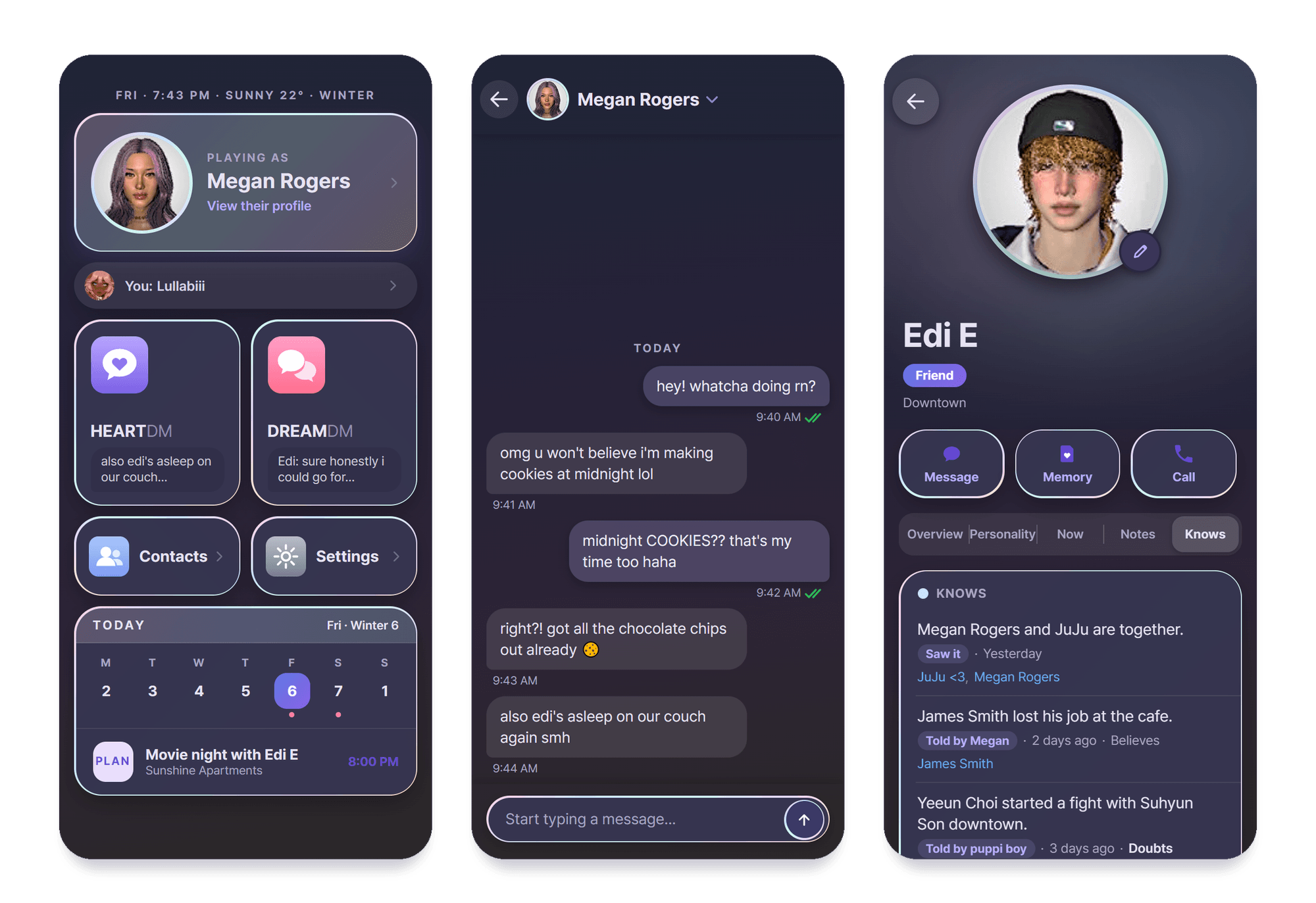
- News and gossip: News travels in person and by text, and can be believed or doubted. The Knows tab on every card shows what they know and how they learned it, and you can fix it.
- Zois act on what they know: have it out, look for proof, come clean, threaten to tell, or let it go.
- Memory: Zois remember what happened and write down how they feel about you. Promises, jokes and fights carry over.
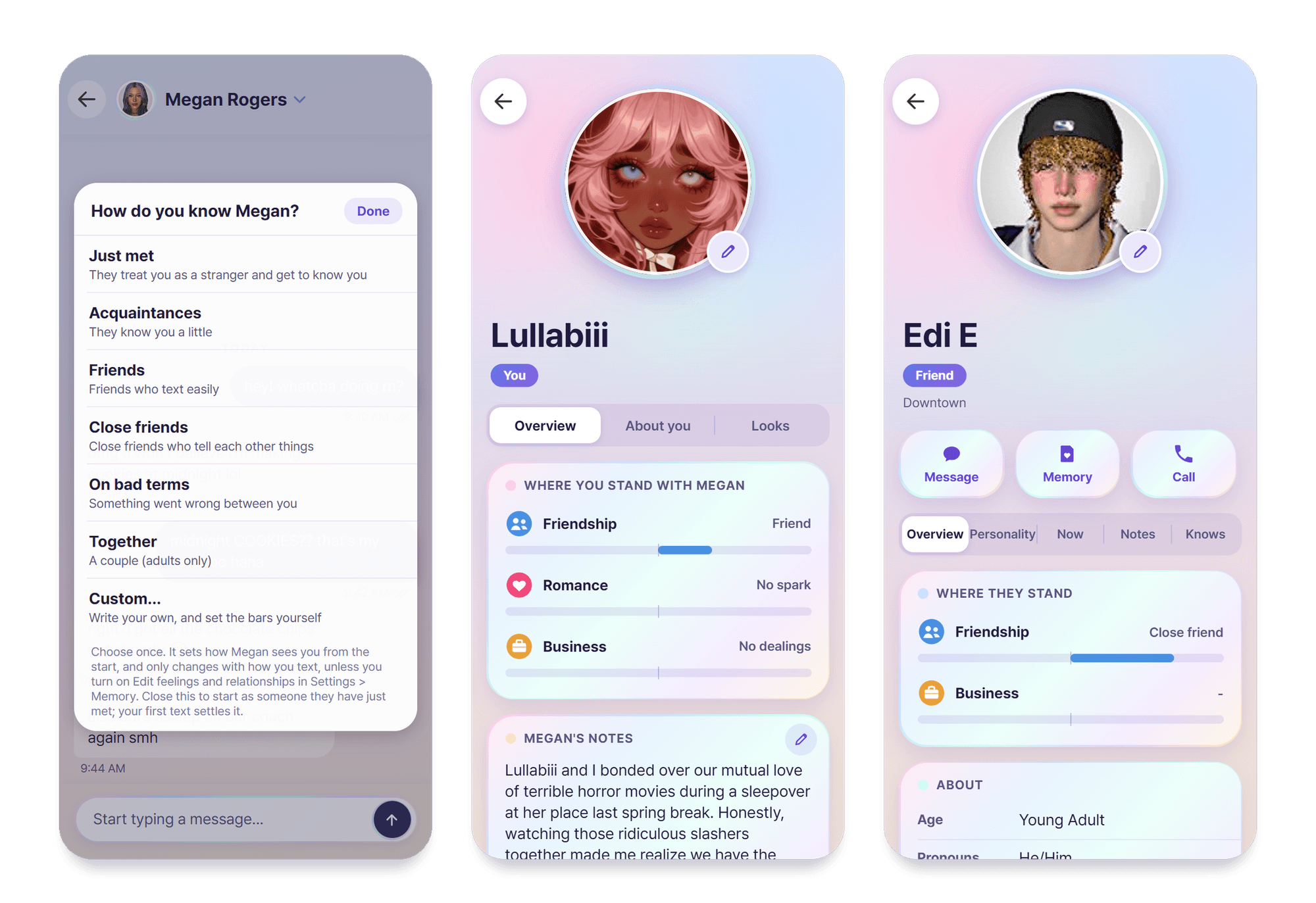
- Where you stand: pick how your Zoi knows you (just met, friends, together and more) or write your own story, and watch Friendship, Romance and Business change as you talk.
- Blocking: block and unblock Zois from their card or the three-dot menu in a chat. Zois can block you too if you threaten them, are cruel, or keep going after they ask you to stop.
- Changing with what happens to them: a promotion, a wedding, a breakup or a new life stage leaves its mark. For a while a Zoi might text quieter, prouder or bitter, then settle back.
- Zois act on what you say: ask them to eat, sleep, shower, dance or hug someone, in any language, and if they agree they really do it in the game. Whether they agree depends on who they are.
- Moods in the game: what you say can give a Zoi a mood. Hover it in the game to see who caused it, in the Zoi's own words. The Now tab on their card shows how they feel and why.
- Contacts: everyone saved in your Zoi's phone, grouped by family, romance, friends and more. To add someone, have your Zoi exchange contact info with them in the game.
- Customize Contacts: give a Zoi a nickname (how your Zoi has them saved), your own picture for their icon, notes, and extra personality or backstory.
- Tapback : tapbacks, reply, remember, copy, edit your own texts, and Try again on a Zoi's newest reply.
- Phone animations: Zois take out their phone when they read, text and call.
- Portraits: the app shows the Zois from your own save.
- Light and Dark: Settings > Appearance switches the whole app.
- Android app (optional): the same chats on your real phone, with notifications, plus voice calls: call a Zoi or let them call you, each in their own voice, with speech that follows their mood and plays a sentence at a time as they speak. With the game closed you can still read your chats, and texts you send go out when it opens. It links to your game with a short code.
- Pick your AI: your own provider, or Dreami AI with a key from the website. Save presets and switch between them in one tap.
- Your data: back up, restore and clear chats and memories, and switch off the features you don't want.
The website (linked below) has a page dedicated to explaining all features, and a changelog.
Requirements
- inZOI
- An AI text provider: your own key with OpenAI, Anthropic, Google Gemini, OpenRouter, DeepSeek, Groq, Mistral, xAI or Together, a program on your PC such as Ollama, LM Studio or KoboldCpp, or Dreami AI.
- An internet connection, unless the AI runs on your own PC.
- Optional: an Android phone for the companion app and voice calls.
How To Install
- Install from CurseForge, or unzip the download and put the DayDreamCF_C6802D9A folder in your inZOI InGame mods folder:
C:\Users\YOURNAME\Documents\inZOI\Mods\InGame
If the InGame folder doesn't exist, create it and name it exactly InGame. The DayDreamCF_C6802D9A folder must sit directly inside it. - Start the game, make sure you have mods enabled and that Dreami is both validated and enabled. If the mod list shows an error after an update, switch Dreami off and on once: the game checks it again.
Updating: copy the new DayDreamCF_C6802D9A folder over the old one and choose to replace the files. Your backups and an encrypted copy of your AI keys are kept separately in:Mods\InGame\Dreami_Backups
How To Use
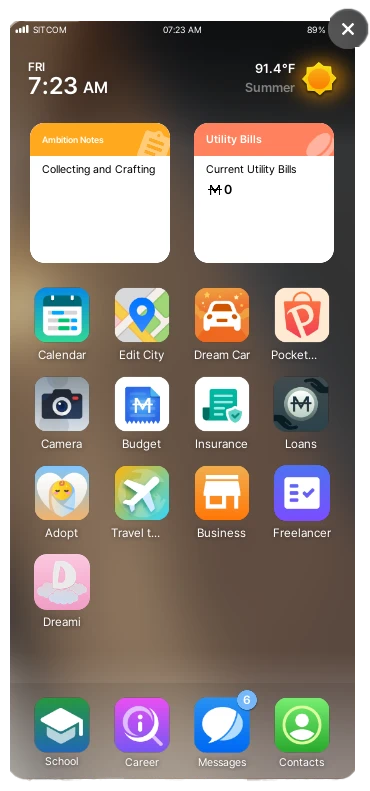
- Open your Zoi's phone. Dreami is on the home screen after your last app.
- Tap it. You land on the hub: HEARTDM, DREAMDM, Contacts, Settings and your own profile.
- A guided tour walks you through the screens the first time. You can replay it any time from Settings > Replay tutorial.
- Open You and set your name. Age, pronouns and the rest are optional, and your Zois read them to get to know you.
- Open Settings > AI text provider and pick a provider: your own (Custom provider, with your key), or Dreami AI with a key from the website. Either one works.
- Until your name is set and an AI is chosen, HEARTDM, DREAMDM and Contacts are faded. Tap one and Dreami tells you what's missing.
Your own provider (bring your own key)
- Get a key from your provider. Make an account on your AI service's website, create an API key and copy it. A model on your own PC needs no key: just start it and load a model.
- In the game, open Settings > AI text provider and tap Custom provider.
- Under Text connection, tap Provider and pick yours. Most fill in their address for you. If yours isn't listed, pick Other > OpenAI-compatible and type its address into API base URL.
- Paste your key into API key. For a model on your own PC, leave it empty.
- Tap Choose next to Model to pick from the models your provider offers, or type the exact model name.
- Tap Test connection. "Working" and a short reply means it's set up right. If not, it says what to fix.
- Tap Save. It's in use straight away, and kept as a preset under Preset name. Open HEARTDM and text your Zoi.
Dreami AI with a key
- In Settings > AI text provider, choose Dreami AI and tap Get a Dreami AI key. It copies the sign-in page link on daydreami.fyi. Sign in, and the dashboard's API keys page opens. Tap Create new key and copy it: it is shown in full only once.
- Back in the game, paste the key into the key field on the Dreami AI card and tap Connect. Dreami tests it first. When it works, the card says Key accepted. In use.
- Tap Choose next to Model to see the models your key can use. Your limits show below the card, with when each resets.
- The Android app takes the key from the game by itself.
Text your Zoi (HEARTDM)
- Pick a standard starting point or create a custom one. Your Zoi remembers it for the rest of your relationship.
- Type in the box and press Enter (Shift+Enter makes a new line). Under your text you see sent, delivered, then read.
- A Zoi doesn't always answer straight away. They might reply, leave you on read, or be asleep or busy.
- Tap any text for its menu: tapback, reply, remember (pins it as a memory), copy, and edit on your own texts.
- Tap Try again on a Zoi's newest reply if you want another answer.
Text other Zois (DREAMDM)
- DREAMDM lists the contacts in the phone of the Zoi you're playing. Pick anyone on the list and text as your Zoi. Not in your Zoi's phone? Have your Zoi exchange contact info with them in the game, and they'll show up.
- Pick a conversation or start a new one, then type as your Zoi. The other Zoi answers as themselves.
- What you say can change how they feel about each other.
Customize Contacts
- Open a Zoi's card from Contacts. Set a Nickname to change how your Zoi has them saved, and add notes, personality or backstory.
- To give them your own picture, tap their photo (or the little pencil on it) and choose Choose Photo. A file window opens with a preview, and you can move and zoom the picture afterwards. The game has to be unpaused. Your own You card works the same way.
Zois text first
- In Settings > Autonomy, turn it on or off and choose Rarely, Sometimes or Often.
Your data
- Settings > Backups backs up and restores chats and memories, and Settings > Clear data lets you clear any of it. Each one asks first.
Website
Dreami has a website! It's home to the Android app, the feature list, the wiki, the status page, the changelog, your Dreami AI dashboard and more: daydreami.fyi
Issues & Feedback
I want Dreami to be the very best that it can be, so feedback and bug reports are very welcome. I have been working on this mod since September and I still find bugs here and there. You don't bother me when you report them, so please let me know!
You can use the Report a problem page on the website, and ask for features on the Feature requests page.
Please include your log with your bug report. How to find Dreami's log.
Dreami Team