


Mamu-explorer
- By
bridge.jpg
temple.jpg
gate.jpg
Description
**mamu-explorer**
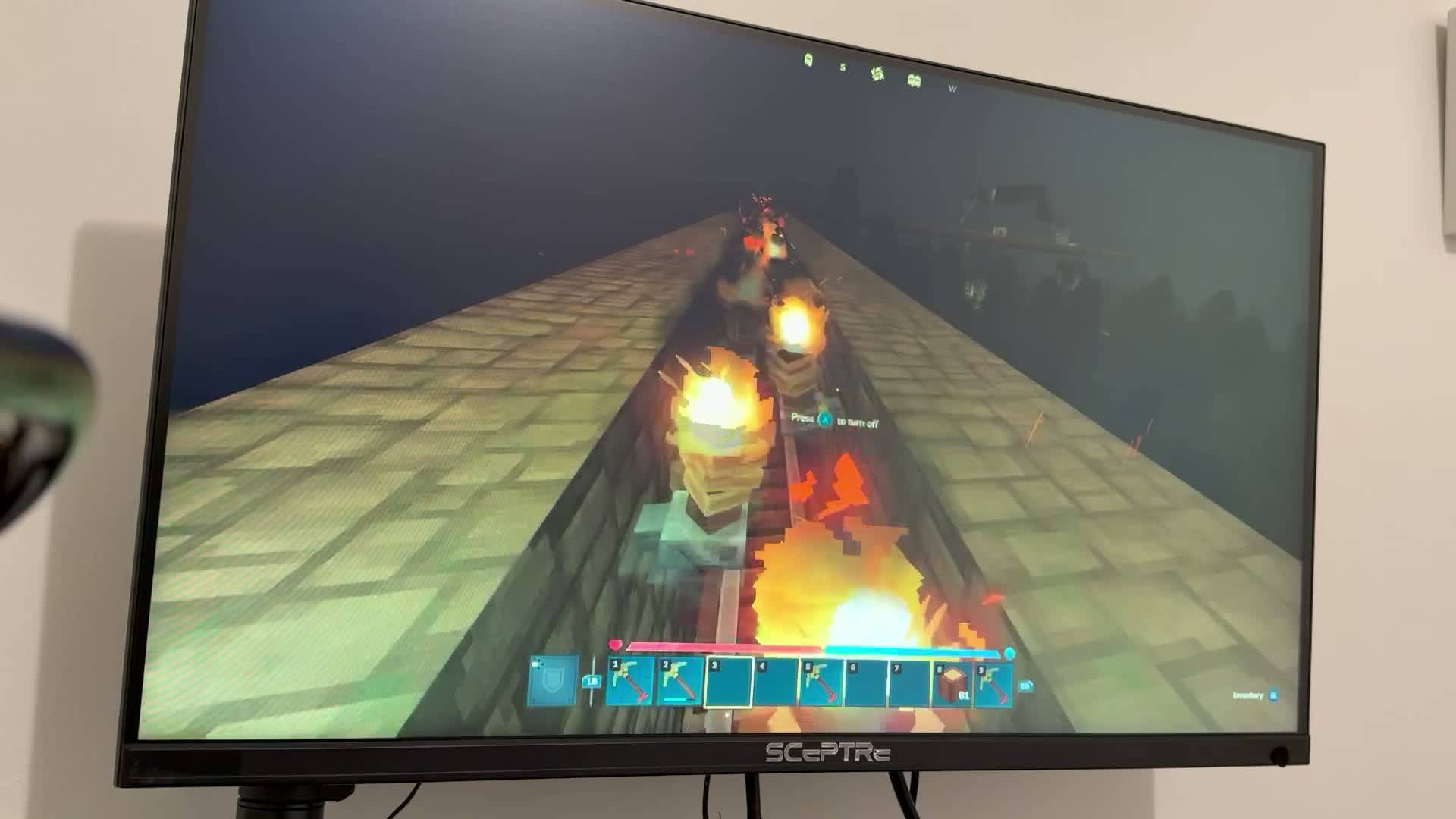
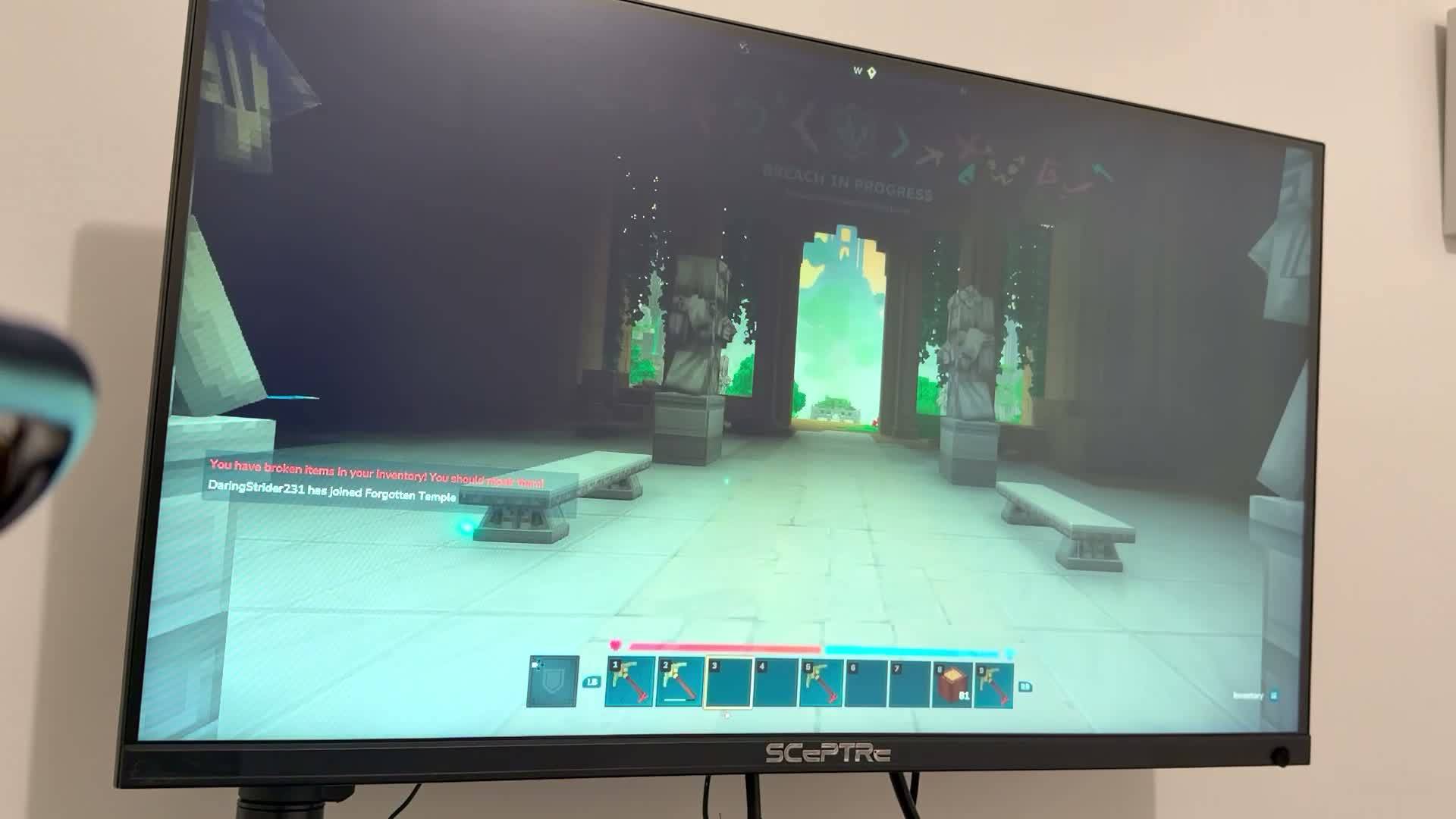
A hand-built Hytale world by Marcelo — a torch-lit stone bridge crossing over to an ancient Forgotten Temple.
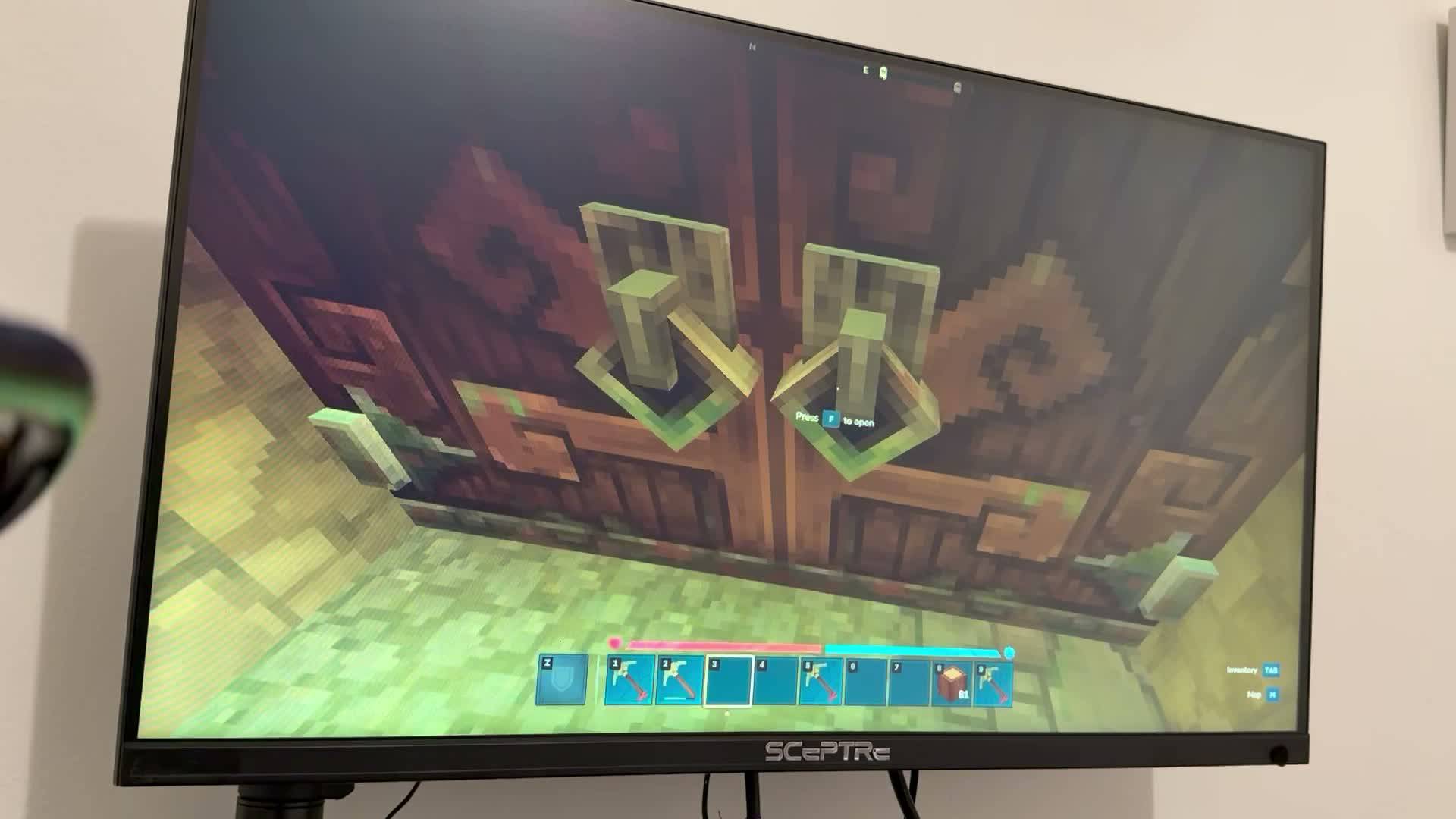
**World tour:** 1. **The Gate** — decorated wooden entrance, the starting point. 2. **The Torch Bridge** — the long illuminated stone crossing, the centerpiece of the world. Stunning at night. 3. **The Forgotten Temple** — white stone columns, statues and benches among vines. The destination at the end of the bridge. 4. **The Tunnel** — narrow railed passage continuing beyond the temple.
**How to install:** 1. Download the world file from the Files tab above. 2. Unzip it into your Hytale Saves folder (Hytale Files / UserData / Saves) — each world goes in its own folder. 3. Install the 15 required mods listed below (the CurseForge app installs each with one click). 4. Launch Hytale, right-click the world, open Mods, and enable them. Then play!
**Mods used (15):** Macaw's Hy Doors, Furniture, Paths, Stairs, Windows, Paintings, Lights and Lamps (by sketch_macaw), Violet's Furnishings, Desert City, Extended Backpacks, Grab From Far, Lucky Mining, Mining Robot, Overstacked, GlymeraMath.
Built in Hytale Early Access (Chapter 1 compatible). Released under CC BY-NC-SA 4.0 — you may modify, share, and host it on a server with credit to the author; no commercial use.
**Descripción en español**
**mamu-explorer**
Un mundo de Hytale construido a mano por Marcelo — un puente de piedra iluminado con antorchas que cruza hasta un antiguo Templo Olvidado.
**Recorrido del mundo:** 1. **La Puerta** — entrada de madera decorada, el punto de inicio. 2. **El Puente de las Antorchas** — el largo cruce de piedra iluminado, la pieza central del mundo. Impresionante de noche. 3. **El Templo Olvidado** — columnas de piedra blanca, estatuas y bancos entre enredaderas. El destino al final del puente. 4. **El Túnel** — estrecho pasaje con rieles que continúa más allá del templo.
**Cómo instalar:** 1. Descarga el archivo del mundo desde la pestaña Files. 2. Descomprímelo en tu carpeta de Saves de Hytale (Hytale Files / UserData / Saves) — cada mundo va en su propia carpeta. 3. Instala los 15 mods necesarios de la lista (con la app de CurseForge se instalan con un clic). 4. Abre Hytale, clic derecho en el mundo, abre Mods y actívalos. ¡A jugar!
**Mods usados (15):** Macaw's Hy Doors, Furniture, Paths, Stairs, Windows, Paintings, Lights and Lamps (de sketch_macaw), Violet's Furnishings, Desert City, Extended Backpacks, Grab From Far, Lucky Mining, Mining Robot, Overstacked, GlymeraMath.
Hecho en Hytale Early Access (compatible con el Capítulo 1). Publicado bajo CC BY-NC-SA 4.0 — puedes modificarlo, compartirlo y alojarlo en un servidor dando crédito al autor; sin uso comercial.
Mamu-explorer Team
