


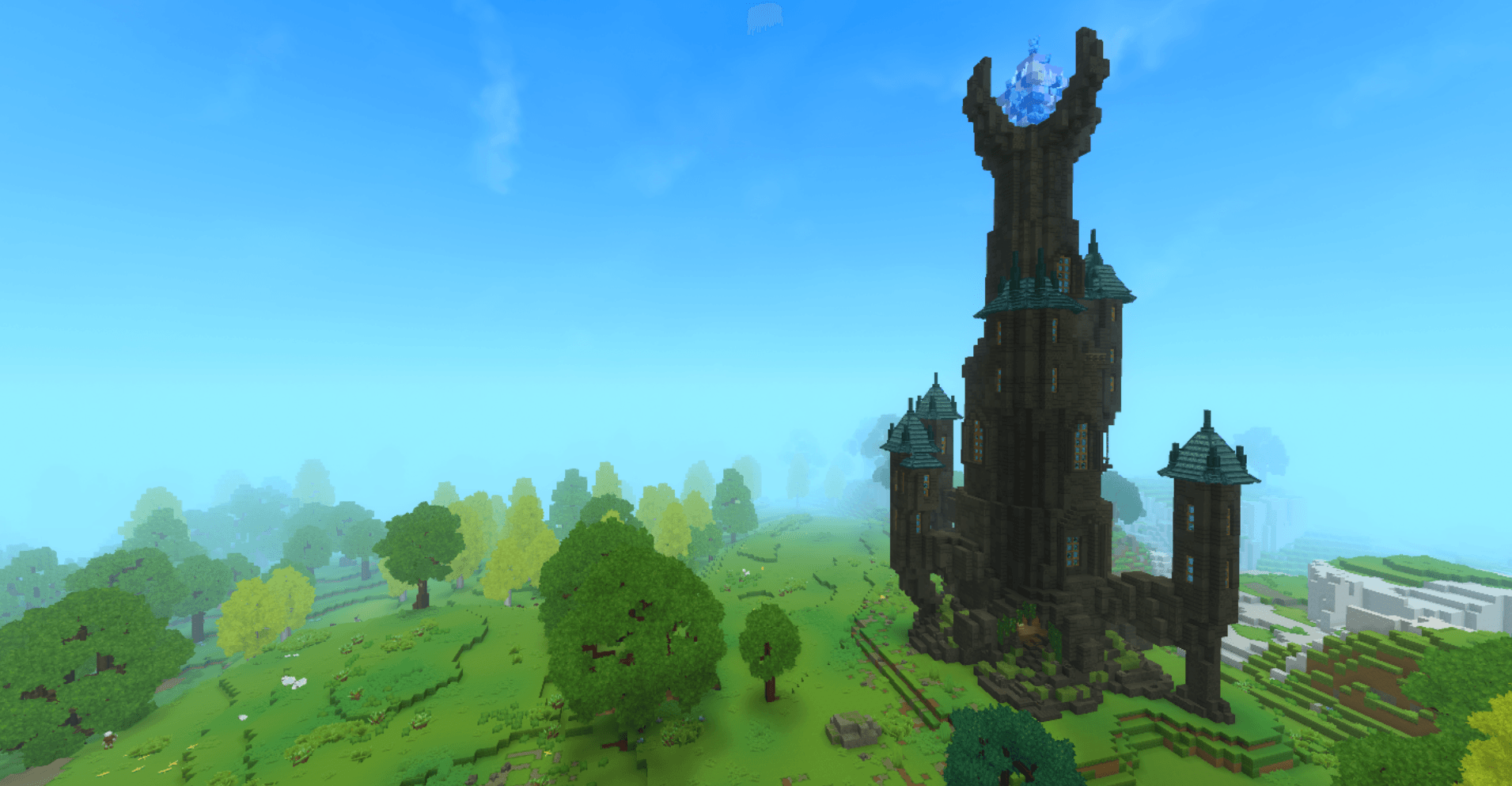
InLandscape.png
Description
Mage Tower – Grand Wizard’s Prefab
Step into the Mage Tower, a tall and mysterious wizard’s home that feels alive with magic. This multi-level tower was designed to make exploration exciting, with each floor offering its own unique theme and atmosphere. From the glowing lava below to the crystal at the very top, every level tells a story and invites you to discover its secrets.
Overview
The tower is built to be an adventure in itself. As you climb, you move from raw, elemental challenges to refined, magical spaces — a journey that feels like you’re truly ascending into a wizard’s world.
Lava Crossing
At the very bottom is a small lava lake, glowing red and casting flickering shadows. Crossing it feels like a test of courage — the perfect start to your journey into the tower.
Enchanted Library
Once you’ve crossed the lava, you enter a grand library filled with tall bookshelves, magical artifacts, and soft glowing light. It’s a space made for study, discovery, and quiet reflection.
From here, two side towers branch out:
Observation Tower – A small lookout to take in the surrounding landscape.
Greenhouse Tower – A magical greenhouse full of enchanted plants and glowing flora.
Both add life and variety to the tower’s design.
Armory & Stair Hall
Climb higher into the armory, a space lined with weapons, mystical artifacts, and enchanted items. It also serves as a stair hall, guiding you upward.
From here, you can step outside onto a circular hanging walkway that wraps around the tower. The views and the open air give a real sense of height and freedom before returning inside.
Dining Hall & Kitchen
The walkway leads into a warm and inviting dining hall with a kitchen. This floor adds a sense of life — even a powerful wizard needs to eat and relax.
Wizard Training Floor
Higher still is the wizard training area. It’s a bright and open space for spell practice, with two balconies looking out over the world.
This level also includes:
A cozy magical lounge for rest and conversation
A shared bedroom for two residents
It’s a perfect mix of functionality and comfort, showing both the discipline and the personal side of a wizard’s life.
Throne Room
At the top interior level, the throne room awaits. Bathed in magical blue light, it feels majestic yet serene — the place where the wizard presides over their tower and studies, decisions, and experiments.
Crystal Apex
At the very top sits a glowing blue crystal, shining brightly in the dark. It’s a beacon of magic, visible from far away, and the perfect crowning touch for the tower.
How to Add the Prefab in Hytale
-
Download the prefab from the CurseForge page and Unzip it.
-
Go to your world’s prefab folder:
C:\Users[YOURNAME]\AppData\Roaming\Hytale\UserData\Saves[WORLDNAME]\prefabs -
Copy the prefab folder or file into the prefabs directory.
-
Launch Hytale and open your world (or create a new one).
-
Enter Creative Mode.
-
Open the Prefab Placement Tool.
-
Select the prefab from the list — or type /prefab list to choose it.
-
Use PageDown if needed to place it properly in the terrain.
-
Put it wherever you like in your world.
-
Adjust the surrounding area if necessary, since the prefab may overwrite blocks.
The Mage Tower is perfect for fantasy worlds, magical roleplay, adventure maps, or simply as a stunning centerpiece to your world.
The Mage Tower Team
