Zone View Control
- By
Create admin-defined zones that limit chunk view radius in dense areas to improve gameplay stability
◆ Visit Astryx World | 𝕏 Follow us on X
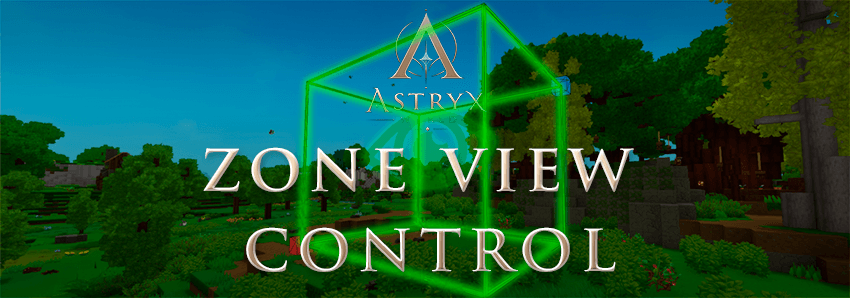
Zone View Control is a server-side Hytale mod that lets administrators create custom cuboid zones and assign a specific chunk view radius to each zone.
It is useful for cities, hubs, markets, dungeons, and other structure-heavy areas where reducing view distance locally can help stabilize gameplay without lowering the global server radius.
Features
Create zones with in-game commands
Select regions using a built-in wand system
Set custom chunk view radius per zone
Set zone priority for overlapping regions
Show and hide zone previews
Check zone information at your current position
Toggle bypass for administrators
Supports multiple worlds
No required dependency on OrbisGuard or Fixtale
Commands
| Command | Description |
|---|---|
/zv |
Shows the command help. |
/zv wand |
Toggles selection wand mode and selection preview. |
/zv pos1 [x y z] |
Sets the first selection corner. If coordinates are omitted, your current position is used. |
/zv pos2 [x y z] |
Sets the second selection corner. If coordinates are omitted, your current position is used. |
/zv expand |
Expands the current selection vertically from Y 0 to Y 319. |
/zv define <id> [radius] [priority] |
Creates a zone from the current selection. Default radius is 4 and default priority is 0. |
/zv radius <id> <radius> |
Changes the chunk view radius of an existing zone. |
/zv priority <id> <priority> |
Changes the priority of an existing zone. Higher priority wins when zones overlap. |
/zv redefine <id> [radius] [priority] |
Replaces an existing zone bounds with the current selection. |
/zv remove <id> |
Removes a zone. |
/zv list |
Lists all zones. |
/zv info [id] |
Shows information about a named zone. If no id is provided, shows the zone at your current position. |
/zv show [id] |
Shows a preview of a named zone. If no id is provided, shows the zone at your current position. |
/zv showselection |
Shows a preview of your current selection. |
/zv hide |
Hides the current zone or selection preview. |
/zv bypass [player] [on|off] |
Toggles radius-control bypass. Without arguments, toggles bypass for yourself. |
/zv reload |
Reloads zones.json. |
/zv save |
Saves zones.json. |
/zv status |
Shows current mod status and runtime radius information. |
Aliases
| Command Group | Aliases |
|---|---|
| Main command | /zv /zvc /zoneview /zoneviewcontrol |
| Radius command | /zv radius /zv setradius /zv r |
| Priority command | /zv priority /zv prio /zv p |
| Remove command | /zv remove /zv delete /zv del |
| Info command | /zv info /zv i |
| Show command | /zv show /zv visualize /zv highlight |
| Show selection command | /zv showselection /zv showsel /zv selshow /zv selection |
| Wand command | /zv wand /zv w /zv sel |
Permissions
| Permission | Meaning |
|---|---|
zoneviewcontrol.wand |
Allows using the selection wand. |
zoneviewcontrol.selection.pos |
Allows setting selection positions with /zv pos1 and /zv pos2. |
zoneviewcontrol.selection.expand |
Allows expanding selections with /zv expand. |
zoneviewcontrol.zone.define |
Allows creating new zones with /zv define. |
zoneviewcontrol.zone.radius |
Allows changing zone radius with /zv radius. |
zoneviewcontrol.zone.priority |
Allows changing zone priority with /zv priority. |
zoneviewcontrol.zone.redefine |
Allows replacing an existing zone selection with /zv redefine. |
zoneviewcontrol.zone.remove |
Allows removing zones. |
zoneviewcontrol.zone.list |
Allows viewing the zone list. |
zoneviewcontrol.zone.info |
Allows viewing zone information. |
zoneviewcontrol.zone.show |
Allows showing and hiding zone previews. |
zoneviewcontrol.reload |
Allows reloading the config. |
zoneviewcontrol.save |
Allows saving the config. |
zoneviewcontrol.status |
Allows viewing mod status and current runtime radius information. |
zoneviewcontrol.bypass.self |
Allows toggling radius-control bypass for yourself. |
zoneviewcontrol.bypass.others |
Allows toggling radius-control bypass for other players. |
About Astryx World
This mod was originally developed by the Astryx World team for our own Hytale RPG server project. We decided to share it publicly so other server owners and creators can use it as well.
The Zone View Control Team