TheHyCore
- By

HyCore adds a server-wide night skip vote at 7:30 PM. Players have 30 seconds to vote; if votes exceed 50% + 1, night is skipped. No vote counts as No. Sleeping remains enabled. Includes a toggleable server time clock with /clock.
⚙️ HyCore

Update 1.0.4
Dropped Item Attraction System (Magnet)
Adds a dropped item attraction (magnet) system that can be enabled globally for the entire server or individually per player using commands.
Main Command:/hymagnet
Global Commands (Server-Wide / Default)
These commands control the default magnet behavior for the whole server:
/hymagnet on | enable– Enable the magnet globally/hymagnet off | disable– Disable the magnet globally/hymagnet toggle– Toggle the global magnet state/hymagnet status– Displays enabled state, radius, and speed/hymagnet radius <number>– Sets the attraction radius/hymagnet speed <0-1>– Sets the attraction speed
Player-Specific Commands
These commands apply a UUID-based override and do not affect the global server setting:
/hymagnet me on– Enable the magnet for yourself/hymagnet me off– Disable the magnet for yourself
Night Vote System & Server Clock for Hytale A clean, server-side
Vanilla+ quality-of-life mod
that improves night flow and time awareness on multiplayer servers — without breaking native gameplay.
🌙 Automatic Night Skip Vote
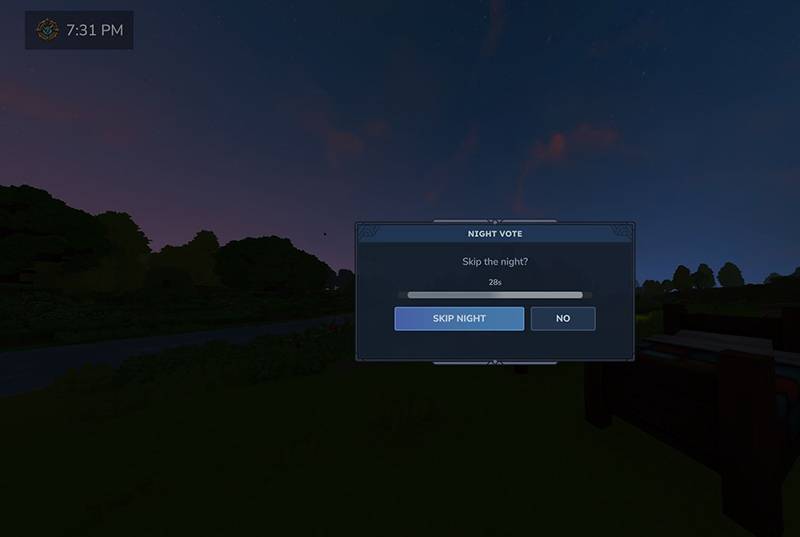
At 7:30 PM (in-game time), HyCore automatically starts a server-wide vote to skip the night.
🔹 How the vote works
- A CustomUI popup appears for all online players
- The vote lasts 30 seconds
- Players must vote Yes or No
- If Yes votes > 50% + 1, the night is skipped and morning begins
- Players who do not vote are counted as No
- If the vote fails, the night continues normally
🔸 Important Notes
- After the vote ends, players can still sleep naturally
- The vanilla sleep mechanic is NOT disabled
- The system feels native and immersive
⏰ Server Time Clock (HUD)
HyCore includes a clean and minimal server time clock HUD.
🔹 Clock Features
- Displays real server game time
- Enabled by default for all players
- Toggleable per player using:
📦 Installation
- Download the latest HyCore
.jar - Place it in the server
mods/folder - Restart the server
🎯 Perfect For
- Survival servers
- Exploration-based gameplay
- Adventure maps
- Vanilla+ experiences
Version 1.0.2
An option has been added that allows the player to enable or disable the floating window that appears when the vote to skip the night starts.
If the player is in combat, this window will not appear.
In both cases, voting will still be possible via text, but not through the voting window.
Additionally, Spanish and English language support has been added.
The server administrator can set a default language, and each player can change it individually, allowing full support for multi-language servers.
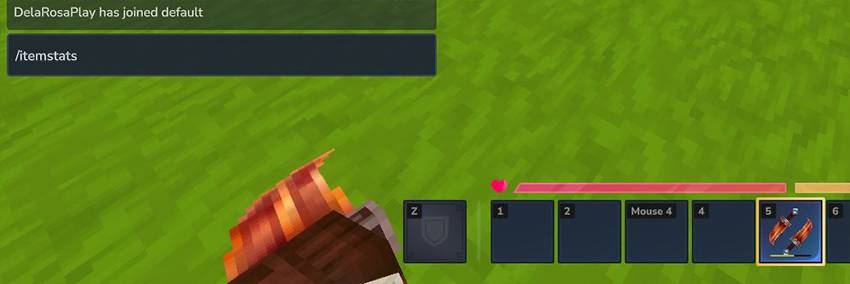
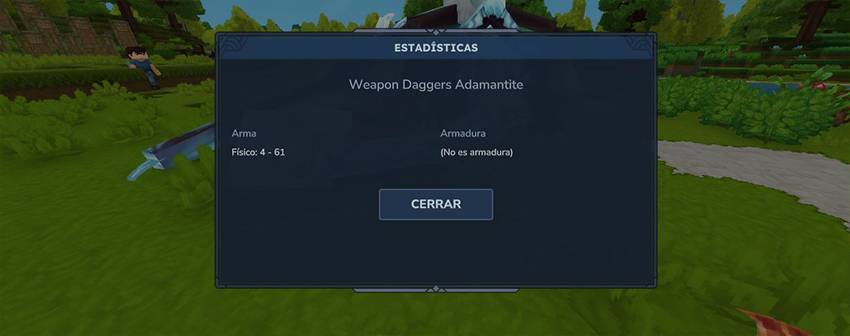
You can view real-time stats for weapons and armor by holding them in your hand and using the command /itemstats
TheHyCore Team