TheBrothers
Adventure with two loyal companions who actually fight with you.
Big and Lil, the NPC duo, are not background pets or disposable summons. They are your brothers-in-arms companions: one loud, impulsive, and always ready to dive in, the other kind-hearted, protective, and determined to keep everyone safe.
Assign them roles, bring them into battle, and let them cover what you need most in the moment, whether that is pressure, protection, or support. The heart of TheBrothers is the feeling of stepping into danger with a real duo at your side, each with their own style and voice.
Quick Start (Essential)
Very Important: TheBrothers:Call-to-Arms (
Weapon_Spellbook_TheBrothers_Call_To_Arms) is your immediate summon/UI tool.
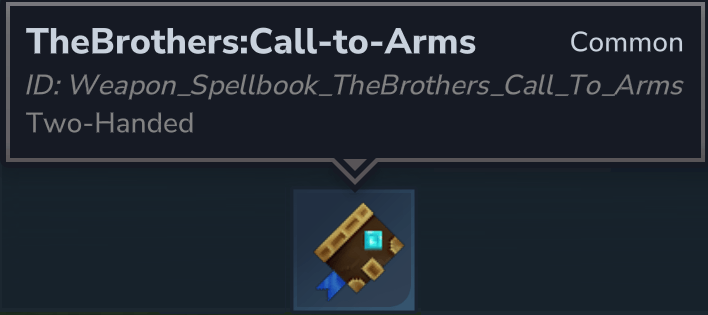
- Hold right-click to summon/spawn the bros.
- Short right-click (tap) to open the bros UI.
If you only remember one thing before reading further, remember this tool flow.
Command Your Bros in Combat
You control each bro with three simple levers: Mode, Stance, and Role.
Set these once, and Big/Lil act independently around you based on those choices, adjusting naturally as fights evolve.
Mode Layer (positioning intent)
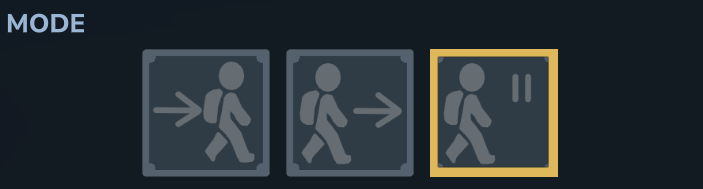
FOLLOW: they follow your lead, staying a few steps behind you and moving with your pace.SCOUT: they lead the way and take point, while you still choose the direction.IDLE: they roam their immediate area and stop following you until you change mode.
In all modes, bro movement is tuned to feel more player-like: they can step and jump over terrain obstacles instead of getting stuck on every ledge like typical NPC pathing.
Note: Underground behavior is tighter: bros stay much closer to you in enclosed spaces and will only rarely scout far ahead, but they still engage enemies according to their current stance.
Stance Layer (engagement intent)
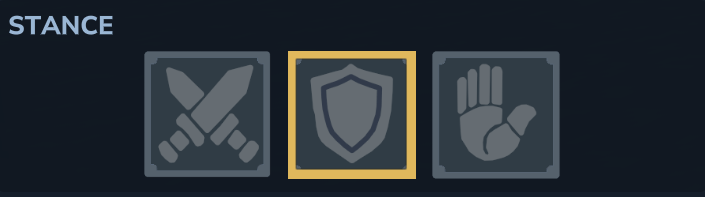
AGGRESSIVE: actively looks for enemies and keeps pressure up.DEFENSIVE: focuses on protection and reacts when you or a bro gets hit.PASSIVE: avoids combat and prioritizes disengaging from danger.
Stance defines temperament more than raw power: same bro, different attitude and battlefield behavior.
Combat Behavior in Practice
- Bros can pick and switch targets on their own while respecting your current mode/stance.
- They stop chasing invalid fights and return to their assigned behavior when combat clears.
- They will not lock into attacking each other, so their aggression stays focused on real threats.
- We added the
PlayerTeamattitude group so Big and Lil react to threats the same way the player would, and generate the same reactions from other NPCs that the player would. - Target decisions are filtered through the Attitude system (
HOSTILE/FRIENDLY), so bros commit to enemies and ignore friendlies.
Role Layer (combat function)
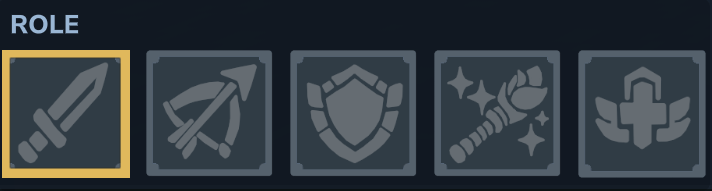
Each bro can be assigned one of five roles:
MELEERANGETANKMAGICHEALER
Role answers the question: "What is this bro doing for my team right now?"
You can run mirrored roles or complementary pairings and change them as your encounter needs change.
Current role ability note:
HEALER: gains an active healing behavior, prioritizing thePlayerTeammember with the most missing health (player, other bro, or self) when they drop below the health threshold.- Other roles do not yet have dedicated special role abilities. Those are planned and tracked in the Roadmap section.
Gear Up Your Bros
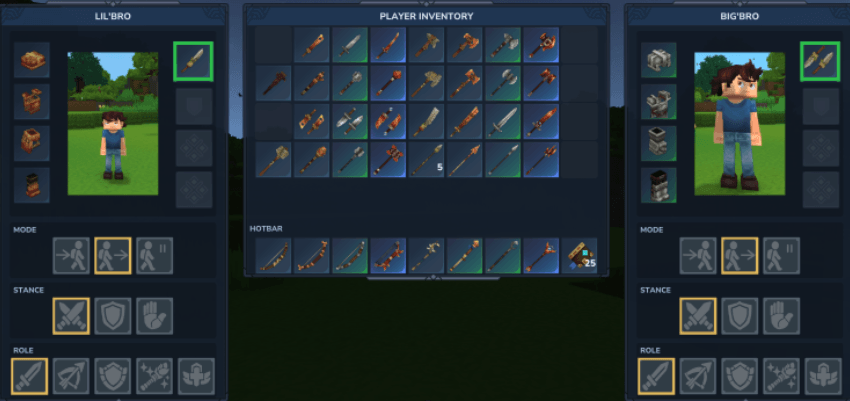
The control UI is split into practical sections so you can configure both bros quickly: behavior controls (mode/stance/role), live status, and equipment slots (armor, weapon, shield, accessory).
Open the UI with TheBrothers:Call-to-Arms quick action (Weapon_Spellbook_TheBrothers_Call_To_Arms): short right-click opens the bro UI directly.
Armor and Survivability
Each bro has dedicated armor slots (head, chest, hands, legs) plus a shield/offhand utility slot in the UI.
Armor and shield equipment are real combat gear for bros, not cosmetic placeholders.
Damage mitigation follows the game's normal armor/stat behavior; TheBrothers does not replace armor math with a separate custom mitigation system.
Weapon Families and Tiers
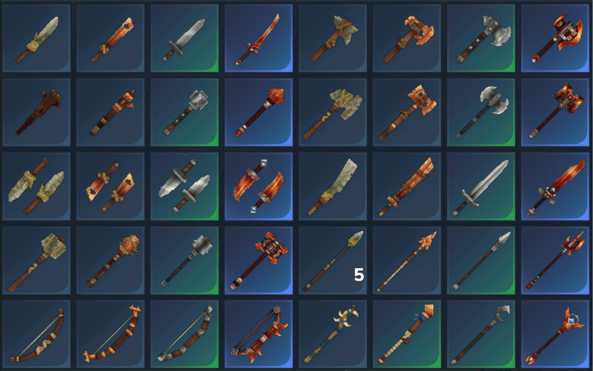
Weapon progression is organized by family and tier:
- Families:
Sword,Axe,Battleaxe,Club,Daggers,Longsword,Mace,Spear,Staff,Shortbow - Tiers:
T1(Crude, or Bone for Staff),T2(Copper),T3(Iron),T4(Adamantite)
Across families and tiers, weapon DPS was intentionally streamlined so upgrading feels consistent and no family is left behind on progression value.
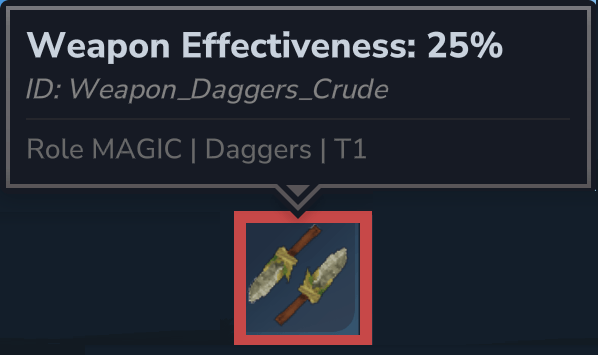
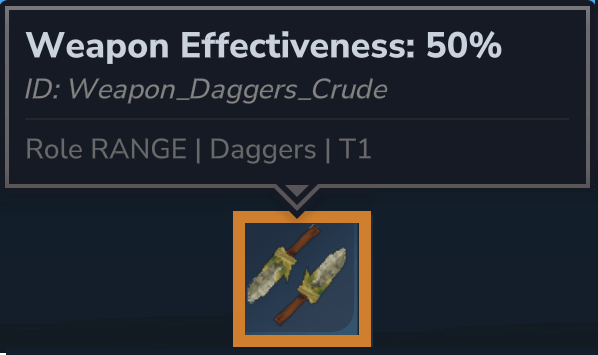
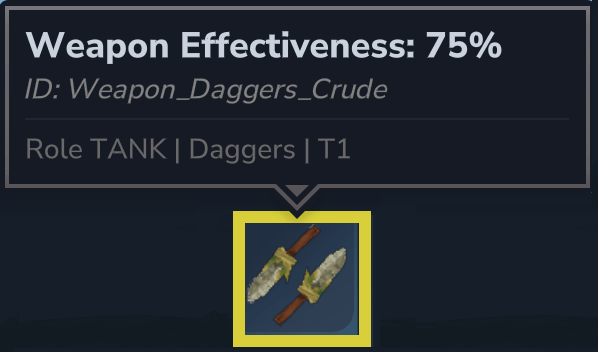
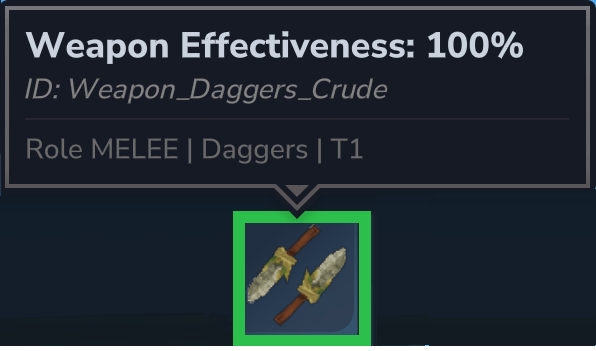
Role/class still matters on top of that baseline: each role applies its own effectiveness multiplier by weapon family, so the same weapon can perform differently depending on who is using it.
Big and Lil Banter
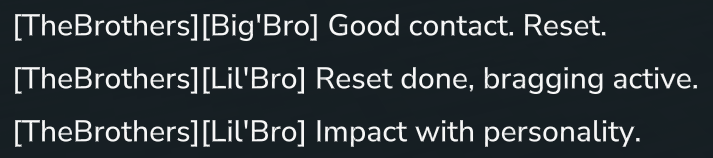
Big and Lil are not silent followers. They comment on combat, target changes, role/stance changes, and key encounter moments, so the duo feels alive while you play.
The banter system supports both solo lines and back-and-forth exchanges between the brothers, with personality-consistent tone for each one.
Banter intensity can be adjusted through commands if you want more chatter, minimal chatter, or none at all.
Command details are covered in the next section.


Commands
All commands use the root: /thebrothers
Core commands:
/thebrothers help: shows available commands./thebrothers spawnnpc: spawns missing bros./thebrothers ui [lil|big]: opens the bro UI (defaults tolil)./thebrothers mode [lil|big] [follow|scout|idle]: sets movement behavior per bro./thebrothers stance [lil|big] [aggressive|defensive|passive]: sets engagement behavior per bro./thebrothers dismiss [lil|big]: dismisses one bro./thebrothers banter [full|min|none]: adjusts banter intensity./thebrothers status: prints current bro state.
Creative-mode-only commands:
/thebrothers jumpnow [lil|big] [upForce] [forwardForce]: force-jump test command./thebrothers debug [on|off]: toggles debug logging./thebrothers checklist [lil|big] [log]: runs diagnostics./thebrothers clear: clears active session data.
Roadmap
Near-term priorities:
- Expand role-specific active abilities beyond
HEALER(melee, range, tank, magic). - Grow banter variety further with more situational conversations and encounter-specific exchanges.
- Continue UI polish for readability and faster in-combat adjustments.
- Add command buttons for faster mode/stance/role changes.
- Add more gameplay tuning passes for role balance, weapon-family identity, and progression feel.
Compatibility, Performance, and Troubleshooting
Compatibility
- Designed for current Hytale server mod flow with both solo and multiplayer ownership/session handling.
- Supports per-player bro ownership, command control, and UI control workflows.
- Some admin/diagnostic commands are intentionally Creative-mode-only.
Performance
- Normal gameplay runtime is intended to be lightweight for two active companion NPCs.
- Debug/diagnostic output stays minimal in normal play and increases only when debug tooling is enabled.
- Ongoing tuning focuses on keeping behavior responsive without noisy background processing.
Troubleshooting Quick Checks
- Bros not appearing: Use Brown Grimoire hold-right-click first, then run
/thebrothers spawnnpc. - UI not opening: Short right-click Brown Grimoire, or use
/thebrothers ui. - Unexpected behavior: Run
/thebrothers statusto confirm active mode/stance state. - Too much banter: Reduce banter level with
/thebrothers banter minor/thebrothers banter none. - Deeper diagnostics: In Creative mode, use checklist/debug commands for targeted troubleshooting.
Credits and Attribution
- Mod design and implementation: Halekio / TheBrothers project.
- Testing and balancing: ongoing through live playtesting and iterative tuning.
If you want to report issues, suggest features, or follow development progress, use the project repository/issues page.
TheBrothers Team