TextOnSigns
- By
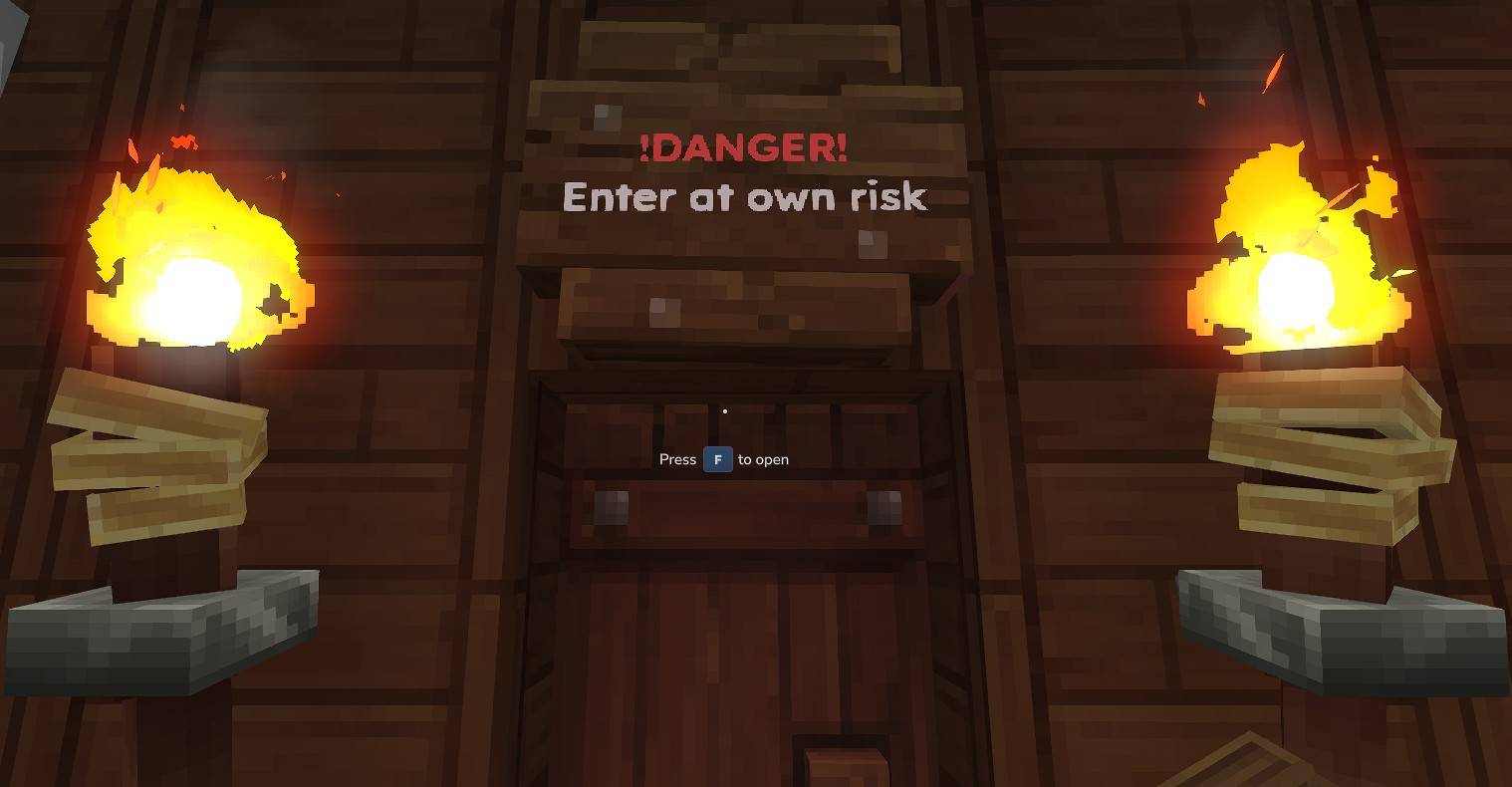
TextSigns-Danger-Enter-at-own-risk.jpg
Description
TextOnSigns
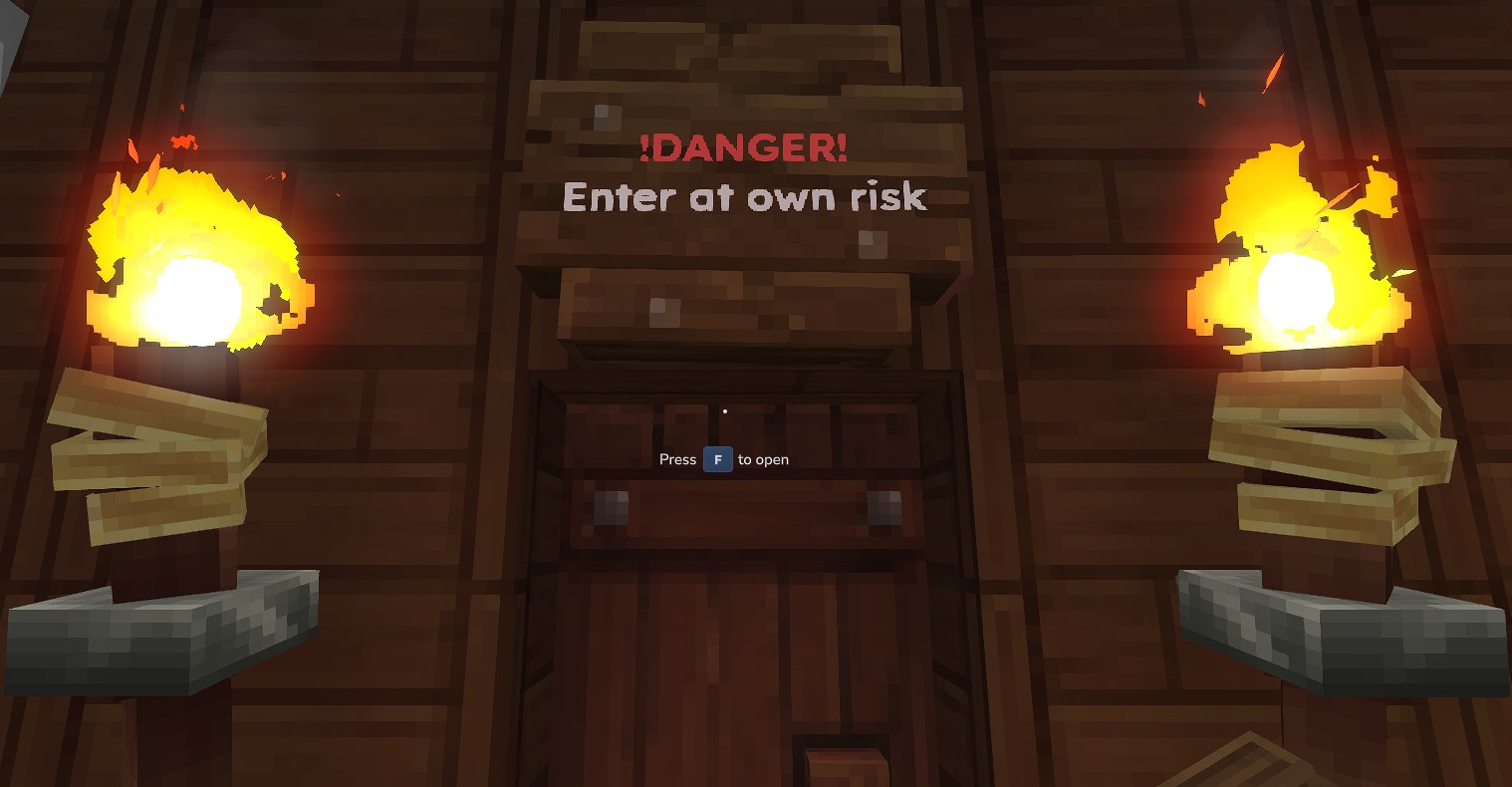
Write on signs and have your text drawn right on the sign itself, so every player can read it just by looking at it. No pop-ups and no client mods needed.
Features
- Text on the sign face. Text is drawn on the board of the sign, turns with the sign, and shows on both sides of hanging and standing signs.
- Live preview. Text appears on the sign as you type. Press Enter or click Save to keep it, or Esc to cancel.
- Fits itself to the sign. Text wraps between words and shrinks to fit, up to five lines.
- 16 colours. Pick a colour for the whole sign from the swatches in the editor, or colour parts of the text with Minecraft-style codes:
&0to&f, with&rto go back to the sign's colour. - Line breaks. Type
\nto start a new line, for exampleWelcome\nto the tavern. - Locking. Lock a sign so no one can change it. Only the player who placed it can lock or unlock it.
- Clean up. Breaking a sign removes its text, and text is saved with the world.
Colour codes
| Code | Colour | Code | Colour |
|---|---|---|---|
&0 |
Black | &8 |
Dark Grey |
&1 |
Dark Blue | &9 |
Blue |
&2 |
Dark Green | &a |
Green |
&3 |
Dark Aqua | &b |
Aqua |
&4 |
Dark Red | &c |
Red |
&5 |
Dark Purple | &d |
Light Purple |
&6 |
Gold | &e |
Yellow |
&7 |
Grey | &f |
White |
For example, &c!DANGER!\n&rEnter at own risk gives the sign in the picture above.
Supported signs
Ancient, Crude, Sandswept, Feran, Frozen Castle, Lost Civilization, Kweebec, Lumberjack, Tavern, Dark Temple, Overgrown Temple, Wind Temple and Simple Wooden signs. Crafting recipes are unchanged from vanilla; the README on GitHub lists what each sign is made from.
The Goblin, neon and Under Construction signs aren't supported yet.
Installing
- Make sure your server runs Hytale 0.7.x.
- Put
TextOnSigns-<version>.jarin your server'smodsfolder. - Restart the server.
It's a server plugin only; players don't need to install anything. Don't install it alongside the original TextSigns plugin, since both change the same signs.
Limitations
- Signs show printable ASCII characters only; other characters appear as
?. - Text is limited to 200 characters, including codes.
- Minecraft's formatting codes (
&kto&o, such as bold) aren't supported. - Each character on a sign is a small entity, so a sign full of text adds a few hundred entities to its chunk.
Credits
- Based on TextSigns by Daniel Novaes Dias, which provided the sign editor and saving of sign text.
- On-sign text, colours and the Hytale 0.7 port by OrganismZero.
- Text is drawn in the Lexend font, used under the SIL Open Font Licence 1.1.
Source and licence
Source code, issues and releases: https://github.com/organismzero/TextOnSigns
TextOnSigns is released under the MIT Licence.
TextOnSigns Team