
Target Health Bar
- By
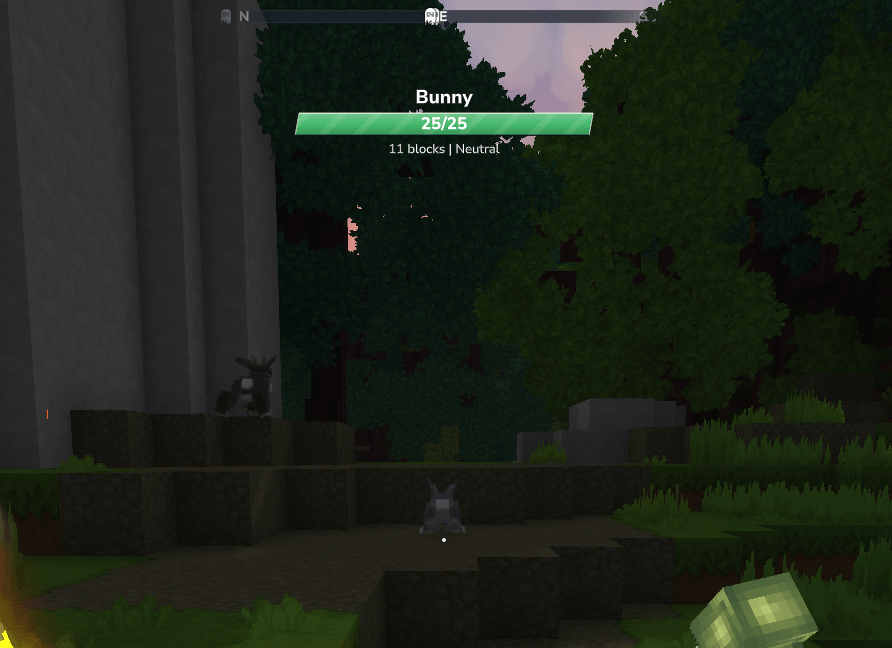
Captura desde 2026-10-08 15-37-07.png
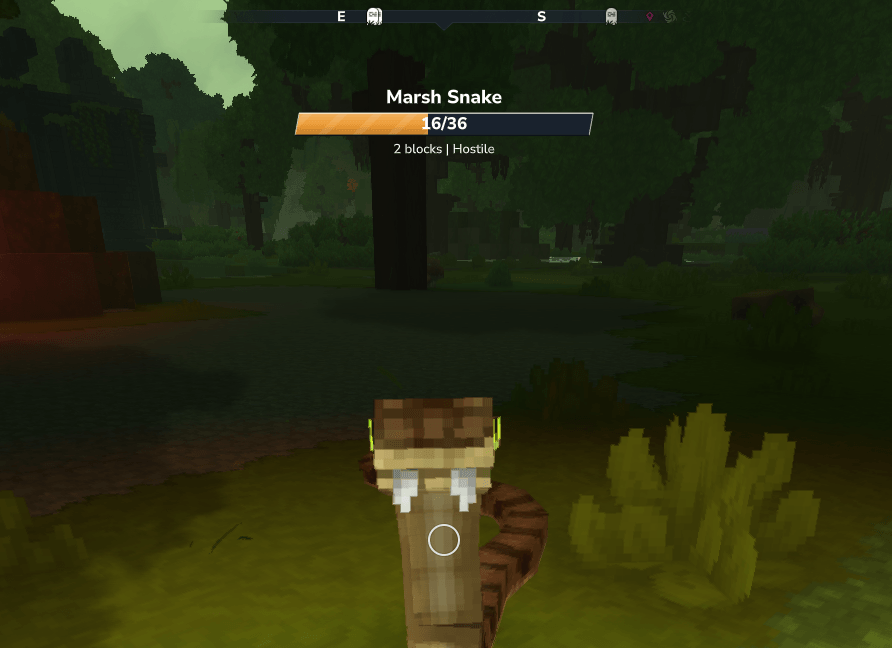
Captura desde 2026-10-08 15-39-18.png
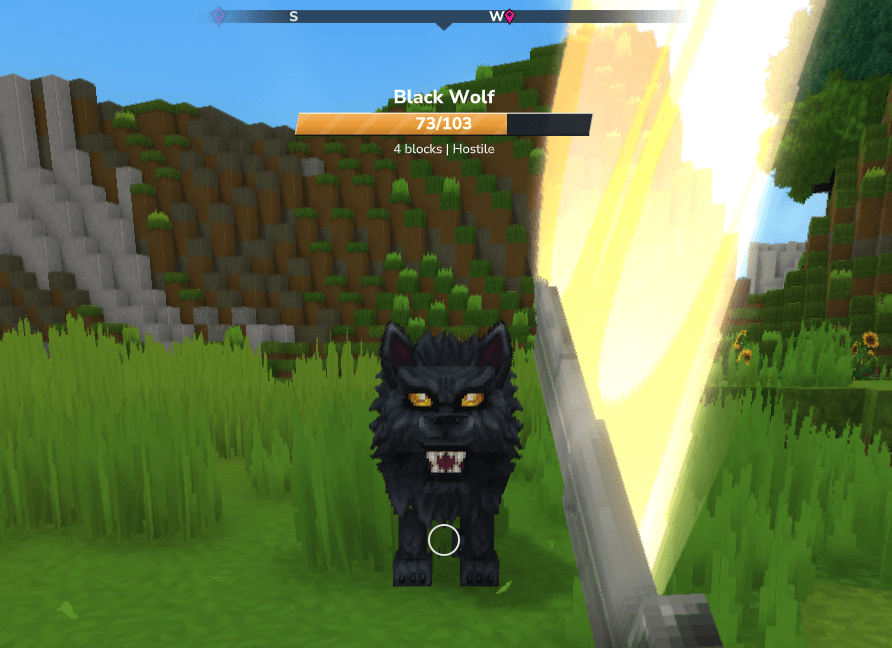
Captura desde 2026-10-08 15-40-59.png
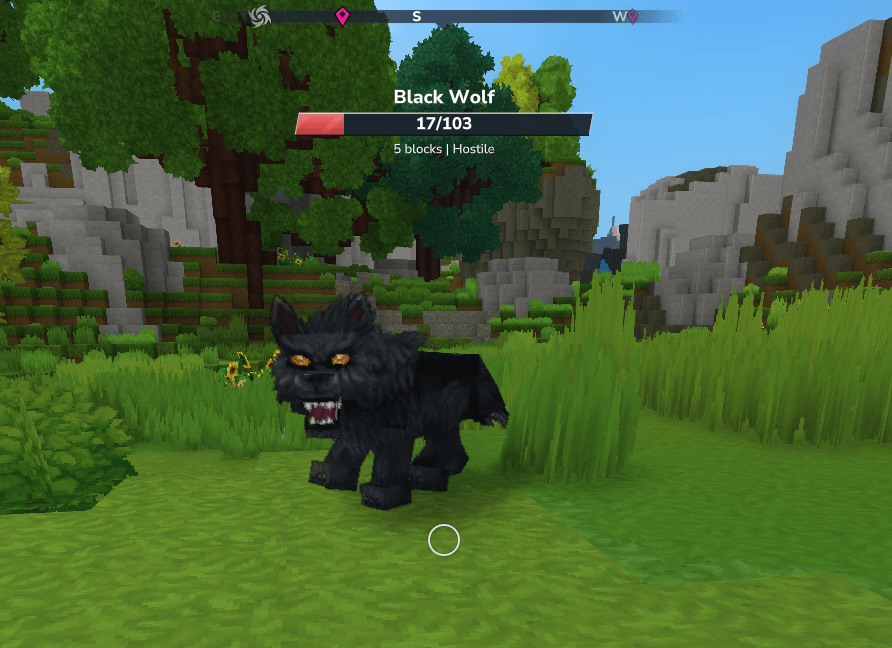
Captura desde 2026-10-08 15-41-06.png
Captura desde 2026-10-08 15-41-54.png
Description
Target Health
Know your enemy before you strike!
Target Health is a lightweight Hytale mod that displays a clean, easy-to-read health bar for the creature you're looking at.
See your target’s health, distance, attitude, and active effects without cluttering your screen. Customize the HUD to suit your playstyle, with settings saved individually for each player.
Features
- Automatic target detection: Displays information when aiming at a valid creature.
- Health at a glance: See your target’s current and maximum HP, with smooth health-bar animations.
- Color-coded health bar: Green above 75%, orange from 25% to 75%, and red below 25%.
- Optional target details: Display distance, attitude toward you, and active status effects.
- Adjustable background: Improve contrast with a rounded black background, from fully transparent to solid black.
- Native health-bar hiding: Hides Hytale’s default entity health bars while Target Health is active.
- Boss-bar compatibility: Optionally hides the Target Health HUD when the targeted creature already has an active native boss bar.
- Multilingual: Supports English, Spanish, French, Brazilian Portuguese, Russian, Ukrainian, and Simplified Chinese.
- Personal settings: Each player can customize their own HUD without affecting others.
- Hytale 0.7.0 compatibility: Updated for the new API, with safeguards that keep the custom HUD available if optional compatibility features fail.
Configuration
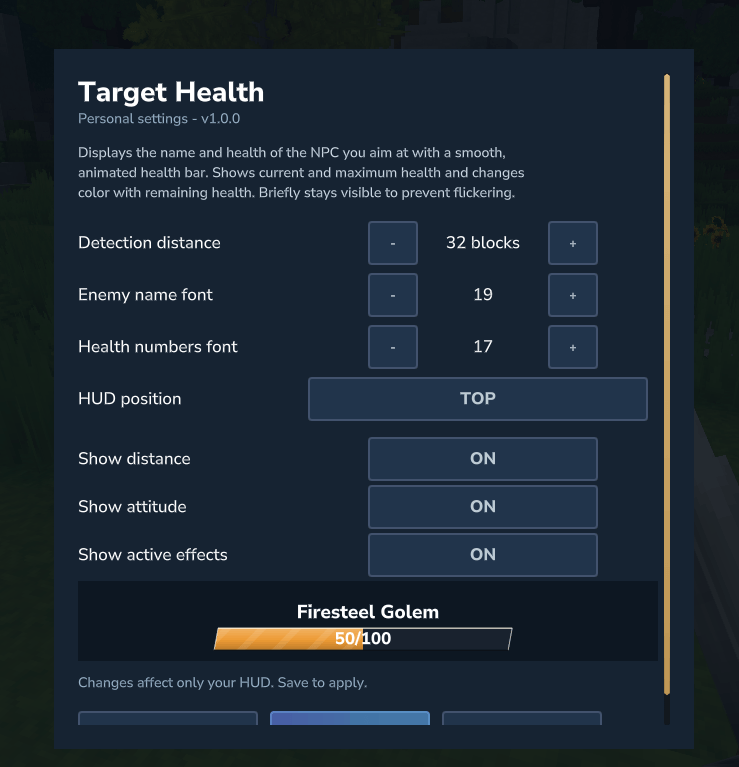
Type /targethealth in chat to open the configuration menu.
Each player can customize:
- Detection distance: Target creatures from 4 to 128 blocks away.
- Font sizes: Adjust the creature name and health numbers separately.
- HUD position: Choose top, bottom, above the crosshair, or below the crosshair.
- Additional information: Show or hide distance, attitude toward you, and active status effects.
- Background opacity: Adjust from 0% to 100% in 5% steps. Fully transparent by default, with a live preview in the settings menu.
- Boss-bar compatibility: Enable or disable “Hide for targets with boss bars.” Enabled by default, this hides our HUD only for the creature represented by the active native boss bar.
Click Save to apply and remember your settings, or Reset to restore the defaults. Settings are saved individually for each player and persist between sessions.
Translation note: The settings menu translations are AI-generated, except for Spanish. Please let me know if you spot any mistakes or would like to suggest improvements.
Compatibility note: Boss-bar detection supports Hytale’s native boss-bar system. Bars drawn entirely through another mod’s custom interface may not be detected
Target Health Bar Team
