StatusBot / PlayerCounter /
- By
StatusBot is a Hytale server plugin that connects your server to Discord and dynamically updates the bot’s status with the current player count
StatusBot Hytale Discord Plugin
Discord Status & Server Information Bot for Hytale
StatusBot is a Hytale server plugin that connects your server directly to Discord.
It automatically updates the bot’s status with live player counts and provides a beautiful /status slash command showing detailed server information in a rich embed.
Designed with stability, customization, and rate-limit safety in mind.
For support, suggestions on features and complaints please join our discord https://discord.gg/f3WsEF6UNE.
Want to see how the bot works in real time?
Join our discord at https://discord.gg/f3WsEF6UNE
If you want to use the simple version with only the status on the bot, download the earliest version.
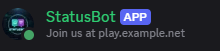
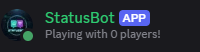
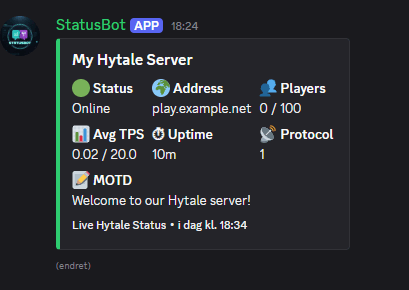
✨ Features ✨
✅ Live Discord status updates
✅ /status slash command with rich embed
✅ Player count tracking (join / leave aware)
✅ Server uptime tracking
✅ Fully configurable embed (colors, text, logo, footer)
✅ Rotating Discord activity messages
✅ Safe Discord rate-limit handling
✅ Java 21 compatible (runs on Java 21–25)
🤖 Creating the Discord Bot 🤖
Go to the Discord Developer Portal
https://discord.com/developers/applications
Click “New Application” and give it a name.
Open the application → Bot tab
Click “Add Bot”
Choose a profile icon and name
Copy the Bot Token (keep this secret!)
Enable Presence Intent, MESSAGE CONTENT INTENT and Server member intent
Go to "OAuth2"
Enable "Bot and administrator"
Go to the bottom and copy the link and paste it in your browser to invite it to your server.
⚠️⚠️ Do not share your bot token.⚠️⚠️ Anyone with this token can fully control your bot.
Install "StatusBotByBanan.jar and paste it in your mods folder
A new config file will be generated in the same folder where you can change the following:
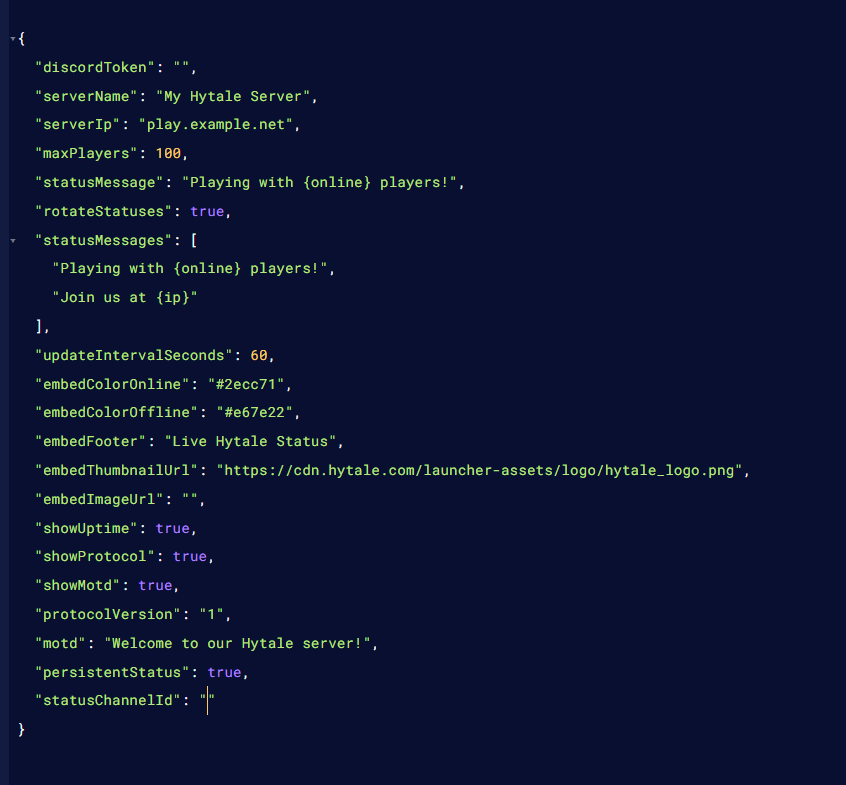
StatusBot Configuration Guide
There is now a Statusbotdata.json file in the statusbot folder
This is only generated when persistent embed is set to true and channelID is provided.
Language support added, change language to: en, es or fr
🔐 Discord Settings
-
🔑
discordToken
Your Discord bot token from the Discord Developer Portal
❗ Required — the bot will NOT start without this
🖥️ Server Information
-
🏷️
serverName– Name shown as the embed title -
🌍
serverIp– Displayed in/statusand rotating messages -
👥
maxPlayers– Maximum player count shown in the embed
🎮 Discord Bot Status (Presence)
-
🟢
statusMessage– Default bot status message -
🔁
rotateStatuses– Enable rotating status messages (true / false) -
📝
statusMessages– List of rotating messages -
⏱
updateIntervalSeconds– How often status updates-
⚠️ Minimum: 30 seconds (rate-limit safe)
-
🔤 Available placeholders:
-
{online}→ current online players -
{ip}→ server IP from config
🎨 Embed Appearance
-
🟩
embedColorOnline– Embed color when server is online -
🟧
embedColorOffline– Embed color when server is starting/offline-
Must be HEX colors (example:
#2ecc71)
-
-
🧾
embedFooter– Text shown at the bottom of the embed
🖼️ Embed Images / Logos
-
embedThumbnailUrl– Small logo (top-right corner) -
embedImageUrl– Large banner image (optional)
⚠️ Image URL rules (VERY IMPORTANT):
-
Must start with
https:// -
Must end with
.png,.jpg,.jpeg,.webp, or.gif -
Must be a direct image link
✅ Example:
❌ Invalid (will break /status):
🚨 If invalid, StatusBot prints a warning in console and safely skips the image.
🧩 Optional Embed Fields
-
⏱
showUptime– Shows server uptime -
📡
showProtocol– Shows protocol version -
📝
showMotd– Shows MOTD text -
🔢
protocolVersion– Manual protocol value -
💬
motd– Message of the day shown in embed
⏳ Uptime Explained
-
Shows how long the server has been running
-
Examples:
-
5m -
2h 15m -
1d 4h 20m
-
Helps players see server stability.
📌 Persistent Status Embed (Optional)
(If enabled)
-
📍 Bot posts one embed in a channel
-
🔄 Embed updates automatically
-
🚫 No spam
-
📢 Perfect for
#server-statuschannels
Upcoming updates:
Remove /status command and only keep persistent embed (build with /status will still be available but not supported)
Startup Status
More game integration/chat-to-discord
StatusBot / PlayerCounter / Team