Social Panel
- By
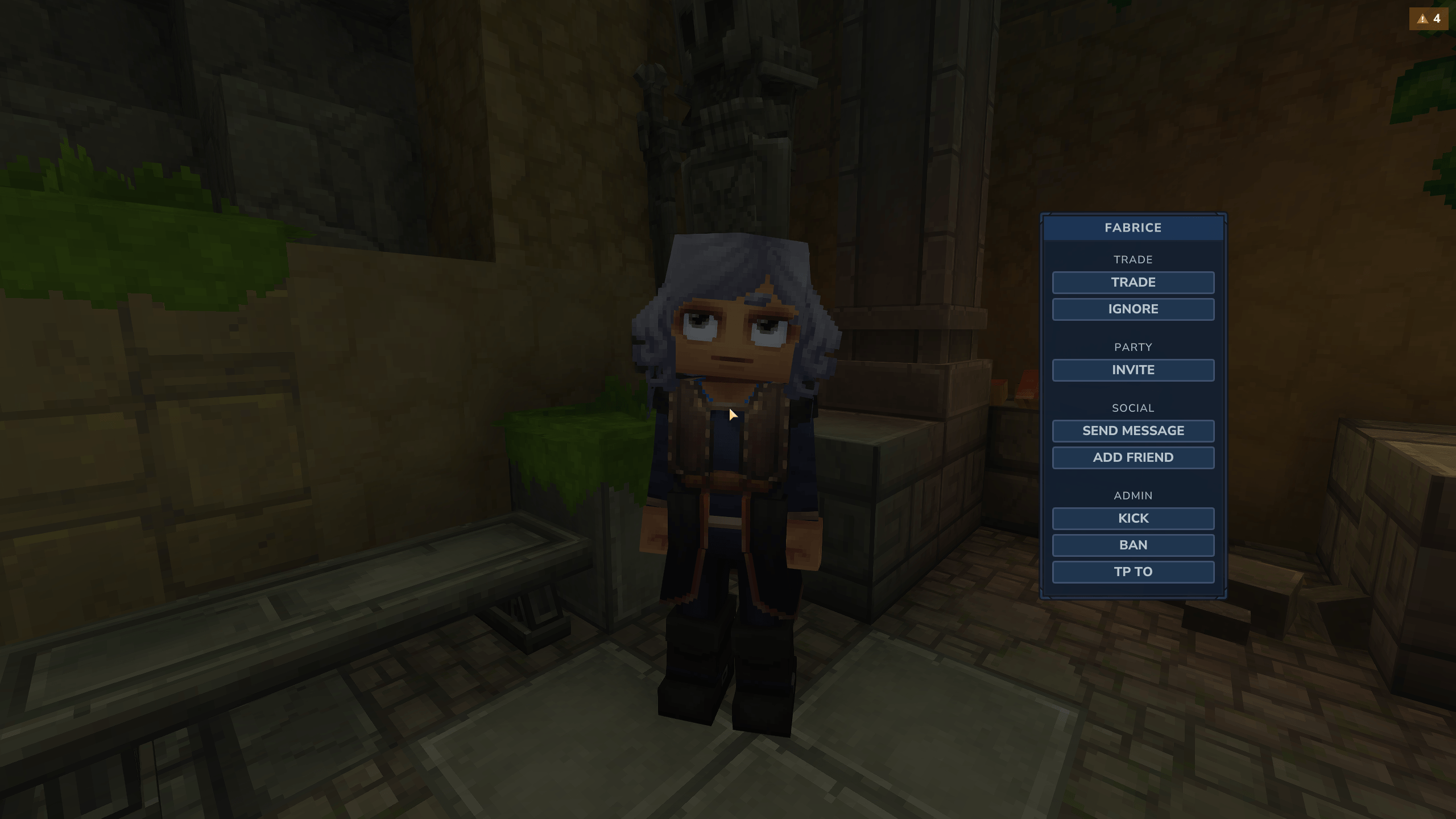
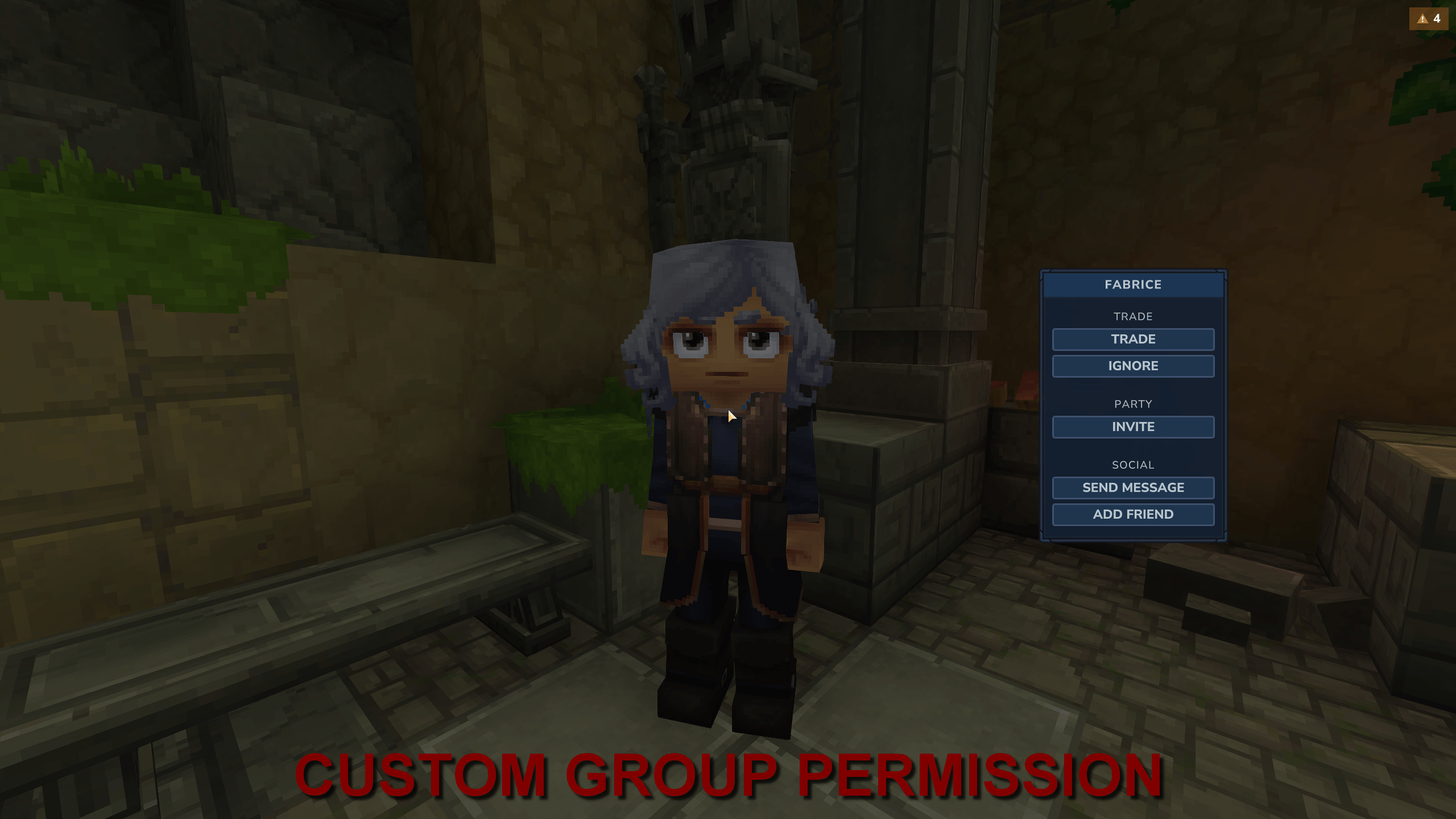
The Admin group is hidden because the player doesn't have the required permission.
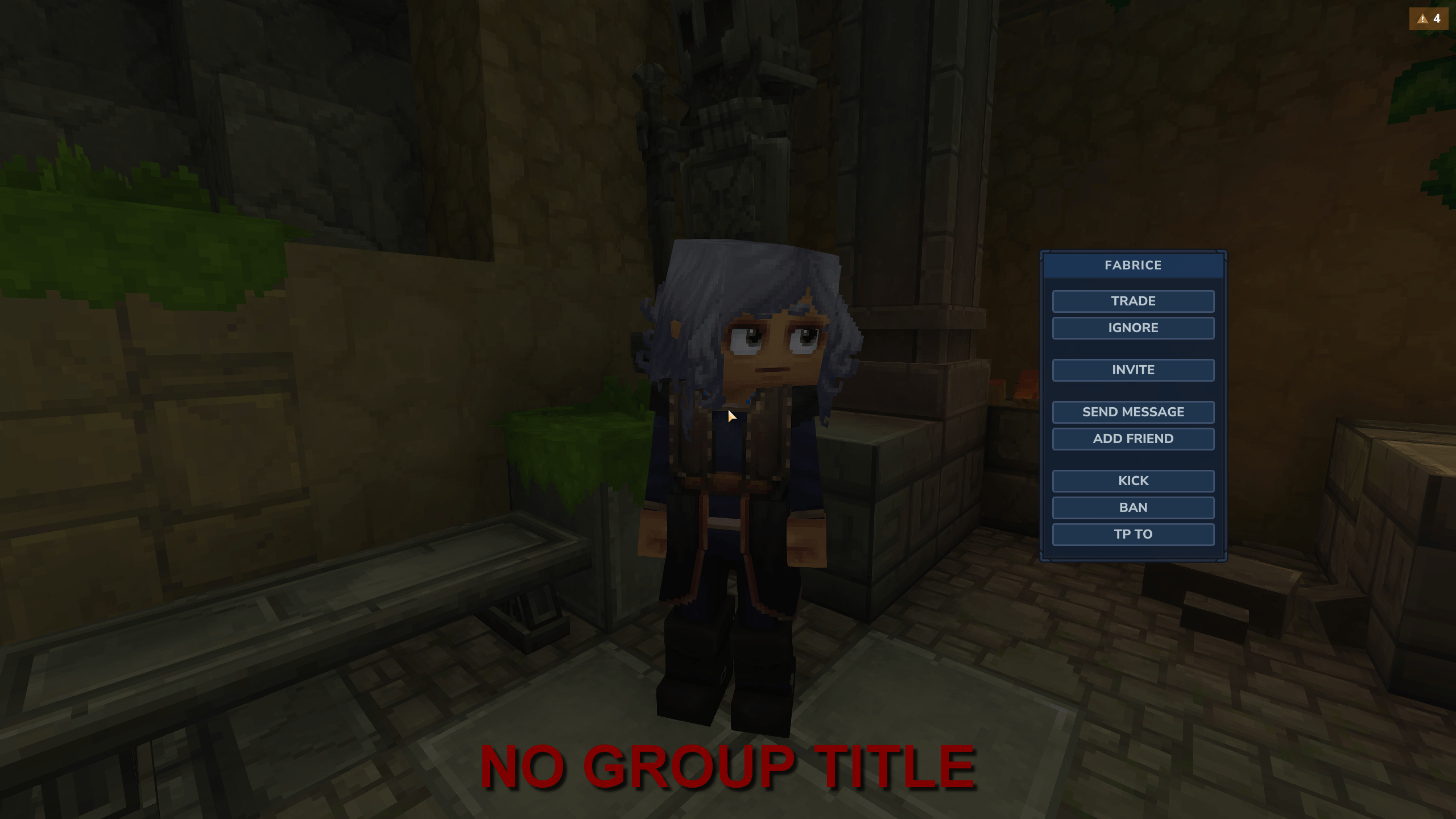
If you don't put a title to group it'll only add spaces between groups.
Description
Social Panel - Your commands at your fingertip!
Social Panel is a mod allowing server owners to create a social menu containing any commands as buttons to run them in a single click.
Features:
- No commands: to open the social menu just press F (configurable) or middle mouse click (configurable) while targetting another player.
- One click commands: Turn any command into a button (configurable).
- Arguments support: If your command needs auto-filled arguments just add
{senderName},{targetName},{senderUuid}or{targetUuid}to it in the config file (e.g. /kick{targetName}). - User-filled arguments: If your command needs user-filled arguments just add
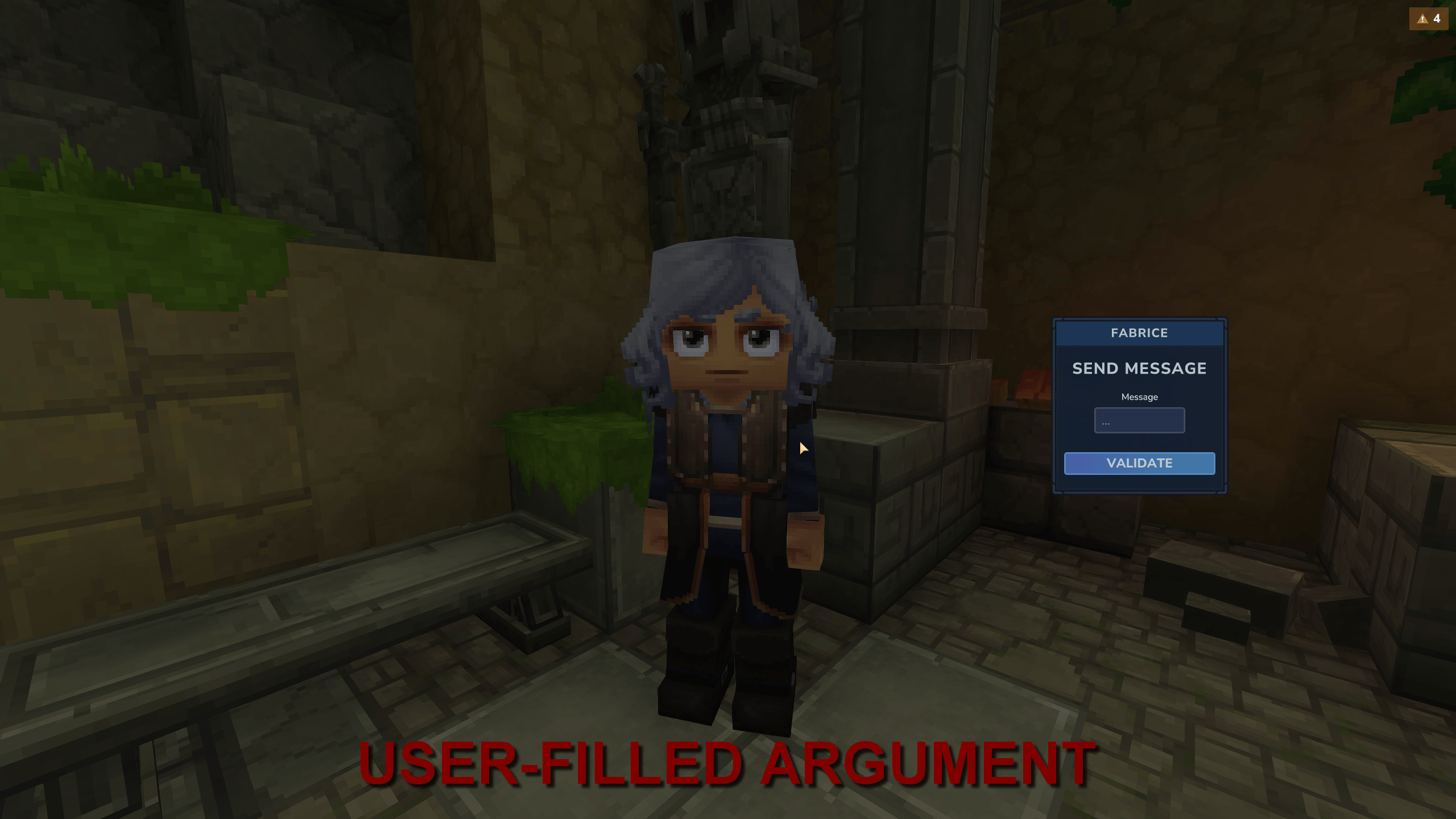
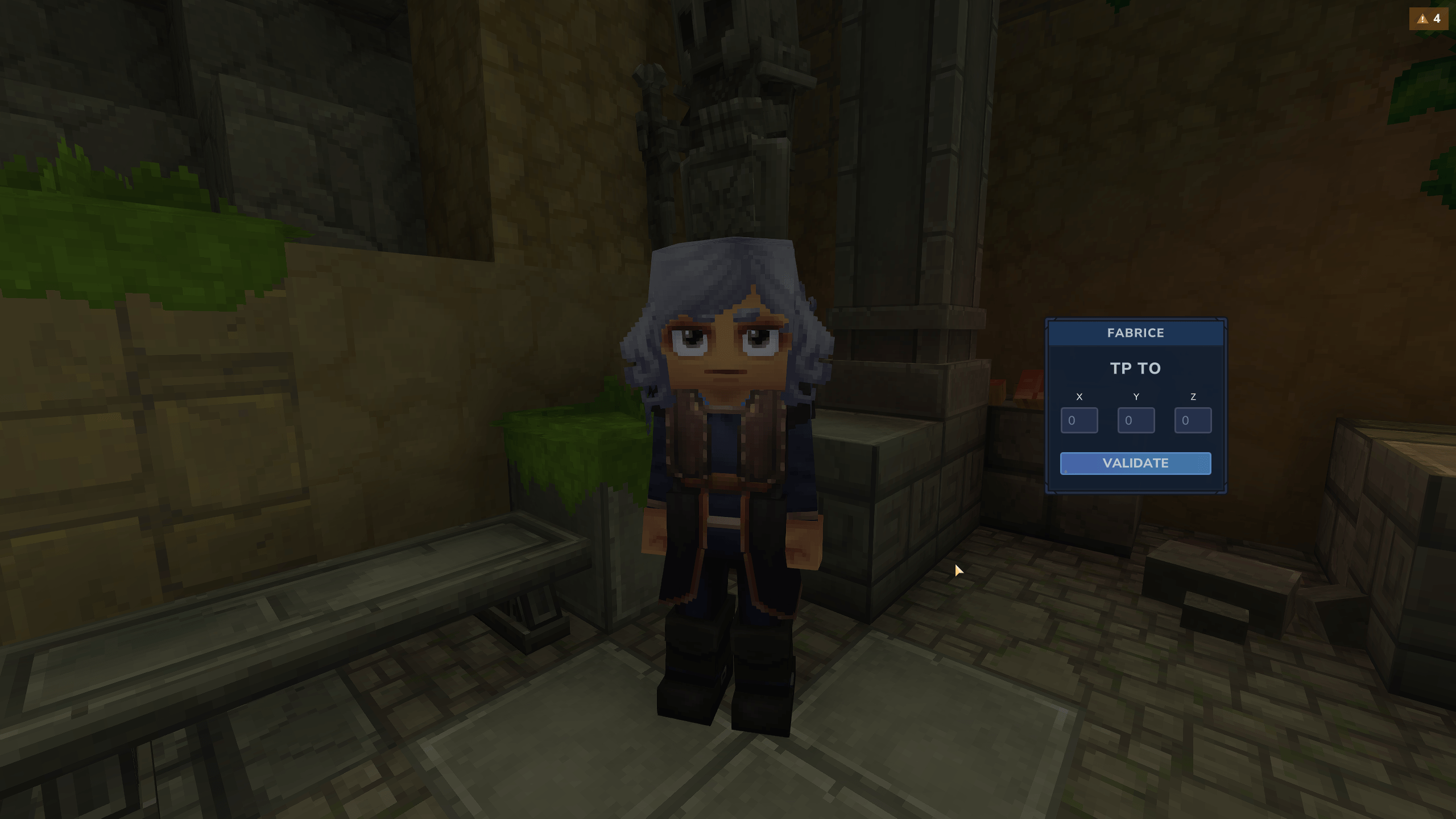
{Argument_Display_Name:string},{Argument_Display_Name:integer}or{Argument_Display_Name:float}to the config file (e.g. /tp {targetName} {X:integer} {Y:integer} {Z:integer}). A popup will ask the user to fill those arguments (string = text, integer = integer, float = decimal). - Groups: You can create multiple groups, each containing a title (optional), a permission (optional) and actions (commands).
- Per-group permissions: You can add a permission field to a group so it'll be hidden to players who don't have that permission.
- Per-command permissions: You can add a permission field to a specific command so it'll be hidden to players who don't have that permission.
- Paging: The panel can show up to 10 buttons at once and will create pages (and show previous/next page buttons) if there are more.
- Single click cancel: The panel can be closed by simply clicking outside of it.
Configuration:
At first launch the mod will create a default config.json file that you can modify as you whish.
To reload the configuration no need to restart the server, just use the command /socialmenu reload
OPEN_PERM = Permission needed to open the social menu.
RELOAD_PERM = Permission needed to reload the configuration file.
CENTER_TITLES = Center the group titles or align them to the left.
OPEN_ON_USE = Open the social menu when pressing F while targetting a player.
OPEN_ON_PICK = Open the social menu when pressing middle mouse button while targetting a player.
CLOSE_ON_ACTION = Automatically close the social menu when pressing an action button.
ActionGroups = List of groups, each containing actions. Groups can have a title, a visibility permission and a list of actions.
actions = List of action buttons. Actions can have a displayName, a command and a permission.
Permissions (editable in the config file):
Open the social menu
clayrok.socialmenu.open
Reload the configuration
clayrok.socialmenu.reload
Notes:
Commands in the configuration file should not contain the slash (/) character at their beginning.
Social Panel Team