Skill Check
- By
Skill Check is a Hytale plugin that runs managed PVP and MOB arena sessions with kit loadouts, wave-based progression, stat tracking, and a full in-game management UI.
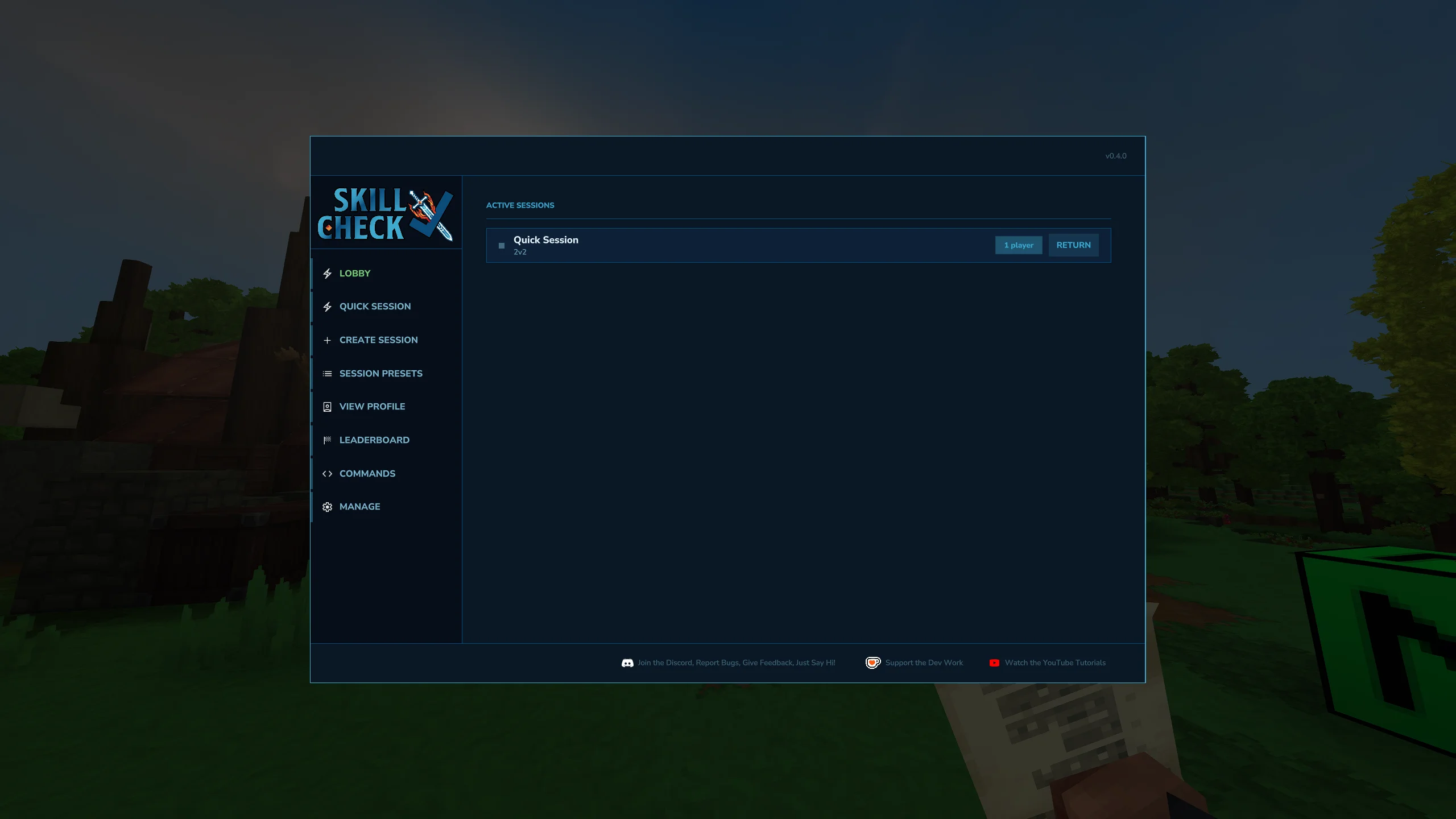
Skill Check Main Screen
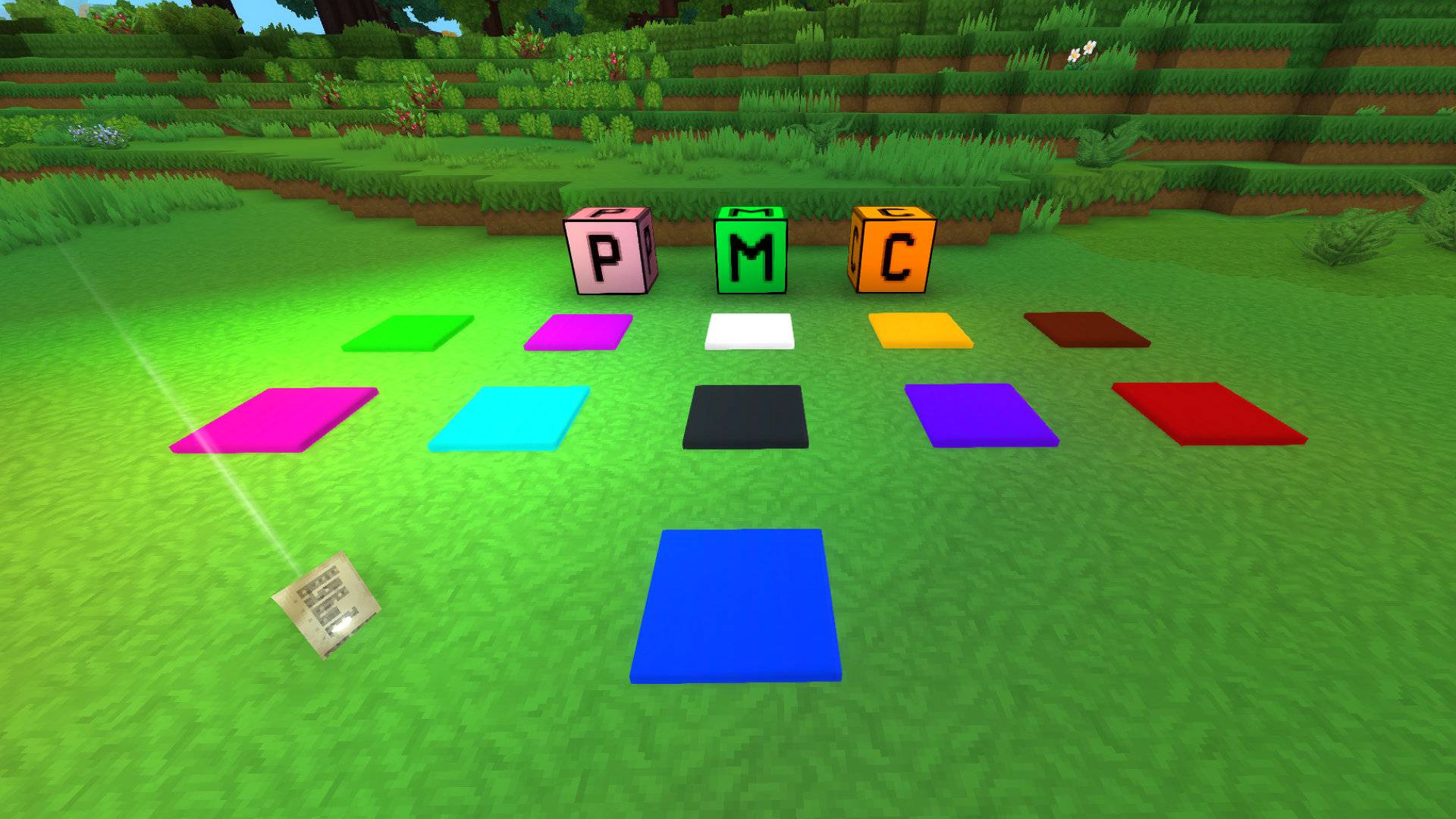
Skill Check Asset Pack
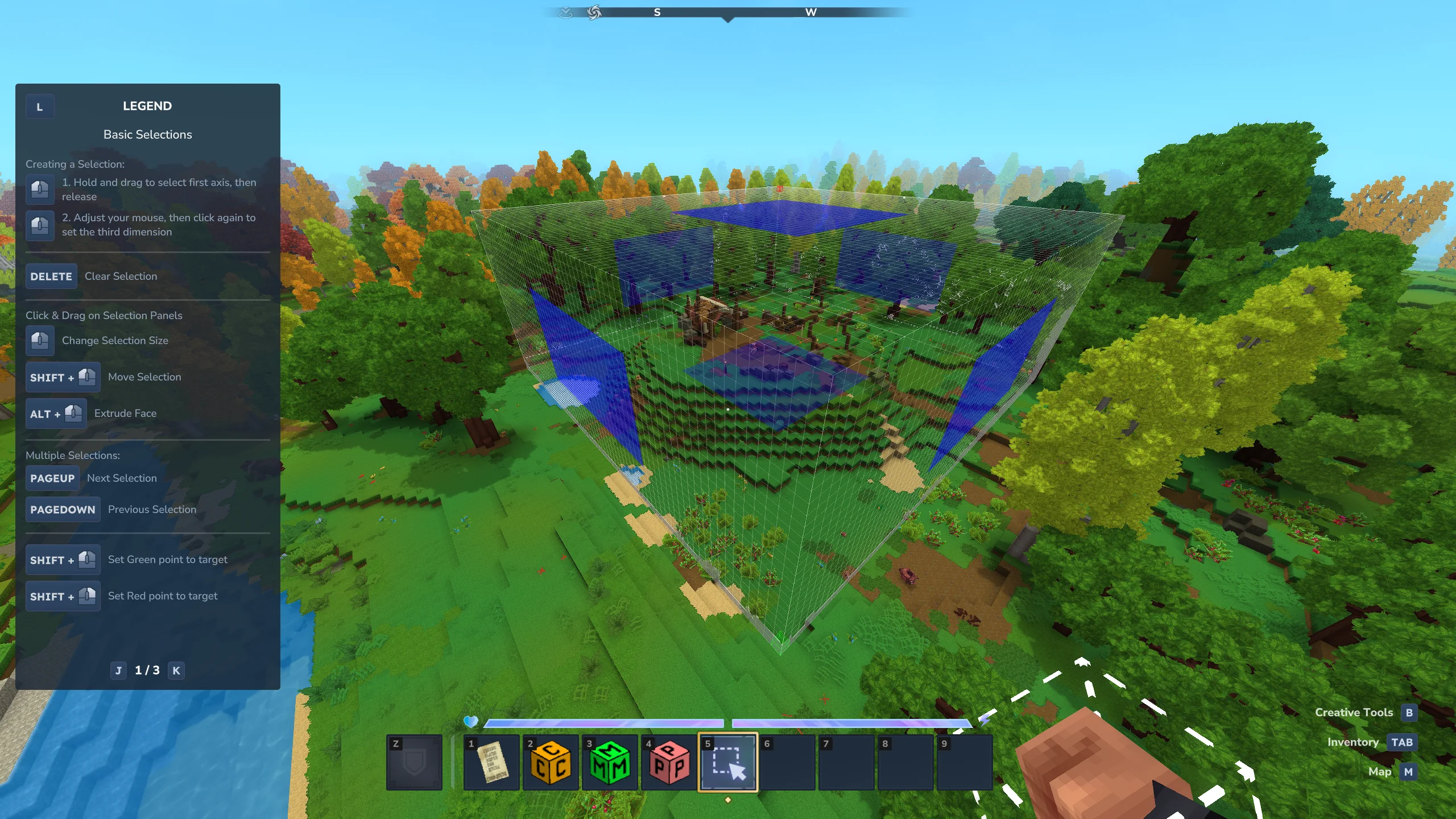
Select an area to be an Arena
Overview
Description
Skill Check
A full-featured PVP arena system with session management, kit loadouts, MOB waves, stat tracking, and a complete in-game admin UI. This is instanced based so you will be teleported to the Arena. You do not have to worry about removing your inventory or remembering where you were. You will be safely returned to your original location and inventory put back after every match.
The Quick
- Copy the files to your mods folder — THESE FILES:
- MAIN JAR — skillcheck-x.x.x.jar
- ASSET PACK — SkillCheckAssetPack.zip CLICK HERE
- HUD — and you need this — MultipleHUD by BuuZ135
- Make sure they load when you go into your World (before going in right click to edit World and check off those mods). Save.
- In game type /skillcheck play
- Choose Quick Session (on the left)
- Choose the number of players
- Click Ready next to your name (middle top)
- Start Session (bottom right)
- ???
- Profit.
Features
PVP Arena Mode
Players challenge each other in structured 1v1 or team matches across custom arenas. Sessions include invites, team assignment, a pre-match countdown, live gameplay, and a results screen.
MOB Mode
Teams fight through configurable enemy waves with scaling difficulty. Each wave increases mob HP and damage, with particle aura effects that visually signal threat level. Wave templates are fully configurable through the admin UI.
Kit Loadouts
Admins define global kits with specific items, tools, and weapons. Players pick a kit before a session starts. Consumables replenish between waves without overwriting items picked up mid-game. Locked kits are supported for preset configurations players cannot modify.
Session Management
A full session lifecycle: invite, accept/decline, countdown, live play, and a results screen. The session owner can end a session early. Outcomes distinguish victory, defeat, and manual termination. Disconnect grace periods protect ongoing sessions.
Stat Tracking
Match results persist to a database. Players can view lifetime stats and recent session history. The plugin tracks kills, deaths, damage dealt and taken, distance traveled, and win/loss records.
In-Game Management UI
All configuration happens through a custom in-game UI via /skillcheck admin — create arenas, configure spawn points, define loot tables, set up MOB waves, manage kits, and control active sessions. No config file editing required.
Admin Controls
Arena creation, setting up of Kits, Chest Loot, Weather Cycles. Permissions can be globally disabled for local worlds via config.json. An optional admin inspector HUD shows block and arena metadata when holding the admin tool.
UI Pages
Player Pages
Arena Browser — /skillcheck play
The main hub for players. Tabs along the top let you switch between views.
- Lobby — If you are in an Active Session it'll show here.
- Quick Session — Jump straight into a match with minimal setup.
- Create Session — Fully build a session to play.
- Session Presets — Start a session from a saved configuration.
- View Profile — View the current session lobby and team assignments.
- Leaderboard — See top players ranked by kills, wins, and more.
- Commands — Full list of command for Skill Check.
- Manage — Admin only. Manage everything in Skill Check.
Session Lobby
Shows all invited players and their team assignments. The session owner can start the match once everyone is ready.
- Start Session — Begin the match (session owner only).
- Leave — Exit the lobby and decline the session.
Results
Displays the final scoreboard after a session ends, including kills, deaths, and the outcome. Shown for both PVP and MOB mode sessions.
Admin Pages
Admin Hub — /skillcheck admin
The central panel for server administrators. All arena and plugin management starts here.
- Arenas — Create, edit, and remove arenas.
- Kits — Manage global kit loadouts available to players.
- Chest Loot Tables — Define item pools for chest spawns inside arenas.
- Mob Template undefined— Define item pools for chest spawns inside arenas.
- Weather Cycles — Configure dynamic weather for arenas.
- Session Presets - All previously played Session configs here.
- Settings — Adjust plugin configuration including database settings.
- Debug — View diagnostic info and session state.
Arena Config
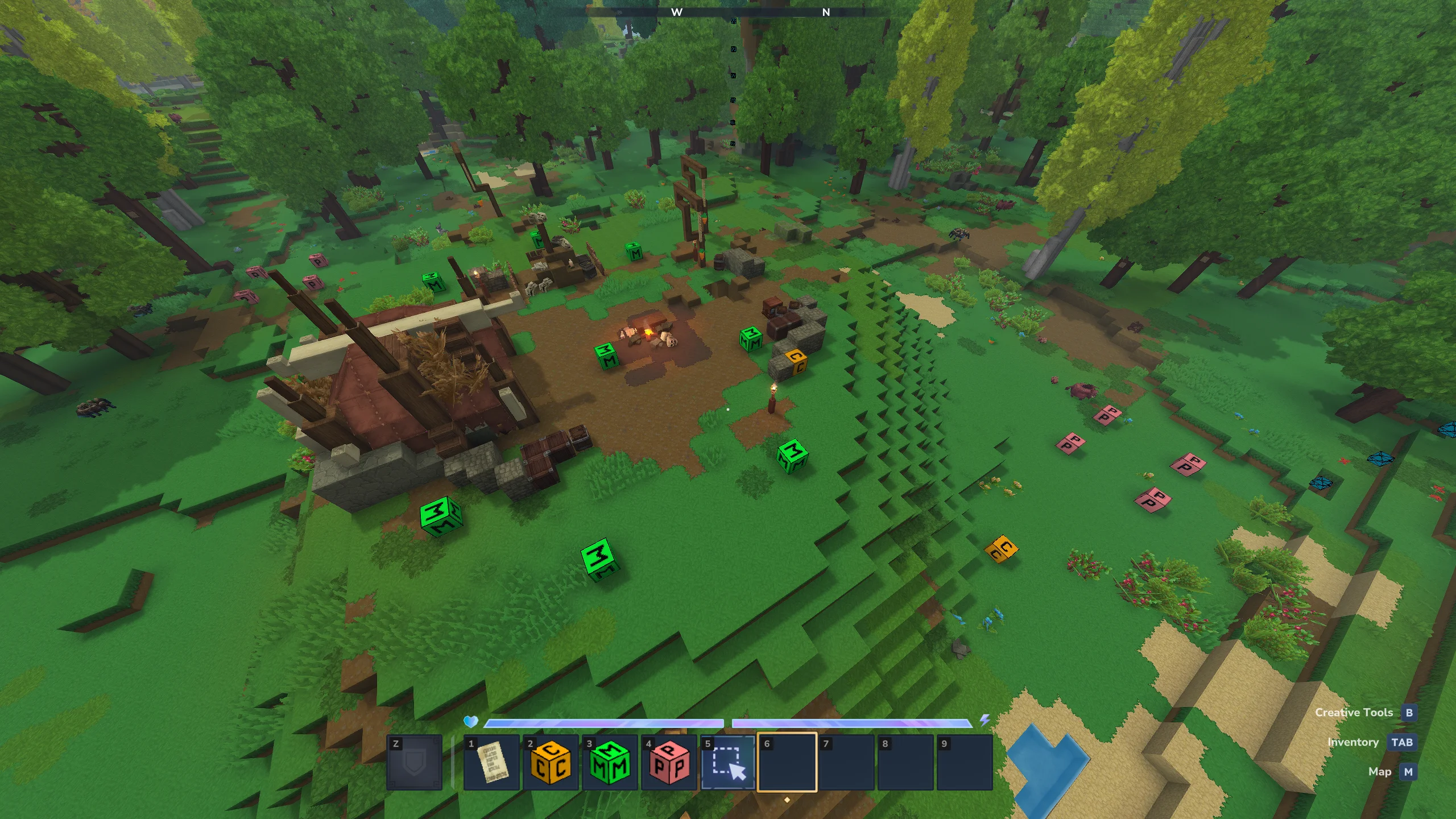
The configuration hub for a single arena. All spawn points, chest placements, and game mode settings are managed here.
- Player Spawns — Add, edit, or remove player spawn points.
- Mob Spawns — Add, edit, or remove MOB spawn points.
- Chest Locations — Add, edit, or remove chest spawn locations.
- Delete Arena — Permanently remove this arena (confirmation required).
Kit Editor
A slot-based inventory editor for building kit loadouts. Each slot maps directly to a player inventory slot.
- Save — Save changes to the kit.
- Delete — Remove the kit (confirmation required).
Loot Table Editor
Configure the items that can appear in chests within an arena. Each entry has a configurable drop weight.
- Add Entry — Add a new item to the loot pool.
- Delete — Remove this loot table (confirmation required).
Wave Template Editor
Build multi-wave MOB encounters. Each wave is independently configurable with its own mob types, counts, and scaling.
- Add Wave — Append a new wave to the template.
- Edit Wave — Open the wave config editor for a specific wave.
- Remove Wave — Delete a wave from the template.
- Export — Export this template to share or back up.
- Delete — Remove this template (confirmation required).
Settings
Configure plugin-wide options including database connection, permission toggles, and logging.
- Pending Restores — View and clear player inventory restores queued from a crash or unexpected disconnect.
Commands
The command prefix is /skillcheck (alias: /sck).
User Commands
| Command | Description |
|---|---|
/skillcheck play |
Open the main arena browser and start or join a session. |
/skillcheck list |
List all available arenas. |
/skillcheck join |
Accept a pending session invite. |
/skillcheck decline |
Decline a pending session invite. |
/skillcheck last |
Reopen the last viewed UI page. |
Admin Commands
| Command | Description |
|---|---|
/skillcheck admin |
Open the admin interface for arena and session management. |
/skillcheck create <name> |
Create a new arena at your current location. |
/skillcheck remove <name> |
Remove an existing arena by name. |
/skillcheck kits |
Manage global kit configurations. |
/skillcheck settings |
Open the plugin settings panel. |
Permissions
Permissions can be disabled entirely in <span style="color:#fff">config.json</span> by setting permissions.enabled to false. When disabled, all commands are accessible to all players.
Player Permissions
| Permission | Description |
|---|---|
wolv21.skillcheck.play |
Access the main arena browser and start or join a session. |
wolv21.skillcheck.list |
List all available arenas. |
wolv21.skillcheck.join |
Accept a pending session invite. |
wolv21.skillcheck.decline |
Decline a pending session invite. |
wolv21.skillcheck.last |
Reopen the last viewed UI page. |
Admin Permissions
| Permission | Description |
|---|---|
wolv21.skillcheck.admin.* |
Grants all admin permissions. |
wolv21.skillcheck.admin.manage |
Open the admin interface for arena and session management. |
wolv21.skillcheck.admin.create |
Create a new arena. |
wolv21.skillcheck.admin.remove |
Delete an existing arena. |
wolv21.skillcheck.admin.kits |
Manage global kit configurations. |
wolv21.skillcheck.admin.settings |
Open the plugin settings panel. |
Database
Skill Check supports two database backends for stat tracking and session history. The backend is selected in config.json under the database section. All writes are asynchronous and non-blocking.
H2 (Embedded) — Default
No external database or setup required. The database file is created automatically on first run. Suited for single-server setups and local development.
File location: <server-root>/mods/Wolv21_SkillCheck/database/skillcheck.mv.db
MariaDB (External)
For production servers or multi-instance setups. Configure the connection in config.json. Settings can also be updated via /skillcheck settings — a server restart is required after any database config change.
"database": {
  "type":     "MARIADB",
  "host":     "localhost",
  "port":     3306,
  "database": "skillcheck",
  "username": "root",
  "password": "",
  "pool": {
    "minimumIdle":       2,
    "maximumPoolSize":   10,
    "connectionTimeout": 30000
  }
}
The Skill Check Team