![SimpleScripting [DEPRECATED] logo](https://media.forgecdn.net/avatars/thumbnails/1633/698/64/64/639046502330807130.png)
Captura de pantalla 2026-01-19 a la(s) 6.27.38â¯a. m..png
Captura de pantalla 2026-01-19 a la(s) 6.35.11â¯a. m..png
Description
SimpleScripting - Server-Side JavaScript for Hytale
THIS VERSION IS DEPRECATED, USE THE LAST ONE HERE: https://www.curseforge.com/hytale/mods/simplescripting
Join to our discord if any issue or help needed: Discord
Source Code: HostTale-Project/SimpleScripting
Unleash the full potential of your Hytale server with JavaScript scripting!
SimpleScripting is a powerful plugin that brings server-side JavaScript scripting to Hytale servers. Create custom commands, handle player events, build complex features, and extend your server's functionality, all without writing a single line of Java code.
Why SimpleScripting?
No Java Required - Write scripts in JavaScript, one of the world's most popular programming languages. If you know basic JavaScript, you can create server features.
Hot Reload - Modify your scripts and reload them instantly without restarting your server. Perfect for rapid development and testing.
Batteries Included - Comes with a complete set of sample scripts for common server features like homes, warps, teleport requests, and more!
Fully Extensible - The comprehensive API gives you access to players, worlds, events, commands, permissions, databases, and schedulers.
Key Features
Custom Commands
Create your own commands with ease! Support for:
- Required and optional arguments (strings, integers, doubles)
- Command aliases
- Tab completion
- Permission requirements
- Rich formatting with colors
Event System
React to everything happening on your server:
- Player Join/Quit - Welcome messages, login rewards
- Player Death/Respawn - Death messages, respawn handling
- Player Chat - Chat formatting, filters, custom chat features
- Player Movement - Region detection, border enforcement
- World Changes - Track players across dimensions
- Command Execution - Command logging, blocking
- Server Tick - Periodic tasks, automation
Teleportation API
Safe and reliable teleportation with:
- Async chunk preloading (no crashes!)
- Teleport warmup timers
- Position and rotation support
- Cross-world teleportation
Database API
Simple but powerful key-value storage:
- Automatically persisted to JSON files
- Per-player data storage
- Server-wide data storage
- No external database required
Scheduler API
Run tasks on your terms:
- Delayed execution (ticks or milliseconds)
- Repeating tasks
- Task cancellation
- Perfect for cooldowns, warmups, and periodic events
Permissions API
Integrate with Hytale's native permission system:
- Check player permissions
- Require permissions for commands
- Admin detection
- Custom permission nodes for your scripts
Included Sample Scripts
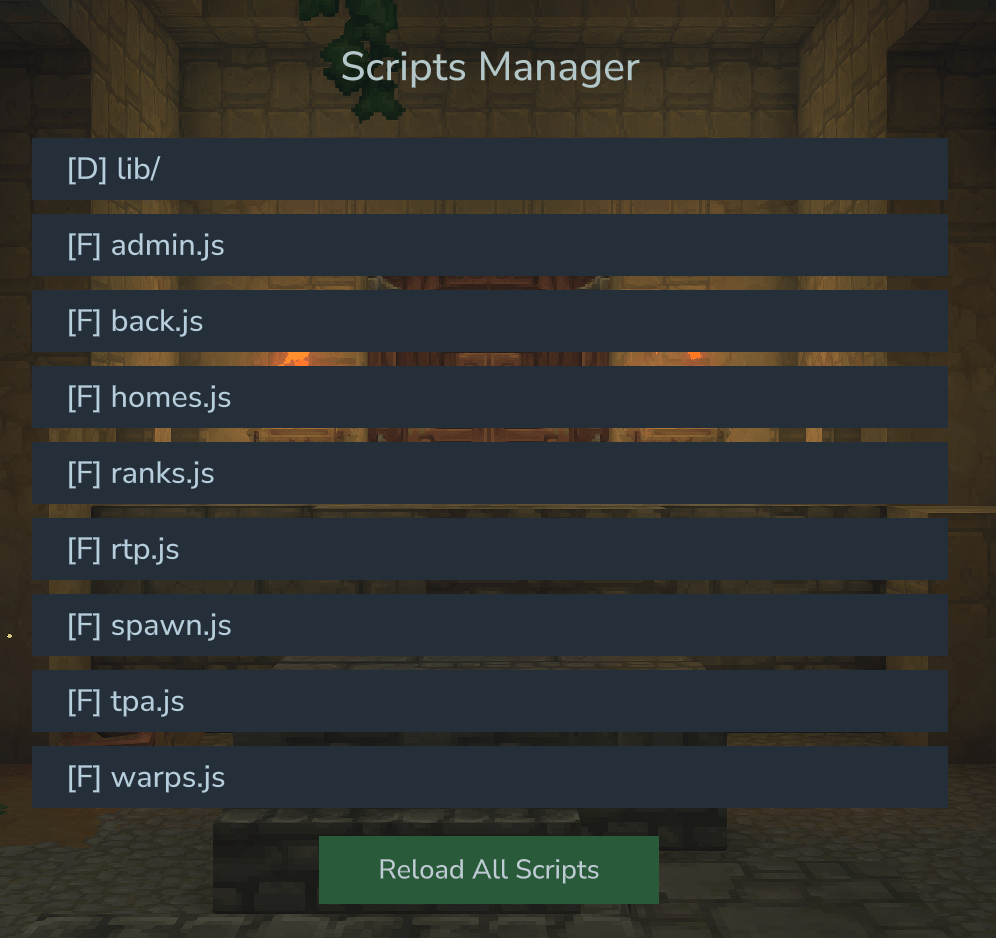
SimpleScripting comes with 8 ready-to-use scripts that you can enable immediately:
Homes System (homes.js)
Let players set and teleport to personal home locations.
/sethome [name]- Set a home location/home [name]- Teleport to a home/delhome <name>- Delete a home/homes- List all homes- Configurable home limits per rank!
Warps System (warps.js)
Server-wide warp points for easy navigation.
/setwarp <name>- Create a server warp (admin)/warp <name>- Teleport to a warp/delwarp <name>- Remove a warp (admin)/warps- List available warps
Spawn System (spawn.js)
Central spawn point management.
/setspawn- Set the server spawn (admin)/spawn- Teleport to spawn
Teleport Requests (tpa.js)
Safe player-to-player teleportation.
/tpa <player>- Request to teleport to someone/tpahere <player>- Request someone to teleport to you/tpaccept- Accept incoming request/tpdeny- Deny incoming request/tpcancel- Cancel your outgoing request- Configurable timeout and cooldowns!
Back Command (back.js)
Return to previous locations.
/back- Return to your last location- Saves location on death so you never lose your items!
- Configurable history size
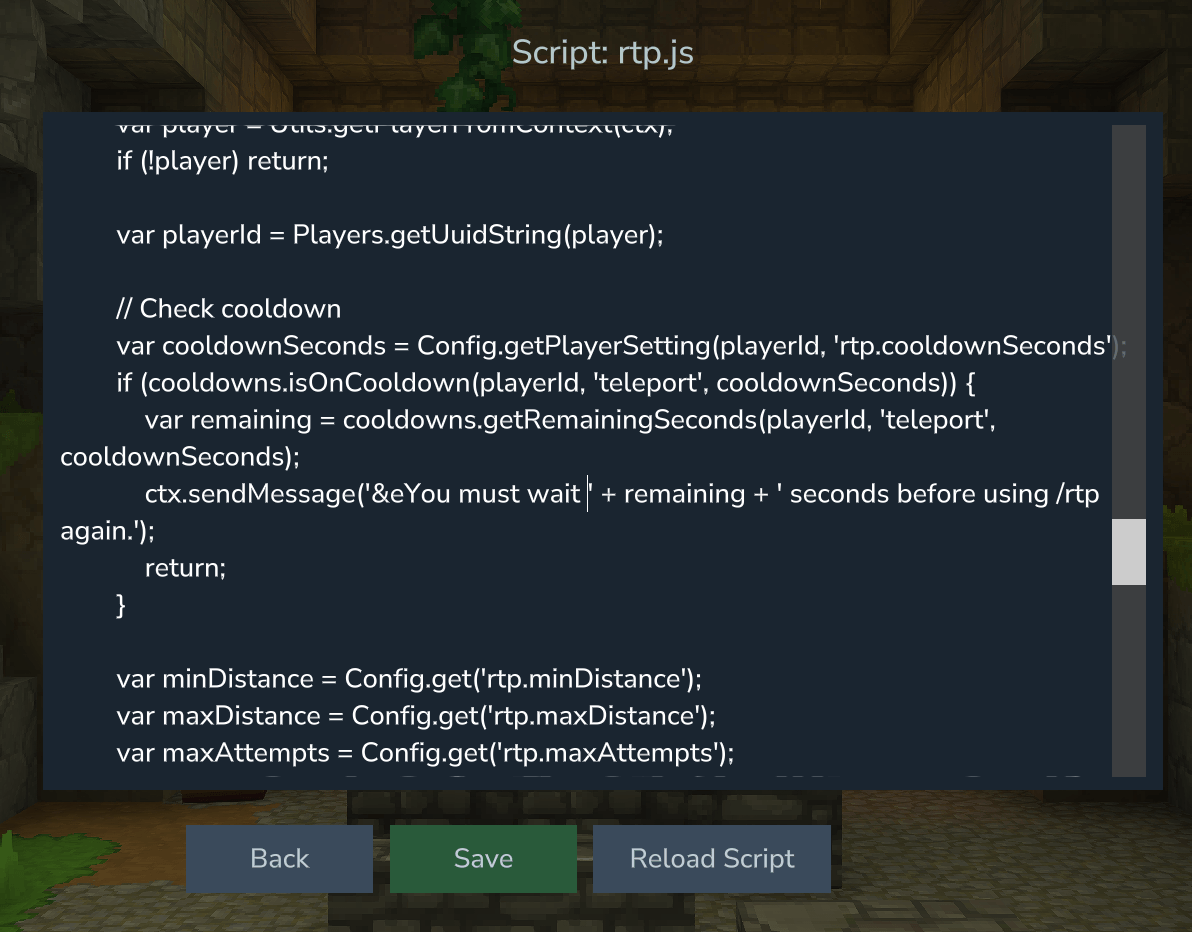
Random Teleport (rtp.js)
Explore the world safely.
/rtp- Teleport to a random safe location/wild,/randomtp- Aliases- Configurable min/max distance
- Automatic safe location detection
Ranks System (ranks.js)
Basic rank management.
/rank set <player> <rank>- Assign a rank/rank get <player>- Check a player's rank/rank list- List all ranks/myrank- Check your own rank
Admin Tools (admin.js)
Essential administration commands.
/simplescripting reload- Hot reload all scripts/simplescripting info- Plugin information/tp <player>- Teleport to a player/tphere <player>- Teleport a player to you/playerinfo <player>- View player details/players- List online players
Configuration
All settings are easily customizable in lib/config.js:
var DEFAULTS = {
    homes: {
        maxHomes: 3,
        cooldownSeconds: 5,
        warmupSeconds: 3
    },
    warps: {
        cooldownSeconds: 5,
        warmupSeconds: 3
    },
    tpa: {
        timeoutSeconds: 60,
        cooldownSeconds: 10,
        warmupSeconds: 3
    },
    rtp: {
        minDistance: 100,
        maxDistance: 5000,
        cooldownSeconds: 300
    }
    // ... and more!
};
Rank-Based Configuration
Define different limits for different player ranks:
var RANKS = {
    default: {
        // Uses default settings
    },
    vip: {
        homes: { maxHomes: 5, cooldownSeconds: 3 }
    },
    admin: {
        homes: { maxHomes: 10, cooldownSeconds: 0 }
    }
};
For Developers
Comprehensive API
SimpleScripting provides access to:
| API | Description |
|---|---|
| Commands | Register custom commands with arguments and permissions |
| Events | Listen to player and server events |
| Players | Find, manage, and get information about players |
| Worlds | Access world data and block information |
| Teleport | Safe teleportation with async chunk loading |
| DB | Key-value database storage |
| Scheduler | Delayed and repeating tasks |
| Permissions | Permission checking and requirements |
| MessageHelper | Send messages and broadcasts |
| Colors | Minecraft color codes and formatting |
| Logger | Console logging |
Example: Create a Custom Command
Commands.register()
    .setName('greet')
    .setDescription('Greet a player')
    .addRequiredStringArg('player', 'Player to greet')
    .setHandler(function(ctx) {
        var target = Players.getByNameFuzzy(ctx.getArgAsString('player'));
        if (target) {
            MessageHelper.send(target, Colors.GOLD + 'Hello from ' + Players.getUsername(ctx.getPlayer()) + '!');
            ctx.sendMessage(Colors.GREEN + 'Greeting sent!');
        } else {
            ctx.sendMessage(Colors.RED + 'Player not found!');
        }
    });
Example: Listen to Events
Events.on('playerJoin', function(event) {
    var player = Players.getByUuid(event.playerUuid);
    MessageHelper.broadcast(Colors.YELLOW + Players.getUsername(player) + ' has joined the server!');
});

Events.on('playerDeath', function(event) {
    var player = Players.getByUuid(event.playerUuid);
    var loc = Players.getFullLocation(player);
    // Save death location for /back command
    DB.save('death_locations', event.playerUuid, JSON.stringify(loc));
});
Utility Library
The included lib/utils.js provides helpful functions:
Utils.getPlayerFromContext(ctx)- Get player from commandUtils.formatTime(seconds)- Format time durationsUtils.formatPosition(x, y, z)- Format coordinatesUtils.createCooldownTracker()- Easy cooldown managementUtils.teleportWithWarmup()- Teleport with countdown
Directory Structure
universe/SimpleScripting/
├── mods/                    # Your JavaScript files
│   ├── lib/                 # Shared libraries (loaded first)
│   │   ├── utils.js         # Common utilities
│   │   └── config.js        # Configuration
│   ├── homes.js             # Home system
│   ├── warps.js             # Warp system
│   └── ...                  # Your custom scripts!
├── db/                      # Database files (auto-created)
└── assets/                  # Assets folder (WIP - Not available yet)
    ├── config/              # Config files
    ├── lang/                # Language files
    └── ui/                  # UI definitions
Installation
- Download the plugin JAR
- Place it in your server's
pluginsfolder - Start your server
- The plugin automatically creates the
universe/SimpleScripting/mods/directory - Sample scripts are copied automatically
- Customize scripts to your liking!
Updating Scripts
Simply edit your .js files and run /simplescripting reload - no server restart required!
Support & Community
Found a bug? Have a feature request? Want to share your scripts?
- Report issues on our issue tracker
- Public repository will be available soon so you can contribute sending Pull Requests
SimpleScripting [DEPRECATED] Team