
RobbynUtils
CleanShot 2026-01-18 at 22.32.55.jpg
CleanShot 2026-01-18 at 22.32.29.jpg
CleanShot 2026-01-18 at 21.09.22.jpg
CleanShot 2026-01-19 at 14.25.50.jpg
CleanShot 2026-01-27 at 17.29.13.jpg
Description
- This mod works standalone with no dependencies.
- However, for full compatibility with other HUD mods, MultipleHUD is required.
- ⚠ Without MultipleHUD, the mod may cause errors and may fail to load when used alongside other HUD mods.
RobbynUtils - Essential Hytale Utility Plugin
The ultimate utility toolkit for Hytale servers. Enhance your gameplay with flight, speed boosts, invincibility, and a fully customizable HUD
system.
═══════════════════════════════════════
✦ FEATURES
═══════════════════════════════════════
▸ FLY MODE
Toggle creative-style flight. Soar through the skies freely.
Command: /robbyn --module=fly
▸ SPEED BOOST
2x movement speed with unlimited stamina. Never run out of energy.
Command: /robbyn --module=speed
▸ GOD MODE / INVINCIBILITY
Take no damage. Become invulnerable to all attacks and hazards.
Command: /robbyn --module=god
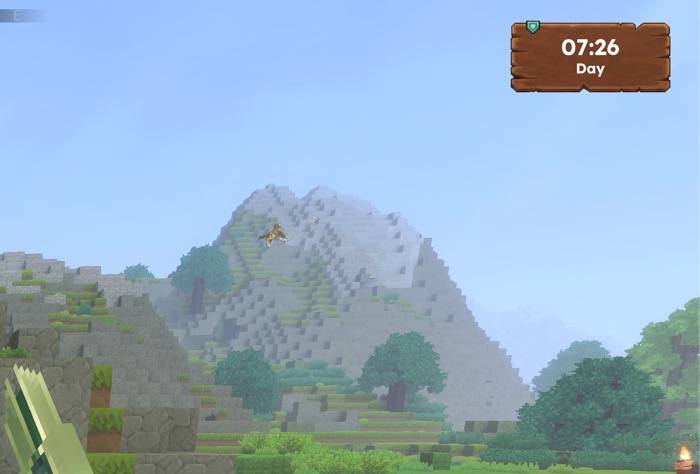
▸ CLOCK DISPLAY
Real-time game clock showing current time with Day/Dusk/Night indicator.
Command: /robbyn --module=clock
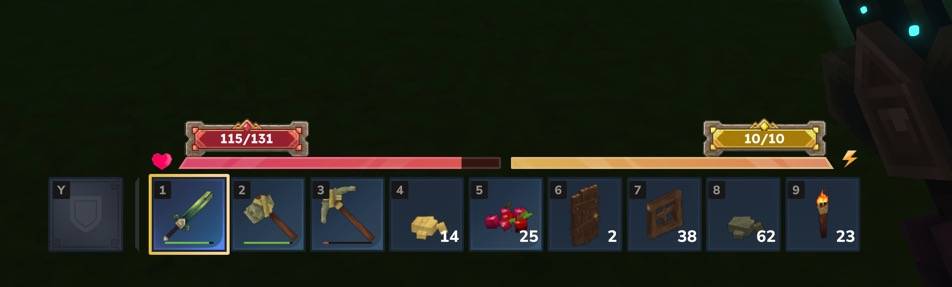
▸ HEALTH & STAMINA OVERLAY
Live HP and stamina numbers displayed on screen. Always know your stats.
Command: /robbyn --module=stats
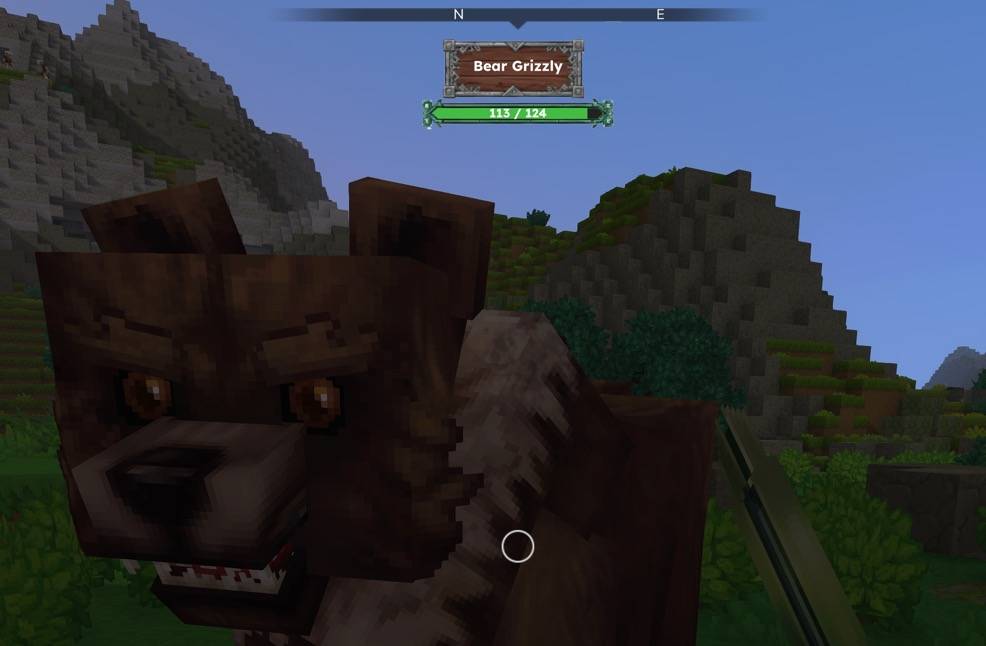
▸ ENEMY HEALTH BAR
See target health when attacking mobs and creatures. Track damage dealt.
Auto-hides after 5 seconds of no combat.
Command: /robbyn --module=enemy
▸ ITEM PICKUP NOTIFICATIONS
On-screen alerts when collecting items into your inventory.
Command: /robbyn --module=pickup
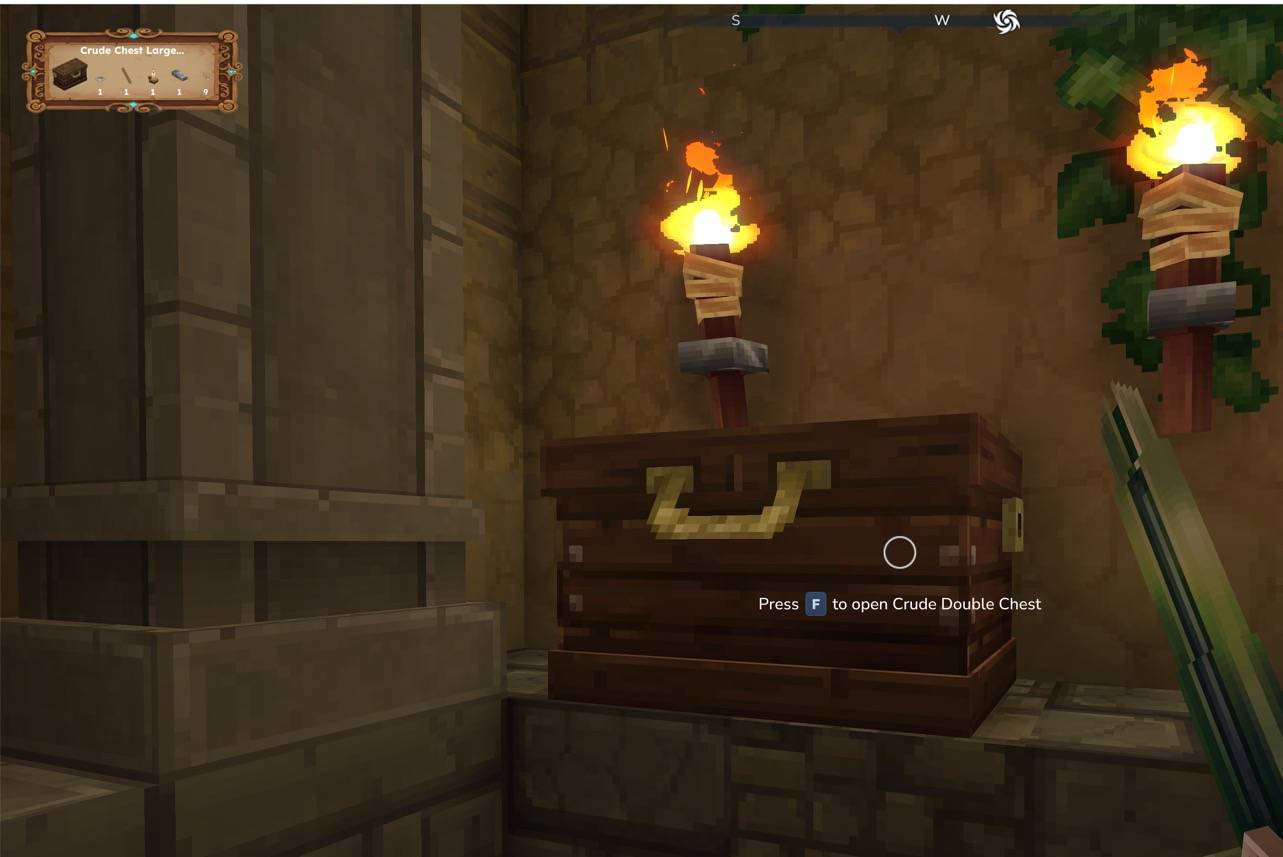
▸ BLOCK INFO DISPLAY
See detailed information about the block you're looking at.
Shows block name, icon, crafting bench tier, processing progress,
and container contents (up to 5 items). Range: 30 blocks.
Command: /robbyn --module=blockinfo
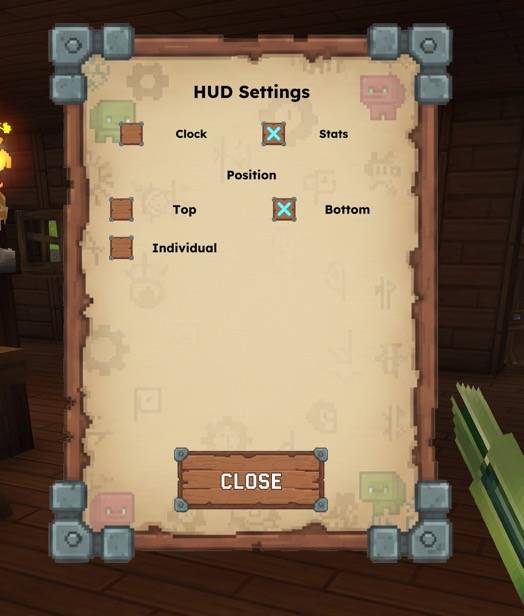
▸ HUD SETTINGS PAGE
In-game GUI to customize HUD element positions.
Choose from preset positions (Top Left, Top Right, Bottom Left,
Bottom Right) or set individual pixel values with +/- controls.
Separate tabs for Clock and Stats positioning.
Settings apply instantly and persist across sessions.
Command: /robbyn --module=settings
═══════════════════════════════════════
✦ HUD SYSTEM
═══════════════════════════════════════
- Customizable UI elements
- Toggle each display independently
- Auto-activates on join
- Stats auto-hide when paused (ESC menu)
- Lightweight with 200ms refresh rate
═══════════════════════════════════════
✦ PERSISTENT SETTINGS
═══════════════════════════════════════
All your preferences are automatically saved per player!
- Settings persist across sessions
- Saved modules: fly, speed, god, clock, stats, enemy, pickup, blockinfo
- Auto-restore on next login
- No manual configuration needed
═══════════════════════════════════════
✦ INSTALLATION
═══════════════════════════════════════
1. Download robbyn-plugin-1.0.x.jar
2. Copy to Mods folder:
• macOS: ~/Library/Application Support/Hytale/UserData/Mods/
• Windows: %APPDATA%\Hytale\UserData\Mods\
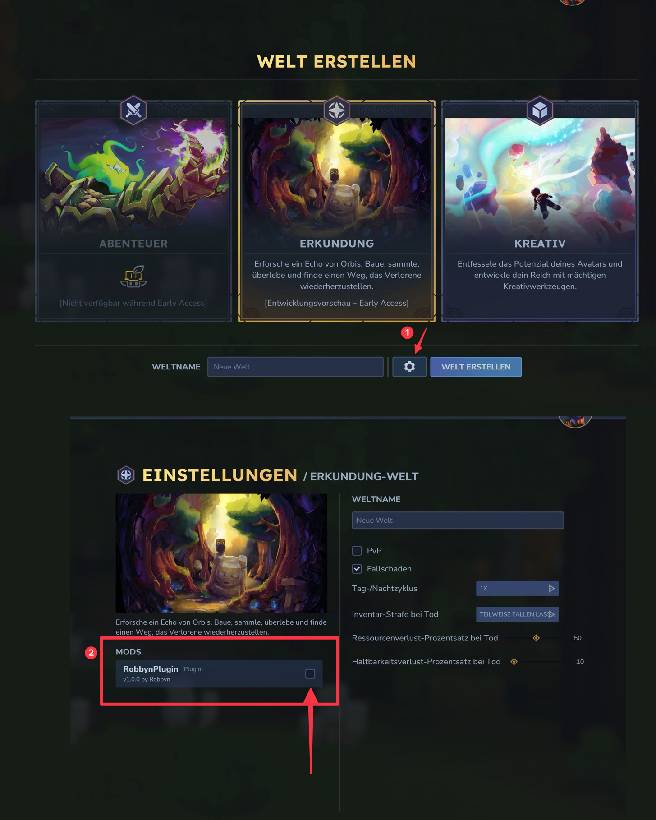
3. Enable for your world:
• New worlds: Enable in world settings
• Existing worlds: Add to config.json:
Location: .../Saves/YourWorld/config.json
{ "Mods": ["RobbynPlugin"] }
4. Grant permissions (permissions.json):
Location: .../Saves/YourWorld/permissions.json
{
"Groups": {
"op": { "Permissions": ["*"] }
},
"Players": {
"YourUsername": { "Groups": ["op"] }
}
}
The RobbynUtils Team
