
ReChunk
- By
Screenshot 2026-01-26 212900.png
Description
🌍 ReChunk Mod
Take full control of your Hytale world's terrain directly from within the game.
ReChunk is an essential server-side mod designed for administrators and players who need to manage their world efficiently. Whether you need to protect a massive city from accidental deletion or reset old, explored terrain to generate new update features (like new biomes or structures), ReChunk handles it safely and easily.
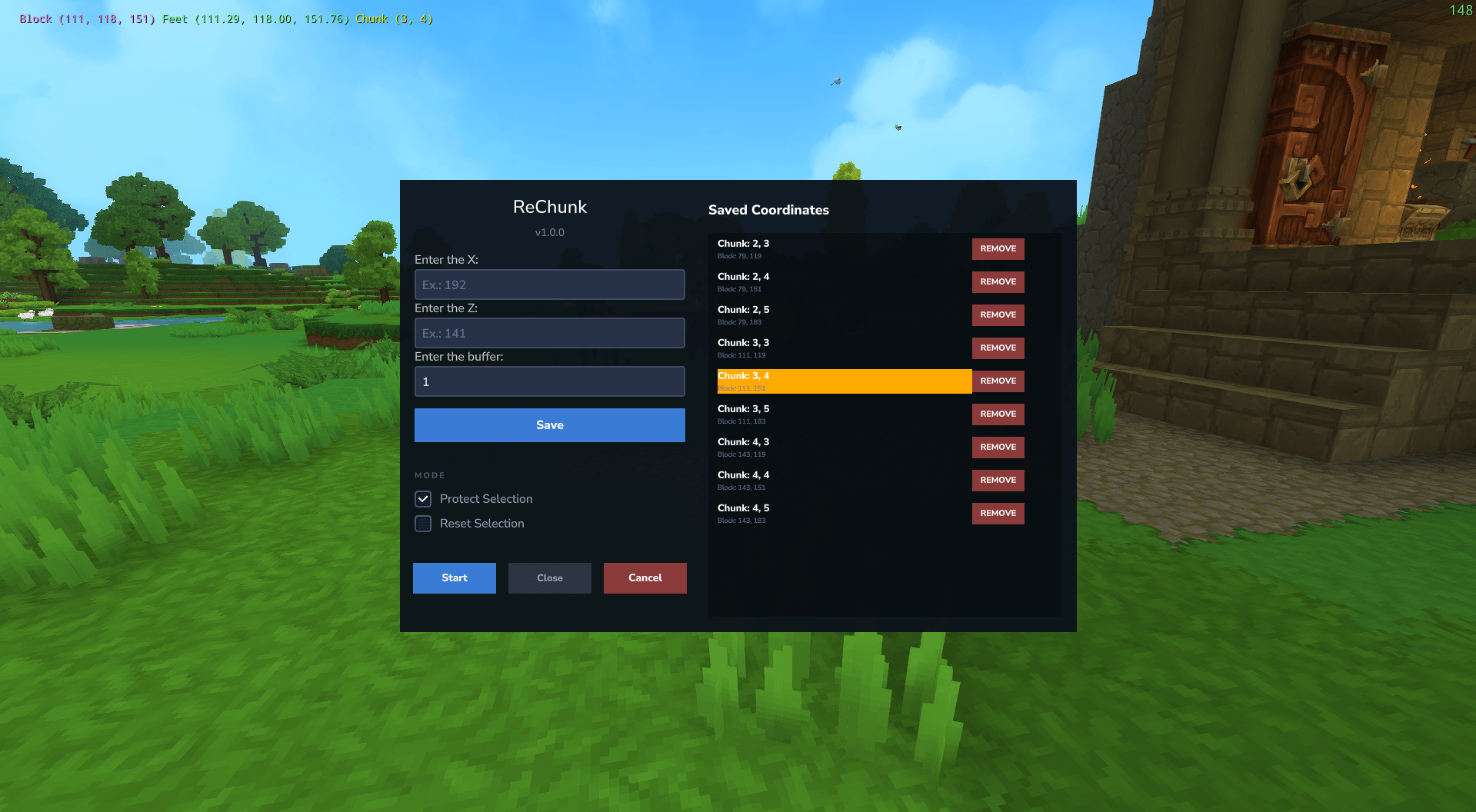
Forget messy config files or shutting down the server for minor edits. ReChunk offers a clean in-game Graphical User Interface (GUI) to manage your chunks in real-time.
✨ Key Features
- 🛡️ In-Game GUI: No external apps or complex commands required. Everything is managed through a user-friendly interface opened via chat commands.
- 🔒 Chunk Protection (Whitelist): Mark specific areas (like player bases or server hubs) as protected. These areas will be safe from any regeneration operations.
- ♻️ Safe Reset (Prune): Easily regenerate old chunks to their original state. This is perfect for refreshing resources or forcing the game to generate new content from game updates in areas already explored.
- 🍊 Safety Buffer: Define a "radius buffer" around your selected coordinates. This ensures that you never accidentally cut off the edge of a building by automatically including neighboring regions in your protection zone.
- 🟢 Real-Time Operations: Perform protections and resets while the server is online.
🚀 How to Use
Once installed on your server, using ReChunk is simple:
- Grant Permissions (Important): You must be an Operator (OP) to use ReChunk commands. If you are running the server, use
/op self
Open the chat and type the main command:
/rechunkA GUI menu will open.
Input the target coordinates (you can get these by pressing F7 in-game or on WorldMap).
Set your Buffer Radius to ensure surrounding areas are included.
Choose your mode: Protect or Reset.
📦 Installation
Download the
.jarfile from the "Files" tab.Place the file into your Hytale server's
modsfolder.Open Hytale.
Enjoy complete control over your chunks!
For developers
- ReChunk is Open-Source project, you can check the repo here: ReChunk GitHub
Created by Teyuz/Renan.
The ReChunk Team
