RAX Minimap
- By
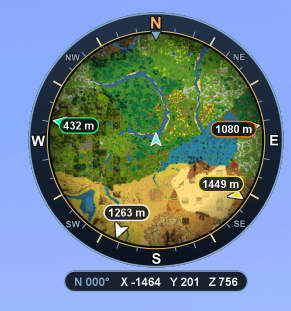
Explore Hytale with a live minimap, automatic cave view, waypoint distances, and a customisable compass HUD.
Снимок ÑкÑана 2026-11-25 034157.png
Снимок ÑкÑана 2026-11-25 040124.png
Снимок ÑкÑана 2026-11-25 034253.png
Снимок ÑкÑана 2026-11-25 034341.png
Description
RAX Minimap
Navigate the surface and the caves beneath it with a live minimap for Hytale. Follow your heading, see your distance to saved waypoints, and find your way back to the places you want to revisit.
Surface and cave navigation
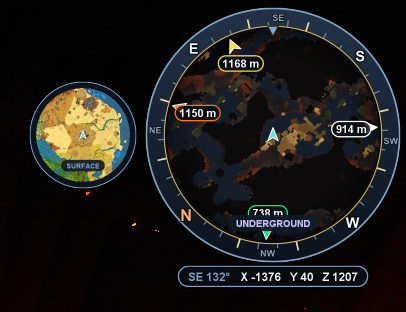
RAX Minimap automatically switches to a cave view when you go underground. Enable the secondary surface map to keep the terrain above you in view while you explore below.
Waypoints and coordinates
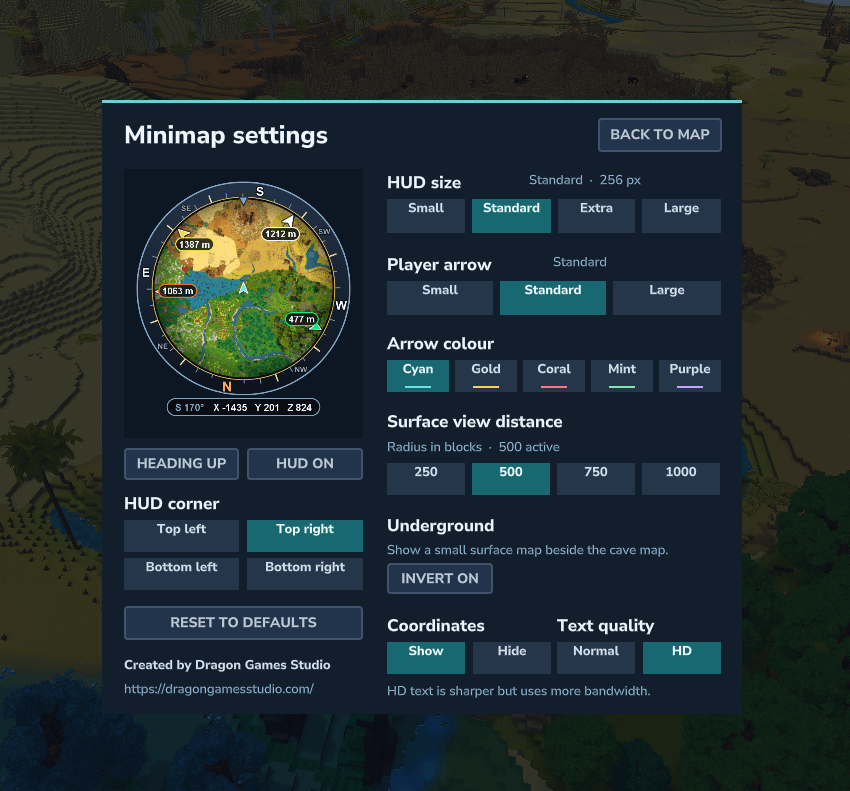
Use coloured waypoints to keep track of your base, cave entrances, and other landmarks. The minimap shows the direction and distance to your waypoints as you move. You can also display your coordinates and choose between a rotating, heading-up map and a fixed, north-up view.
Customisable HUD
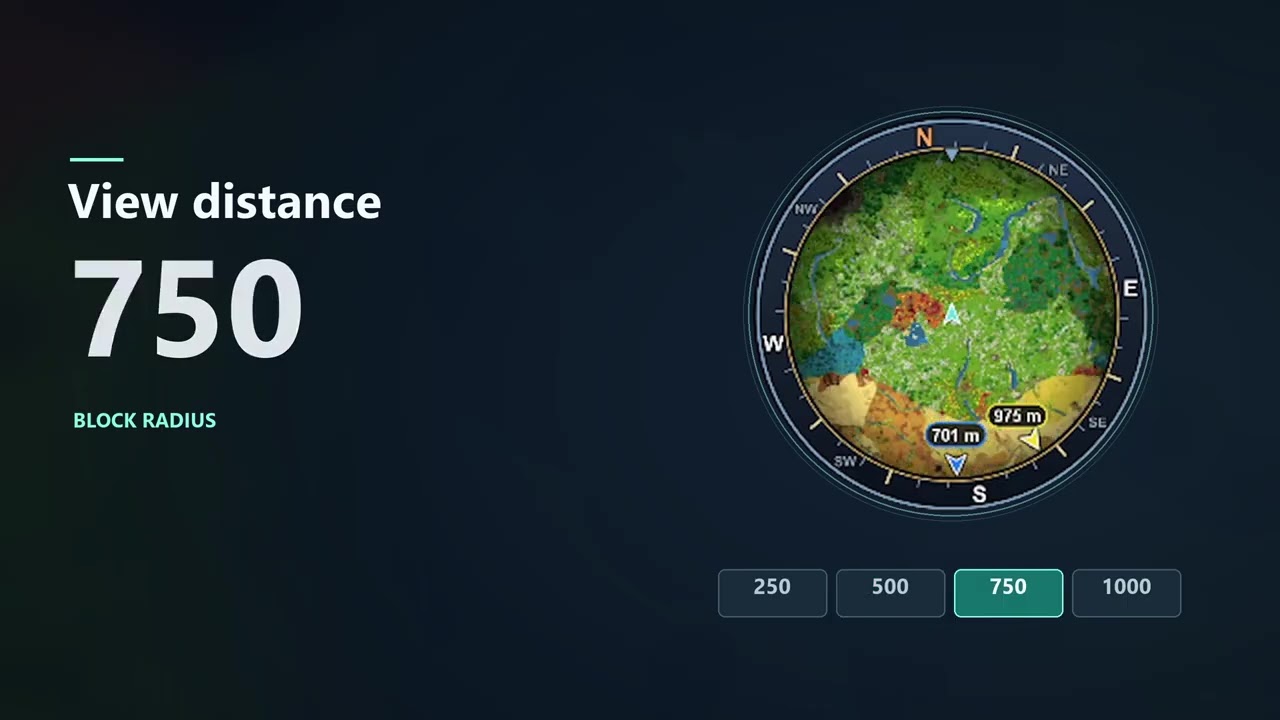
Choose a surface view radius of 250, 500, 750, or 1,000 blocks. Select from four HUD sizes, place the minimap in any screen corner, and adjust the size and colour of your player arrow.
In-game settings
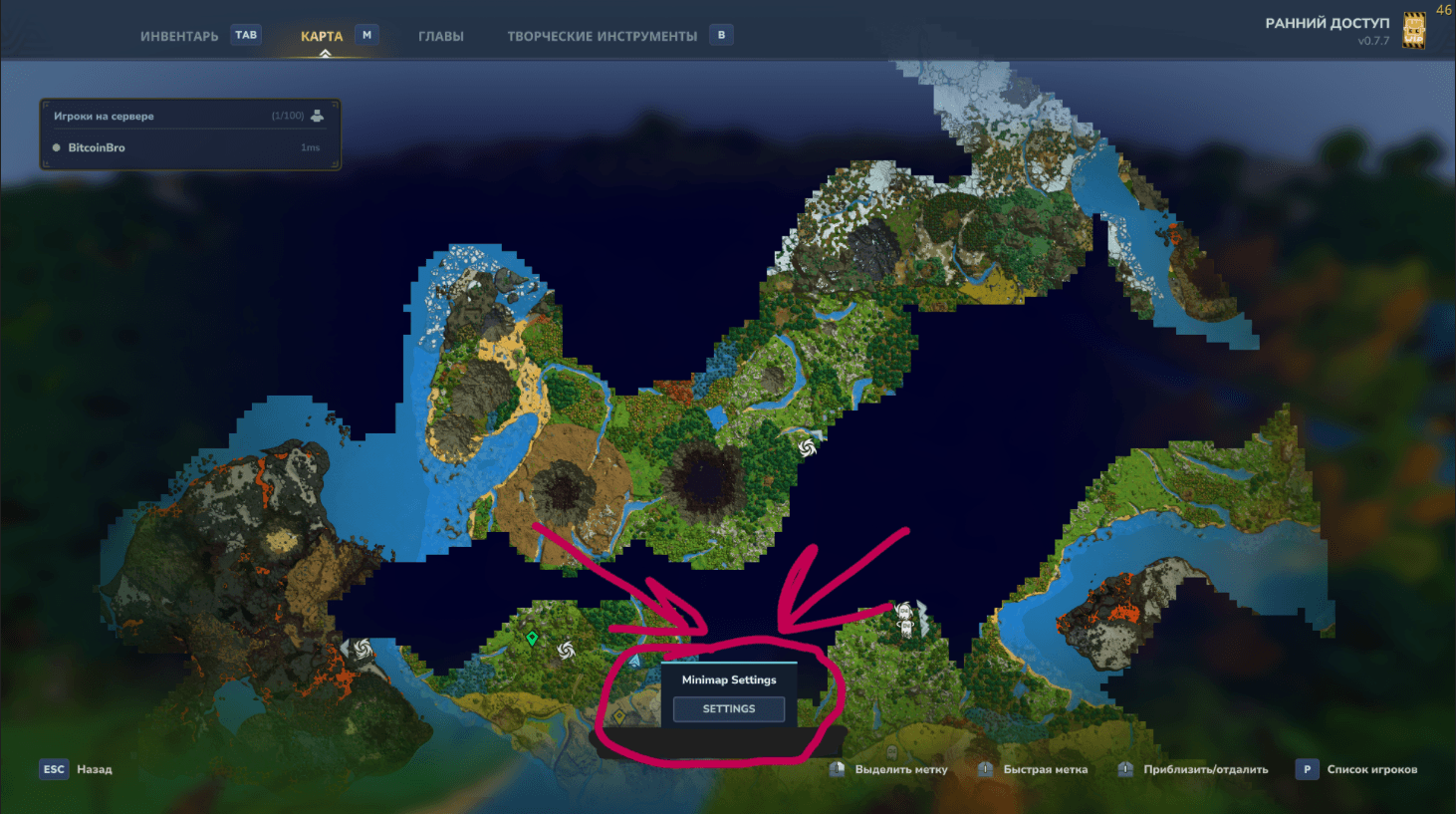
Press M to open the world map, then select Settings under Minimap Settings. The live preview shows how your HUD will look as you adjust it.
Developed by Dragon Games Studio
RAX Minimap Team