


Pick Up Chests
- By
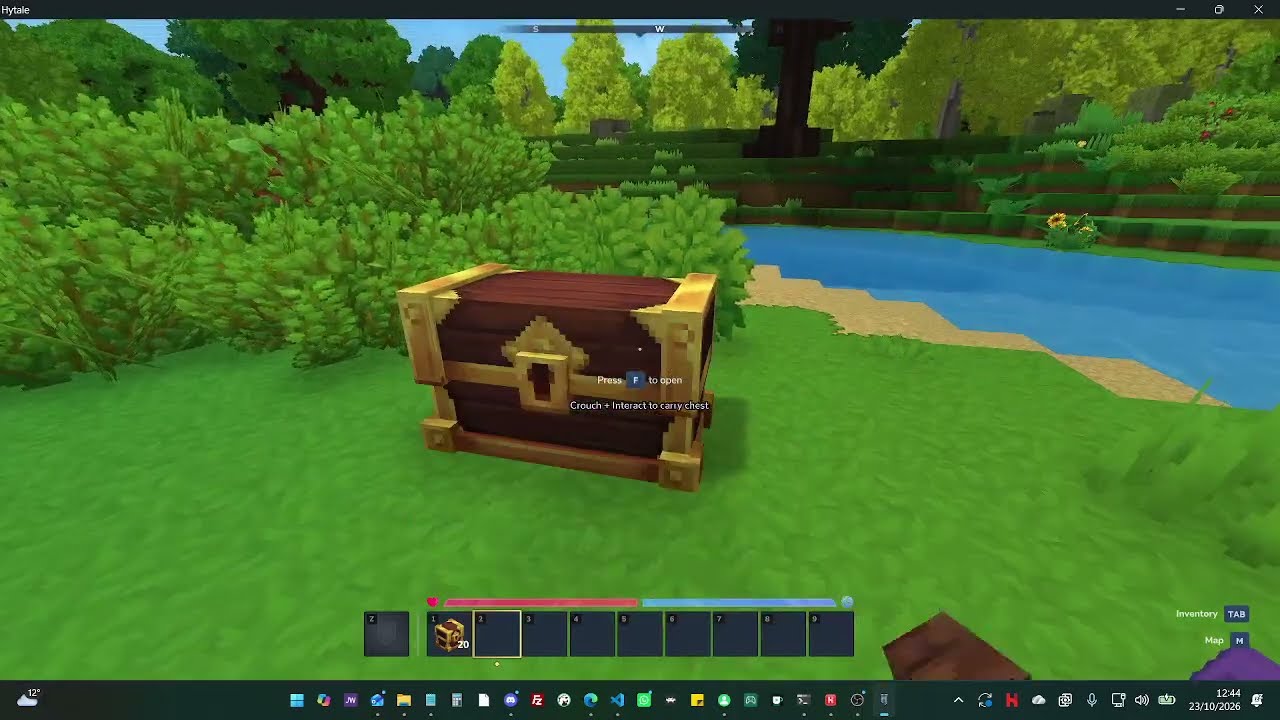
Description
Move your storage without emptying every chest first.
Pick Up Chests lets you crouch and interact with a closed chest to lift it with its contents intact. Carry it to its new home, release crouch, and use Secondary to place it down.
Options
To open options, use /pickupchests. Options:
| Option Name | Option Values |
|---|---|
| Pick up controls |
|
| Pick up mode |
|
Controls
With Hytale's default key bindings:
| Action | Controls |
|---|---|
| Pick up a closed chest | Hold CTRL (Crouch) and press F (Interact). |
| Place a chest carried in your hands | Release CTRL, aim at a valid location, then right-click (Secondary). |
| Open a chest normally | Press F without crouching. |
| Change your personal settings | Enter /pickupchests in chat. |
In /pickupchests, you can switch pickup to Crouch + Secondary (CTRL + right-click by default). With that option selected, F opens chests even while crouching.
You can also choose Inventory mode. Pick up the chest using your selected gesture, then select its item in your hotbar and place it normally.
Rebound keys work too: the mod follows Hytale's Crouch, Interact, and Secondary actions rather than hard-coding these keys.
Installation
Requires Hytale 0.7.4. Dedicated servers also require Java 25.
For single-player, put the release JAR in your Hytale UserData\Mods folder and enable PickUpChests in the world's mod list. On Windows, this is normally %APPDATA%\Hytale\UserData\Mods.
For a dedicated server, stop the server, put the JAR in its mods folder, and restart. Players do not need a separate client plugin; the included assets are supplied by the server.
Before moving valuable storage
- Back up your world and test the mod on a disposable save first.
- Close the chest before picking it up, and stay within five blocks.
- Put down a carried chest before changing settings or logging out. Death or disconnect drops it into the world using native handling; normal despawn rules apply.
- While carrying in your hands, collecting items and using tools are blocked until you place the chest.
- Place all filled chests before uninstalling this mod.
- Protection systems must implement Hytale's relevant use/break events; compatibility with custom protection mods needs testing.
By MugHeadStudios. Not affiliated with or endorsed by Hytale.
Pick Up Chests Team
