OpenQuests
- By
Modular and extensible quest system for Hytale. Create any quest you can imagine in a few clicks, straight from the Asset Editor.
Description
OpenQuests
⚔️ A complete quest system for your Hytale server. Design your quests in the Asset Editor, drop the plugins in
mods/, and your players have something to do.
No code required. Everything below works out of the box.



Combine quests as deep as you want and wire them together with AND and OR to get real branching progression. Beat the guardian with a sword, or find another way around.
📦 Want to see it in action ? Install OpenQuests Examples next to OpenQuests: ready-made quest lines, in English and French, handed to your players as soon as the server starts.
✨ What you get
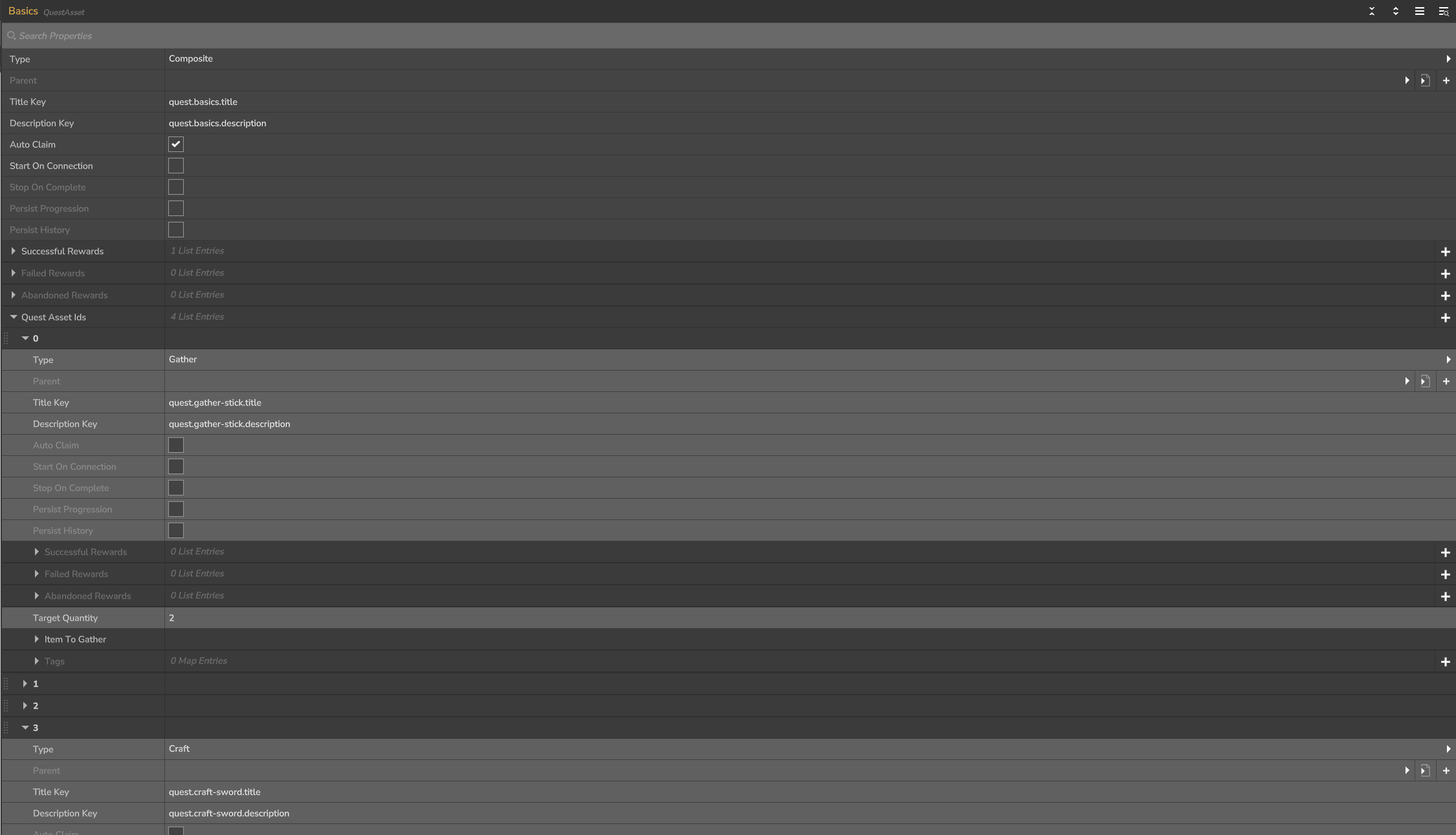
📝 Everything in the Asset Editor. Autocompletion, validation, and inline definitions so a whole chain fits in a single file.
🧩 Quests made of quests. A step is a quest like any other, with its own rewards. Nest them as deep as your story needs.
🔀 Branching paths. OR lets the player choose their way through a chapter, AND asks for everything.
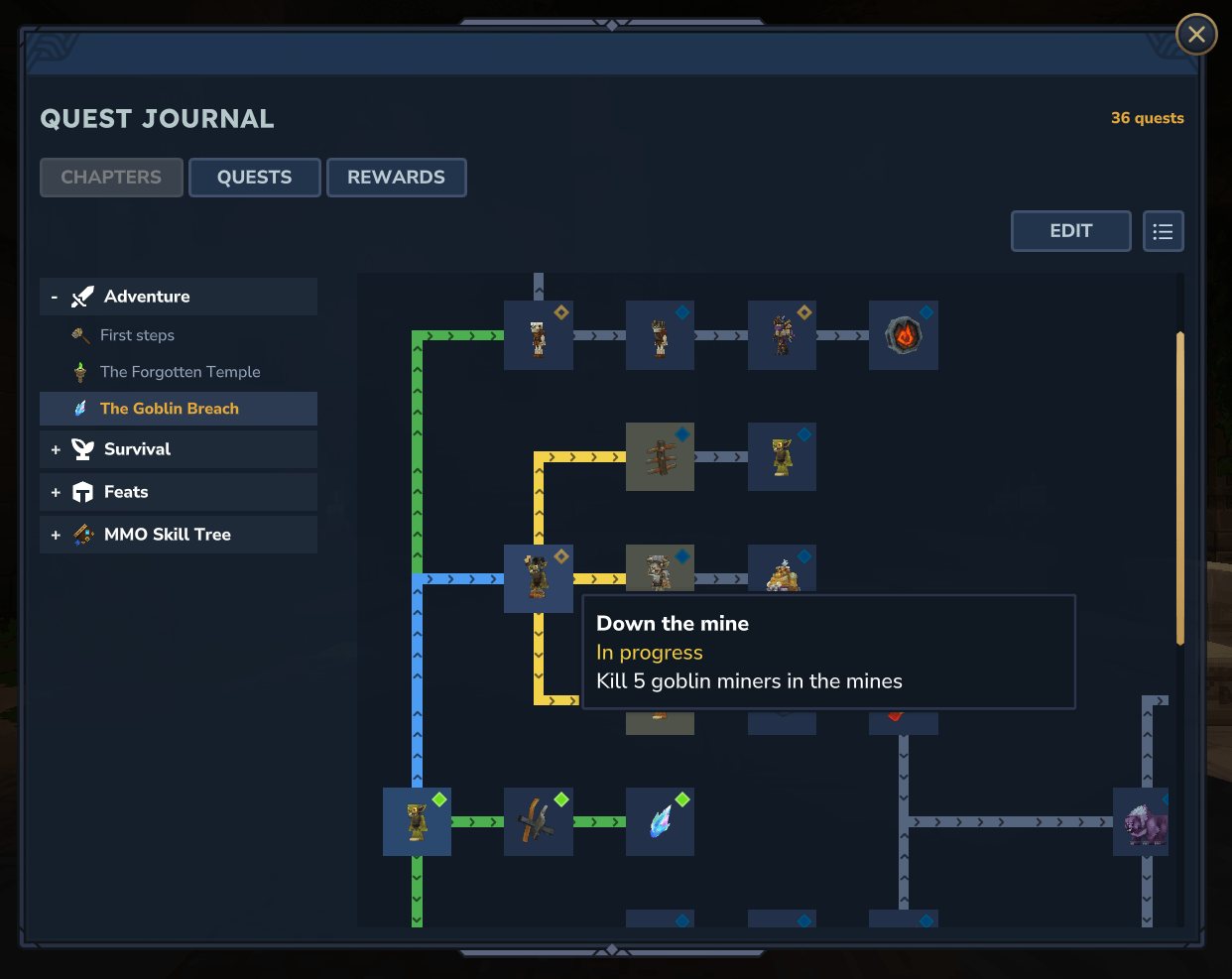
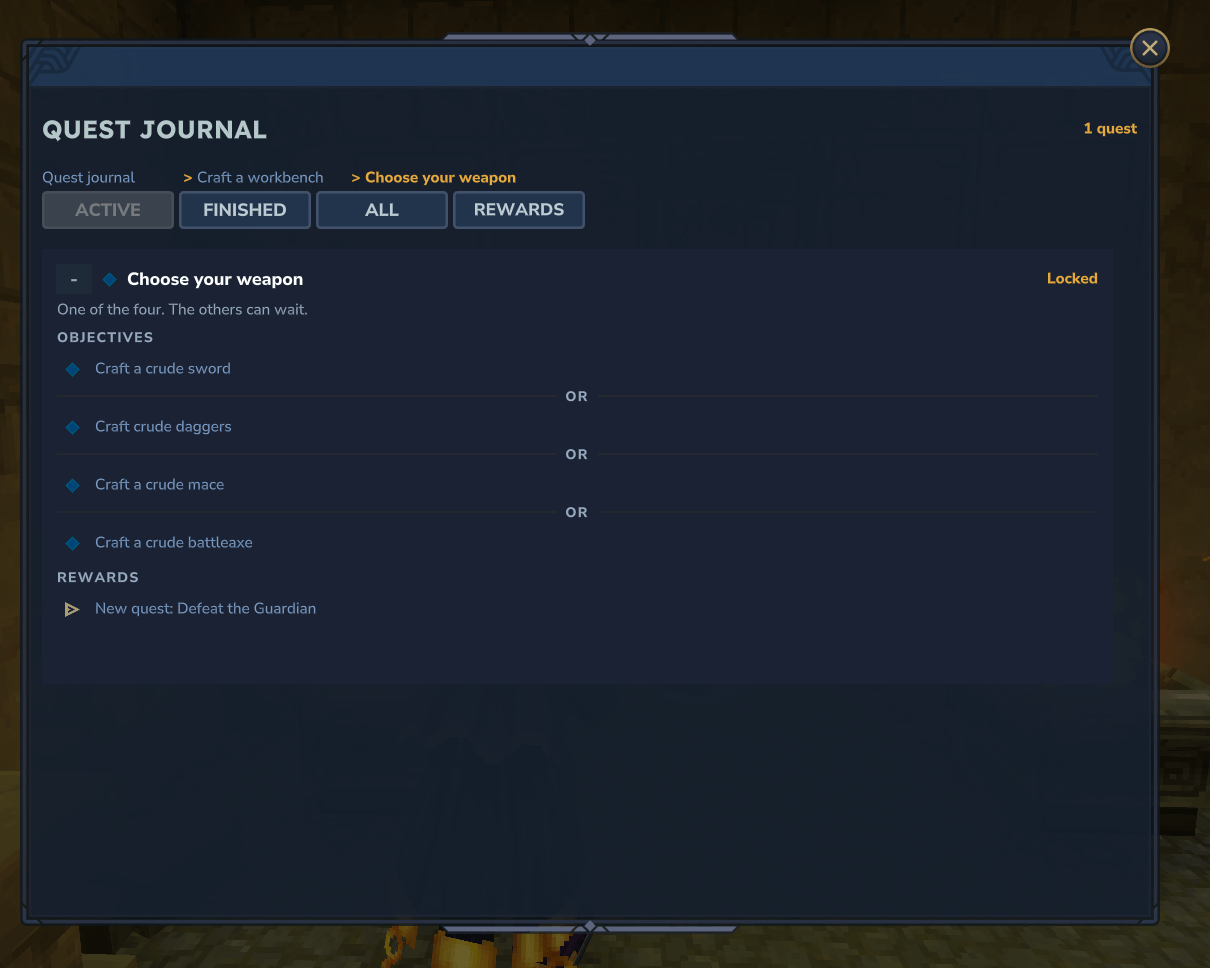
📖 A quest journal with chapters. /ojournal sorts your quests into chapters drawn as a map of how they lead into
one another, and opens again right where you left it.
🖼️ Quests that read well. Every quest has an icon, a short line on the HUD saying exactly what to do, and a description for the story, with paragraphs, italics and colours.
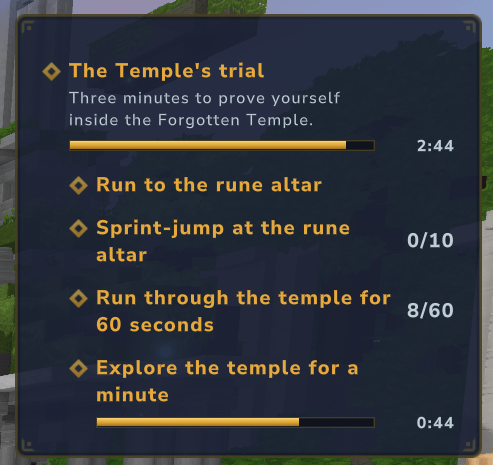
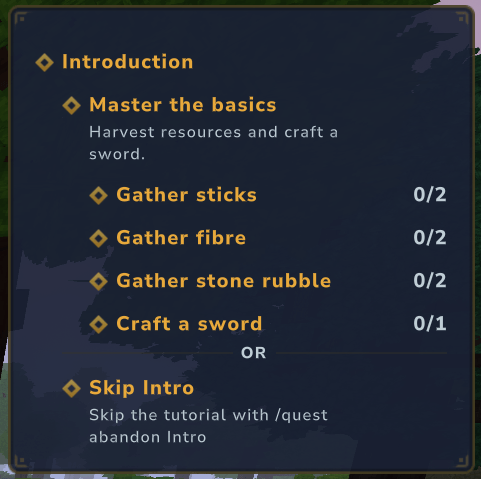
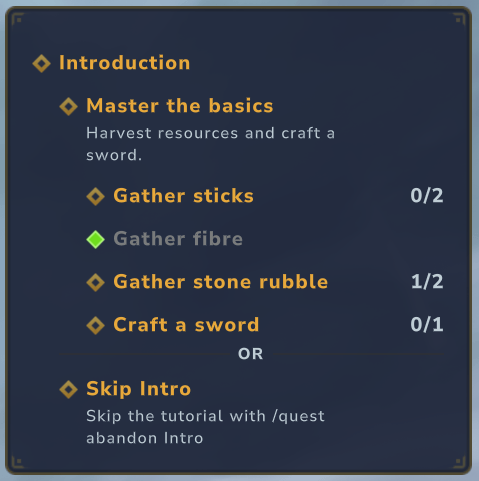
📊 A tracker HUD. Titles, counters, nesting and timers, exactly as the screenshot shows. Players can hide or move it, and the server picks where it starts.
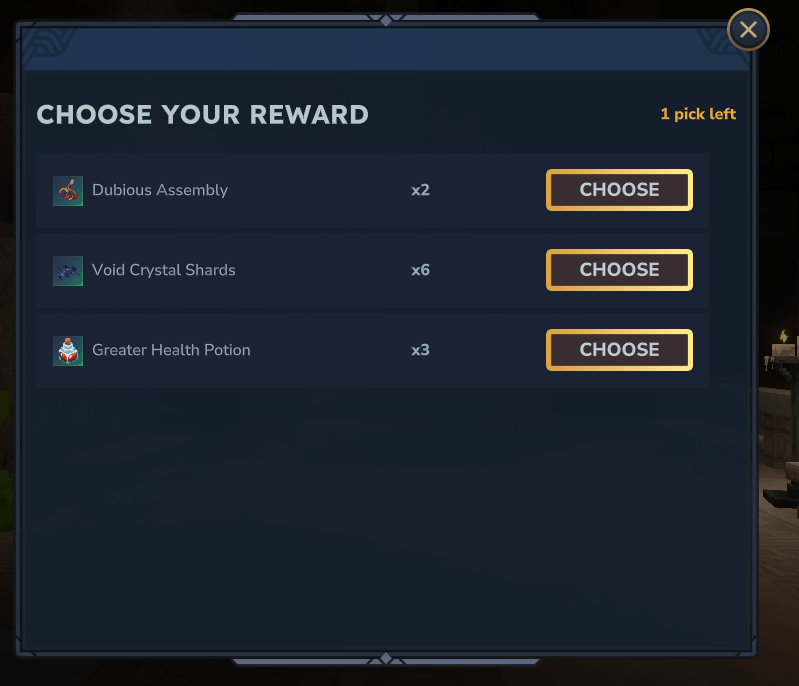
🎁 Rewards to look forward to. Items, the next quests, commands, a prize drawn at random, or a popup where the player picks their own.
⏳ Rules on any quest. Time limits, worlds, cooldowns, caps: add them to any quest and combine them freely.
🌍 Server-wide events. "Kill 1,000,000 skeletons, together" is one quest, not a plugin.
🔔 An ending you can hear. A finished quest takes over the middle of the screen and plays the sound you choose.
🗄️ Files or a database. JSON files with nothing to configure, or PostgreSQL, MySQL, MariaDB and SQLite for large networks. Several servers can share the same quests.
🛡️ Checked at boot. A missing reference or a loop between quests stops the server with a clear reason, not in front of a player hours later.
🈯 English and French included. Every line of text is translatable.
📖 Chapters and the quest journal

Group your quests into chapters, and chapters into groups, each with its icon. A chapter is drawn as a map: every quest is a tile, and the arrows show which one opens the next.

- Hover a quest to read where it stands and what it asks, with the path leading to it lit up.
- A map as big as you need: scroll it both ways, or switch to a plain list of the chapter in one click.
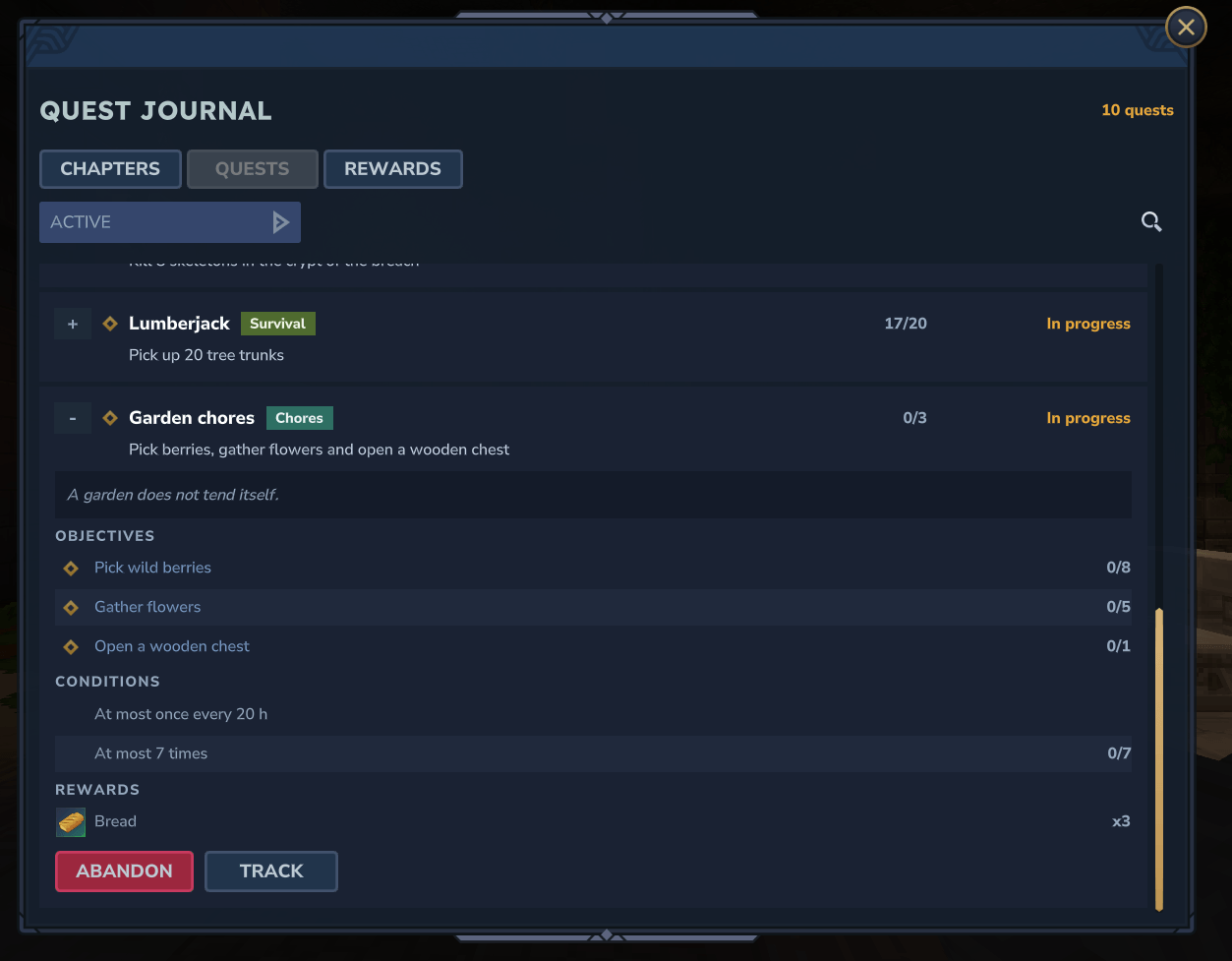
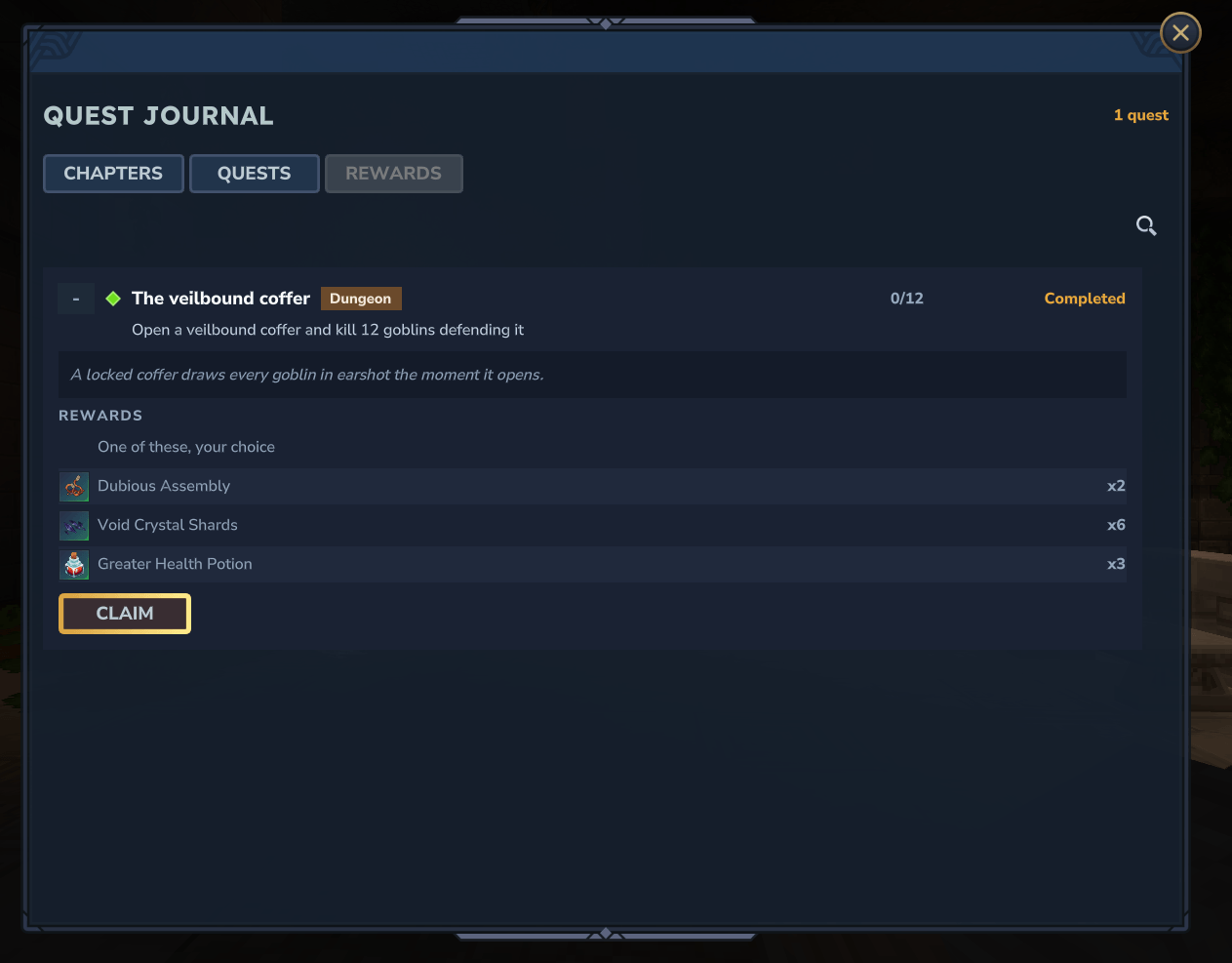
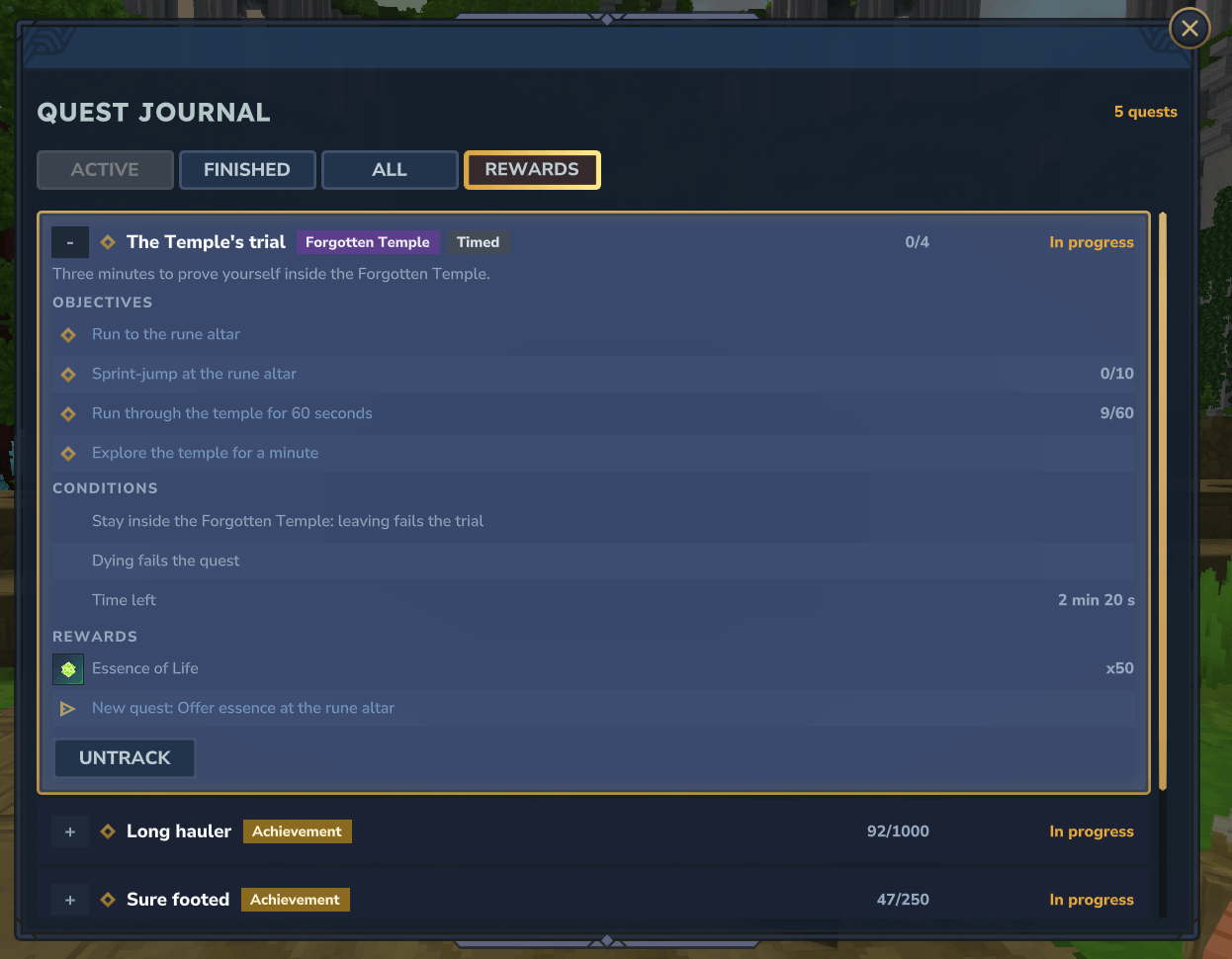
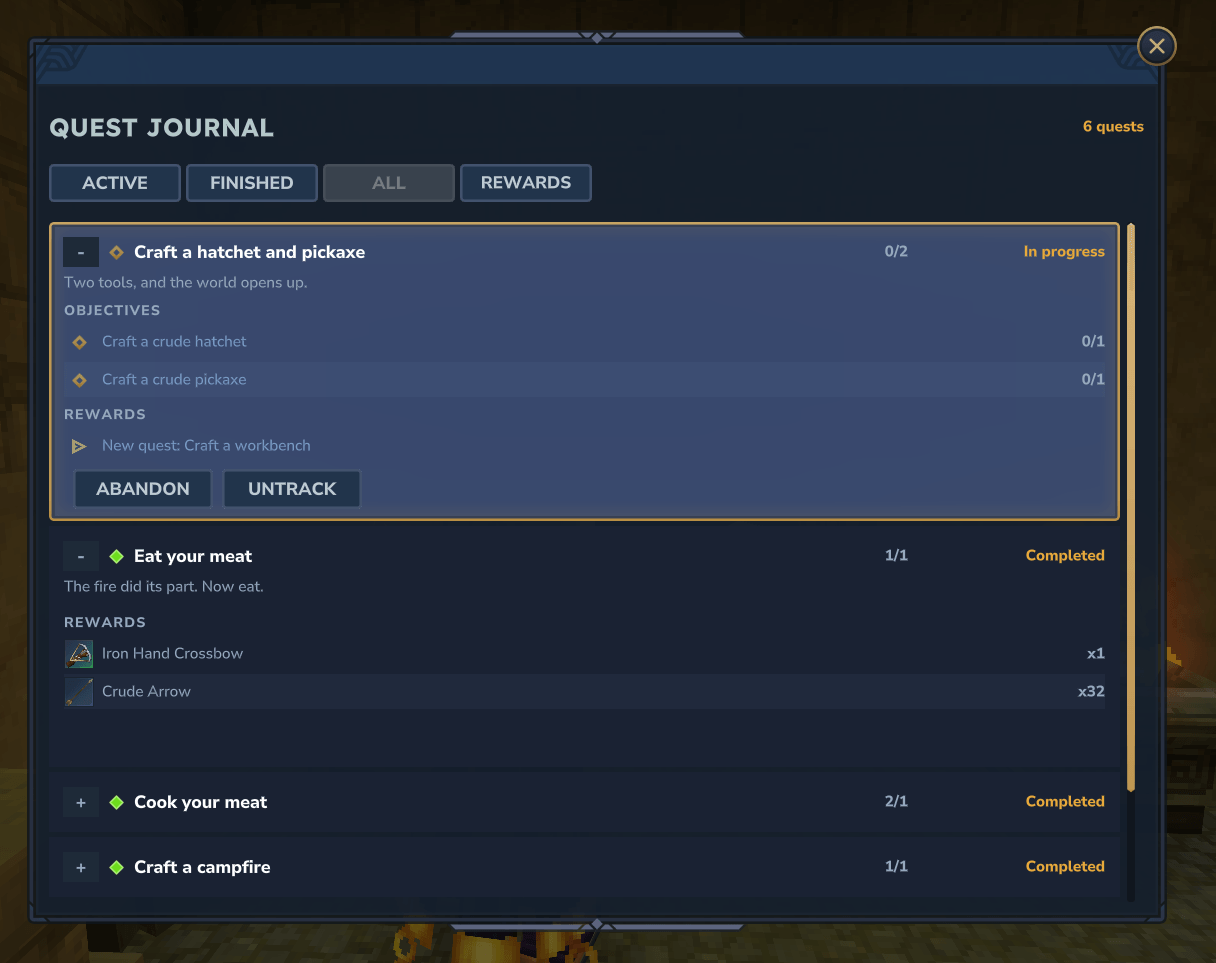
- Three tabs: Chapters, Quests with a state filter and a search box, and Rewards, which turns gold when something waits to be collected.
- Rows that open on the story, every objective with its counter, and the rewards on offer.
- Tracking from the journal: put a quest, or a single step of a long chain, on the HUD in one click.

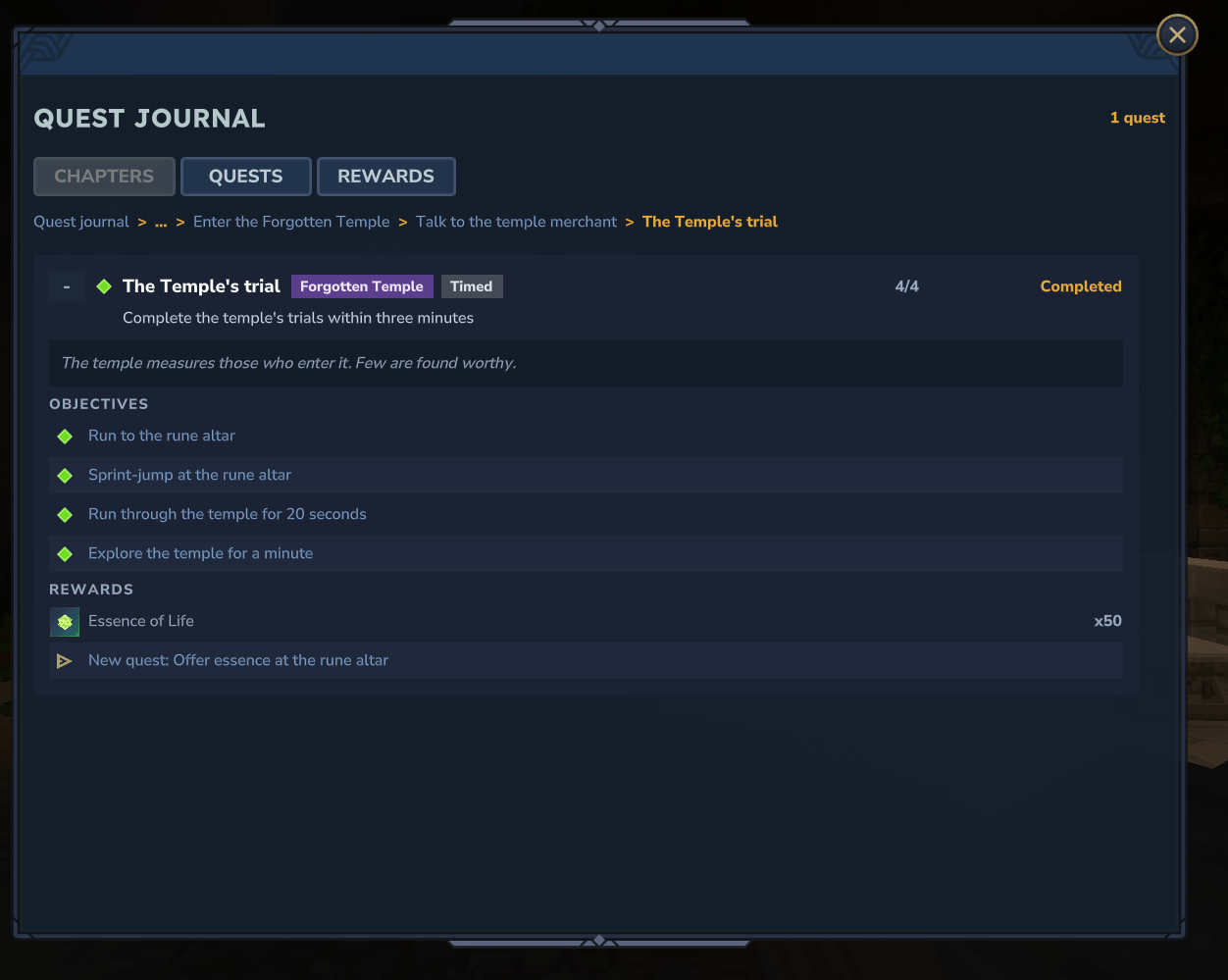
- Chains you can walk through: a reward or an objective naming another quest is a link, and the trail at the top takes you back.
- It remembers: close the journal, open it again, and you are back on the same tab, chapter and quest.

Lay chapters out in game. Players allowed to edit get an Edit button: pick a tile, drop it on another cell, and the chapter's file is written for you.
🎯 Quest types
| Type | Completes on |
|---|---|
Gather |
Holding a quantity of an item |
InteractivelyPickup |
Picking a quantity up by hand |
Craft |
Crafting a quantity of an item, whatever the recipe |
Consume |
Eating or drinking a quantity of an item |
DropItem |
Throwing a quantity of an item out of the inventory |
PickupItem |
Picking a quantity of an item up, off the ground or by hand |
BreakBlock |
Breaking a number of blocks |
PlaceBlock |
Placing a number of blocks |
UseBlock |
Interacting with a block a number of times |
UseEntity |
Interacting with NPCs of a group |
KillNpc |
Killing NPCs of a group |
KillPlayer |
Killing players, optionally a designated one |
ReachLocation |
Entering a radius around a position |
EnterWorld |
Entering a world whose name matches a pattern |
TriggerVolume |
Entering trigger volumes, even in generated worlds |
Walk, Run, Sprint |
Covering a distance, or a time, at that pace |
Jump |
Jumping a number of times |
Composite |
Its children, combined with AND or OR |
QuestState |
Another quest reaching a state: a prerequisite |
NoOp |
Nothing on its own: a command, a reward or your own plugin ends it |
Items and blocks are named by id, by tag, or by family, such as any flower or any raw meat. "AntiAbuse": true stops
the same item thrown and picked up, or the same block placed and broken, from counting twice.
🎁 Rewards
| Type | Effect |
|---|---|
Item |
Gives items |
GrantQuest |
Hands the next quests over: this is how a chain continues |
Command |
Runs a server command, as the console or as the player |
Random |
Draws one of its rewards, each with its own weight |
Choice |
Opens a popup where the player picks what they get |

Rewards can be paid on success, on failure or on abandon, handed over at once or collected from the journal. A reward that cannot be delivered, full inventory or player offline, waits for them. Nothing is lost.
⏳ Constraints
| Type | Effect |
|---|---|
TimeLimit |
Ends the quest after a number of seconds, failed or successful |
Deadline |
Ends every quest from the asset at a set date |
InWorld |
Only counts in some worlds; leaving can fail the quest |
NearPosition |
Only counts within a radius of a position |
EntityCondition |
Only counts while sprinting, out of combat, under an effect… |
RequiresQuest |
Only counts once, or while, another quest stands as asked |
MinPlayersOnline |
Only counts while enough players are online |
FailOnDeath |
Dying fails the quest |
Cooldown |
At most once per period, a day for a daily quest |
MaxQuests |
A set number of times, or one at a time |
"Constraints": [
  { "Type": "TimeLimit", "Seconds": 300 },
  { "Type": "Cooldown", "Seconds": 86400 }
]
The journal shows them with the time left, and a timed quest gets a countdown bar on the tracker.
🌐 Who a quest belongs to
The same quest asset can be played four ways:
- 👤 Player. Everyone runs their own copy, at their own pace.
- 🚪 World. Shared by everyone inside a world, perfect for a dungeon: slay the boss, survive ten waves, light every brazier. Whoever is there at the end gets the reward.
- 🗺️ Worlds. One quest across every copy of a dungeon: a daily hunt counting every run of the day.
- 🌍 Universe. One counter the whole community pushes. This is where a quest becomes a server event.
🎨 Make it yours
- Icons on every quest, chapter and group, taken from any item or model of the game or your own pack.
- Two texts per quest: a short line saying what to do, shown on the HUD, and a description that tells the story.
- Categories colour-code quests in the journal: Dungeon, Server event, Side quest…
- Secret quests appear only once earned, with
"Visibility": "WhenCompleted". - Sounds per outcome, from the game or your own asset pack.
- Auto-tracking puts a quest on the HUD the moment it is handed out.
- Default titles when you write none: a
Gatherquest reads Gather 2 Sticks by itself.
🛠️ For server owners
Installing
- ⚔️ OpenQuests: this project, the quest types, rewards, journal and HUD
- ⚙️ OpenQuests Core: the system underneath, pulled in with it
- 📦 OpenQuests Examples (optional): the ready-made quest lines
Drop them in mods/. Nothing else to configure.
Writing a quest
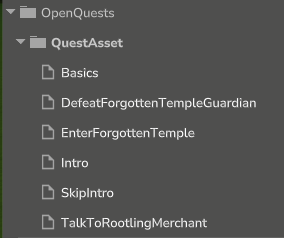
Open it in the Asset Editor and change what you like, every field checked as you type:

Underneath, a quest is a JSON asset, steps included:
{
  "Type": "Composite",
  "TitleKey": "quest.basics.title",
  "QuestAssetIds": [
    "GatherSticks",
    { "Type": "Craft", "ItemToCraft": { "ItemId": "Weapon_Sword_Crude" }, "TargetQuantity": 1 }
  ],
  "SuccessfulRewards": [
    { "Type": "Item", "ItemId": "Ingredient_Life_Essence", "Quantity": 25, "AutoClaim": true },
    { "Type": "GrantQuest", "QuestAssetIds": ["DefeatTheGuardian"] }
  ]
}
An assignment, beside it, says who gets it and when: on connection, on entering a world, or on a schedule, once or again and again.
{
  "Trigger": { "Type": "PlayerEnterWorld", "WorldNamePattern": "instance-Portals-Portals_Goblins-.*" },
  "Scope": { "Type": "World" },
  "QuestAssetIds": ["GoblinBreachIntruders"]
}
Commands
| Command | Effect | Granted to |
|---|---|---|
/ojournal |
Opens the quest journal, also /journal and /quests |
hytale:Adventurer |
/oquest abandon <quest> |
Gives your matching quests up | hytale:Adventurer |
/oquest complete <quest> |
Ends them as successful | hytale:WorldEditor |
/oquest fail <quest> |
Ends them as failed | hytale:WorldEditor |
/oquest create player <assetId> <player> |
Hands a quest to a player | hytale:WorldEditor |
/oquest create world <assetId> <world> |
Shares a quest with a world | hytale:WorldEditor |
/oquest create universe <assetId> |
Shares a quest with the whole server | hytale:WorldEditor |
/ohud show, /ohud hide |
Shows or hides your quest tracker | hytale:Adventurer |
/ohud move --side=<side> --top=<n> |
Moves it, also --offset=<n> from the side |
hytale:Adventurer |
/ohud reset |
Puts it back where the server wants it | hytale:Adventurer |
/ohud default show and so on |
The same for everyone who chose nothing, kept in hud.json |
hytale:WorldEditor |
<quest> is a quest id or an asset id, and asset ids are suggested as you type. /oquest also answers to /quest
and /q.
Storage
Quests are saved as JSON under your universe, with nothing to set up. For a large server, or several servers sharing
their players, use a database in mods/MartelStudios_OpenQuestsCore/config.json:
{
  "Storage": {
    "Type": "Jdbc",
    "Url": "jdbc:postgresql://localhost:5432/openquests",
    "User": "openquests",
    "Password": "…",
    "DriverPath": "libs/postgresql-42.7.4.jar"
  }
}
PostgreSQL, MySQL, MariaDB and SQLite are supported; drop your database's driver beside the server. Servers sharing a
database share server-wide quests and those spanning several worlds, and a player switching servers picks up where they
left off. To keep the password out of mods/, point the OPENQUESTS_CONFIG environment variable at a file elsewhere.
💻 For developers
OpenQuests Core is the system on its own, with no quest type, and OpenQuests adds the quest types, rewards, journal and HUD, one package per feature: the reference for writing your own. A new quest type is one call:
QuestProgressionService.get().registerQuestType(
    "MyType",
    MyQuestAsset.class, MyQuestAsset.CODEC,
    MyQuestProgression.class, MyQuestProgression.CODEC
);
Rewards, constraints, HUD and journal renderers are one line each, and the tracker and journal draw your type without
ever learning it exists. Declare "MartelStudios:OpenQuestsCore" or "MartelStudios:OpenQuests" in your
manifest.json.
Source and documentation: https://github.com/MartelStudios/OpenQuests
MIT licensed.
OpenQuests Team