Marketplace
- By
Screenshot 2026-04-22 223334.png
Screenshot 2026-04-22 223403.png
Screenshot 2026-04-22 223432.png
Screenshot 2026-04-22 222952.png
Screenshot 2026-04-22 223519.png
Description
🛒 Hytale Marketplace Plugin
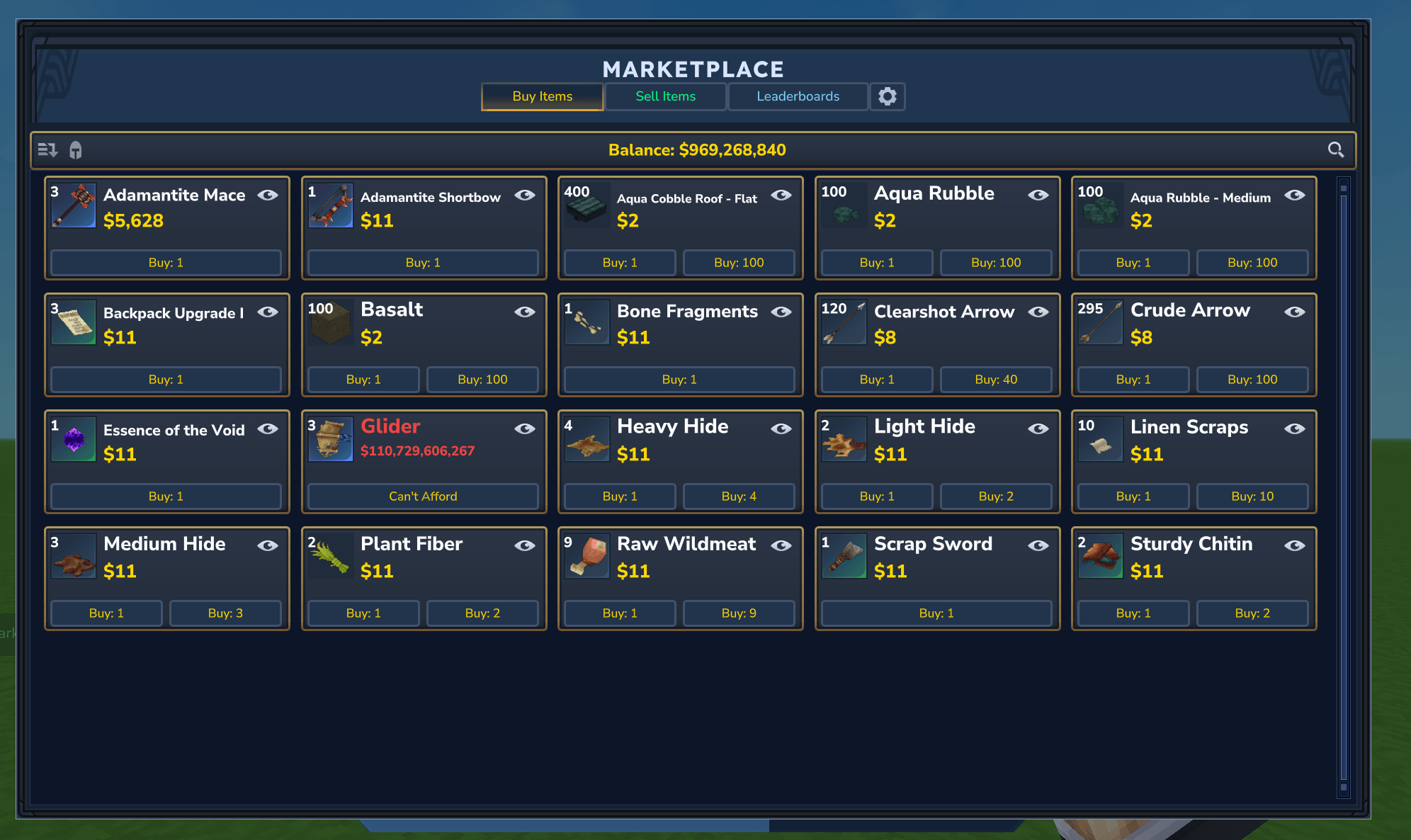
Welcome to the ultimate Marketplace plugin for Hytale! Designed with high performance, dynamic economics, and player safety in mind, this plugin provides a fully interactive in-game marketplace where players can buy and sell items through a sleek Hytale interface.
Powered by a simulated supply-and-demand economy, the marketplace reacts to player trade behavior in real-time, making it the perfect addition to survival, roleplay, and economy-driven servers.
✨ Key Features
🖥️ Premium Interactive UI
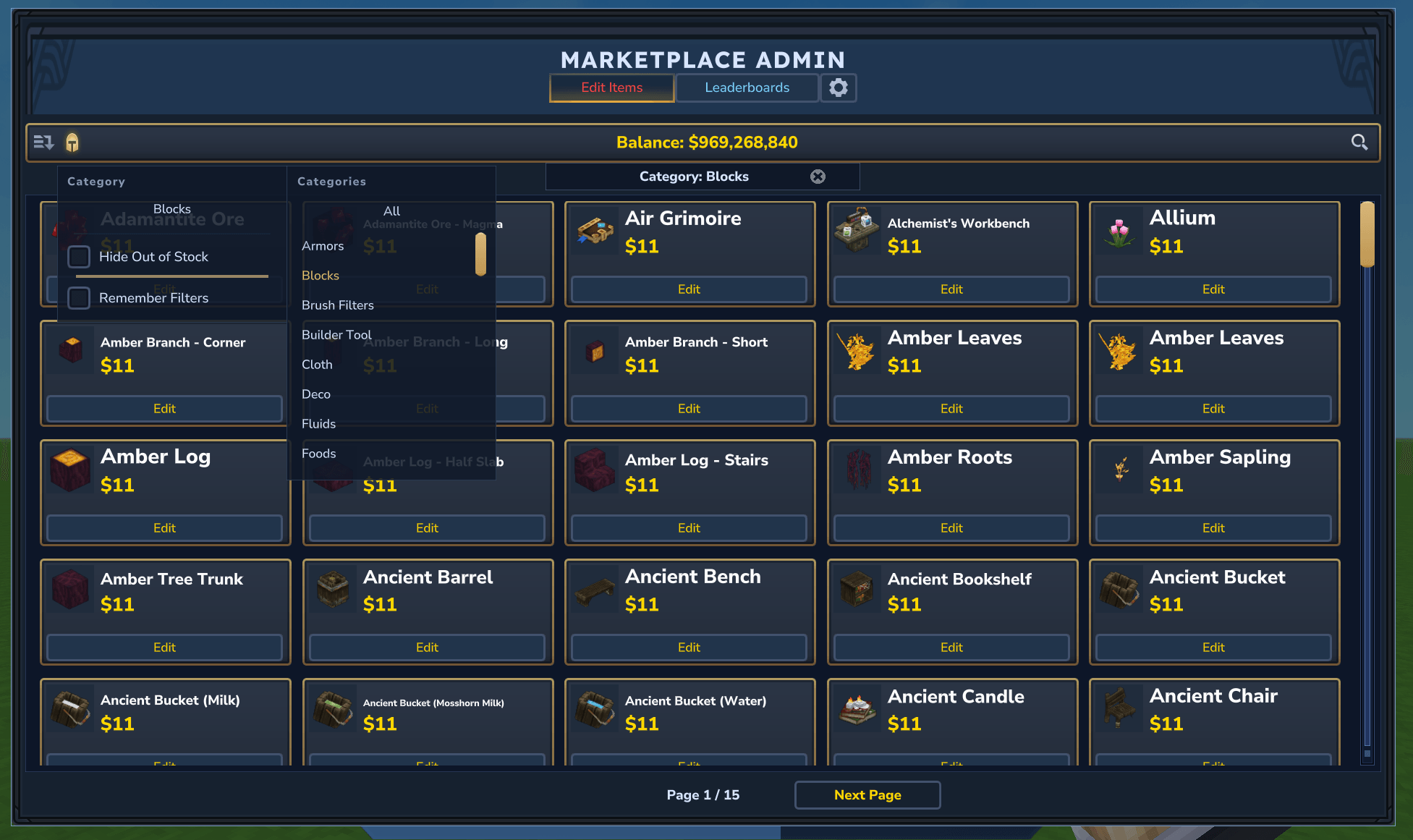
- Categorized Submenus: Browse items using creative-style categories (Blocks, Items, Tools, etc.) with localized translations.
- Instant Search: Powerful instant/live search that indexes translation packages across multiple languages (German, French, Japanese, etc.) so players can search in their native tongue.
- Pins & Favorites: Pin favorite items to the top of the store catalog for fast access.
- Price History Charts: Interactive item detail pages containing price history graphs and transaction summaries.
📈 Dynamic Supply & Demand Economy
- Price Drift: Prices adjust based on daily volume. High demand (more buys than sells) inflates prices, while surplus (more sells than buys) drives them down.
- Inactivity Dampening: Automatic dampening scales back price drift during quiet periods on the server, avoiding runaway inflation.
- Minimum Stock Floors: Server administrators can set minimum stock limits (
minimumStock) to auto-refill essential items at the start of a new economy cycle. - Hard Price Bounds: Configure
dynamicBuyMinanddynamicBuyMaxconstraints per item to keep prices within reasonable boundaries.
🌳 Recipe-Aware pricing (Price Parenting)
- Parent-Child Links: Automatically derive buy/sell prices of crafted goods from their base ingredient costs (e.g., Wooden Chest inherits from Wood Planks).
- Automatic Cascading: Updating a base parent item's cost automatically cascades changes down to all child items, keeping the entire economy aligned.
- Multi-Parent Recipes: Supports items composed of multiple parents (e.g. 4 cobblestone + 1 stick).
🛡️ Player Protection & Safe Reversals
- Transactional Undos: Revert accidental trades during the current day cycle.
- Backlog Delivery: If a player's inventory is full when reversing a sale, items are queued safely in a "pending return" backlog and auto-delivered when slot space opens up.
- Reversal Clawbacks: Reversing a purchase without having the items registers a "Clawback Debt." The marketplace blocks the player from trading until the owed quantity is recovered or confiscated from future pickups.
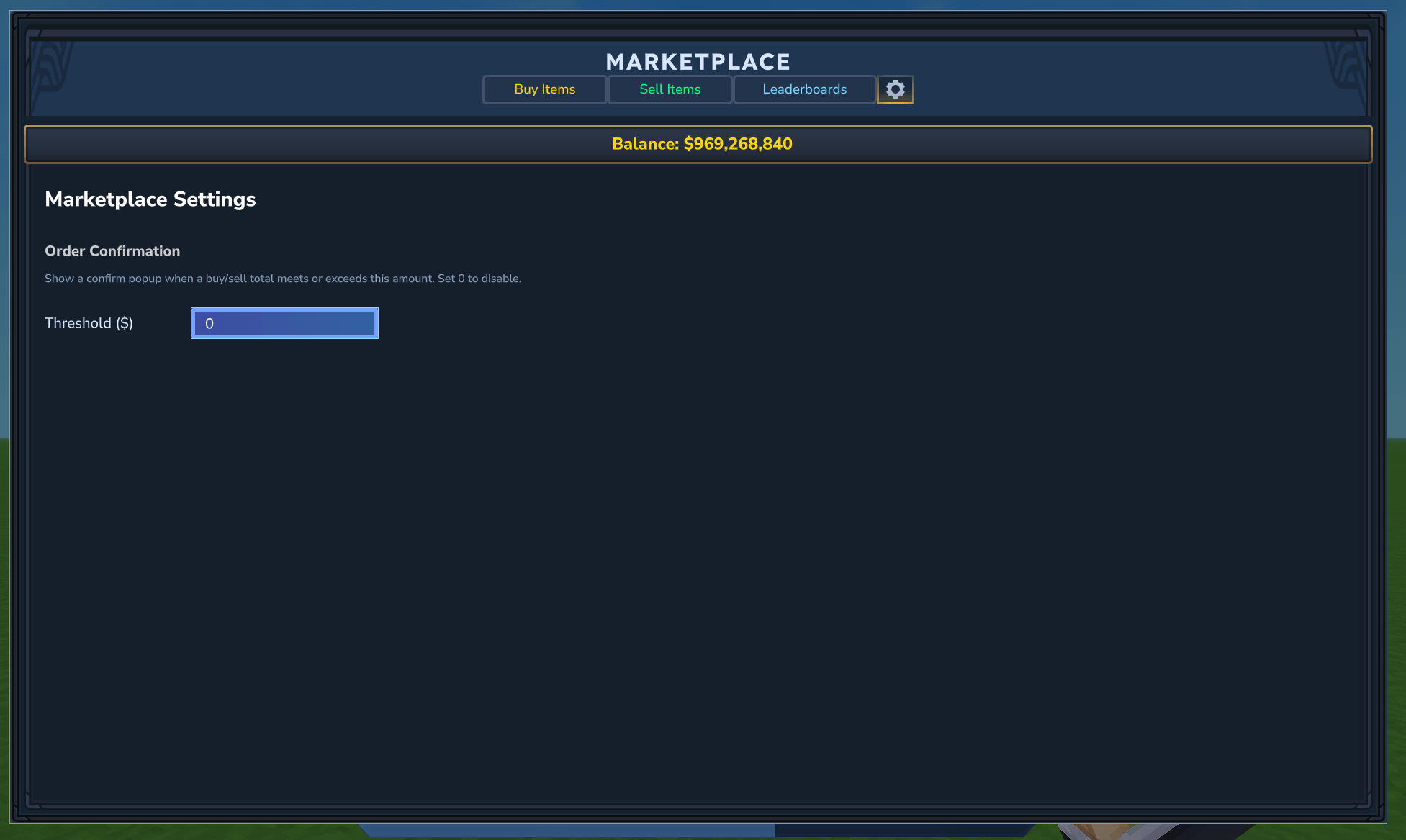
- Confirmation Thresholds: Players can set a custom dollar threshold—any trade exceeding this limit requires explicit confirmation.
🏆 Multi-Window Leaderboards & Stats
- Timezone-Aligned Trackers: Tracks earnings and expenditures based on server-wide or customized timezones.
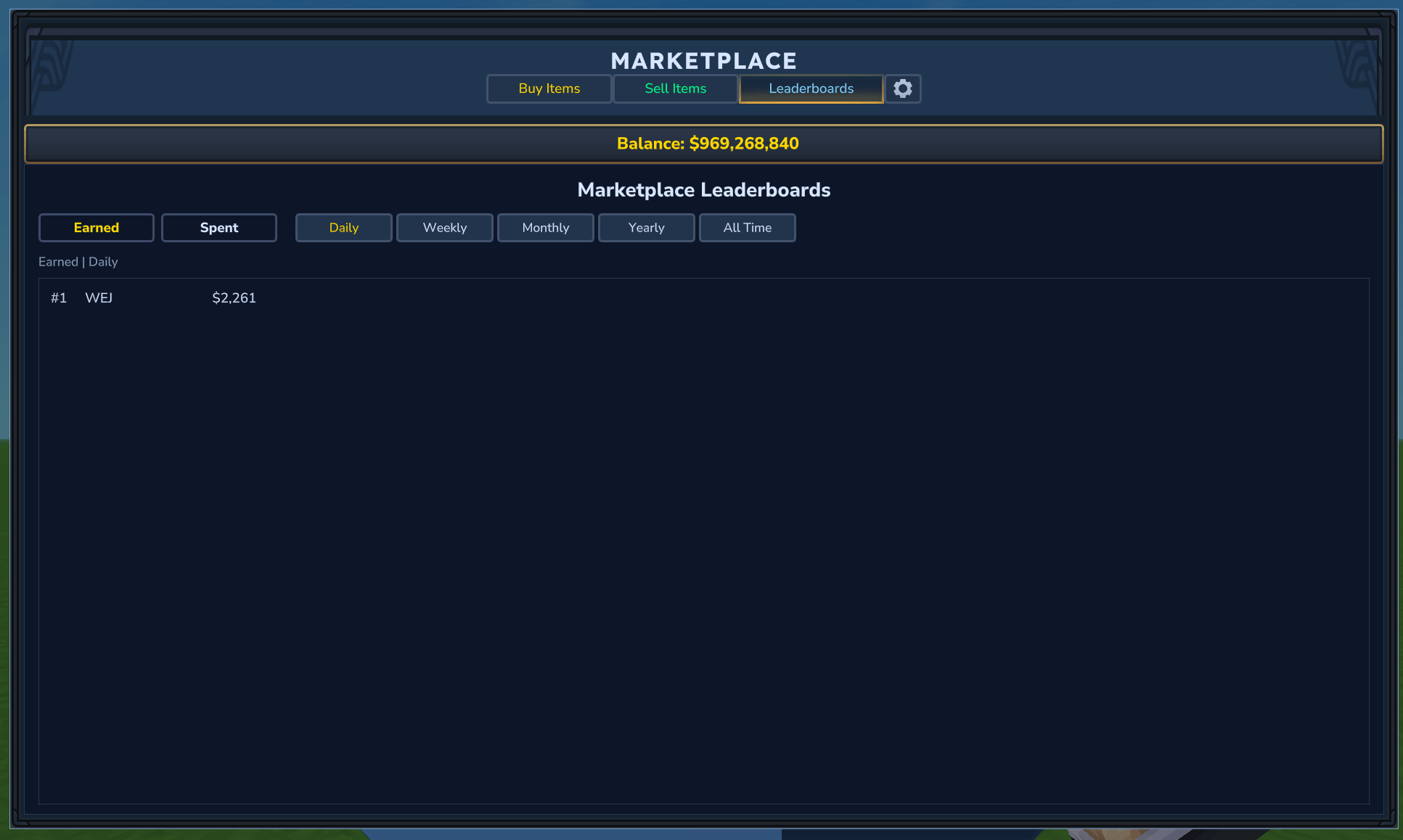
- Leaderboards: Tabbed leaderboards showing Top Earners and Spenders across Daily, Weekly, Monthly, Yearly, and All-Time intervals.
⚡ High Performance & Zero-Lag Architecture
- Asynchronous Catalog Loading: Pre-warms cache during server startup so typing
/marketloads instantly. - Debounced Async Writes: Player actions modify an in-memory cache instantly. File operations are coalesced and saved in the background to prevent server tick stutters.
- Durable Disk Operations: File writes use atomic moves (
ATOMIC_MOVE) alongside 5 rolling backups (.bak.1to.bak.5) to eliminate database corruption.
🎮 Player Guide
Commands
/market- Opens the interactive visual marketplace menu.- Requires Permission:
marketplace.use
- Requires Permission:
Core Trading Rules
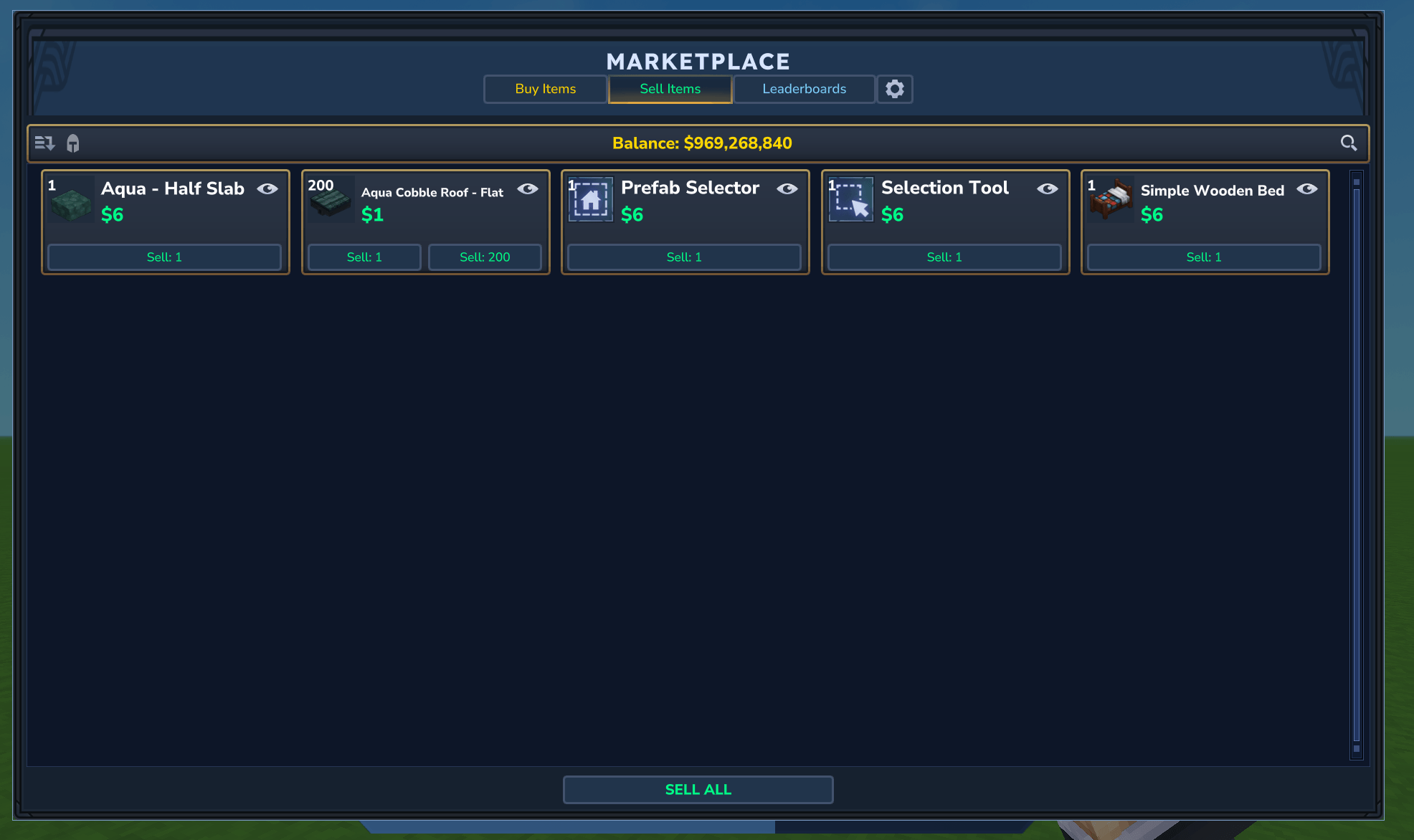
- Pristine-Only Selling: To protect players and maintain catalog quality, only pristine, undamaged (100% durability) items can be sold. Repaired items with reduced maximum durability or broken tools are rejected.
- Bulk Purchases: The UI automatically calculates the maximum stack size you can afford based on your current inventory slots and bank balance.
- Sell-All: Preview and sell all pristine items in your inventory matching the current tab category in a single transaction.
Personalization Settings
Configure your marketplace settings directly from the UI:
- Allow/Restrict Inventory Sections: Toggle whether the sell scan checks your Hotbar, Utility slots, Backpack, or Armor slots to avoid accidental sales of active gear.
- Remember Filter & Sorts: Independent flags to remember your search text, scroll position, categories, and sort fields per tab.
- Order Confirmation Threshold: Set a warning price (e.g.,
$1,000.00). Purchases or sales above this trigger a confirmation dialog.
👑 Administrator Guide
Commands
/market admin- Opens the visual Admin Dashboard to edit the live catalog.- Requires Permission:
marketplace.admin
- Requires Permission:
Administrative Capabilities
From the Admin Dashboard, you can configure individual catalog entries:
- Toggle Buyable / Saleable: Control if players are allowed to purchase or sell the item.
- Stock & Refills: Manually adjust catalog stock levels and define a
minimumStockfloor for automatic refills. - Dynamic pricing Configuration: Enable/disable dynamic pricing, and configure item-specific buy price bounds (
dynamicBuyMin/dynamicBuyMax). - Manage Parents: Associate price parent items, define parent multipliers, or configure multi-parent ingredient maps.
- Admin Global Undos: Revert any transaction made on the server, even if the player is currently offline. Missing items are automatically flagged for clawback, locking their marketplace access until cleared.
⚙️ Installation & File Structure
This plugin requires Ecotale to handle player bank balances and economic currency.
File Directory
All database files live inside the <mods folder>/Marketplace/ directory:
market_db.json- Authoritative catalog listings, containing prices, stock levels, daily tracking data, and historical pricing charts.market_settings.json- Global server configurations, timezone settings, and the day-check world.player_market_stats.json- Rolling player stats for leaderboards.player_market_transactions.json- Personal buy/sell trade logs for transaction undos.player_market_debt.json- Backlog and clawback queues for unresolved reversals.player-settings/- Directory containing JSON files of individual player UI settings.
📁 Technical Specifications
Dynamic pricing Formula
During a day roll, if an item is set to use dynamic pricing, the system calculates the daily price adjustment:
- Net Trade Ratio: Computes direction based on the net difference between items purchased and sold (
dailyBought - dailySold). - Stock Scarcity / Surplus:
- Scarcity raises the buy price (making it attractive for players to sell to the market).
- Surplus lowers the buy price (encouraging buying and disincentivizing selling).
- Inactivity Dampener: If there are no trades across the server for dynamic items, a dampening multiplier scales down any upward price drift to prevent hyper-inflation during quiet periods.
- Child Price Cascade: Prices of parented items are refreshed based on their base materials and quantity contributions.
Robust Database Locking
MARKET_TRADE_LOCK (Mutually excludes all trade activities and day rolls)
  └── MARKET_DB_IO_LOCK (Guards reading and writing JSON files)
This double-locked architecture ensures that concurrent purchases, inventory operations, and background saves never race, preventing item duplication exploits and negative stock balances under all circumstances.
The Marketplace Team