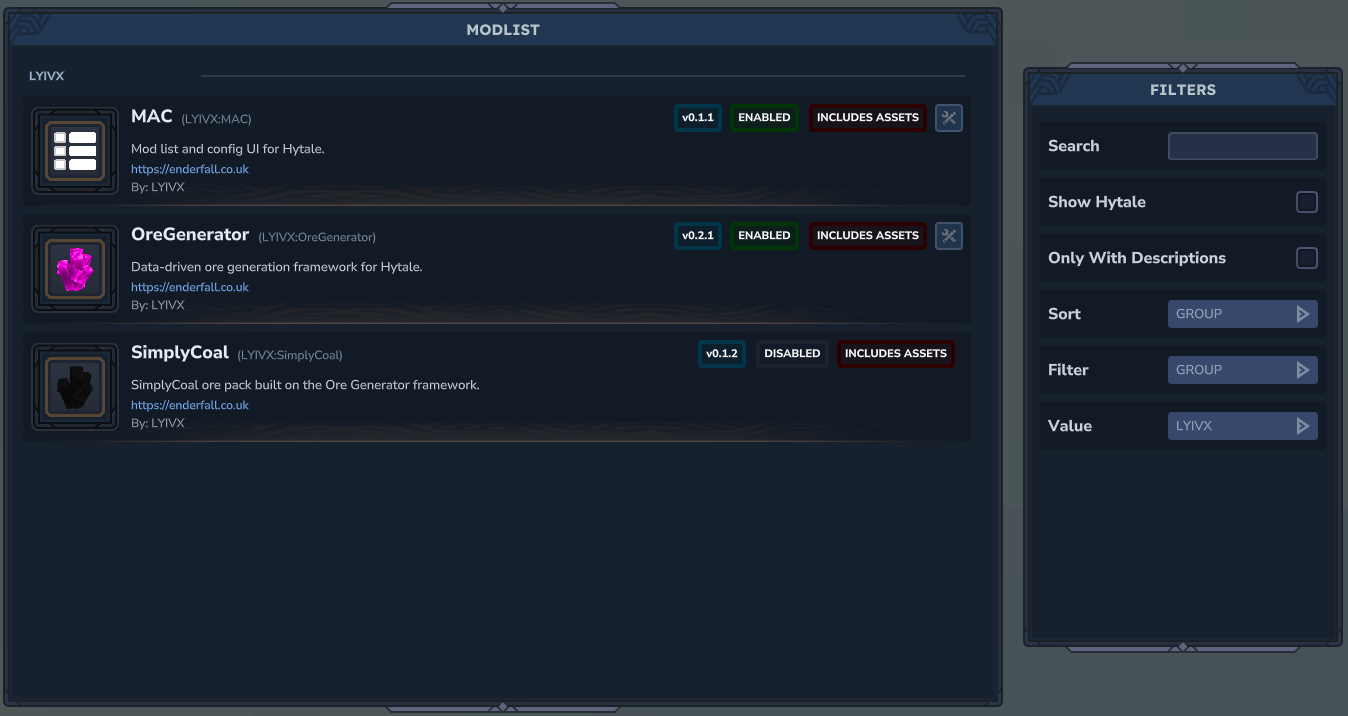
Screenshot 2026-01-19 234849.png
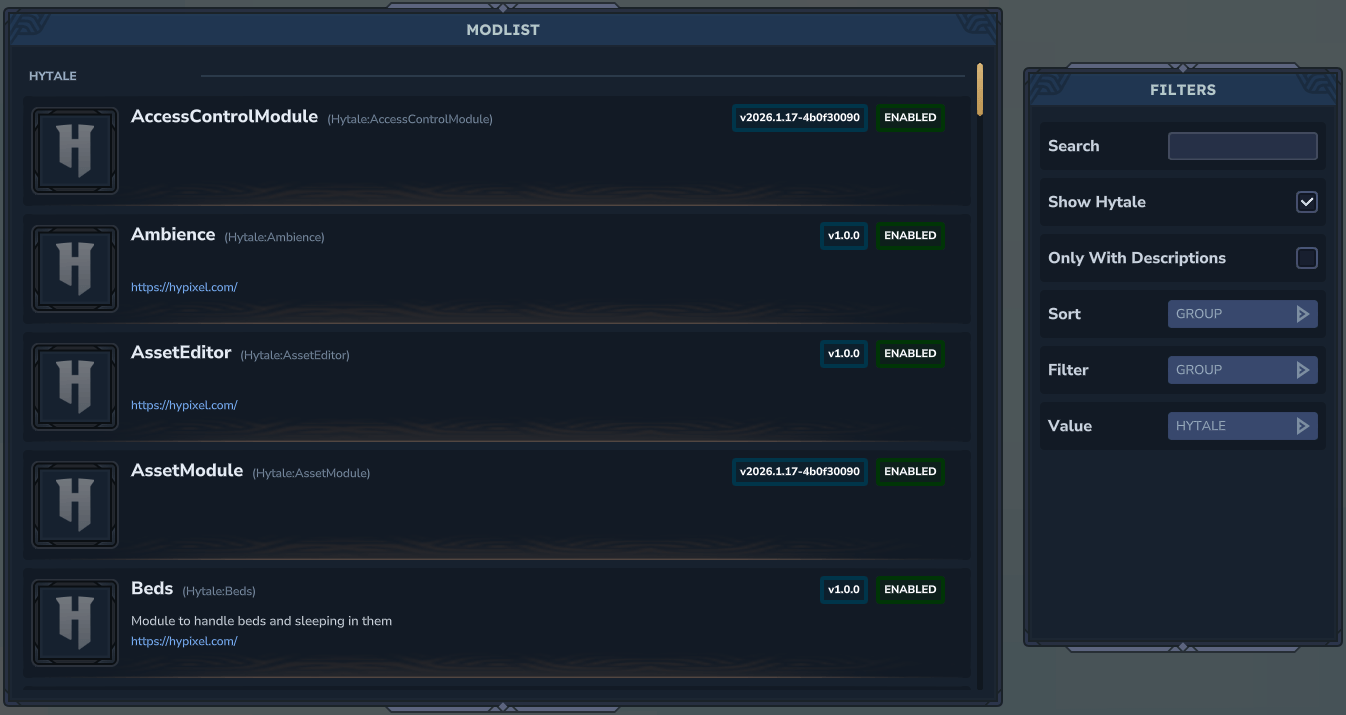
Screenshot 2026-01-19 234917.png
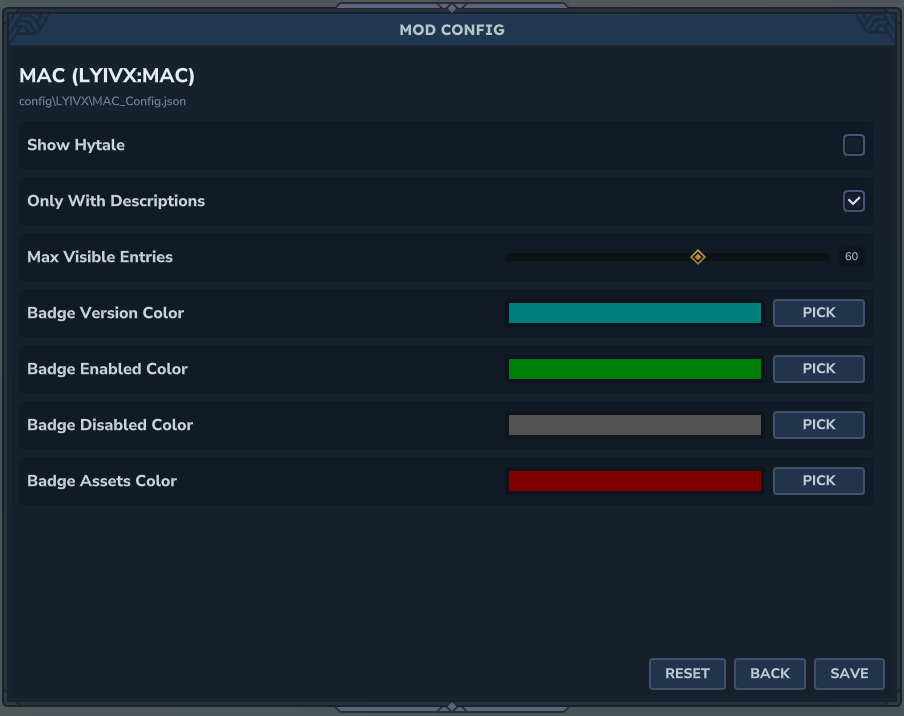
Screenshot 2026-01-19 234935.png
Description

MAC (Modlist And Config)
MAC adds an in-game mod list with rich metadata and a config editor that other plugins can hook into with a small registration call. It discovers mods, shows status/icons, and exposes your plugin settings as editable fields.
Features
- Mod list with name, version, authors, description, website, enabled/disabled, asset pack badge
- Grouped list sorting + filters + search
- Config editor with live reloads (boolean, number, slider, enum, color, file, string, array, object)
- Can see un registered configs (for editing)
- Config section dividers (titles/subtitles)
- Inline tooltip bubbles for config fields
- Admin page for access control, view-only mode, and mod allowlist
- Per-mod icons and fallback icons for Hytale/Hypixel and missing assets
- Permission nodes:
lyivx.maclyivx.mac.configlyivx.mac.admin
How to use
- Open the MAC UI:
/mac - Open a mod config directly:
/mac config LYIVX:MAC/mac config LYIVX_OreGenerator
- Open the admin UI:
/mac admin - Aliases for
/mac:/modlist,/mods
Installation
Drop the MAC mod into your mods folder. It includes an asset pack and will load automatically.
For developers: adding configs to your plugin
MAC reads a config schema registered in code and generates the on-disk config file automatically. Defaults come from the builder chain (no resource config files).
1) Register a config schema
Use PluginConfig.register(...) in your plugin setup:
PluginConfig<MySettings> config = PluginConfig.register(
    this.getLogger(),
    new PluginIdentifier(this.getManifest()),
    MySettings.class,
    MySettings::new,
    builder -> builder
        .add.booleanField("Enable Feature").defaultsTo(true)
        .add.slider("Max Count", 1, 100, 1).defaultsTo(50)
        .add.enumField("Mode", "safe", "fast", "wild").defaultsTo("safe")
        .add.color("Accent Color").defaultsTo("#1aa3a3")
        .add.file("Icon File", "Common/UI/Custom", "png").defaultsTo("")
        .add.stringField("Footer Note").defaultsTo("")
);
The config file is written to: config/<GROUP>/<NAME>_Config.json
The schema order is preserved in the UI.
Config section dividers
You can add titled sections to group fields:
builder
    .add.section("Gameplay")
    .add.booleanField("Enable Feature").defaultsTo(true)
    .add.section("Display")
    .add.color("Accent Color").defaultsTo("#1aa3a3");
Config tooltips
Attach a tooltip to the last-added field:
builder
    .add.booleanField("Enable Feature")
    .tooltip("Turns the feature on/off.")
    .defaultsTo(true);
Object and array fields
You can nest fields as objects and add arrays with add/remove controls:
import net.lyivx.mac.config.ConfigField;

builder
    .add.objectField("Mob Settings", mob -> mob
        .add.booleanField("Enabled").defaultsTo(true)
        .add.numberField("Spawn Rate").defaultsTo(1.5)
    )
    .add.arrayField("Whitelist", ConfigField.stringField("Name"))
    .add.arrayField("Levels", ConfigField.numberField("Level"));
Arrays are rendered as sub-entries with + to add and - to remove items. Objects render their fields as nested sub-entries under a header.
Settings defaults
Your settings class can be plain fields with no initializers. Defaults are defined with .defaultsTo(...) in the schema builder.
Icons
MAC looks for a per-mod icon at: UI/Custom/<GROUP>_<NAME>.png This matches Better Modlist icon paths for compatibility: https://www.curseforge.com/hytale/mods/better-modlist so devs only need one icon location.
Fallbacks:
- Hytale/Hypixel group ->
Icons/ItemCategories/Hypixel.png - Missing icon ->
Icons/ItemCategories/Natural.png
Modlist settings (MAC's own config)
The MAC config controls:
- Show Hytale
- Only With Descriptions
- Only Show Configs
- Max Visible Entries
- Badge colors (version/enabled/disabled/assets)
This file is: config/LYIVX/MAC_Config.json
Admin settings (MAC admin config)
The admin config controls:
- Enable whitelist mode (restrict /mac usage)
- View-only access for non-whitelisted users
- Mod allowlist for view-only users
This file is: config/LYIVX/MAC_Admin.json
Permissions
MAC command permission nodes:
lyivx.mac.command.maclyivx.mac.command.mac.configlyivx.mac.command.mac.admin
Notes
- The config UI only edits keys present in the registered schema.
- Unknown keys are preserved in memory but removed from the on-disk file when detected.
Important
- If you use MAC's config system, your mod depends on MAC being installed. That means other modlist/config browsers won't work for your mod unless MAC is present. Future updates aim to support configs that work without requiring MAC as a hard dependency. Full example
import com.hypixel.hytale.common.plugin.PluginIdentifier;
import com.hypixel.hytale.logger.HytaleLogger;
import net.lyivx.mac.config.ConfigBuilder;
import net.lyivx.mac.config.ConfigField;
import net.lyivx.mac.config.PluginConfig;

public final class ExampleConfig {
    public static class Settings {
        public String title;
        public boolean enableFeature;
        public int maxCount;
        public String mode;
        public String accentColor;
        public String iconFile;
        public String footerNote;
        public Nested settings;
        public java.util.List<String> items;
        public java.util.List<Item> objectArray;
    }

    public static class Nested {
        public boolean flag;
        public int level;
    }

    public static class Item {
        public String name;
        public int count;
    }

    public static PluginConfig<Settings> register(HytaleLogger logger, PluginIdentifier identifier) {
        return PluginConfig.register(
            logger,
            identifier,
            Settings.class,
            Settings::new,
            builder -> builder
                .add.section("Basics")
                .add.stringField("Title")
                .tooltip("Example tooltip on a string.")
                .defaultsTo("Example")
                .add.booleanField("Enable Feature").defaultsTo(true)
                .add.numberField("Amount").defaultsTo(1.5)
                .add.section("Display")
                .add.slider("Max Count", 1, 100, 1).defaultsTo(50)
                .add.enumField("Mode", "safe", "fast", "wild").defaultsTo("safe")
                .add.section("Style")
                .add.color("Accent Color").defaultsTo("#1aa3a3")
                .add.file("Icon File", "Common/UI/Custom", "png").defaultsTo("")
                .add.stringField("Footer Note").defaultsTo("")
                .add.section("Nested")
                .add.objectField("Settings", nested -> nested
                    .add.booleanField("Flag").defaultsTo(true)
                    .add.numberField("Level").defaultsTo(3)
                )
                .add.arrayField("Items", ConfigField.stringField("Item"))
                .add.section("Arrays")
                .add.arrayField("Object Array",ConfigField.objectField("Item",
                        new ConfigBuilder()
                            .add.stringField("Name").defaultsTo("Item")
                            .add.numberField("Count").defaultsTo(1)
                            .build()
                    )
                )
        );
    }
}
MAC (ModList And Config) Team

Owner