![Iron Chests [ESI] - Supports Workbench Pull & Double Chests | Update for Version 4 logo](https://media.forgecdn.net/avatars/thumbnails/1617/720/64/64/639041787772027010_animated.gif)
Iron Chests [ESI] - Supports Workbench Pull & Double Chests | Update for Version 4
- By
Adds 10 New Craftable Chests with double chest variants in order of current tool balancing. Inspired by MC Iron Chests mod.
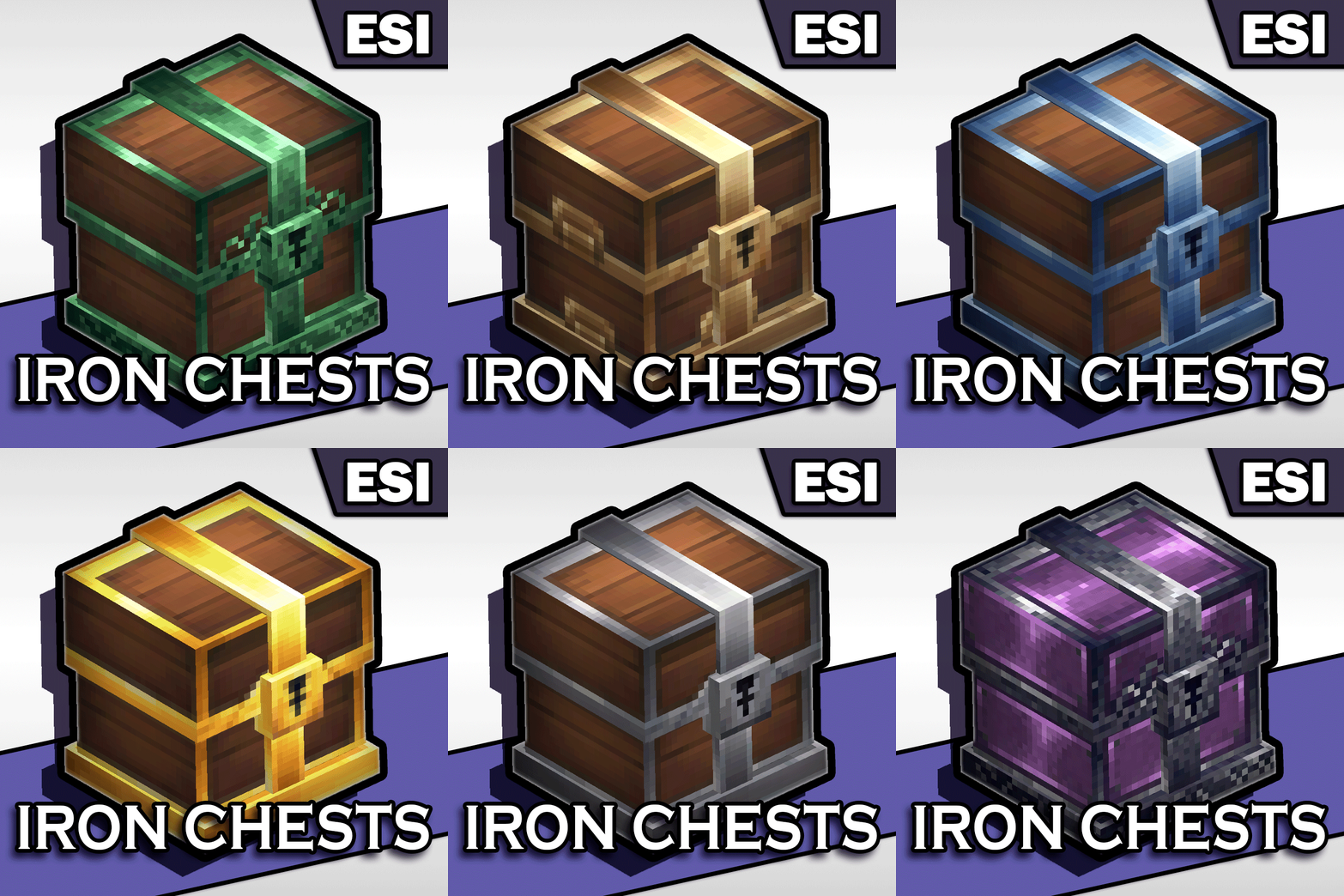
Thumb2.gif
Description
ESI Iron Chests
ESI Iron Chests introduces a comprehensive, tiered storage progression system to the game. From humble beginnings with wood logs to end-game fantasy metals, this mod allows your storage solutions to grow alongside your adventure.
This mod is heavily inspired by minecraft mod of the same name, Iron Chests.
Features
- 10 Unique Tiers of chests ranging from early-game to end-game.
- Balanced Progression: Storage capacity scales smoothly with material rarity.
- Double Chest Mechanics: Early tiers can be placed side-by-side to form double chests.
- High-Tier Balancing: Higher tier chests provide massive storage in a single block but cannot be doubled, keeping UI sizes manageable (Hard cap of 63 slots).
- Simplified Crafting: All chests are crafted at the Furniture Bench.
- Sorted Inventory: Chests appear in the crafting menu ordered by their storage capacity.

Storage Tiers
Here is the complete breakdown of chest capacities.
| Tier | Material | Single Slots | Double Chest Slots | Double Chest Allowed? |
|---|---|---|---|---|
| 0 | Log | 18 | 36 | ✅ Yes |
| 1 | Copper | 23 | 46 | ✅ Yes |
| 2 | Bronze | 27 | 54 | ✅ Yes |
| 3 | Iron | 31 | 62 | ✅ Yes |
| 4 | Gold | 36 | -- | ❌ Single Only |
| 5 | Cobalt | 41 | -- | ❌ Single Only |
| 6 | Thorium | 45 | -- | ❌ Single Only |
| 7 | Adamantite | 50 | -- | ❌ Single Only |
| 8 | Mithril | 59 | -- | ❌ Single Only |
| 9 | Onyxium | 63 | -- | ❌ Single Only |
> Note: To prevent UI overflow, any chest tier that would exceed 63 slots when doubled is restricted to a Single Chest variant only - May include double chest variants of larger chests in future if I can figure out how to modify the GUI.
Crafting Recipes
All chests are crafted using the Furniture Bench under the Furniture Storage category.
Log Chest (Starter)
- Input: 8x Wood Trunks
Metal Chests (All Tiers)
- Input: 4x Wood Trunks + 2x [Material] Ingots
- Example: Copper Chest = 4 Wood Trunks + 2 Copper Ingots
Salavagable Chests
All chests can be salavaged into their base items to recover resources when upgrading/removing lower tier chests.

Installation
-
Place the ESI.Iron Chests.zip into your mods folder:
C:\Users\%YOUR USERNAME%\AppData\Roaming\Hytale\UserData\Mods -
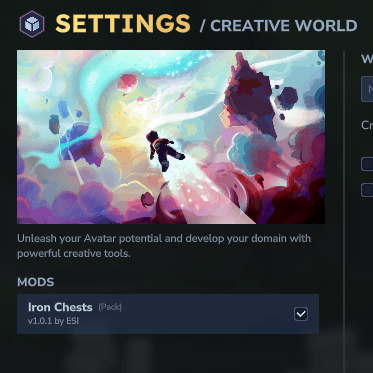
When creating a world edit the world settings (for existing worlds right click in the worlds menu to edit the world settings), enable the mod on the left.
-
Enjoy your organized storage!
Please leave any issues/suggestions in comments :)
Support & Sponsers:
Use code: ESI when purchasing Hytale to support me! :)
Need a dedicated server?: Use Code ESI - Click here to found out more… 
Iron Chests [ESI] - Supports Workbench Pull & Double Chests | Update for Version 4 Team

Owner

![Storage Crates [ESI] | Megablock Crate! | Updated for Version 4 project image](https://media.forgecdn.net/avatars/thumbnails/1624/285/256/256/639043550073049342.gif)