Inventory Lock
- By
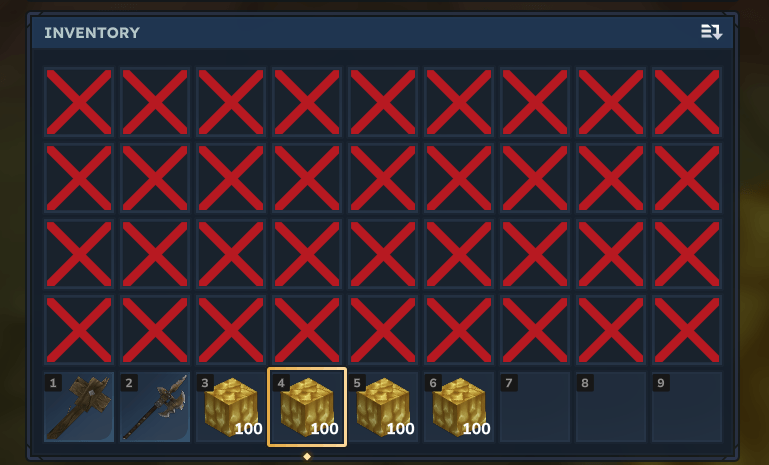
Limit player inventory slots. Locked slots are filled with a blocker item. On join, items in locked slots are dropped on the ground.
InventoryLock.png
Hytale2026-07-08_16-00-28.png
Description
Limit how many storage slots players can use. Locked slots are filled with a "Locked" blocker item that can't be moved, replaced or dropped. Change limits live from an in-game control panel, per player or globally — no restart needed.
Features
Slot locking — storage slots beyond the limit are filled with a blocker item and protected by slot filters, so nothing can be placed in, taken from, or dropped out of them. The limit is automatically clamped to a safe range (0–36).
Nothing is silently deleted — when the lock is applied (on join or when the limit changes), items in locked slots are moved to free slots first; only if the rest of the storage is full are they dropped at the player's feet. Leftover blocker items are always cleaned up.
Per-player overrides — give individual players their own slot limit (e.g. fully unlock one player while everyone else stays locked). Overrides are stored by UUID and survive restarts.
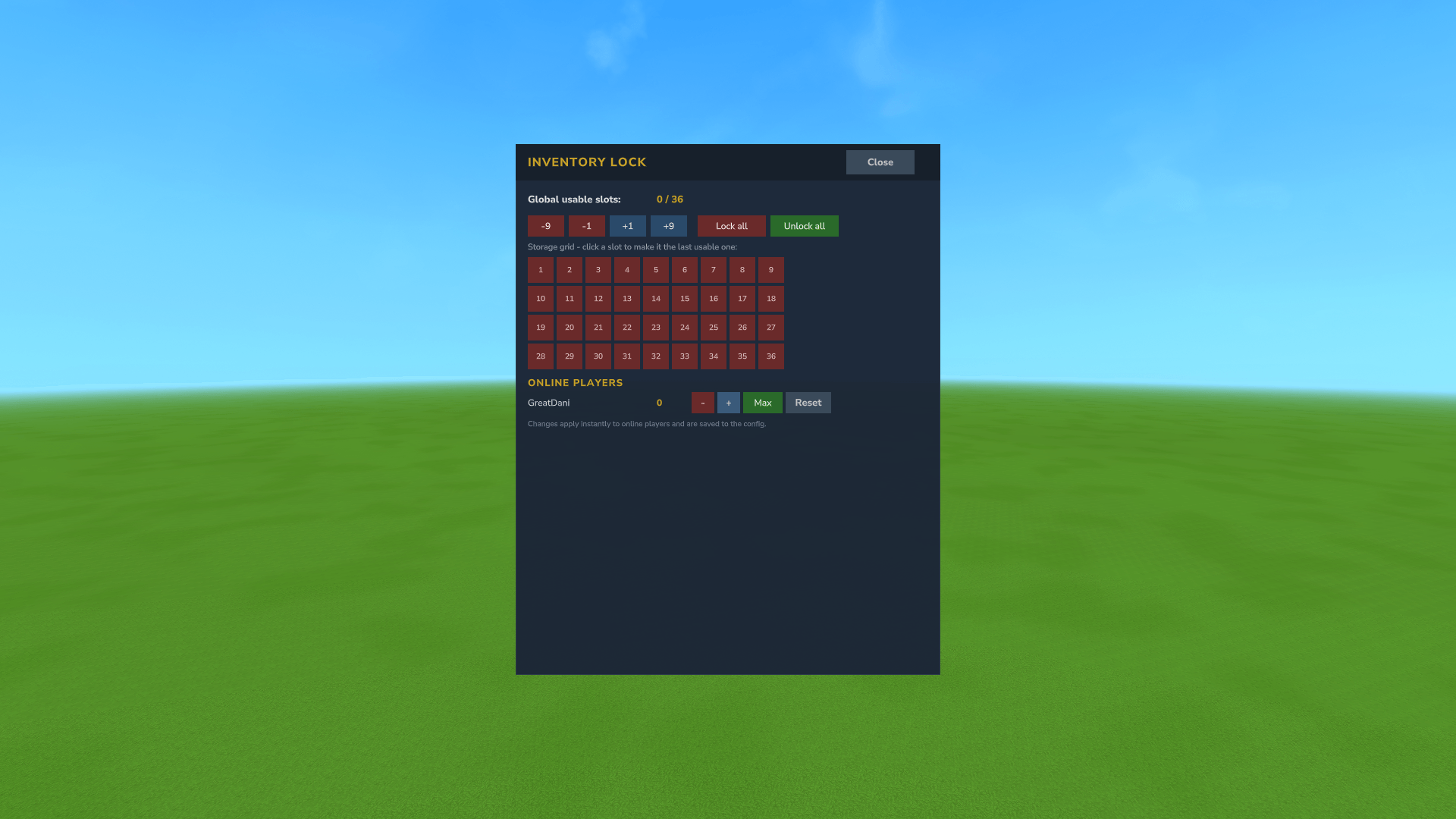
In-game control panel (/invmenu) — a clickable 4×9 storage grid showing usable (green) vs locked (red) slots, global +/− buttons, and a row per online player with +, −, Max and Reset buttons. Every change applies instantly to online players and is saved to the config.
Drop protection — the blocker item can never end up in the world (drops from locked slots are cancelled).
Commands
/invmenu — open the control panel (alias: /invlockui)
/inventorylock — show the current limits (alias: /invlock)
/inventorylock set <slots> — set the global limit (0–36)
/inventorylock player <player> <slots> — set a per-player limit
/inventorylock reset <player> — remove a player's override
Configuration
Found in the worlds/mods or server/mods config folder:
SetInventorySlots — number of storage slots players can use; the rest are locked.
SetMaxInventorySlots — last locked slot index (usually left at 35 so everything past the usable slots is locked).
PlayerOverrides — per-player limits by UUID; managed automatically by the commands/UI, but hand-editable.
Inventory Lock Team