ImmersiveHud
- By
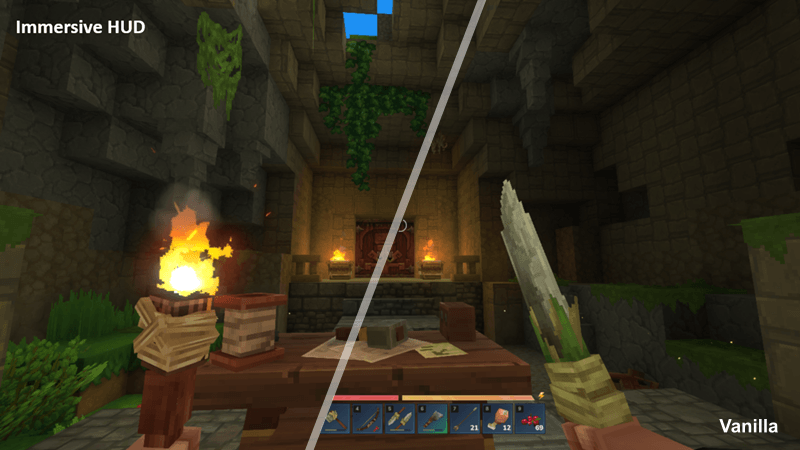
Immersive HUD cover
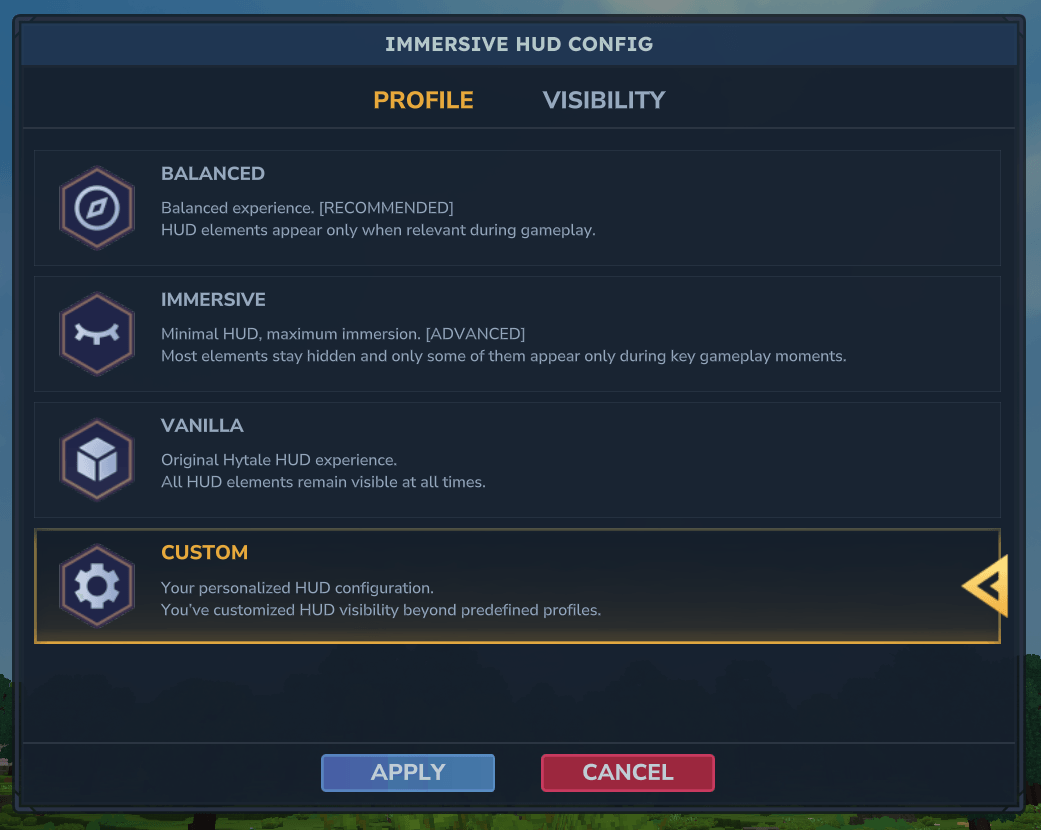
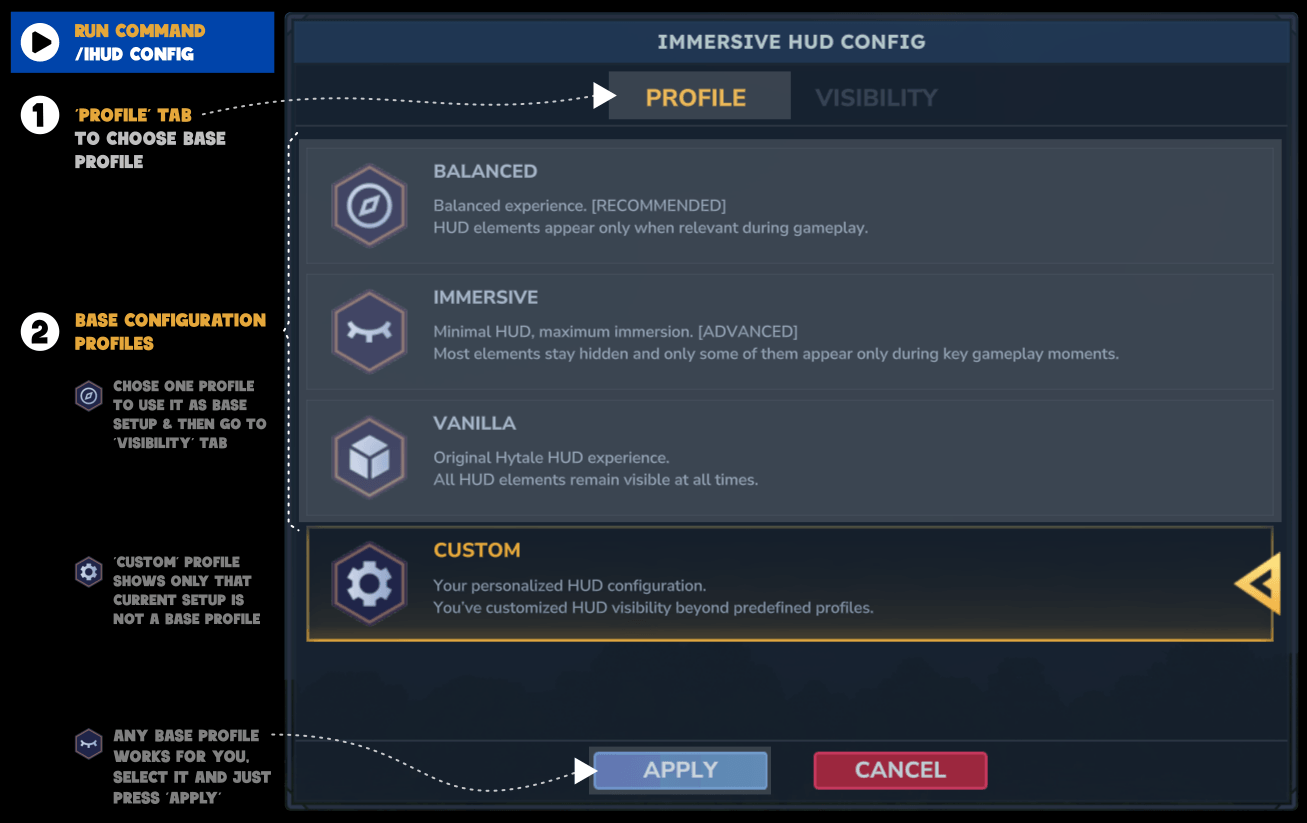
Config Profile
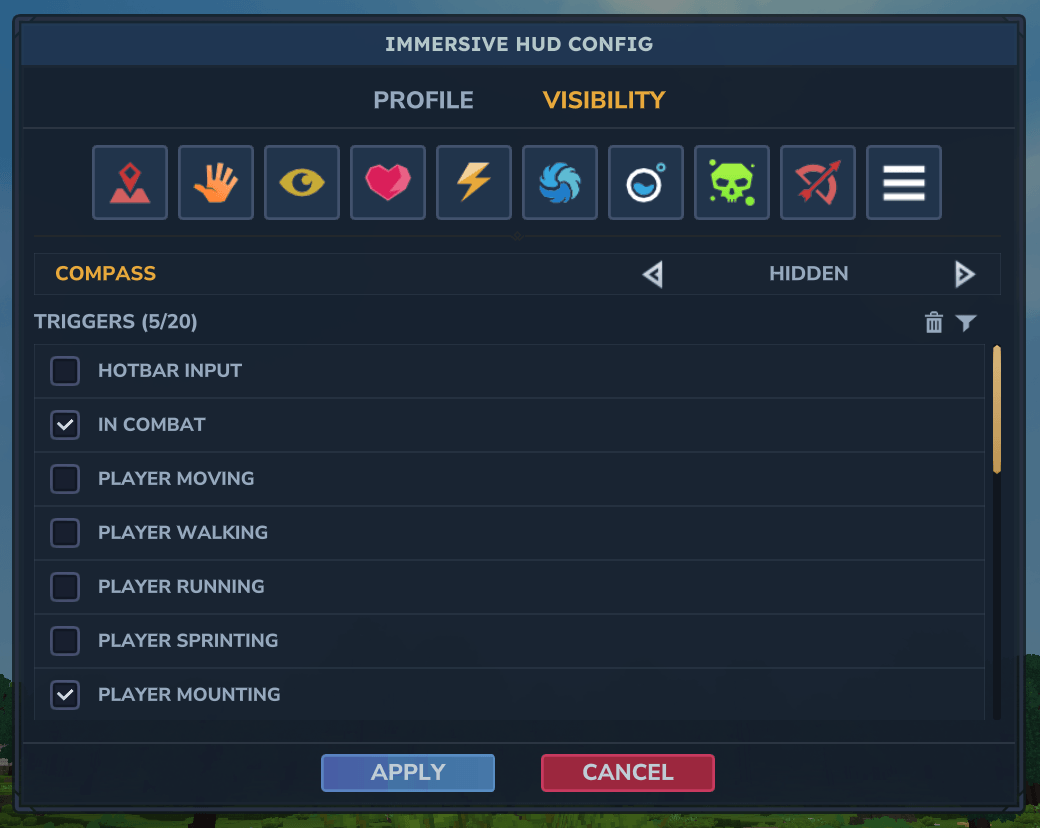
Config Visibility dynamic component
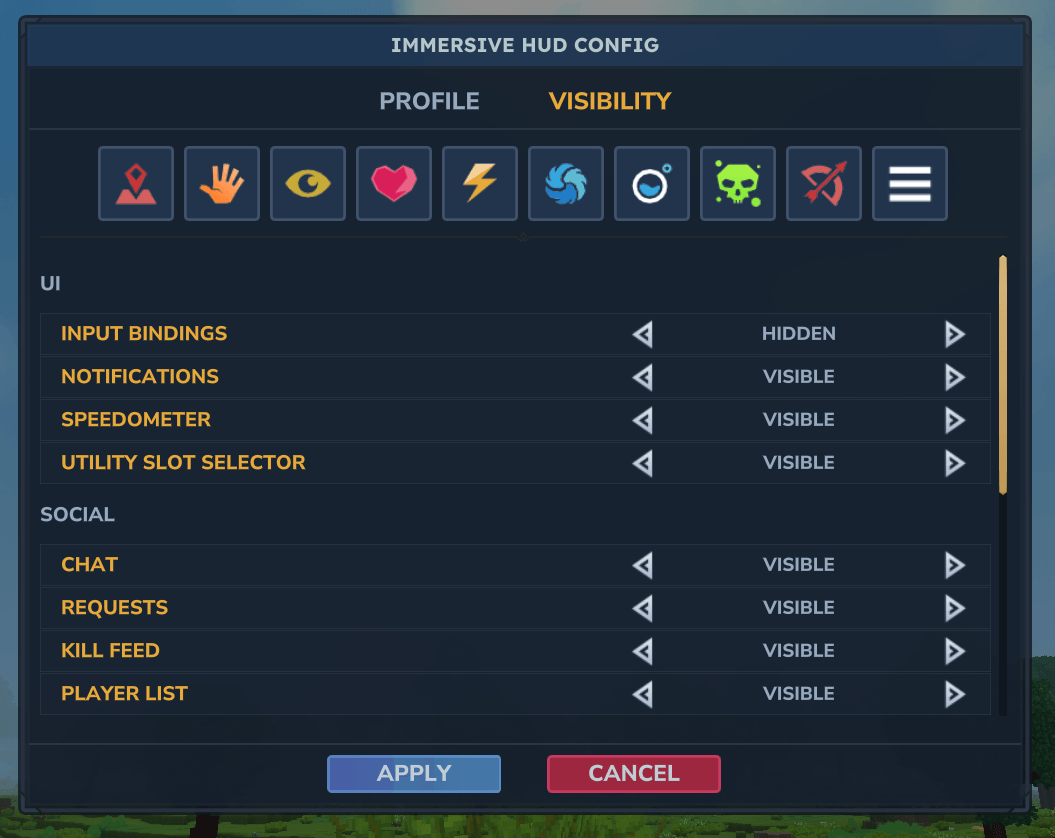
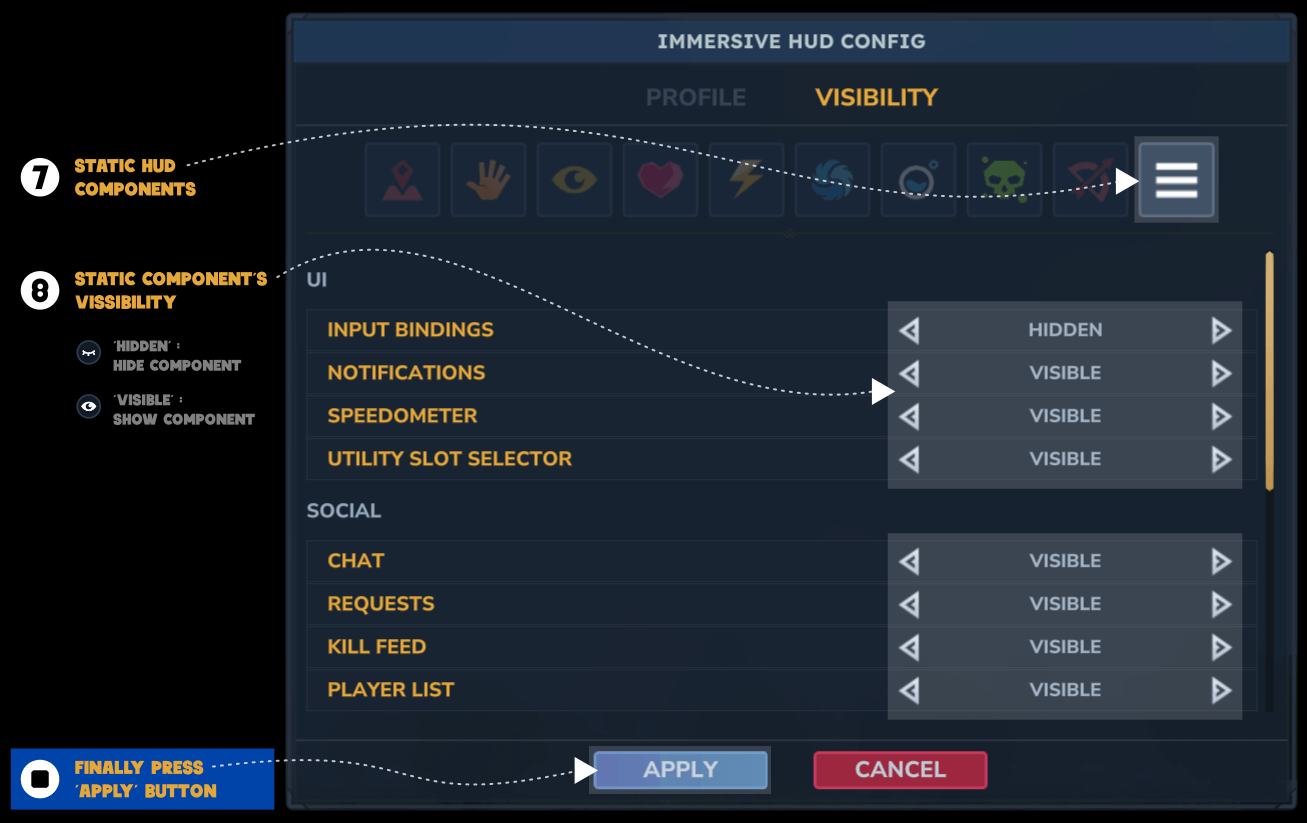
Config Visibility static components
Description
ImmersiveHud (iHUD) shows only what matters, when it matters, delivering a cleaner and more immersive experience without losing critical information.
Dynamically hides and reveals HUD elements based on player actions and gameplay context.
Fully customizable and easy to use.
Commands
/ihud config: Open ImmersiveHud Config UI
💡 Tip: Select one of the base profiles to quickly apply a base configuration
💡 Tip: Toggle components visibility and/or add or remove rules to customize your personal experience
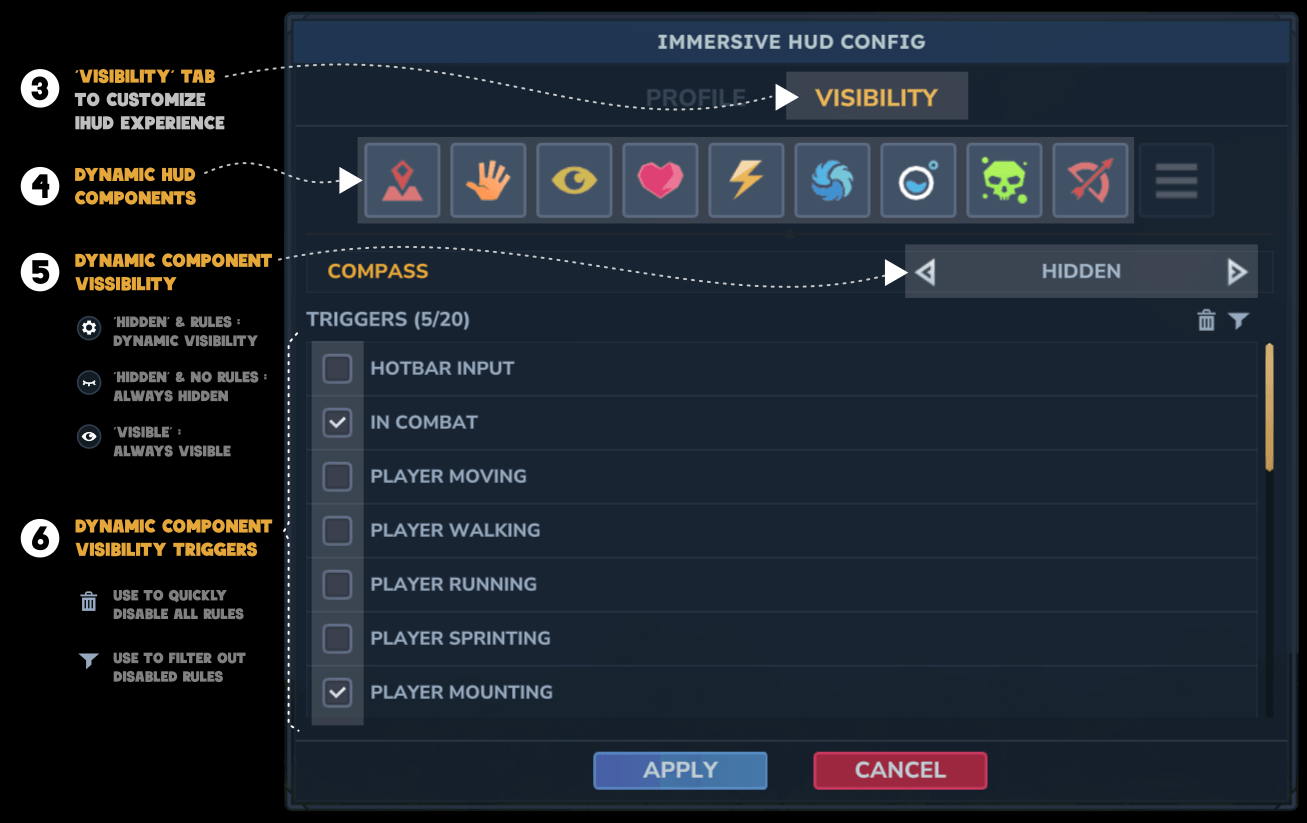
💡 Tip: Use trash icon to quickly unselect all rules and filter icon to view only the rules selected
Profiles
| Profile | Description |
|---|---|
balanced |
Balanced. Shows HUD components only when relevant |
immersive |
Minimal HUD, maximum immersion |
vanilla |
HUD always visible (vanilla-like) |
Supported Components
| HUD component | Group | Type |
|---|---|---|
| reticle | Core | DYNAMIC |
| hotbar | Core | DYNAMIC |
| compass | Core | DYNAMIC |
| health | Bars | DYNAMIC |
| stamina | Bars | DYNAMIC |
| mana | Bars | DYNAMIC |
| oxygen | Bars | DYNAMIC |
| statusicons * | UI | DYNAMIC |
| ammoindicator | UI | DYNAMIC |
| inputbindings | UI | STATIC |
| abilities (NEW) | UI | STATIC |
| notifications | UI | STATIC |
| speedometer | UI | STATIC |
| utilityslotselector | UI | STATIC |
| chat | Social | STATIC |
| requests | Social | STATIC |
| killfeed | Social | STATIC |
| playerlist | Social | STATIC |
| eventtitle | Panels | STATIC |
| objectivepanel | Panels | STATIC |
| portalpanel | Panels | STATIC |
| sleep | Panels | STATIC |
| buildertoolslegend | Builder | STATIC |
| buildermaterialsslotselector | Builder | STATIC |
| blockvariantselector | Builder | STATIC |
- See Known Issue section
💡 Tip: When activating any rule bar _NOT_FULL, you can use Threshold to specify the bar % below which the component becomes visible. By default it's below 100%
Rules
| Rule | Trigger condition |
|---|---|
HOTBAR_INPUT |
Player changes hotbar selection |
CHARGING_WEAPON |
Player is aiming or charging a weapon |
CONSUMABLE_USE |
Player is consuming food or potion |
TARGET_ENTITY |
Player is targeting an entity |
INTERACTABLE_BLOCK |
Player is looking at an interactable blocks |
PLAYER_MOVING |
Player is moving |
PLAYER_WALKING |
Player is walking |
PLAYER_RUNNING |
Player is running |
PLAYER_SPRINTING |
Player is sprinting |
PLAYER_MOUNTING |
Player is mounting |
PLAYER_FLYING |
Player is fying |
PLAYER_GLIDING |
Player is gliding |
PLAYER_JUMPING |
Player is jumping |
PLAYER_CROUCHING |
Player is crouching |
PLAYER_CLIMBING |
Player is climbing |
PLAYER_IN_FLUID |
Player is in fluid |
PLAYER_ON_GROUND |
Player is on ground |
PLAYER_FALLING |
Player is falling |
PLAYER_SITTING |
Player is sitting |
PLAYER_ROLLING |
Player is rolling |
PLAYER_IDLE |
Player is idel |
PLAYER_SLEEPING |
Player is sleeping |
HOLDING_MELEE_WEAPON |
Player is holding a melee weapon |
HOLDING_RANGED_WEAPON |
Player is holding a ranged weapon |
BLOCKING_ATTACK |
Player is using a weapon to block an attack |
IN_COMBAT |
Player is in combat (Hostile mob attacking or spoted) |
HEALTH_NOT_FULL |
Health bar is not full |
STAMINA_NOT_FULL |
Stamina bar is not full |
MANA_NOT_FULL |
Mana bar is not full |
OXYGEN_NOT_FULL |
Oxygen bar is not full |
💡 Tip: multiple rules can be combined to alter component behaviour. For example: Hotbar rules=HOTBAR_INPUT, CHARGING_WEAPON -> when changes hotbar slot and when aiming.
📖 How it works
ImmersiveHud combines two visibility models.
🅰️ Static visibility
Static HUD components are always hidden or visible.
Example: Input bindings, Notifications, Player list, Chat,…
🅱️ Dynamic visibility
Dynamic HUD components are normally hidden and become visible when specific gameplay triggers occur.
- Dynamic HUD component behaviour is defined by the dynamic rules assigned to it.
- Different rules can be applied to same component to react to different triggers.
- If no rules are assigned to the dynamic component, it will behave as a static component.
Examples:
- showing the hotbar when changing the slot selected
- showing health bar when damage is taken
- showing the reticle when looking at a workbench or aiming with a bow
Known Issues
Input Bindings: Due to limitations in the Hytale API, visibility for this HUD component cannot be reliably controlled by the plugin. To fully hide it, use the in-game settings.Fixed in Hytale 0.6.0- Status Icons: Due to limitations in the Hytale API, this HUD component's visibility cannot currently be controlled by the plugin, and there is no available way to hide it.
- Network Quality Icon: Due to limitations in the Hytale API, this HUD component's visibility cannot currently be controlled by the plugin. Workaround: In game, go to Settings > General and under User Interface section look for Display Network Quality Warning and set it to OFF
Roadmap
Possible future improvements:
GUI configuration menu[DONE]Additional dynamic triggers:[DONE]PLAYER_FLYING[DONE]PLAYER_GLIDING[DONE]IN_COMBAT[DONE]
- Import / export config profiles
- Support for future Hud components
Credits
I created this mod from scratch, but obviously it's not the first of its kind and I couldn't have done it without those who came before me, so thanks to…
- psimk - DynamicHud for the inspiration.
- all the contributors of Hytale-Template-Plugin for the starting point.
- all the contributors of HytaleModding for the Hytale API documentation.
One last thing
This is my first mod for Hytale, so please….
- Be kind. I'm trying to do my best but I'm still learning.
- Accept my appologies in advance for any issue and please, report it to me so I can try to fix it ASAP.
- All suggestions are very welcome.
Please, use the github issues page
ImmersiveHud Team