Glance - What Am I Looking At HUD
- By
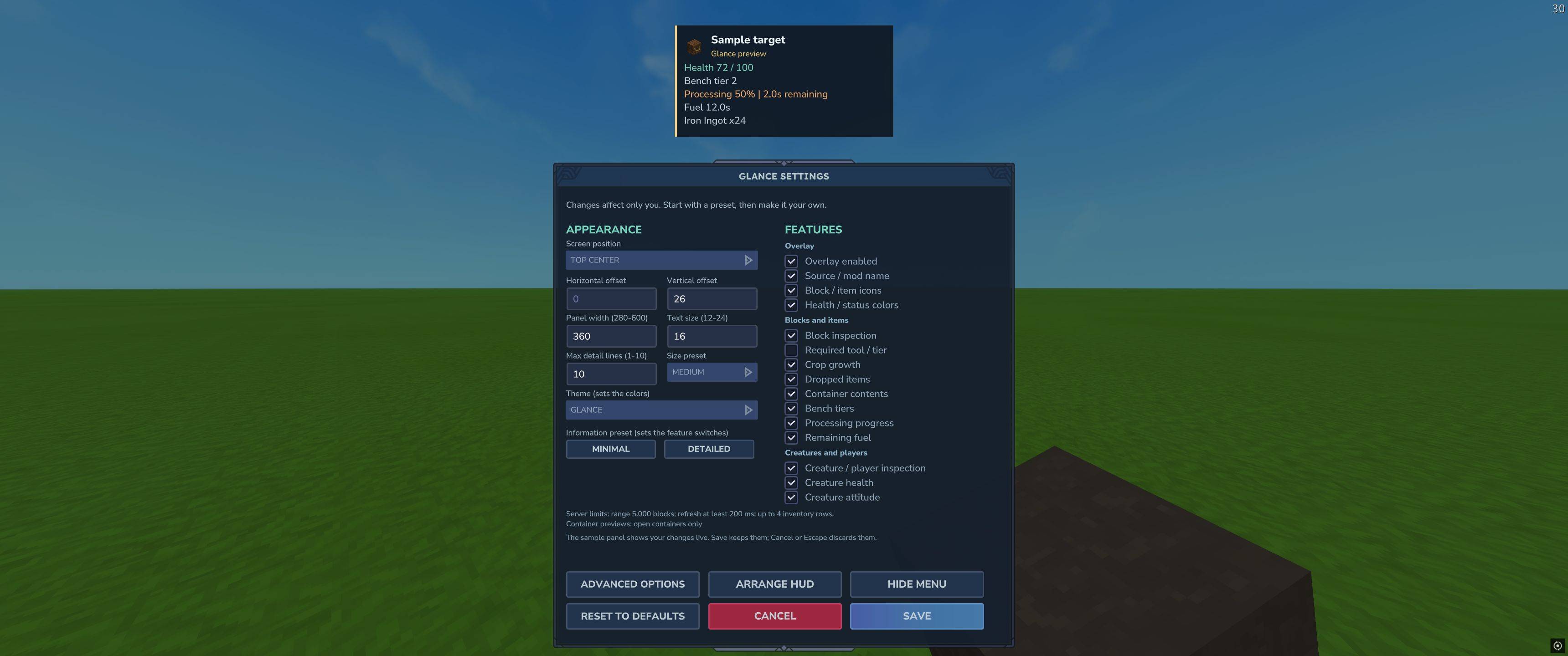
01-settings-live-sample.jpg
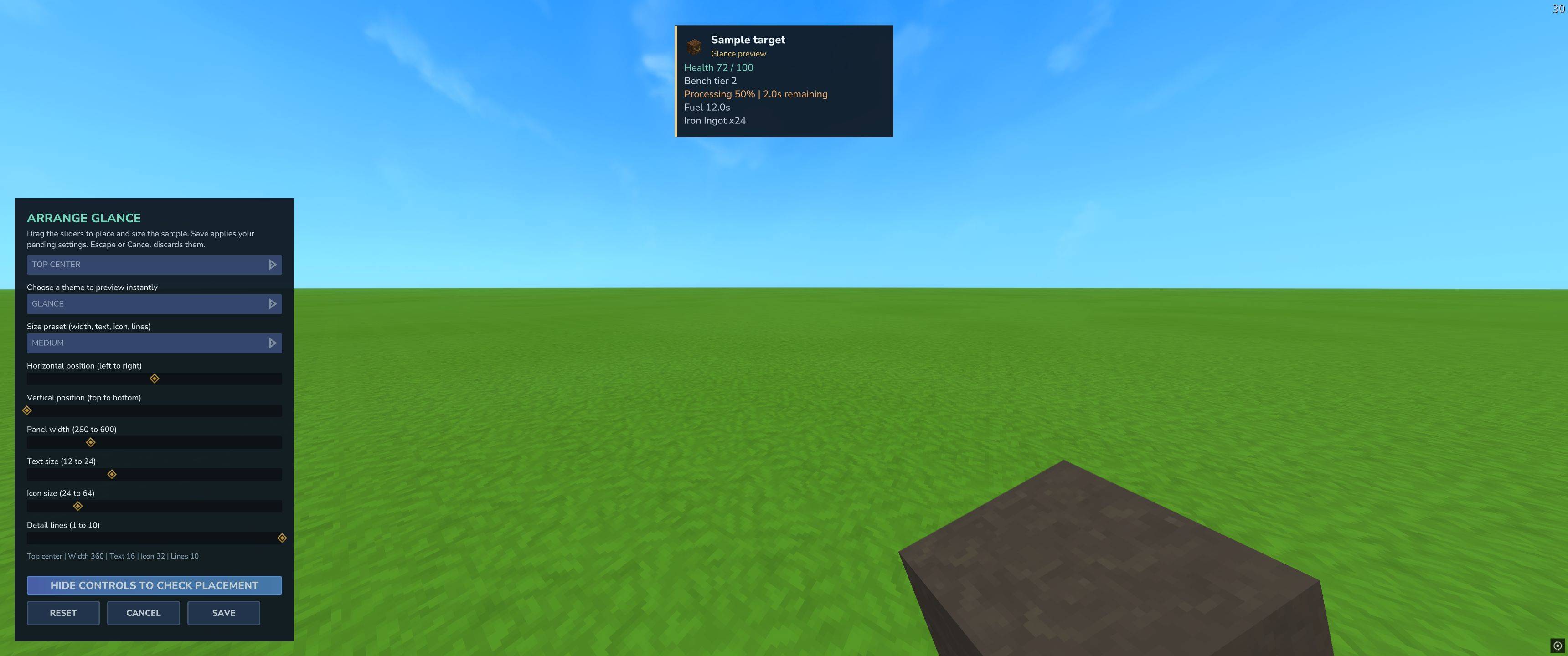
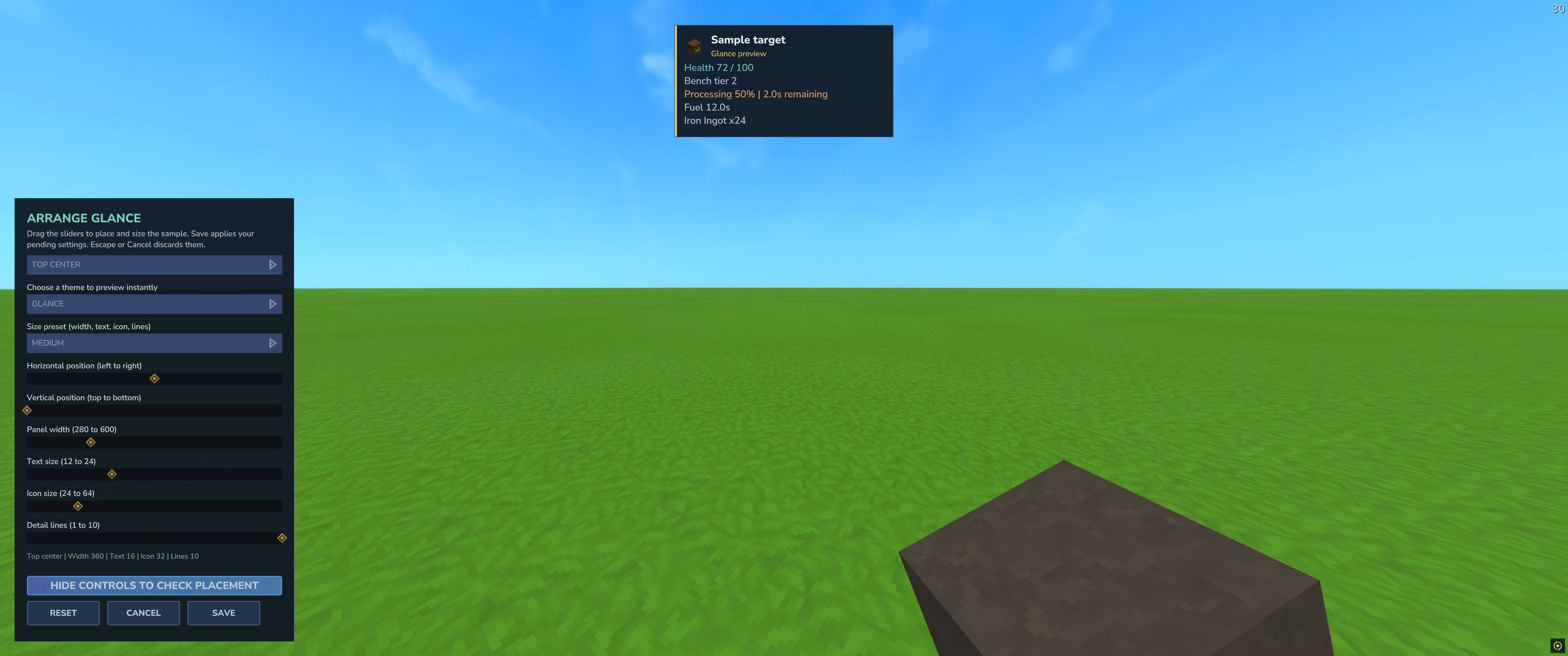
02-arrange-hud.jpg
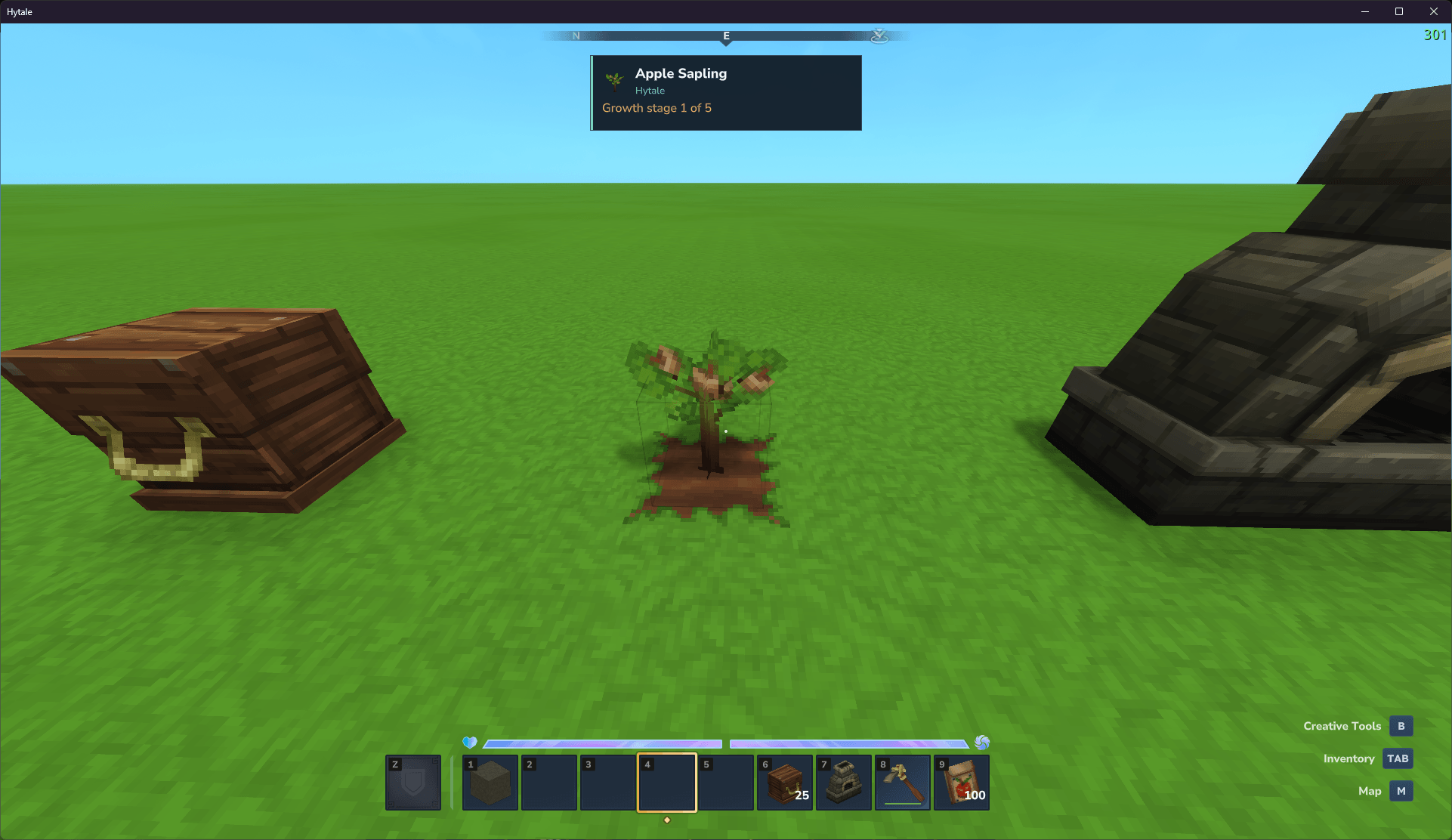
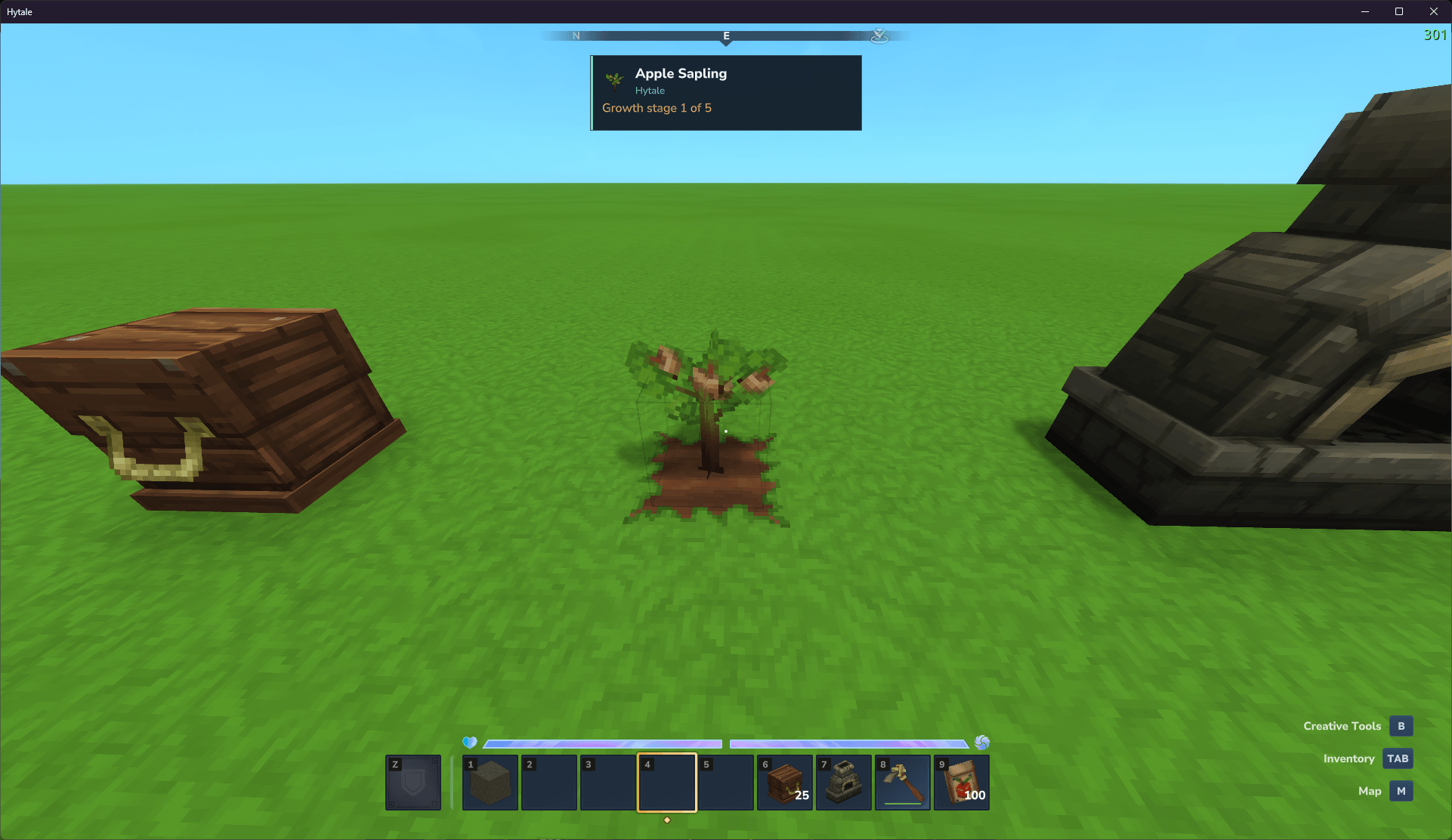
05-crop-growth.png
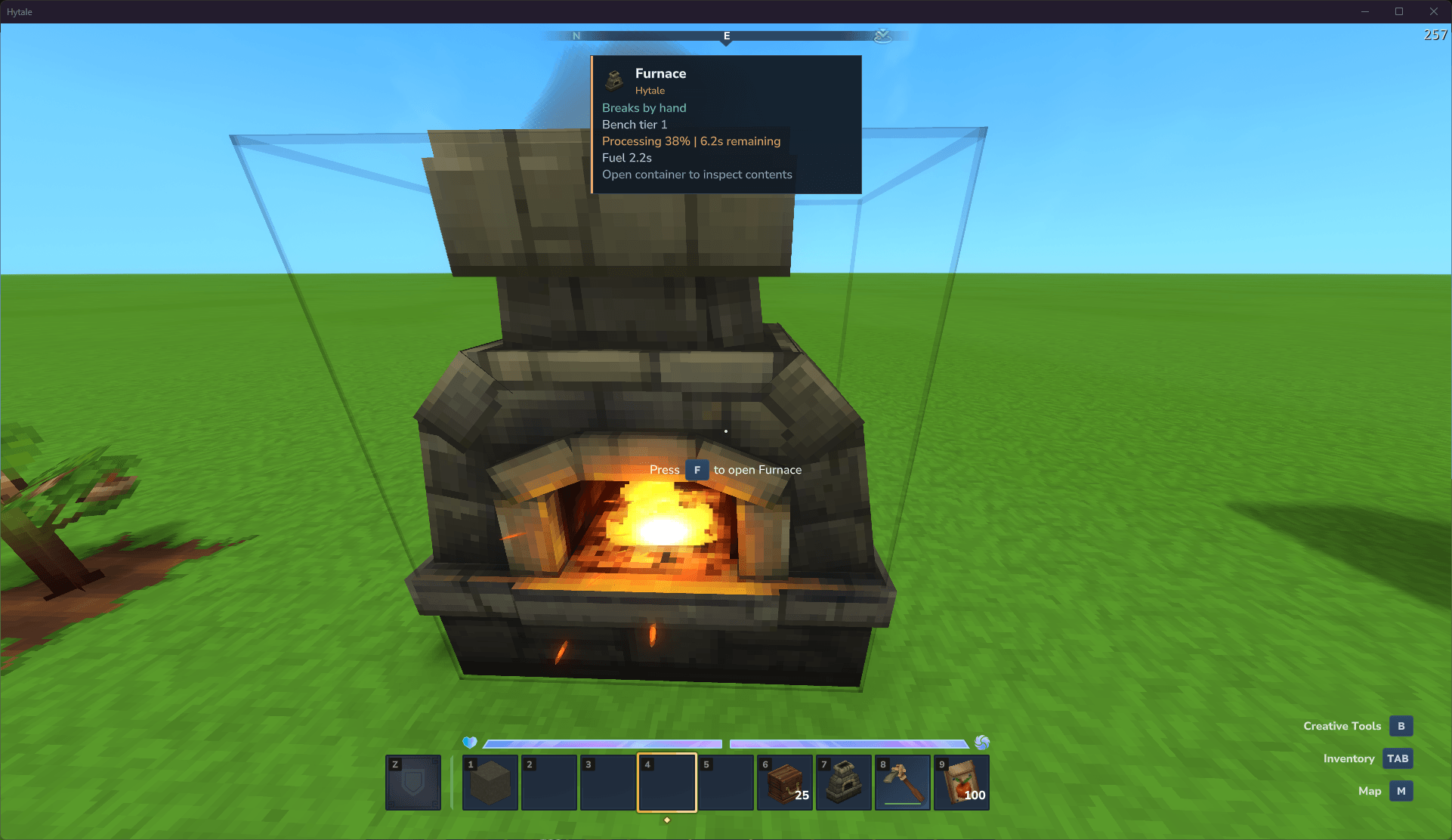
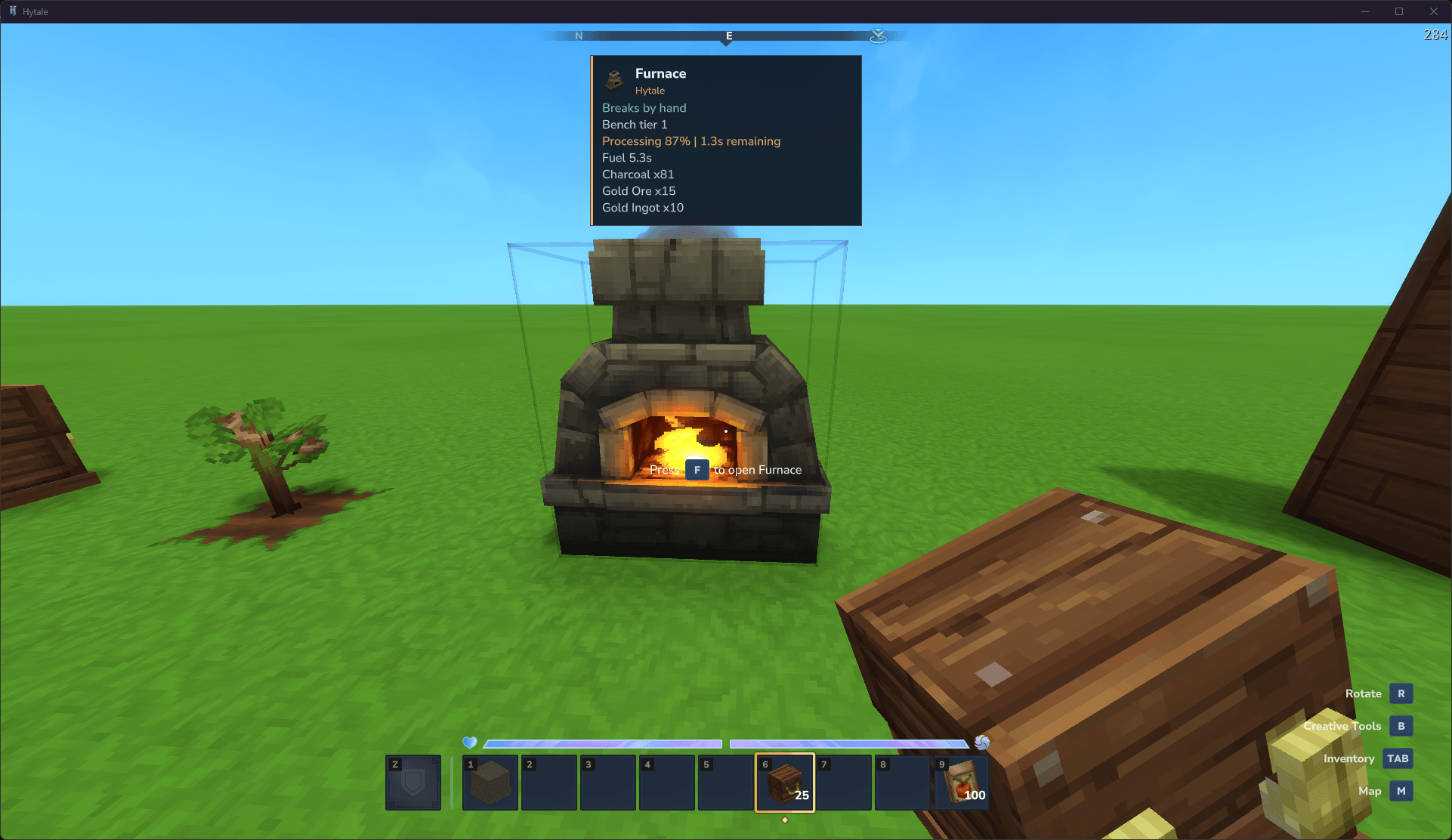
06-furnace-progress.png
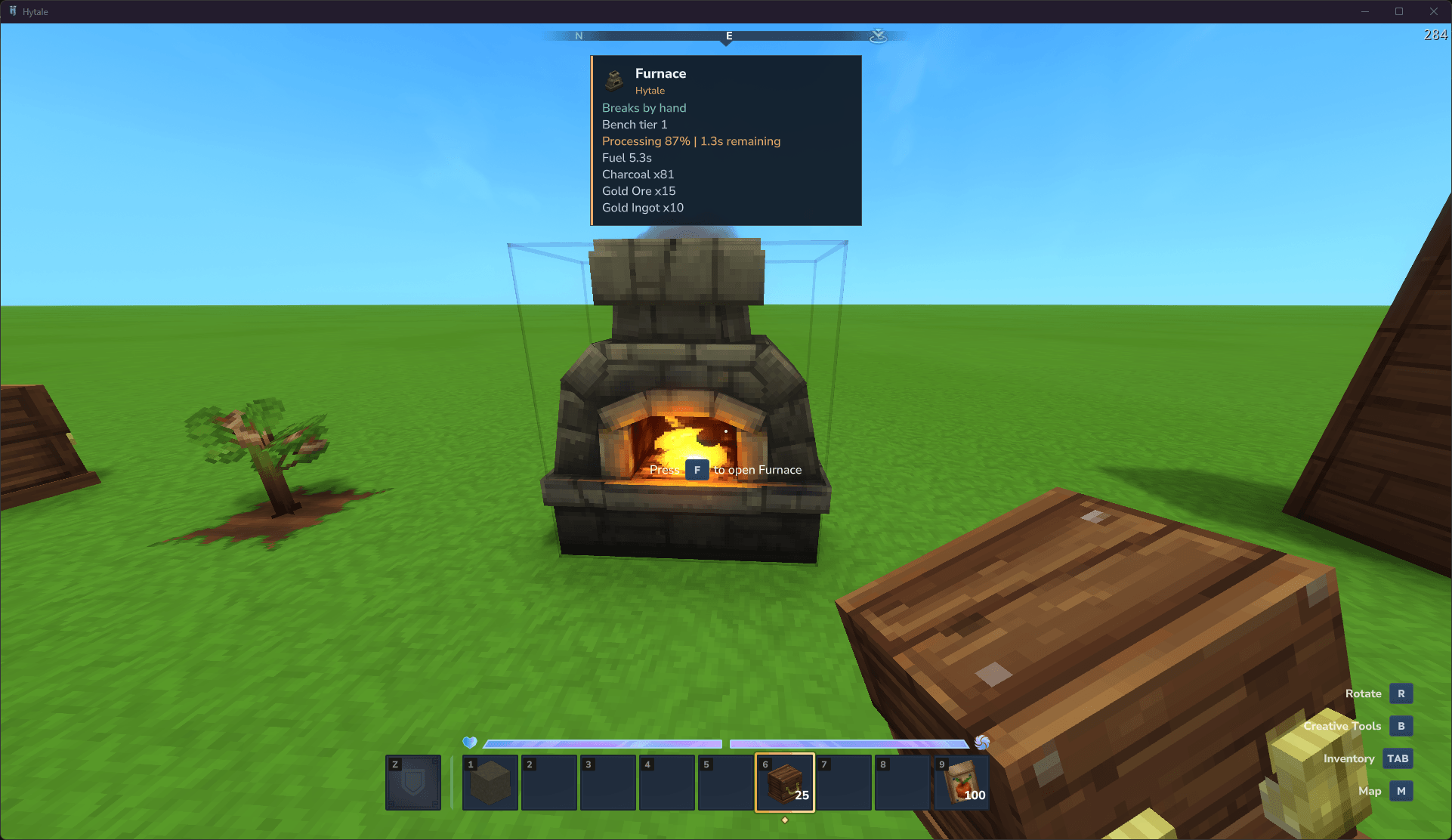
07-furnace-contents.png
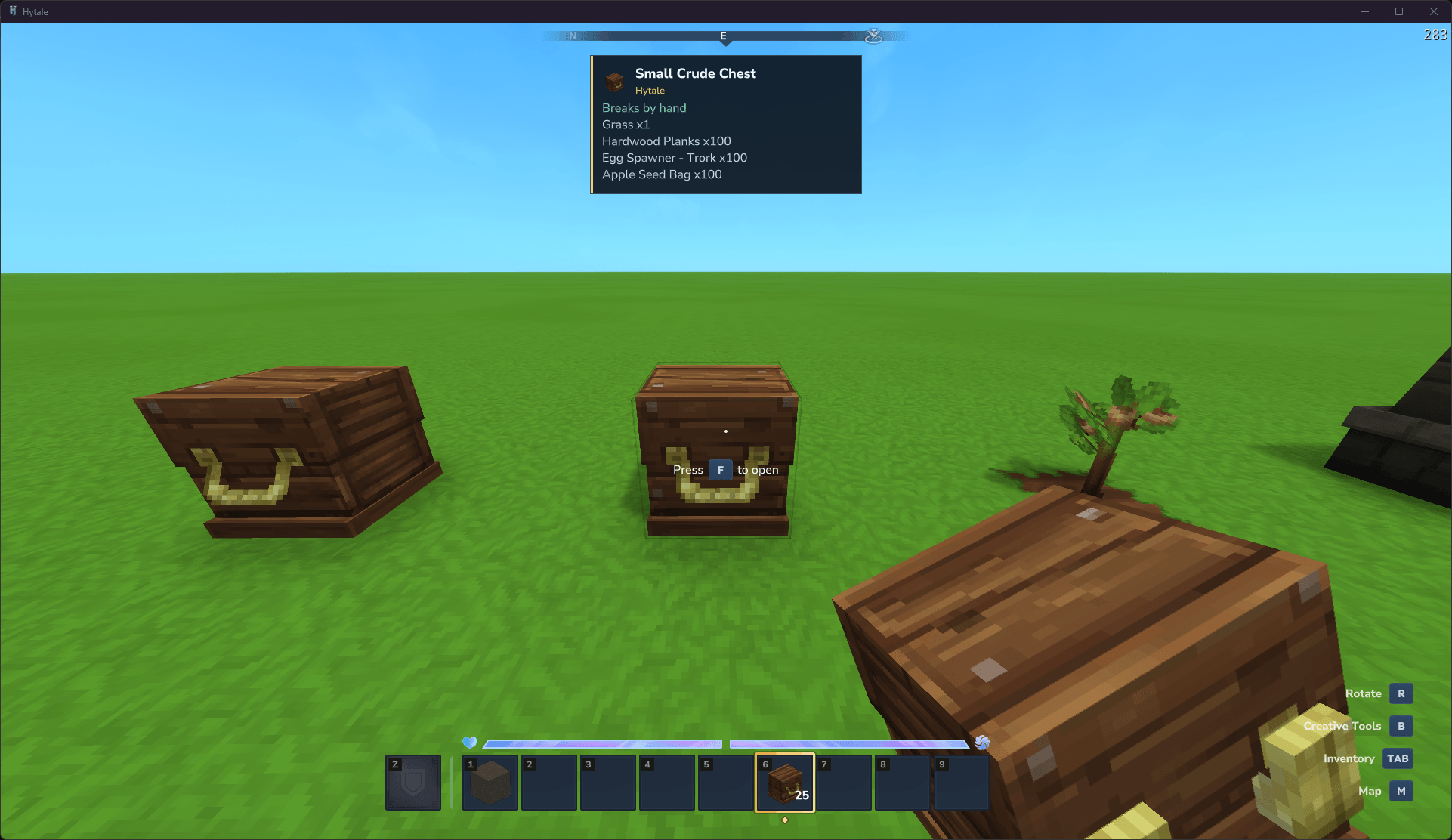
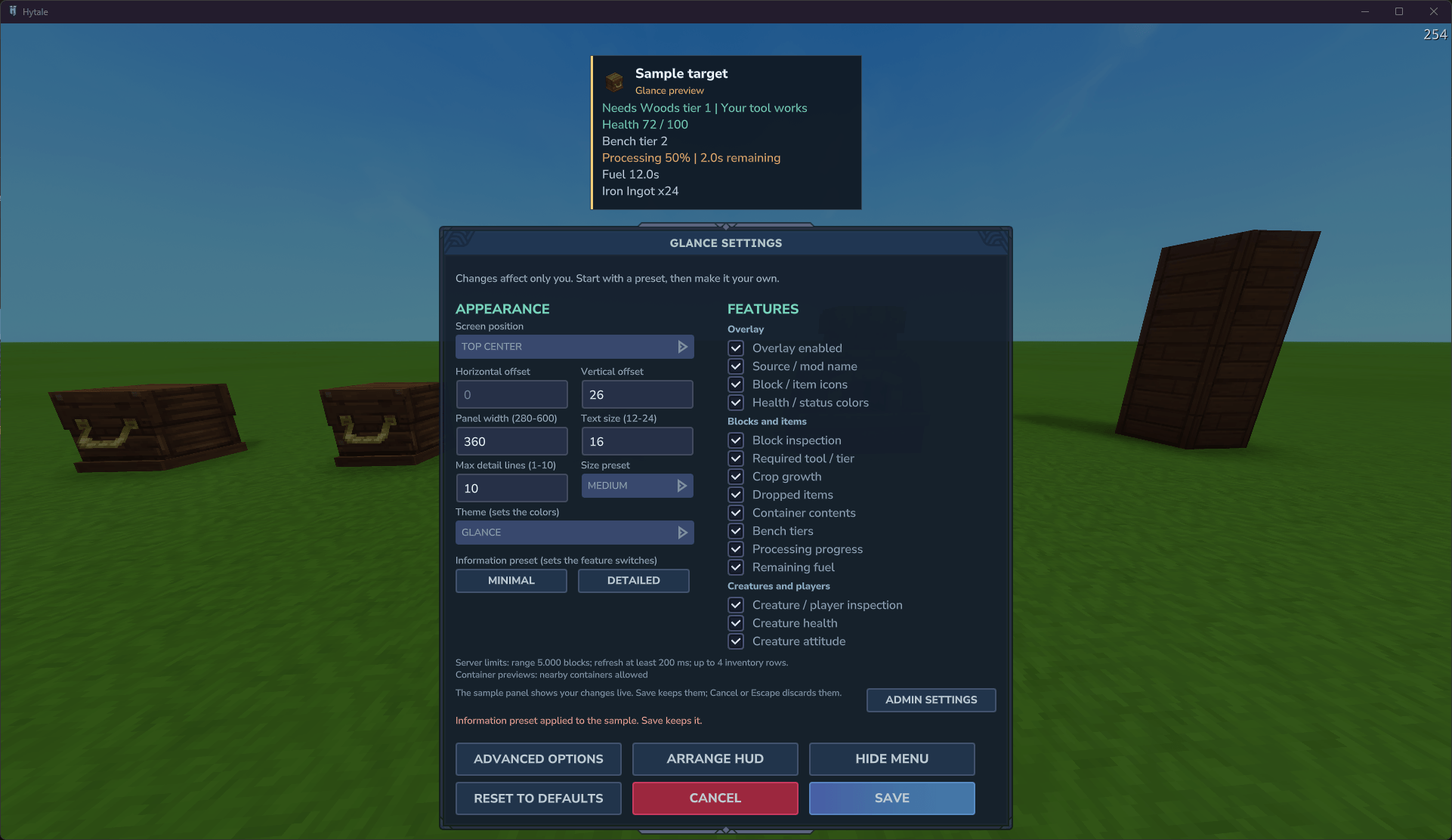
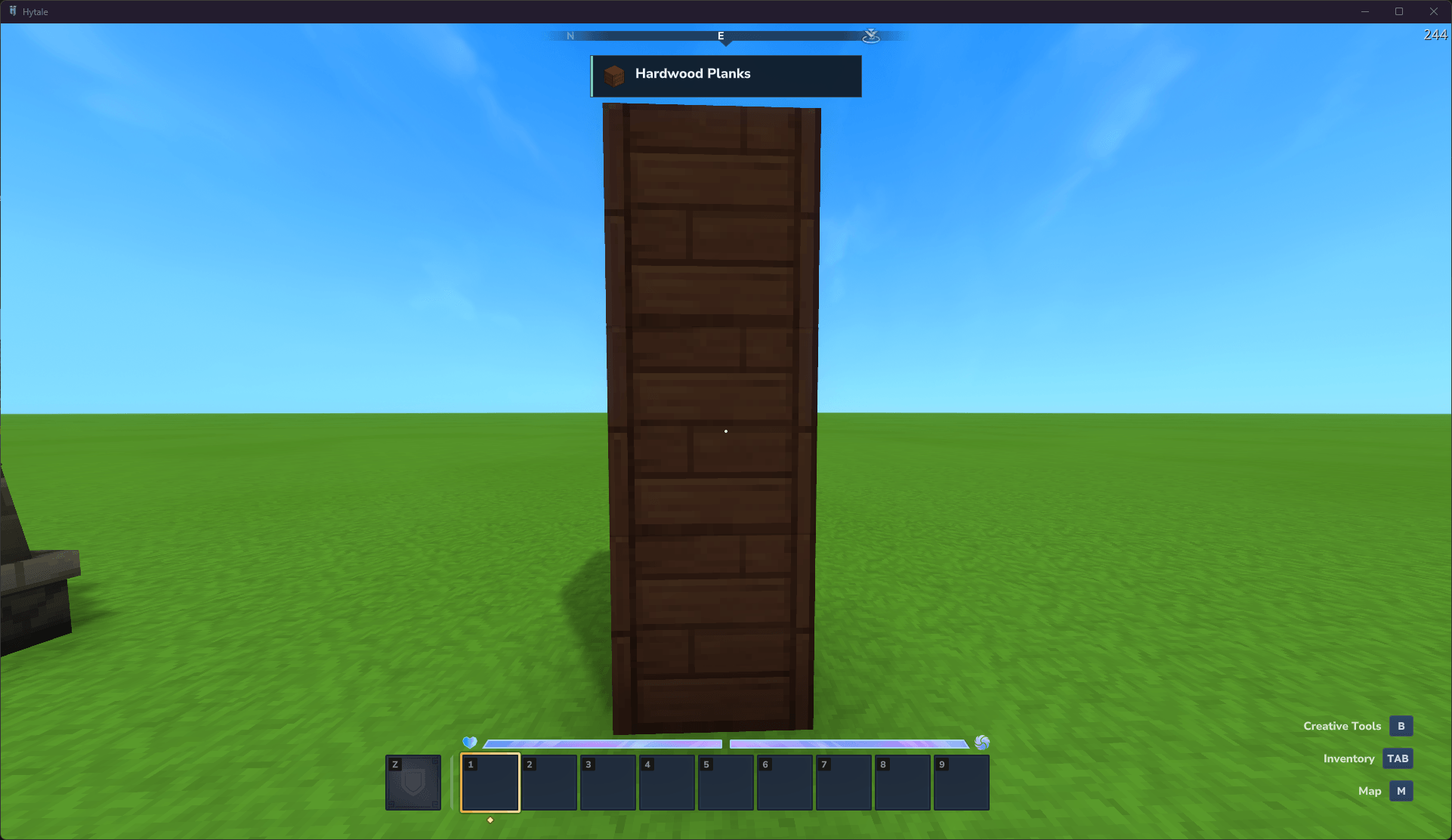
Description
Glance shows information about whatever you're looking at in a small HUD panel. Look at a block to see its name and source mod, a mob to check its health, or a furnace to see how far along it is, and more!
What it shows
- Block names, item icons and source packs/mods
- Required tool type and tier, including whether your held tool can break the block (off by default)
- Crop growth stages
- Mob and player health, plus mob attitude toward you
- Dropped item names and stack sizes
- Chest contents, grouped by item type
- Bench tiers, furnace progress, time remaining and fuel
Look at a chest, furnace or other container to see what's inside without opening it. You can turn this off in /glance settings, and server admins can turn it off for everyone.
Settings
Use /glance settings to choose what the panel shows. Settings are saved separately for each player.
Pick a theme and size preset, or adjust the colors, opacity and individual info lines. Feature switches are grouped under Overlay, Blocks and items, and Creatures and players. Advanced options contains the color pickers and inspection controls; Basic options takes you back.
The menu shows a live sample as you make changes. It docks away from the sample, and Hide menu/Show menu lets you get it out of the way. Arrange HUD has nine position presets, sliders for placement and size, and a theme selector so you can compare colors in place. Use Hide controls to check the result.
Save keeps your changes. Cancel or Escape discards them. Reset to defaults fills in the server defaults without saving. Reset in Arrange HUD only resets position and size.
Installation
For Hytale 0.7.x. Works in singleplayer and on dedicated servers. No additional mods required.
Download Glance-x.x.x.jar and install it directly. Don’t extract the JAR. The source ZIP is for building the mod, not for installation.
Singleplayer (Windows)
- Close Hytale.
- Put the JAR in %APPDATA%\Hytale\UserData\Mods.
- Launch Hytale and open your world's settings.
- Enable Glance in the mods list, save the settings and load the world.
Dedicated server
Requires Java 25.
- Stop the server.
- Put the JAR in the server's mods folder, alongside HytaleServer.jar.
- Start the server and join. Joining players don't need to install Glance separately.
Use /glance settings in game to customize the HUD.
Commands
- /glance — toggle the HUD
- /glance on / /glance off — turn it on or off
- /glance settings — open settings (/glance options also works)
- /glance status — show diagnostics (admins)
- /glance reload — reload the server config (admins)
Server settings and compatibility
Config is created at mods/Glance_Glance/config.json inside the server folder, or inside your world's save folder for singleplayer. Admins can set inspection limits, container privacy and whether players can see other players' health. Personal settings stay within those limits.
Admins can open Admin settings from /glance settings to change container policy, other players' health, inspection limits and default HUD position and width. Save and apply writes config.json and applies it immediately. Reload from disk reads manual file edits. Both require permission to use /glance reload.
Glance uses Hytale's native HUD system and doesn't require MultipleHUD. It doesn't change inventory contents or show creatures through walls. Modded machines need to use Hytale's standard container or bench components for their contents to appear.
Languages
Includes English, Spanish, French, Brazilian Portuguese, Russian, Ukrainian and Simplified Chinese. Non-English translations are machine-drafted and still need native-speaker review; corrections are welcome.
Container previews don't check chest-lock or land-claim mods. On servers that use them, admins should turn container contents off for everyone in Admin settings (showContainerContents in config.json).
Glance - What Am I Looking At HUD Team