EarlySleep - UI Update
- By
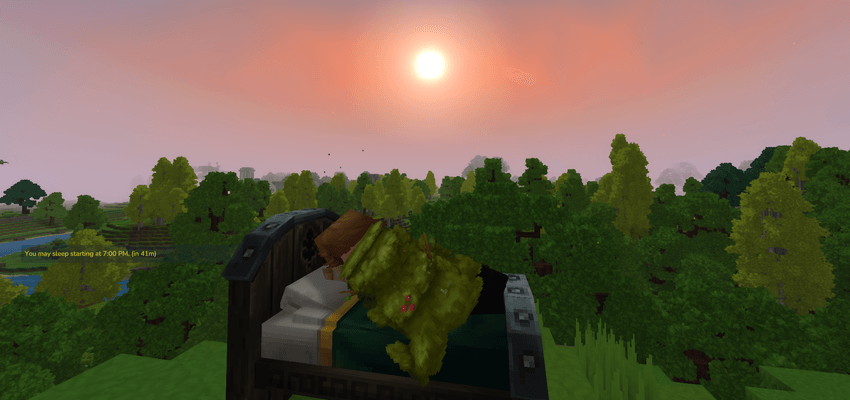
Complete control over time, player requirements, and restorative sleep effects!
Customize your schedule, set player thresholds, and wake up fully refreshed.
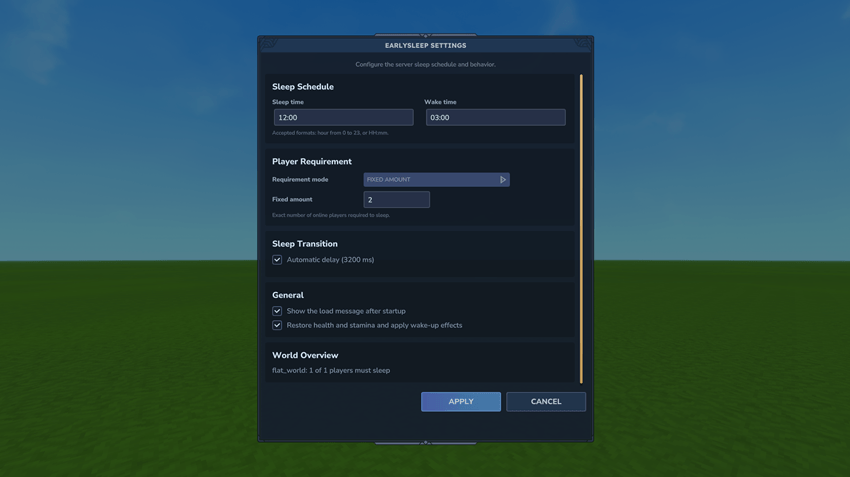
NEW FEATURE: In-Game Administration Panel
Manage EarlySleep directly in-game with the new administration panel. Players with the earlysleep.admin permission can open it using /sm ui and configure all existing settings without manually editing the configuration file.
Sleep Effects & Multiplayer Logs
Wake up feeling truly refreshed! Players now recover 100% Health and Stamina upon waking, plus temporary silent buffs like regeneration. Additionally, the new Multiplayer Logs keep the group coordinated by showing in the chat exactly who is sleeping and who is still awake when a night skip is attempted.

EarlySleep grants full authority over the sleep cycle in both single-player and multiplayer worlds. You decide exactly when players can enter beds, when the new day begins, and how many people must be sleeping for the transition to occur.
Default Settings (Fully Customizable): By default, the sleep window is set from 19:30 (7:30 PM) to 05:30 (5:30 AM), requiring 50% of online players to be in bed.
Key Features
- Sleep Whenever: Override native restrictions to sleep at any hour you choose.
- Custom Wake-Up: Precisely control the start time of the new day.
- Sleep Effects: Restore 100% HP/Stamina and gain buffs after a successful night skip.
- Dynamic Delay: Choose a fixed delay or let the mod scale it based on player count.
- Multiplayer Coordination: Real-time chat logs showing sleeping/awake player status.
- Instant Persistence: Changes are saved to config.json and apply immediately without restarts.
Commands & Usage
All commands require earlysleep.admin permissions or Operator status.
1. Sleep Manager
/sm player <value|%> — Set requirement. (Ex: /sm player 50% or /sm player 2)
/sm status — View current requirements and calculated player count.
/sm sleep <HH:mm|status> — Set or view earliest sleep time. (Ex: /sm sleep status)
/sm wake <HH:mm|status> — Set or view wake-up time. (Ex: /sm wake 06:00)
/sm delay <1000-4000|status> — Set or view delay to skip night.
/sm effects <on/off> — Toggle HP/Stamina recovery and buffs.
/sm loadmsg <on/off> — Toggle the mod's welcome message.
/sm delay auto — Sets the delay automatically.
/sm help — Show all commands available.
/sm ui — Show EarlySleep UI.
Installation
- Place the .jar file into your mods or plugins folder.
- Configuration is automatically generated and updated in real-time via in-game commands.
EarlySleep - UI Update Team