Dynamic Floating Numbers Lib
- By
Standalone, configurable floating damage number API for Hytale mods.

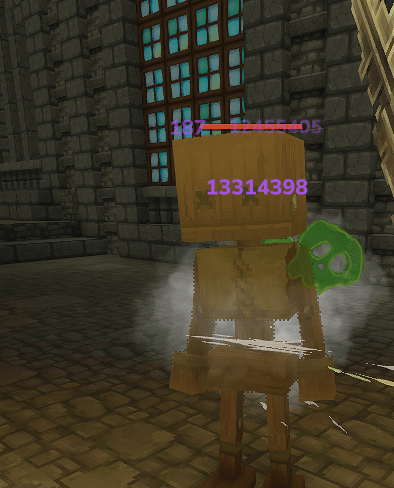
Configurable color in config file.png
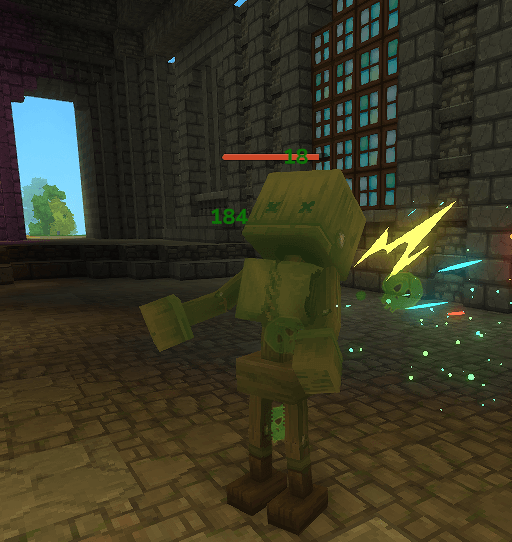
Configurable Colors in Config file.png
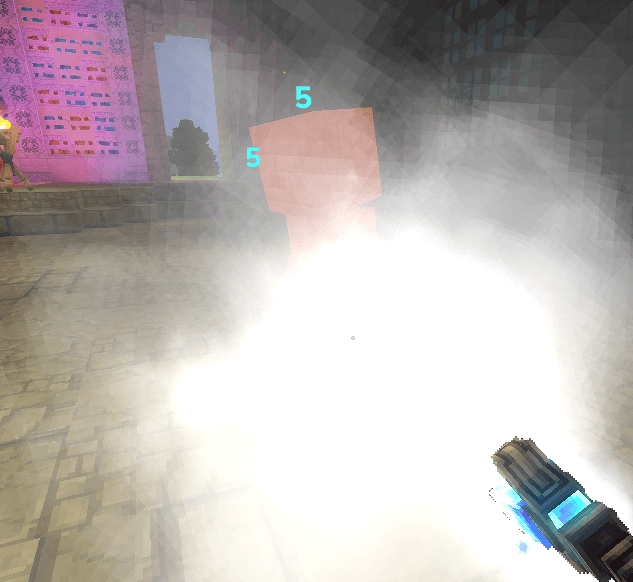
Ice.png
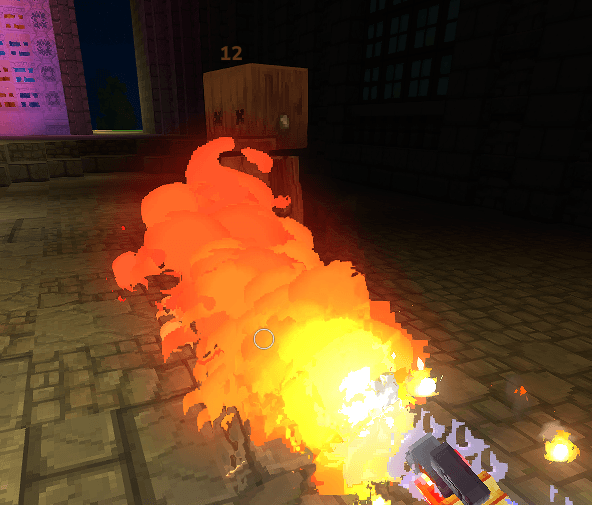
Orange for Fire.png
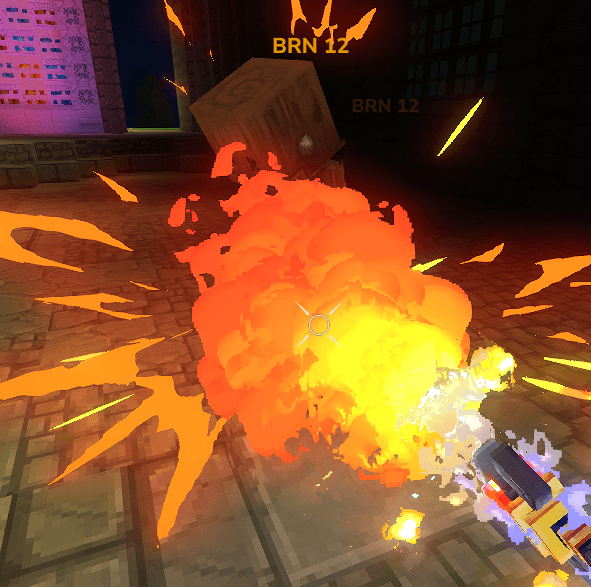
Burn with text.png
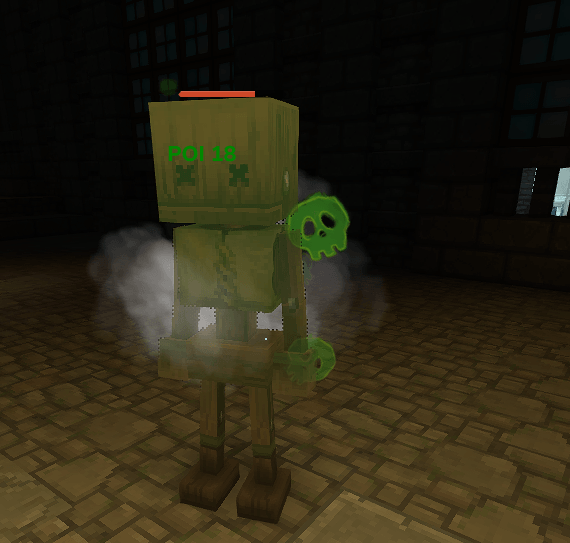
Poison with text.png
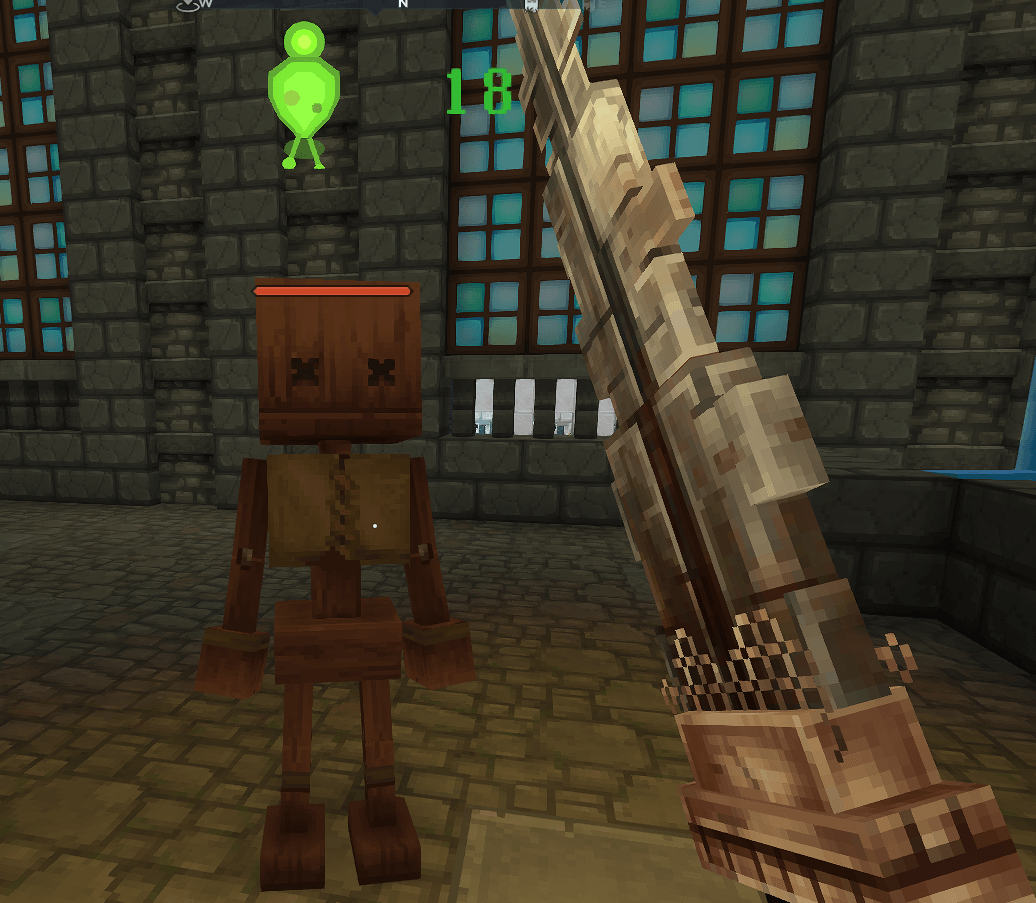
Particle Based Damage Numbers
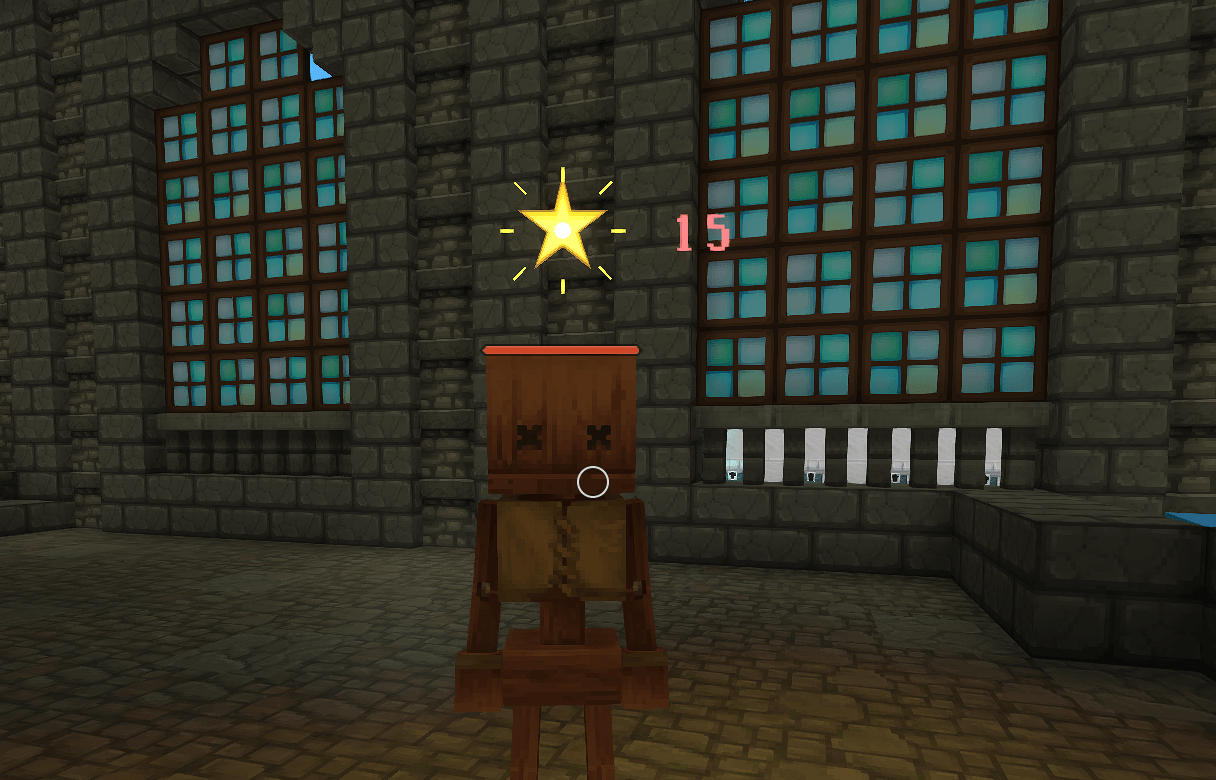
Particle Based Damage Numbers
Description
DynamicFloatingDamageFormatter
Standalone, configurable floating damage number API for Hytale mods.
This package can be shipped as a plugin (with adapter) or used as a pure API (core) that other mods call directly.
What’s Included
DynamicFloatingDamageFormatter-core.jar
API only. Other mods callDamageNumbers.emit(...)themselves.DynamicFloatingDamageFormatter-with-adapter.jar
API + adapter (DamageNumberEST) that auto-hooks damage events and spawns combat text.
Quick Install (No Code)
- Put
DynamicFloatingDamageFormatter-with-adapter.jarinto your servermods/. - Copy UI JSONs from
examples/Server/Entity/UI/into your asset pack. - Copy
examples/Server/Config/DamageNumberConfig.jsoninto your asset pack.
This immediately replaces/augments combat text based on the configured kinds.
API Usage (Code Integration)
Add the core jar as a dependency and emit damage numbers when your own damage code runs.
Register a kind (optional but recommended)
import irai.mod.DynamicFloatingDamageFormatter.DamageNumbers;

DamageNumbers.kind("POISON")
    .label("Poison")
    .ui("SocketReforge_CombatText_Poison")
    .dot(true)
    .register();
Emit numbers directly
DamageNumbers.emit(store, targetRef, amount, "POISON");If you already have a Damage object
DamageNumbers.attachTarget(damage, targetRef);
DamageNumbers.emit(damage);
Suppress the base combat text (optional)
DamageNumbers.markSkipCombatText(damage);DynamicFloatingDamageFormatter Tutorial
This is a practical, end-to-end guide for using the formatter in your own mod. It covers:
- Plug-and-play usage (no code).
- Core API usage (call from your own damage events).
- Config and UI asset customization.
Quick Install (No Code)
Use the adapter build if you want it to automatically hook damage events.
- Drop
DynamicFloatingDamageFormatter-with-adapter.jarinto your servermods/folder. - Copy
examples/Server/Entity/UI/*.jsoninto your asset pack. - Copy
examples/Server/Config/DamageNumberConfig.jsoninto your asset pack.
That’s it. The adapter will emit combat text for any damage that matches your config.
Hook & Register (Plugin Setup)
If you want the formatter to hook damage automatically, your plugin needs to:
- Load and apply
DamageNumberConfig.json. - Register a
DamageEventSystemthat emits the numbers (adapter system).
Example plugin setup:
import javax.annotation.Nonnull;

import com.hypixel.hytale.server.core.plugin.JavaPlugin;
import com.hypixel.hytale.server.core.plugin.JavaPluginInit;
import com.hypixel.hytale.server.core.util.Config;
import com.hypixel.hytale.server.core.modules.entity.damage.DamageEventSystem;

import irai.mod.DynamicFloatingDamageFormatter.DamageNumberConfig;
import irai.mod.DynamicFloatingDamageFormatter.DamageNumbers;

public final class MyPlugin extends JavaPlugin {
    private final Config<DamageNumberConfig> damageConfig;

    public MyPlugin(@Nonnull JavaPluginInit init) {
        super(init);
        this.damageConfig = this.withConfig("DamageNumberConfig", DamageNumberConfig.CODEC);
    }

    @Override
    protected void setup() {
        // Load config and apply it.
        damageConfig.save().join();
        DamageNumbers.applyConfig(damageConfig.get());

        // Register your adapter system (extends DamageEventSystem).
        this.getEntityStoreRegistry().registerSystem(new MyDamageNumberEST());
    }
}
If you don’t have an adapter system, you can still emit numbers manually using the core API.
Core API Usage (Code Integration)
If you want full control, depend on the core jar and emit numbers yourself.
Example: emit a custom kind when your damage code runs.
import irai.mod.DynamicFloatingDamageFormatter.DamageNumbers;
import com.hypixel.hytale.component.Ref;
import com.hypixel.hytale.component.Store;
import com.hypixel.hytale.server.core.universe.world.storage.EntityStore;

public void onMyDamage(Store<EntityStore> store, Ref<EntityStore> target, float amount) {
    DamageNumbers.emit(store, target, amount, "POISON");
}
If you already have a Damage object and want the formatter to pick a kind:
import irai.mod.DynamicFloatingDamageFormatter.DamageNumbers;
import com.hypixel.hytale.server.core.modules.entity.damage.Damage;
import com.hypixel.hytale.component.Ref;
import com.hypixel.hytale.server.core.universe.world.storage.EntityStore;

public void onDamage(Damage damage, Ref<EntityStore> target) {
    DamageNumbers.attachTarget(damage, target);
    DamageNumbers.emit(damage);
}
Marking Damage Metadata
You can guide the formatter by attaching metadata to the Damage object.
DamageNumbers.markKind(damage, "BLEED");      // Force a kind
DamageNumbers.markCritical(damage);           // Force CRITICAL kind
DamageNumbers.markSkipCombatText(damage);     // Suppress base combat text
This is especially useful if you already use DamageCause but want custom styling.
Config Basics
Config lives at:
Server/Config/DamageNumberConfig.json
It uses three arrays:
DEFAULTS– global formatting rulesKINDS– per-kind stylingALIASES– map damage cause ids to kinds
Example:
{
  "DEFAULTS": [
    "format={label} {amount}",
    "rounding=ROUND",
    "min=1",
    "precision=2",
    "style=PLAIN",
    "labelByDefault=true"
  ],
  "KINDS": [
    "POISON|label=Poison|icon=<item is=\"Ingredient_Poison\"/>|format={icon}{label} {amount}|color=#008700|ui=SocketReforge_CombatText_Poison|dot=true"
  ],
  "ALIASES": [
    "poison=POISON",
    "toxic=POISON"
  ]
}
Supported KINDS keys:
labelicon(raw markup inserted into{icon})iconBg(background markup inserted into{iconBg})iconOverlay(overlay markup inserted into{iconOverlay})format(supports{iconBg},{icon},{iconOverlay},{label},{amount},{kind})colorui(primary UI component id)uiAlt(alternate UI id, toggles every hit)dot(treat as DoT for angle/randomization)rounding(ROUND,FLOOR,CEIL,NONE)precisionminstyle(PLAIN,MESSAGE,TOOLTIP)labelByDefault
Aliases match DamageCause.getId() by substring.
UI Asset Basics
Each ui=... points to a Server/Entity/UI/*.json asset with "Type": "CombatText".
Key fields you can tweak:
RandomPositionOffsetRange– random X/Y offset on each hitHitboxOffset– base offsetAnimationEvents– scale, fade, and timingHitAngleModifierStrength– how much the hit angle affects motion
If you set uiAlt, the formatter alternates between primary and alt components to reduce overlap.
Icon strings are injected verbatim into the combat text. If your client supports it, you can use:
<item is="Item_Id"/>for item icons<img src="texture.png" width="16" height="16"/>for image tags
To layer background/overlay with the icon, include {iconBg} and {iconOverlay} in your format string, e.g.:
format={iconBg}{icon}{iconOverlay}{label} {amount}
DoT Example
On each tick of a DoT, emit the number directly:
DamageNumbers.emit(store, targetRef, perTickDamage, "BURN");Set dot=true in config to allow wider angle randomization for DoT ticks.
Formatting Only (No Combat Text)
If you just want the formatted string:
String text = DamageNumbers.format(amount, "POISON");Particle Usage (Optional)
If you want particle-based digits and icons instead of UI CombatText, add particle keys to your KINDS entries:
particleFont=FloatingDamage_<KIND>(digits)particleIcon=FloatingDamage_Icon_<Kind>(icon)particleBackground=FloatingDamage_Background(optional)
Example (particle digits + icon):
POISON|label=|color=#008700|ui=SocketReforge_CombatText_Poison|dot=true|particleFont=FloatingDamage_POISON|particleIcon=FloatingDamage_Icon_PoisonExample (UI only, no particles):
POISON|label=|color=#008700|ui=SocketReforge_CombatText_Poison|dot=trueNotes:
- Particle assets live under
Common/Particles/FloatingDamage/andServer/Particles/FloatingDamage/. - If
particleFontis not set, the formatter falls back to CombatText UI.
Troubleshooting
- Base white damage numbers still show: call
DamageNumbers.markSkipCombatText(damage)or disable base combat text. - No randomization: ensure your UI JSON has
RandomPositionOffsetRangeand yourdot=truekinds are actually tagged as DoT.

Made by iRaiden
The Dynamic Floating Numbers Lib Team