


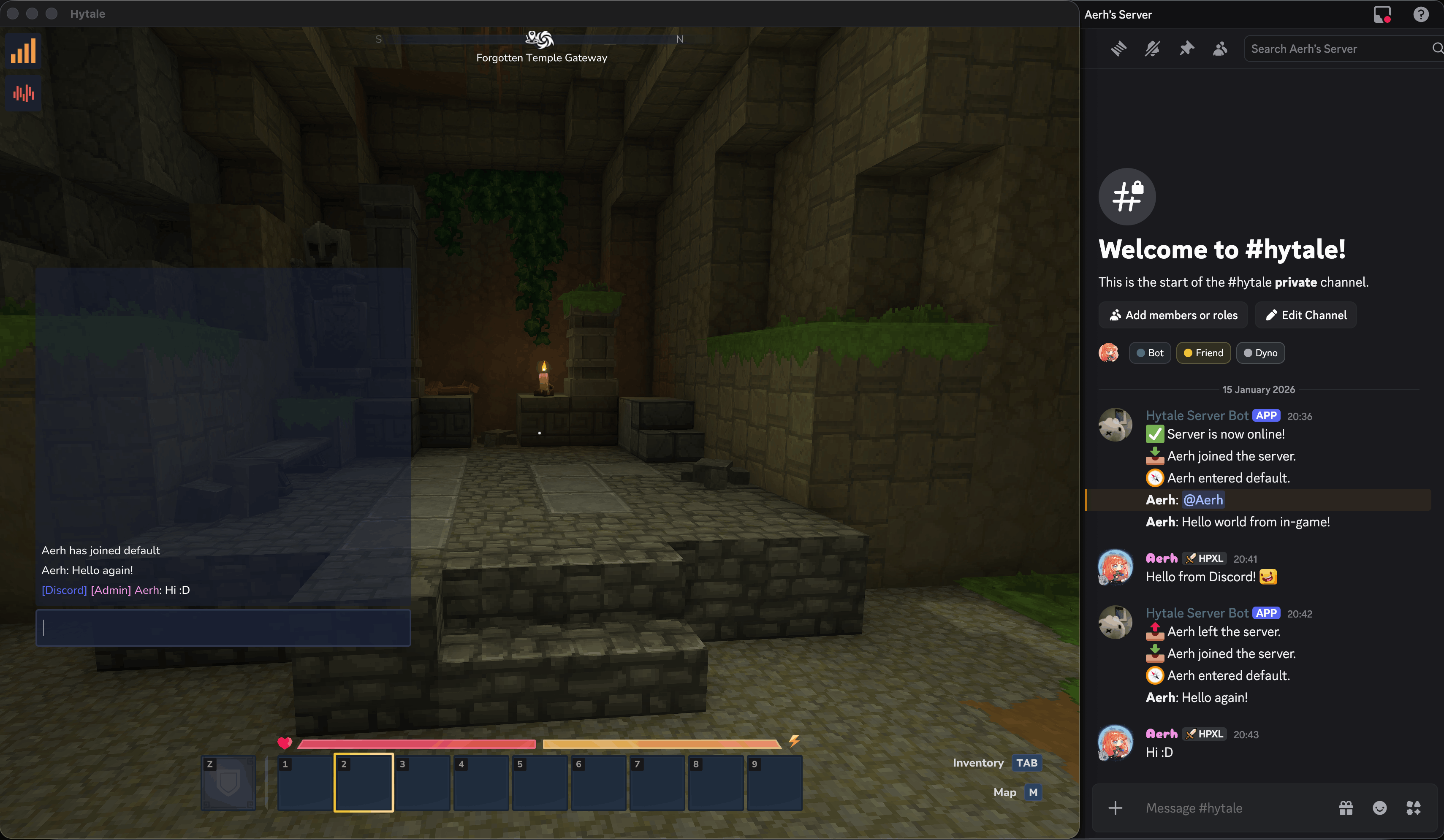
Description
DiscordChatBridge is a lightweight plugin that links your in-game chat with a Discord channel.
Features:
- Two-way chat bridging between Hytale and Discord
- Toggle-able event messages for player join/leave, deaths, etc.
- Customizable message formatting, including webhook support with player avatars
- Discord role color support in game chat
- Optional filtering for mentions and formatting
- Simple JSON-based configuration (bot token, channel ID, etc.)
Installation:
- Download the latest release and place the JAR file in your server's mods folder.
- Start the server once to generate the default configuration file.
- Add your Discord bot token and channel ID to the config.
- Restart the server to enable the plugin's functionality.
Credits: Logo created by rainbowcraft2
The Discord Chat Bridge Team
