CrypticJava's Tweaks
- By
Description
(Updated for V1.4.0 Please Check Changelog)
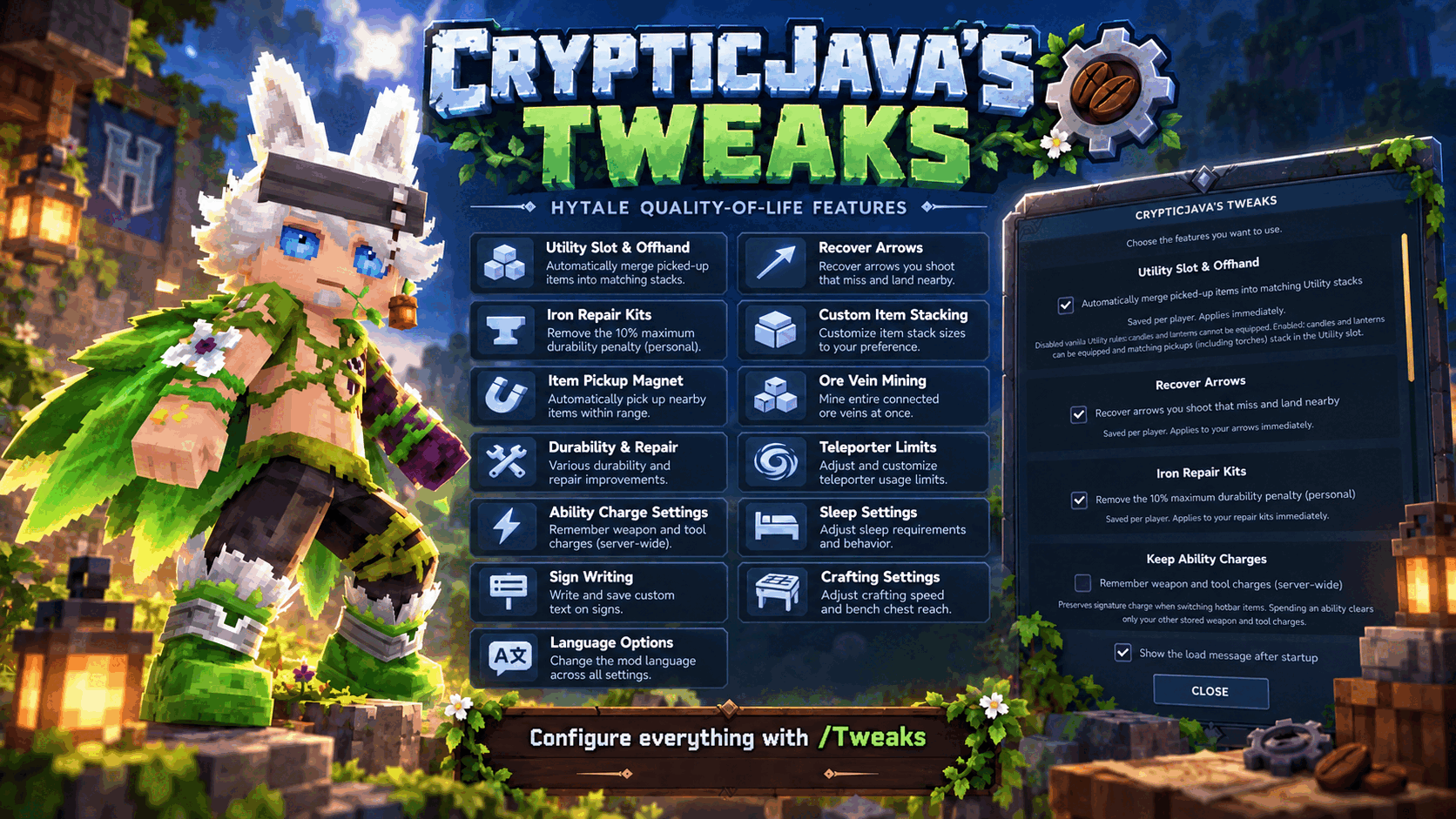
CrypticJava's Tweaks adds useful quality-of-life improvements through a single, easy-to-use in-game interface. Improve inventory management, customize item stacking, recover missed arrows, protect equipment durability, speed up ore mining, manage teleporters, add text to signs, change crafting speed/chest access distance, and take control of server-wide gameplay settings with language support.
With individual player preferences and configurable admin controls, you can customize your experience without sacrificing the vanilla feel of Hytale.
Personal Settings
Every player can customize their own experience:
-
Utility Slot & Offhand: Automatically stack matching picked-up items, including torches, into the Utility slot. When enabled, candles and lanterns can also be equipped and stacked in the Utility/Offhand slot. Disabling the feature restores vanilla stacking behavior and prevents candles and lanterns from occupying the slot.
-
Recover Arrows: Recover missed arrows, prioritizing matching stacks already in your backpack.
-
Repair Kit Improvements: Remove the maximum-durability penalty from Iron Repair Kits.
-
Ore Vein Mining Orientation: When an admin enables Ore Vein Mining, regular players can also access the orientation options to choose between Block Face and Player View.
Multi-Language Support
-
Choose from 7 supported languages:
-
English (US)
-
Spanish
-
French
-
Portuguese (Brazil)
-
Russian
-
Ukrainian
-
Simplified Chinese
-
-
Translations cover the main menu, feature settings, and sign editor.
-
Each player can choose their preferred language independently.
-
Language preferences are saved automatically across sessions.
-
Note: Simplified Chinese requires Hytale's own language to be set to Simplified Chinese for proper font display.
Each personal setting can be configured individually by all players.
Admin Settings
Server administrators can configure additional gameplay features that affect the entire server.
Ore Vein Mining
-
Automatically mine connected ore blocks, up to 50 blocks per vein.
-
Configure activation using Walk, Crouch, or Always On.
-
Choose between Block Face and Player View mining orientation.
-
When enabled by an admin, regular players also have access to the orientation options in their own settings menu.
Item Pickup Magnet
-
Automatically attract nearby dropped items toward players.
-
Customize attraction range, pull speed, and item limits.
-
Configure inventory-space checks to help prevent unwanted pickups.
-
Exclude specific items from automatic pickup.
-
Manage excluded items through a searchable visual item browser with item previews.
-
Support wildcard exclusion patterns.
Custom Item Stacking
-
Enable configurable maximum stack sizes.
-
Adjust the default maximum stack size for items.
-
Create individual stack-size overrides for specific items.
-
Configure pattern-based overrides using regular expressions.
-
Browse available vanilla and modded items through a searchable visual item browser.
-
Automatically discover items registered by other mods and future game updates.
-
View item information, including the originating game or mod asset pack.
-
Enable Specific Overrides Only to preserve vanilla stacking for all items except those individually overridden.
-
Apply stack-size changes without requiring a server restart.
Existing oversized stacks retain their quantities when limits are reduced, while future stacking follows the new limits.
Durability & Repair
-
Independently prevent durability loss for Tools, Weapons, and Armor across the server.
-
Instantly repair all online players' tools, weapons, or armor using dedicated server-wide repair buttons.
-
Repair your own inventory items or currently held item using separate personal repair controls.
-
Configure durability protection without modifying individual players' preferences.
Teleporter Settings
-
Configure teleporter limits for individual worlds.
-
Control how many teleporters can remain active.
-
Excess teleporters remain built but cannot be activated until space becomes available under the configured limit.
Ability Charge Settings
-
Optionally preserve ability charges between applicable actions.
-
Configure charge behavior using an admin-controlled setting.
-
Keep the feature disabled to retain vanilla charge behavior.
Sleep Settings
-
Customize server-wide sleep requirements and sleeping behavior.
-
Configure sleep and wake times.
-
Set required player counts or percentages.
-
Adjust sleeping transition delays.
Sign Writing
-
Write custom text directly onto signs in your world!
-
Customize sign text with different colors, multiple lines, and locking options.
-
Added a new Writing on Signs option for server administrators.
-
When enabled, everyone on the server can write on signs.
-
When disabled, sign text is hidden and editing is unavailable. Previously written text is preserved and reappears when the feature is enabled again.
-
Sign writing is disabled by default to maintain vanilla behavior.
Custom Crafting Settings
-
Customize crafting speed across the server, affecting how long items take to craft.
-
Adjust how far crafting benches can reach nearby chests to access stored materials.
-
Configure horizontal and vertical chest distances independently.
-
Supports the different crafting bench types throughout the game.
-
Vanilla default values are displayed in the menu, with an option to restore them.
-
Settings apply server-wide to everyone.
How to Use & Install
-
Install the plugin on your Hytale world or server.
-
Open the in-game chat.
-
Enter
/Tweaks. -
Choose the settings category you want to configure.
-
Enable, disable, or customize your preferred features.
Personal preferences are saved separately for each player. Server-wide admin settings apply to the relevant players or worlds and persist across restarts and mod updates.
Note: Administrative features require the tweaks.admin permission.
Compatibility
-
Mod Version: 1.4.0
-
Hytale Version: 0.7.7
-
Author: CrypticJava
License
Copyright © 2026 CrypticJava. All rights reserved for original contributions.
Includes third-party MIT-licensed components. Required license and copyright notices are included in the distributed JAR.
CrypticJava's Tweaks Team