


Create Character
- By

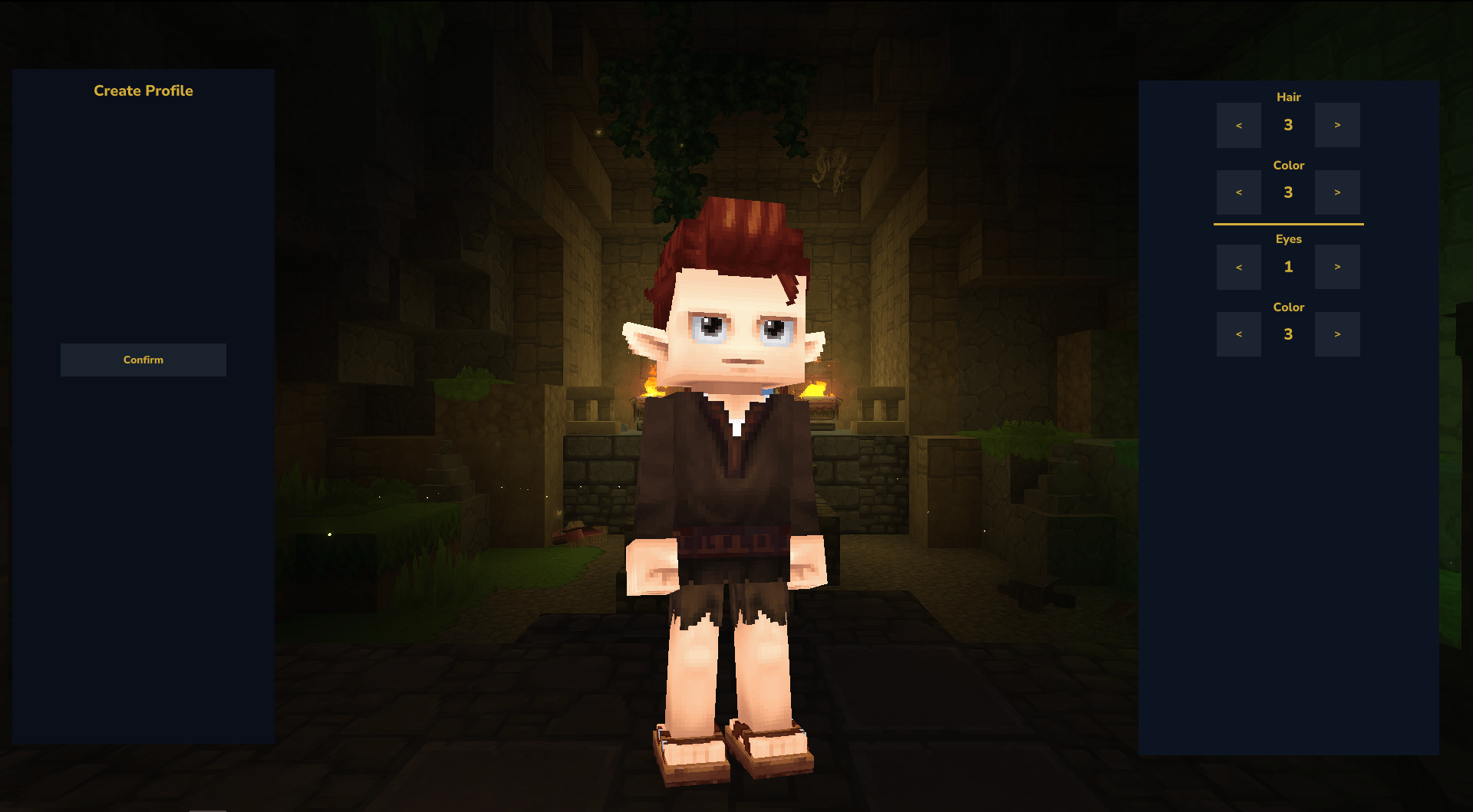
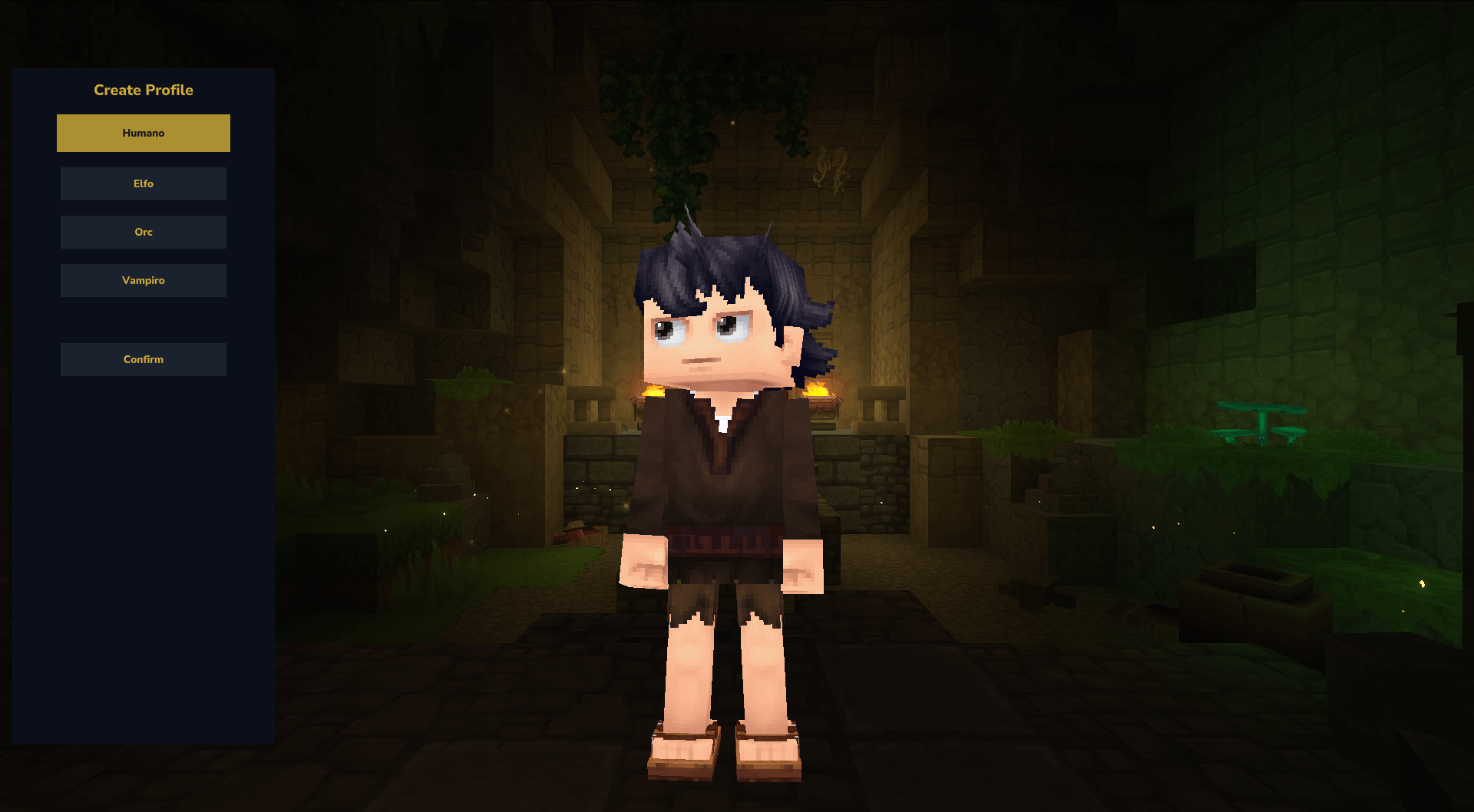
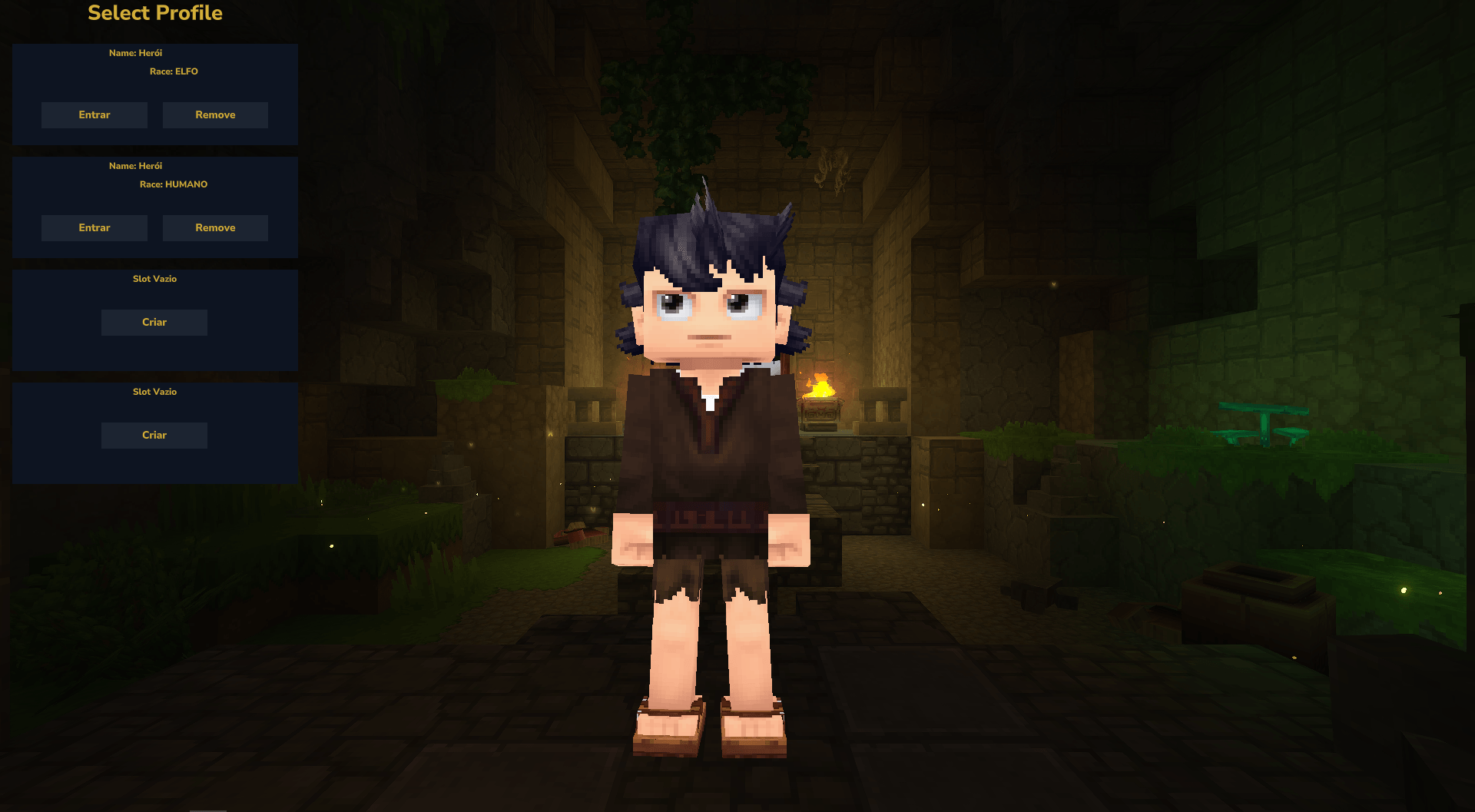
A high-performance Hytale RPG mod introducing multi-slot character creation, custom racial, and deep aesthetic appearance customization.
CreateCharacter02.png
CreateCharacter01.png
SelectProfile.png
Description
CharacterMod
CharacterMod is an extensive, race-focused RPG character creation and profile management mod designed for Hytale.
It empowers server owners to fully define the visual identity and base stats of different races available to players during their first login, while providing players with a multi-slot character selection experience.
Whether you want to create a green, brutish Orc with unique features or an elegant Elf with fixed skin tones and custom ears, everything is fully controlled through a centralized server configuration.
Key Features
Multi-Slot Character Selection
Players can create, switch, and manage multiple characters under a single account.
Race-Focused Customization
Server administrators can create completely custom races directly from the configuration file.
Server-Defined Visual Defaults
Force specific asset combinations such as ears, mouths, skin tones, hairstyles, or custom models depending on the chosen race.
Base Attribute Modifiers
Control baseline Health, Mana, Stamina, and Speed modifiers dynamically for each race.
Asset-Based Customization
CharacterMod is designed to expose as many Hytale character creator assets as possible through configuration files, allowing deep customization without modifying code.
Configuration Example (character.yaml)
maxCharacter: 4

races:
  HUMAN:
    baseHealthBonus: 40
    baseManaBonus: 10
    baseStaminaBonus: 20
    baseSpeedModifier: 0
    isCustomModel: false
    customModelAsset: ""
    defaultEars: "Default"
    defaultMouth: "Mouth_Default"
    allowSkinCustomization: true
    fixedSkinColor: ""

  ELFO:
    baseHealthBonus: 30
    baseManaBonus: 40
    baseStaminaBonus: 15
    baseSpeedModifier: 2
    isCustomModel: false
    customModelAsset: ""
    defaultEars: "Elf_Ears_Small"
    defaultMouth: "Mouth_Default"
    allowSkinCustomization: false
    fixedSkinColor: "08"

  ORC:
    baseHealthBonus: 80
    baseManaBonus: 0
    baseStaminaBonus: 40
    baseSpeedModifier: -1
    isCustomModel: false
    customModelAsset: ""
    defaultEars: "Ogre_Ears"
    defaultMouth: "Mouth_Orc"
    allowSkinCustomization: false
    fixedSkinColor: "30"

  VAMPIRO:
    baseHealthBonus: 50
    baseManaBonus: 25
    baseStaminaBonus: 30
    baseSpeedModifier: 1
    isCustomModel: false
    customModelAsset: ""
    defaultEars: "Default"
    defaultMouth: "Mouth_Vampire"
    allowSkinCustomization: false
    fixedSkinColor: "48"

spawnPitch: 0.0
spawnX: 0.0
spawnY: 64.0
spawnYaw: 0.0
spawnZ: 0.0

startingWorldName: default
Finding Hytale Asset IDs
CharacterMod relies heavily on Hytale's built-in character creator assets.
If you want to discover available IDs for ears, mouths, hairstyles, skin colors, and other cosmetic assets, follow these steps:
Windows
Press:
Win + R
Type:
%appdata%
Navigate through the following folders:
Hytale/
└── install/
    └── release/
        └── package/
            └── game/
                └── latest/
Inside the latest folder, locate:
Assets.zip
Open the archive and navigate to:
assets/
└── cosmetics/
    └── charactercreator/
Inside this directory you will find the asset definitions used by the Hytale Character Creator.
These files contain the IDs that can be referenced by CharacterMod configurations.
Examples include:
- Ears
- Mouths
- Hairstyles
- Facial Features
- Skin Colors
- Cosmetic Variations
- Future Character Creator Assets
Project Goal
One of the primary goals of CharacterMod is to expose as many Hytale character customization options as possible through configuration files.
Instead of requiring custom code or hardcoded assets, server owners should be able to build entirely unique races using the assets already available within Hytale.
Future updates will continue expanding support for additional character creator assets as they become available.
Installation & Setup
Important:
CharacterMod currently focuses on race creation, visual customization, and base stat modifiers. It does not automatically add magical systems, RPG items, quests, or gameplay loops.
To configure the mod for the first time:
1. Install the Mod
Download and place CharacterMod into your server or game mods folder.
2. Start Your Server
Launch your server or world with the mod enabled.
3. Open Character Creation
Join the server and enter the character creation screen at least once.
This will generate all required folders and configuration files.
4. Locate the Configuration Folder
After the first launch, a new folder will be created:
CharacterMod/
Inside it you will find:
CharacterMod/
├── players/
└── character.yaml
5. Configure Your Races
Open:
character.yaml
Customize your races, stats, visual defaults, and spawn settings.
Save the file and restart the server if necessary.
6. Enjoy
Your players can now create characters using your fully customized race setup.
Future Plans
CharacterMod is actively evolving. Here are some planned features for future releases.
Custom Buffs & Debuffs
Allow server owners to assign unique racial traits directly through YAML configuration.
Examples:
- Fire Resistance
- Night Vision
- Increased Mana Regeneration
- Poison Immunity
- Custom Passive Effects
Clothing & Gear Customization
Expanded starting equipment and cosmetic customization options.
- Starting outfits
- Cosmetic clothing slots
- Race-specific equipment
- Character creation wardrobe customization
Additional RPG Systems
Planned long-term additions include:
- Racial skills
- Talent trees
- Profession integration
- Character progression systems
Early Access & Feedback
Disclaimer
CharacterMod is currently in active development.
As an early-access project, you may encounter bugs, missing features, or unexpected behavior.
Your feedback is extremely valuable and helps shape the future of the mod.
If you:
- Find a bug
- Have a feature suggestion
- Want additional customization options
- Have balancing feedback
Please leave a comment or open a report.
Every suggestion is reviewed, and improvements and fixes will be implemented whenever possible.
Create Character Team

![RPG - System [pt-BR | en-US] project image](https://media.forgecdn.net/avatars/thumbnails/1637/641/256/256/639048111497067117.png)