Screenshot 2026-02-28 170453.png
Screenshot 2026-02-23 002559.png
Screenshot 2026-03-06 191628.png
Description
Commands and Interactables
Adds new commands and interactables for server operators to make their server shine with less code written. Adds blocks that run commands (command block) and utility commands to support server operators.
Utility commands: improved particle commands with directions, commands to play animations for entities, composable exec command and more.
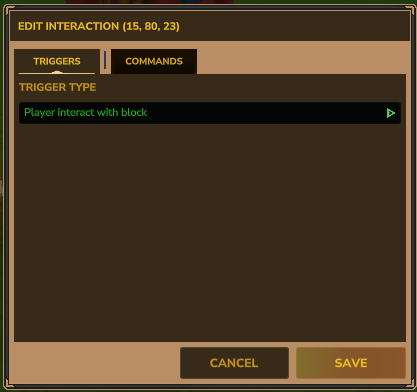 |
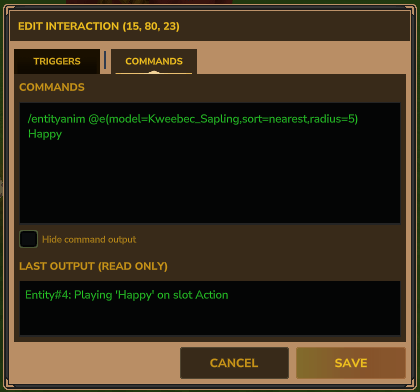 |
Quick Start
Players using this addon must either be OP or have the interactables:command-admin permission.
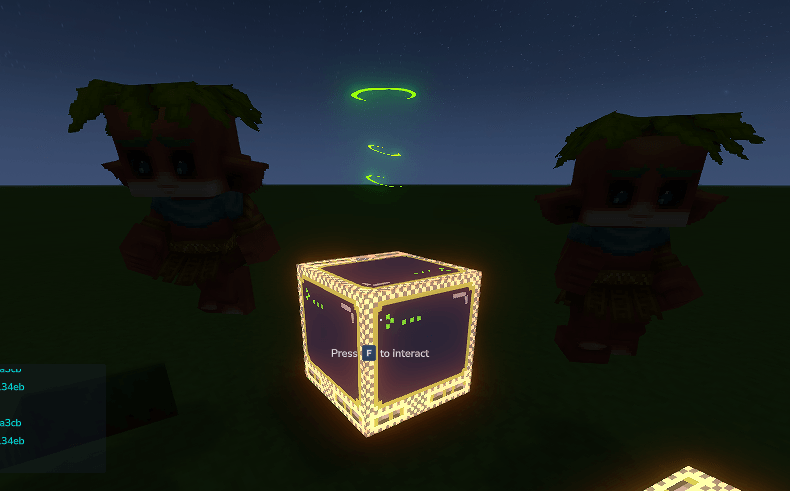
Give yourself an interaction block: /give <your_name> Interactive_Block. Place it down, and use /int:ib while looking at the block to open the editor. (/ib still works as an alias.)
Features
Interaction Blocks
Interaction blocks run one or more commands when triggered. Open the editor with /int:ib while looking at a block. The editor has two tabs — Triggers (how the block fires) and Commands (what it runs). Changes on each tab are kept when you switch between them, and everything saves together when you hit save.
Commands are separated by semicolons (;). The last command's output is stored and shown in the editor for debugging.
Trigger Types
- Player Interact (default) — Fires when a player presses [F] on the block.
- Repeating — Fires on a timer. Set the interval in seconds (minimum 0.1s).
- Player Join World — Fires when any player becomes fully ready in the world. Use
$pto target them. - Player Death — Fires when any player dies. Use
$pto target the player who died. - Block Break — Fires when any block is broken. Set a radius to only trigger within that distance (0 = any distance). Use
$b.x/y/zand$b.idfor the broken block's info. - Block Place — Fires when a player places a block. Same radius option as Block Break. Use
$b.x/y/zand$b.idfor the placed block's info. - Craft — Fires after a player completes a craft. Use
$recipe.idand$recipe.qtyfor the crafted recipe.
Token Variables
Use these inside command strings to reference context from the trigger event:
$p— triggering player's name$p.x,$p.y,$p.z— triggering player's world position$p.xi,$p.yi,$p.zi— triggering player's position as integers (floored)$self.x,$self.y,$self.z— the command block's own position (always available)$self.xi,$self.yi,$self.zi— the command block's position as integers (floored)$b.x,$b.y,$b.z— event block position (on_block_break, on_block_place)$b.xi,$b.yi,$b.zi— event block position as integers (on_block_break, on_block_place)$b.id— event block or item type ID, e.g.Soil_Dirt(on_block_break, on_block_place)$recipe.id— crafted recipe ID (on_craft only)$recipe.qty— quantity crafted (on_craft only)
The xi/yi/zi variants are useful for commands that require block coordinates, e.g. /setblock $p.xi $p.yi $p.zi.
/give $p Rock_Gem_Voidstone --quantity=1; say Welcome, $p!
say $p broke $b.id at $b.x $b.y $b.z
int:exec check @s(flag=quest_active); say $p crafted $recipe.qty x $recipe.id
Commands
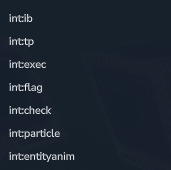
/int:ib— Open the interaction block editor (look at a block first)/int:exec— Execute a command with entity selector expansion or foreach loops/int:check— Abort the command chain if a selector matches (or doesn't match) entities/int:flag [add, remove, list]— Add, remove, or list string flags on entities for filtering/int:tp— Teleport an entity to coordinates or another entity/int:entityanim— Play or stop an animation on an entity/int:particle— Spawn a particle effect at a position or entity with optional offsets and direction
All commands keep their old names as aliases (/ib, /exec, /check, /flag, /entityanim, /xparticle) so existing command blocks continue to work.
/int:exec
Expands entity selectors and executes any command. Useful for making vanilla commands work with @e, @a, etc., and for looping over entities with foreach.
/int:exec say @a
> Expands @a to all player names, says them all

/int:exec give @p Rock_Gem_Voidstone --quantity=1
> Gives the nearest player an item

/int:exec foreach @e(radius=200,type=NPC) say hi @s
> Runs "say hi <uuid>" once per matching NPC

/int:exec foreach @s int:entityanim @s Walk
> Plays Walk on yourself

/int:exec int:flag list @l
> Lists flags on the entity you're currently looking at

/int:exec int:flag add hostile @l(radius=20)
> Marks whatever you're aimed at (up to 20 blocks away) as hostile
Foreach syntax: /int:exec foreach <selector> <command>
Runs the command once per matched entity. Inside the command, @s refers to the current entity in the loop.
Note: Optional arguments (e.g. --quantity=1) must be quoted when using exec: "--quantity=1"
/int:check
Checks whether a selector matches entities. If the condition isn't met, the rest of the command chain is aborted. Great for gating commands behind conditions.
By default, aborts if the selector matches no entities. Prefix the selector with ! to invert — aborts if it matches any entities.
Note: To use entity selectors (@s, @p, @a, etc.), run check through exec: /int:exec check @s(flag=hasKey). Used directly, /int:check does not expand selectors.
/int:exec check @s(flag=hasKey)
> Aborts if the activating player doesn't have the "hasKey" flag

/int:exec check @e(radius=10,type=NPC,limit=1)
> Aborts if there's no NPC within 10 blocks

/int:exec check !@s(flag=cooldown)
> Aborts if the player already has the "cooldown" flagint:exec check @s(flag=hasKey); give @s Reward_Item 1; int:flag remove hasKey @s
> Only gives the reward and removes the flag if the player has "hasKey"
int:exec check !@s(flag=cooldown); doSomething; int:flag add cooldown @s
> Only runs if the player doesn't have the cooldown flag, then adds it
/int:flag
Attaches simple string flags to entities. Flags persist on the entity and can be used to filter entity queries.
/int:flag add <name> <targets...>— Add a flag to one or more entities/int:flag remove <name> <targets...>— Remove a flag from one or more entities/int:flag list <targets...>— List flags on one or more entities
Targets are entity identifiers: PlayerName, Entity#123, or UUID. Use /int:exec foreach to expand selectors first.
> Marks all nearby NPCs as "hostile"
int:check @s(flag=hasKey); say This runs only if the player has the "hasKey" flag
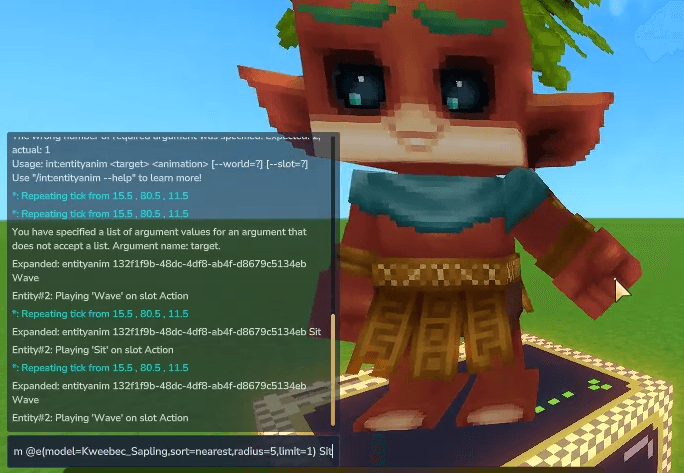
/int:entityanim
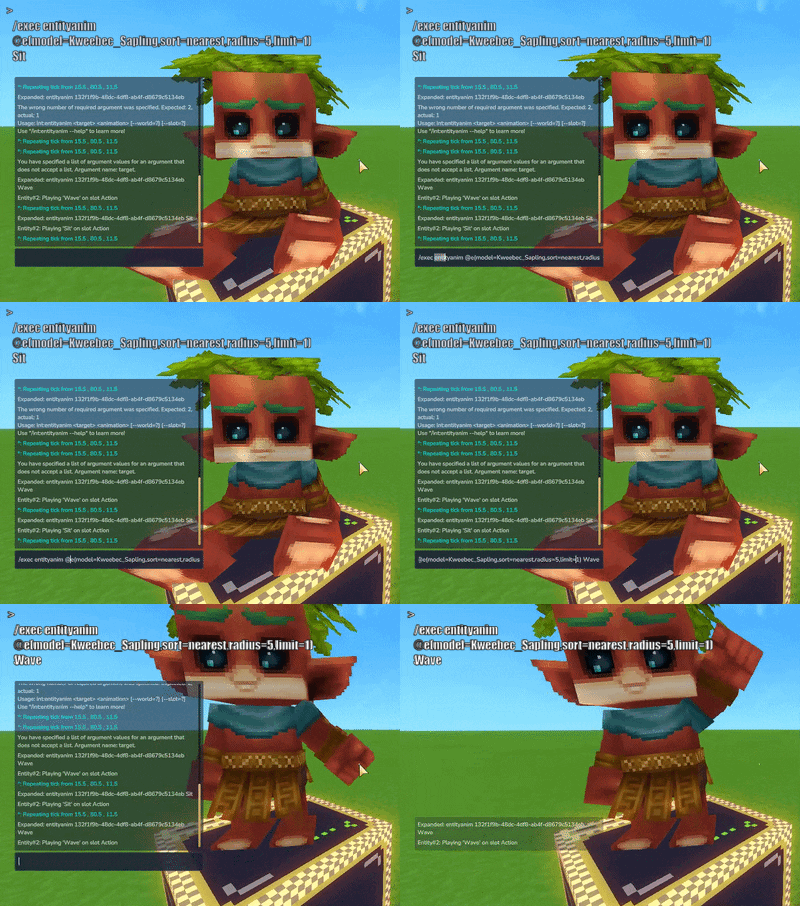
Plays or stops an animation on a target entity.
Syntax: /int:entityanim <target> <animation> [slot]
Targets: PlayerName, Entity#123, or a UUID string. In a command block, use $p to target the triggering player. From the command line, use /int:exec foreach @s int:entityanim @s <animation> to target yourself.
Animation:
- Any animation name (e.g.
Walk,Hurt,Sleep) randomor*— picks a random animation from the entity's modelstoporcancel— stops the animation in the given slot
Slot (optional, defaults to action): movement, status, action, face, emote
/int:exec foreach @s int:entityanim @s random emote
/int:entityanim Steve stop action
/int:particle
Spawns a particle effect at a position or on an entity. Supports offsets and direction rotation.
Syntax: /int:particle <particle> [--target=?] [--x=?] [--y=?] [--z=?] [--dx=?] [--dy=?] [--dz=?] [--duration=?] [--direction=?]
Position:
--target—PlayerName,Entity#123, or UUID. The base position is that entity's location. In a command block, use--target=$pto spawn at the triggering player.--x/y/z— Absolute world coordinates. If--targetis also set, these override individual axes.- No position args — defaults to world origin (0, 0, 0).
Offsets (optional):
--dx,--dy,--dz— Offset applied on top of the base position.
Other:
--duration— How long the spawner runs in seconds (default: 1.0)--direction— Rotates the spawner:up,down,north,south,east,west
> Spawn at the triggering player (command block context)
/int:particle IceBall_Explosion "--target=$p" --dy=1.5
> Spawn 1.5 blocks above the player
/int:particle IceBall_Explosion --x=10 --y=64 --z=20 --duration=3
> Absolute position, lasts 3 seconds
/int:particle IceBall_Explosion "--target=$p" --direction=up
> Rotated upward (useful for directional effects)
/int:tp
Teleports a single entity to a world position or to another entity. Pair with /int:exec foreach for multi-entity teleports.
Syntax:
/int:tp <target> <x> <y> <z> [--yaw=?] [--pitch=?]— teleport to coordinates (~for relative offsets)/int:tp <target> <destination>— teleport to another entity's position
Targets: PlayerName, Entity#123, or UUID.
> Teleport Steve to absolute coords
/int:tp Steve ~ ~10 ~
> Teleport Steve 10 blocks straight up
/int:tp Steve Alex
> Teleport Steve to Alex's position
/int:exec foreach @a int:tp @s 0 100 0
> Teleport all players to 0,100,0
Entity queries
You might already be familiar with similar systems from other games, but this gives you a way to target players and NPCs based on criteria instead of targeting them directly. Supported by /int:exec, /int:check, /int:flag, and inside interaction block commands.
/int:exec say @p
> Says the name of the nearest player

/int:exec say @a
> Says all player names

/int:exec say @e(radius=5)
> Says names/UUIDs of all entities within 5 blocks

/int:exec foreach @e(radius=200,type=NPC) say hi @s
> Runs "say hi <uuid>" once per matched NPC
Selectors
@s— self (the executing entity)@p— nearest player@a— all players@r— random player@e— all entities (requires a radius filter or it defaults to 0 blocks)@l— the entity you're looking at;@l(radius=N)to extend reach (default 8 blocks)
Selector filters
radius— Only entities within X blocks. *Required if you include other filters; defaults to 0 blocks.limit— Cap results to X entitiessort—nearest,random, oridtype— Filter by entity type:player,npcmodel— Filter by model IDmemory— Filter by memory group (e.g.kweebec,trork)tag— Only entities that have a specific flag (see/int:flag)shape— Query shape:sphere,tube, orbox(default: tube)height— Height for tube/box queries (default: same as radius)
Next planned features
- More trigger types
- Updates to the exec command for executing at specific positions, directions, or entities
- Other improved commands
The Commands and Interactables Team