This mod was created to avoid having to type out long commands repeatedly.
Usage:
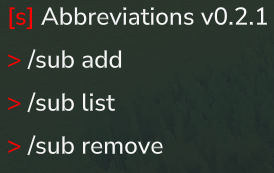
Type /sub to get the list of commands. Type one of the subcommands to get further instructions.
Examples:
Zero parameter command
/sub add /ic /inventory clear
/ic executes /inventory clear
Single parameter command
/sub add /t $0 /time set $0
/t day executes as /time set day
Two parameter command
/addsub /w $0 $1 /weather $0 $1
/w set Zone4_Wastes_Rain executes as /weather set Zone4_Wastes_Rain
Changing parameter order
/sub add /zyx $0 $1 $2 /tp $2 $1 $0
/zyx 12 120 50 executes /tp 12 120 50
Multi command
/sub add /clearnoon /weather clear /time noon
/clearnoon executes /weather clear and then /time noon.
Command with optional parameter
/sub add /g $i $q /give $i ++quantity $q
/g Food_Popcorn 664 executes /give Food_Popcorn --quantity 664
++ converts to -- to get optional parameters to work.
Overriding a vanilla command
/sub add /help /echo "testing"
/help executes /echo "testing" without opening the help menu
Same parameter multiple times
/sub add /same $0 /tp $0 $0 $0
/same 100 executes /tp 100 100 100
Permissions:
In a vanilla server with op you have all perms.
For servers admins:
potato.abbreviations.command.sub
potato.abbreviations.command.*
Adding abbreviations to non admin groups:
potato.abbreviations.command.thecommandname
In addition to the perm for the abbreviated command, the perms for the original command(s) is also required. So for example after doing "/sub add /ic /inventory clear", the command /ic requires permission for /ic and /inventory clear.
If you use luckperms I recommend "/lp verbose on" to see which permissions are missing.
Config file:
The config file appears at ./mods/AbbreviationPlugin/cmdsubstitutions.json
Install:
Use curseforge app
or
Put the .jar into your singeplayer or multiplayer server folder titled "mods" You can verify the mod is working by seeing if /day is recognized as a command.
Command Abbreviations Team