Chat Plugin
- By
A Hytale server plugin that provides advanced, configurable chat functionality with dynamic proximity-based modes, player groups, mentions, and permission-based customization.
chat1.png
chat3.png
chat4.png
chat2.png
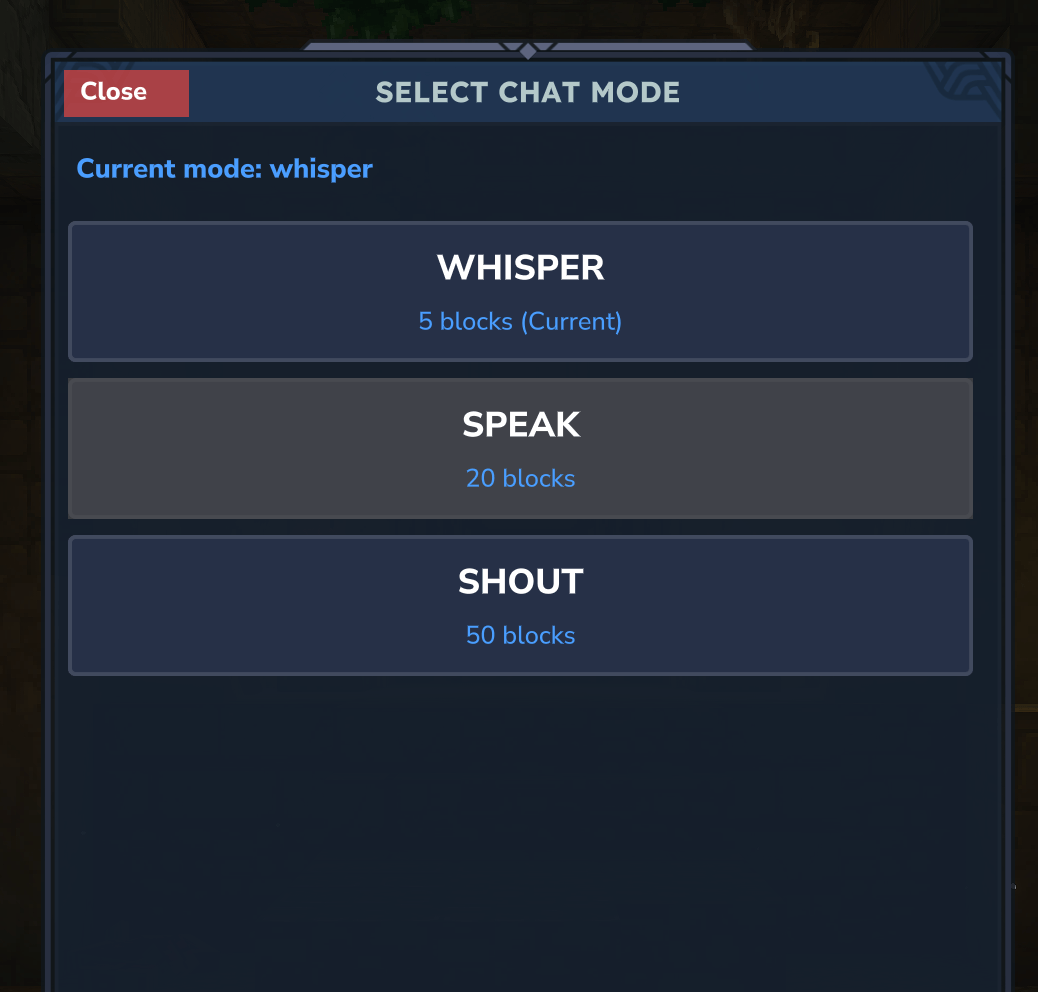
chat5.png
Description
ChatPlugin
ChatPlugin is a flexible and moderation-friendly chat system for Hytale servers.
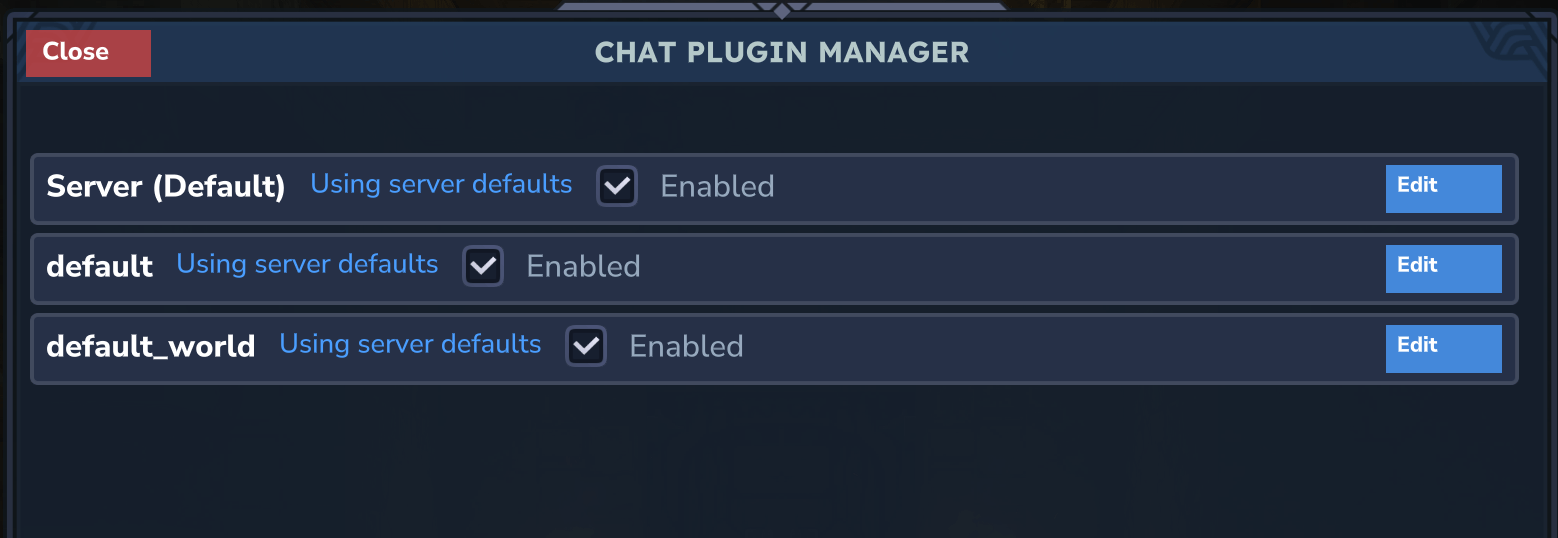
It adds dynamic chat modes, proximity chat, staff tools, and a full in-game configuration GUI.
Built for RP servers, community servers, and any setup that needs clear chat control with easy management.
If you use this plugin on your server,
could you please DM me and let me know which one?
Thanks!
Features
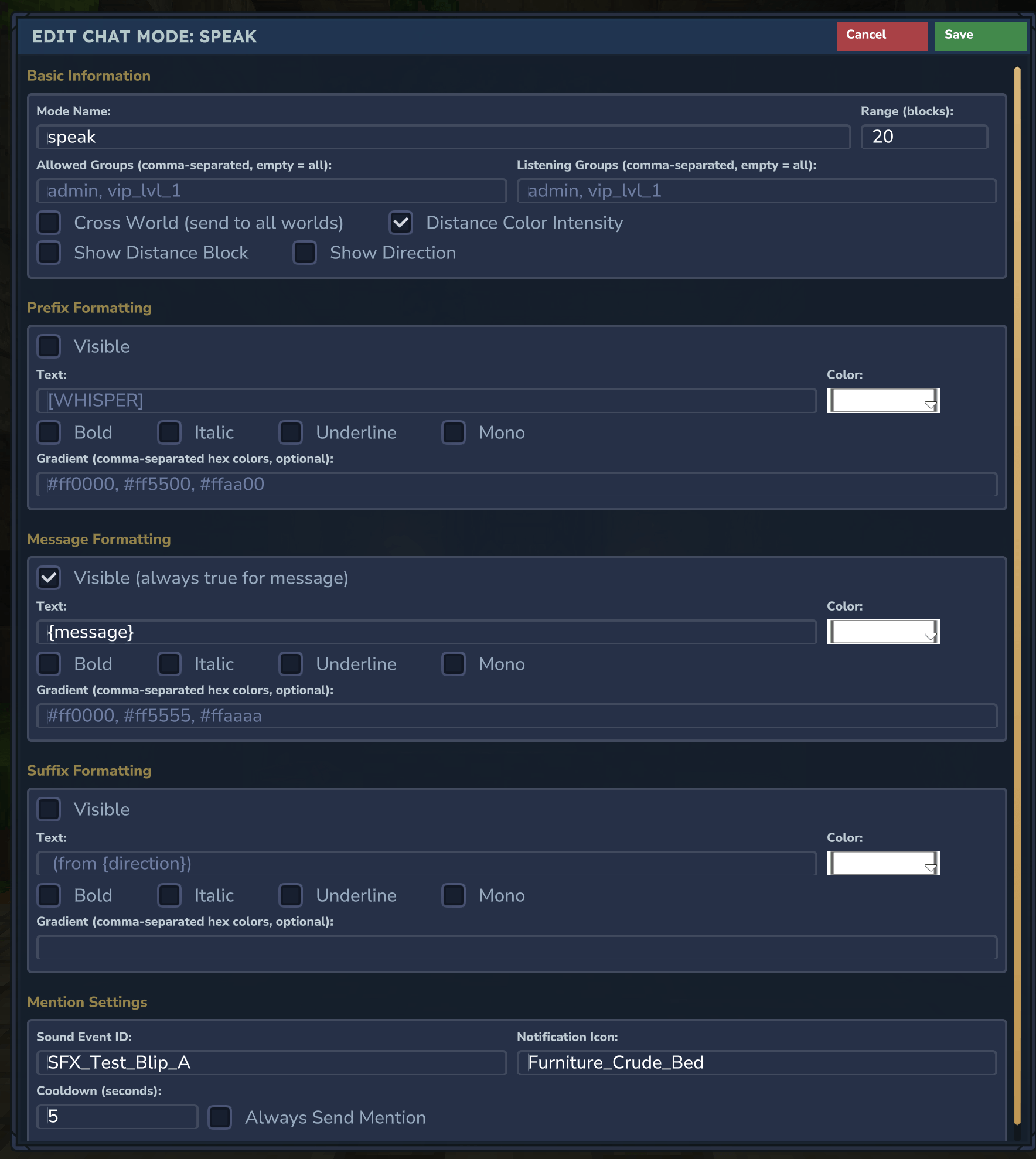
- Dynamic chat modes with custom range, formatting, visibility, and permissions
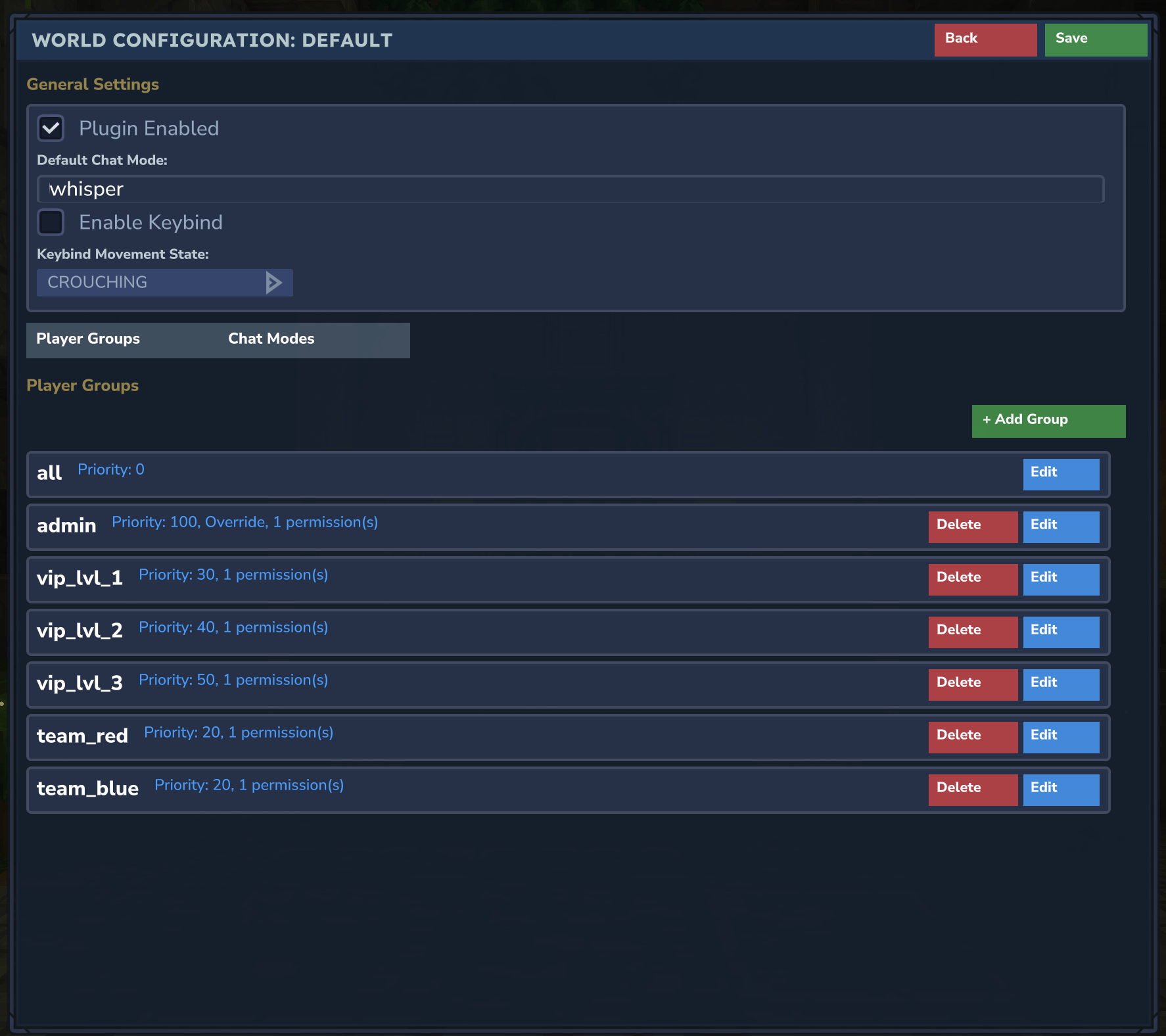
- Server-wide and world-specific configuration support
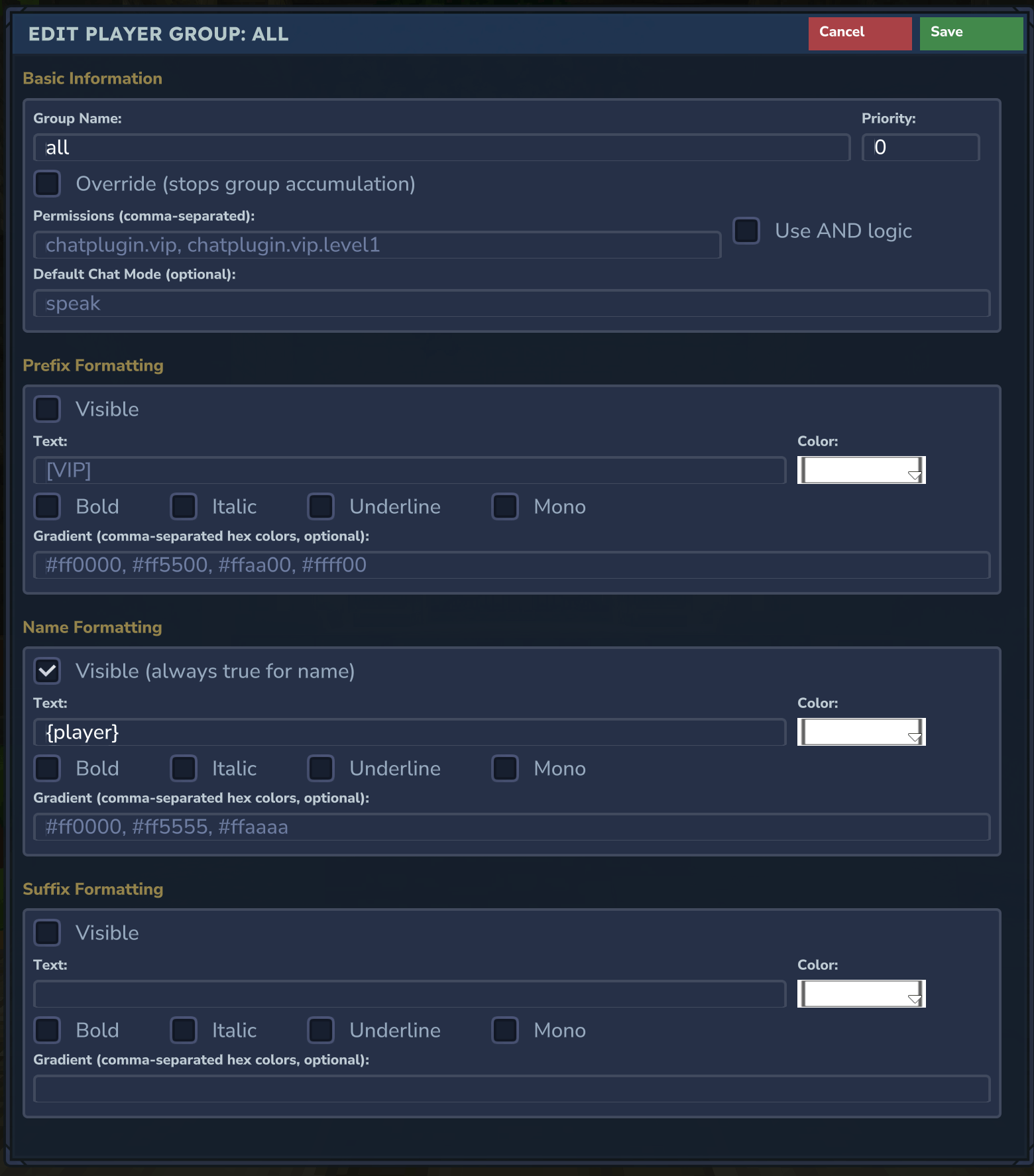
- Player groups with priority, permission logic, and custom prefix/name/suffix styles
- Mention system (@ and #) with notifications, sound, icon, and cooldown options
- Admin listen mode for staff moderation
- Advanced word filter:
- banned words and regex patterns
- replace / block / warn behaviors
- whitelist groups
- moderation visibility support for trusted staff
- Chat event logging for moderation (intercepted, blocked, and delivered messages)
- Keybind-based chat mode switching
- In-game admin GUI for live editing (including dedicated Word Filter tab)
- Auto Announcements:
- Schedule announcements by real time (timezone-aware, optional fixed dates) or in-game time
- Target all worlds or specific worlds per entry
- Per-entry message, chat mode, and optional event overlay (title, subtitle, icon, sound)
- Clickable links in messages: use `[link|<url>]` or `[link|<url>|<display text>]` (e.g. `Visit [link|https://example.com|our site] for more.`)
- Manual trigger from GUI (with confirmation) or from command by ID
- Delete and Run actions in the GUI require a second click within 10 seconds to confirm
- Recurring schedules:
- Interval mode: repeat every X minutes/hours for N occurrences (starting from base `Time`)
- Fixed times mode: run at explicit times in the same day (e.g. `09:00, 13:30, 18:00`)
- Works for both `REAL_TIME` and `IN_GAME_TIME`
- Supports optional `FixedDates` filtering for real-time schedules
- Schedule announcements by real time (timezone-aware, optional fixed dates) or in-game time
- Target all worlds or specific worlds per entry
- Per-entry message, chat mode, and optional event overlay (title, subtitle, icon, sound)
- Clickable links in messages: use `[link|<url>]` or `[link|<url>|<display text>]` (e.g. `Visit [link|https://example.com|our site] for more.`)
- Manual trigger from GUI (with confirmation) or from command by ID
- Delete and Run actions in the GUI require a second click within 10 seconds to confirm
- Recurring schedules:
- Interval mode: repeat every X minutes/hours for N occurrences (starting from base `Time`)
- Fixed times mode: run at explicit times in the same day (e.g. `09:00, 13:30, 18:00`)
- Works for both `REAL_TIME` and `IN_GAME_TIME`
- Supports optional `FixedDates` filtering for real-time schedules
Commands
- /chatmode (/chat, /cm)
Open the chat mode selection UI.
- /<modeId>
Switch directly to a specific chat mode (auto-generated from config).
- /<modePrefixAlias>
Optional alias generated from mode prefix, if configured.
- /listen (/adminlisten, /alisten)
Toggle admin listen mode.
- /chatgui (/cgui, /cg, /chatsettings)
Open the admin configuration GUI (Creative only).
- /chatreload (/creload, /chatcfgreload)
Reload plugin configuration at runtime (Creative only).
- /announce
Open the Auto Announce tab in the chat configuration GUI.
- /announce send <id>
Manually run a scheduled announcement by ID (respects entry permissions and manual settings).
- /announce send <id> --force
Force-run an announcement by ID (ignores disabled/manual-disabled; requires admin permission).
Permissions
- chatplugin.listen
Allows using listen mode (where applicable in your setup).
- chatplugin.filter.unfiltered
Allows viewing unfiltered message content for moderation.
- chatplugin.announce.admin
Allows force-running announcements via `/announce send <id> --force` (e.g. when entry is disabled or manual is disabled).
- chatplugin.announce.send.\ or per-entry **manualPermission**
Allows manually running specific announcements from command or GUI (when manual execution is enabled for that entry).
Quick Start
1. Install ChatPlugin on your server.
2. Open /chatgui in Creative mode.
3. Configure player groups and chat modes.
4. Configure Word Filter and moderation behavior.
5. (Optional) In the Auto Announce tab, create announcements (schedule, message, target worlds, chat mode) and use Run from the list to test; delete and run require a second click to confirm.
6. Save and reload config with /chatreload if needed.
The Chat Plugin Team


Owner