


Blu Schematic Converter
- By
Convert your Minecraft Schematics to Hytale Prefabs! Get your builds from Minecraft into Hytale with simple commands!
Schem list.png
Schem converted.png
paste command.png
Description
Blu Schematic Convertor
This is a Hytale plugin designed to convert your Minecraft schematics into Hytale Prefabs!
Setup & Install
- Add BluSchematicConvertor to Hytale /mods folder
- Restart your server
- Add Minecraft schematic in the /online.blufantasy_BluSchematicConvertor/schematics
- Restart server (Reload command coming soon)
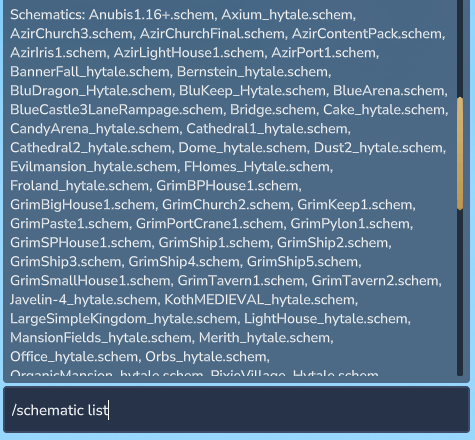
- Use /schematic list to view all your loaded schematics!
Commands
- /schematic list: List all available schematic files
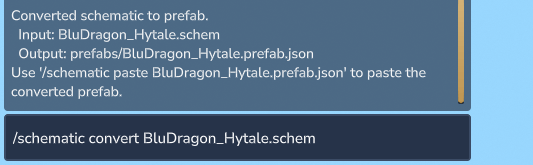
- /schematic convert <filename>: Convert a Minecraft schematic to Hytale prefab to paste
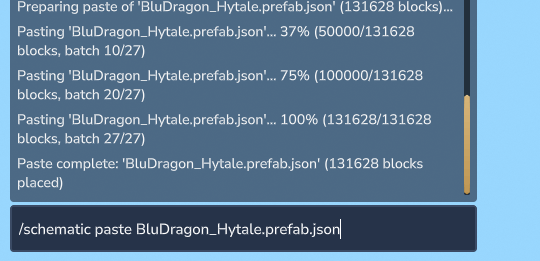
- /schematic paste <filename>: Paste a converted prefab at your position
- /schematic undo: Undo the last paste operation
Updates to come:
- Block ID matching: Need to perform some mappings between Minecraft -> Hytale Blocks, Decorations, plants, and more. Bare with us because its a lot of mappings.
- Optimize for builds bigger then 750,000 blocks aka Builds 400x400+
- Setup conversion for instance of water & Lava: Currently mapping of this is disabled.
- Add features for in-game UI menu for viewing schematics and converting.
- Add Command /schematic reload: To reload the plugin after adding or removing schematics.
- Add Command /schematic prefab delete <filename>: To remove a converted prefab from the /schematics/prefab folder.
- Add conversion for .litematic files.
- Add conversion for .nbt files.
- Add conversion for Worlds files.
- Hook into Hytale tool paste.
Need support? Join our Community Discord
Or for instant support use our Issue tracker
Blu Schematic Converter Team

