
Arcane Waystones (Customizable) - Physical Warps
- By
Showcase.png
Screenshot 2026-01-23 151736.png
Screenshot 2026-01-22 193137.png
Screenshot 2026-01-22 193315.png
Screenshot 2026-01-22 193440.png
Screenshot 2026-01-22 193219.png
Description
Arcane Waystones Version 0.4.3
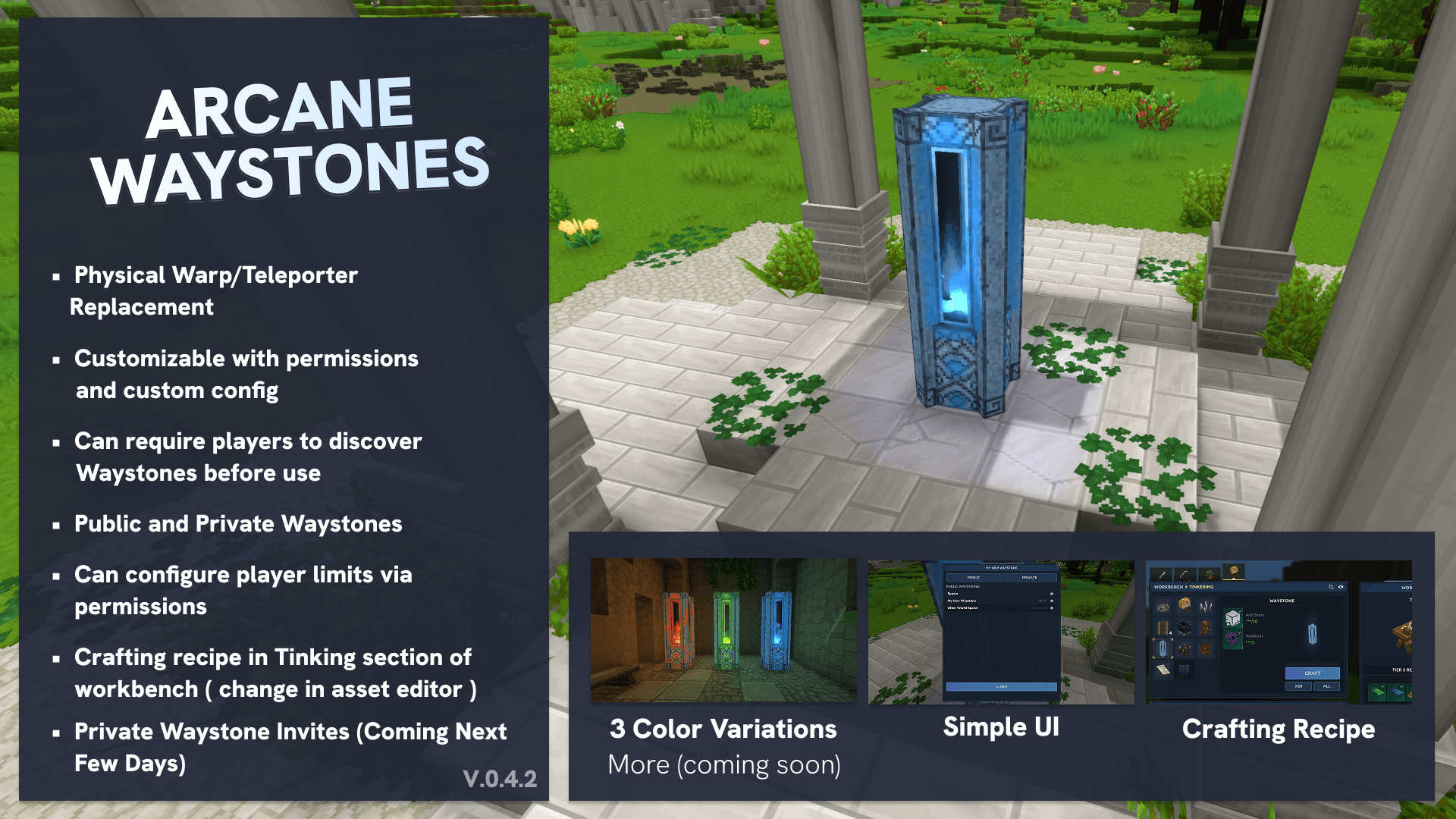
A fast-travel system for Hytale servers.
By default Players can craft and place Waystone statues throughout the world, name them, and teleport between them instantly. We have a variety of configurations available to use how you want.
HOTFIX - JAN 24 FIX FOR LUCKPERMS kicking/crashing
Q&A
1. Do Players need to discover Waystones?
By default no, all public waystones are accessible from all other waystones. But in the config files or with the server command /waystones config requireDiscover true you can make players have to interact with a waystone first.
2. How do I configure my Waystones?
Players/Waystone owners can edit their waystones. But there are also a variety of commands available to set moderator permissions. We mainly use the built in perm system that Hytale comes with using the /perm user add ... structure. Please see below documentation on our permissions setup.
3. Can I limit how many waystones players can create?
Yes! Use the permission hytale.command.waystones.maxWaystones.X where X is the number. For example, /perm user add <uuid> hytale.command.waystones.maxWaystones.3 limits that player to 3 waystones. If a player has multiple limits, the highest value is used. OPs bypass this limit entirely.
4. What are Server-Owned waystones?
Admins can mark any waystone as "Server Owned" in the settings. These don't show an owner name in the list and can only be broken by OPs. Great for spawn points or public landmarks.
Installation
- Download the latest
.jarfile from the releases - Place it in your server's (or Hytale)
modsfolder - Restart the server
- The plugin will create its data files automatically
Permissions Quick Reference
(More details in the Permissions section)
| Permission | Description |
|---|---|
hytale.command.waystones.allowListMenu |
Access /waystones list command |
hytale.command.waystones.allowEditAll |
Edit any waystone's settings |
hytale.command.waystones.allowSeeAllPrivate |
See and teleport to all private waystones |
hytale.command.waystones.allowPrivateWaystoneRemoval |
Break private waystones owned by others |
hytale.command.waystones.allowShowUndiscovered |
See all waystones without discovering them |
hytale.command.waystones.blockWaystonePlacement |
Prevent placing waystones |
hytale.command.waystones.blockWaystoneRemoval |
Prevent breaking waystones |
hytale.command.waystones.blockPublicWaystoneCreation |
Force new waystones to be private |
hytale.command.waystones.maxWaystones.X |
Limit player to X waystones |
Note: OPs bypass all restrictions.
Default Experience
Out of the box, here's what players can do:
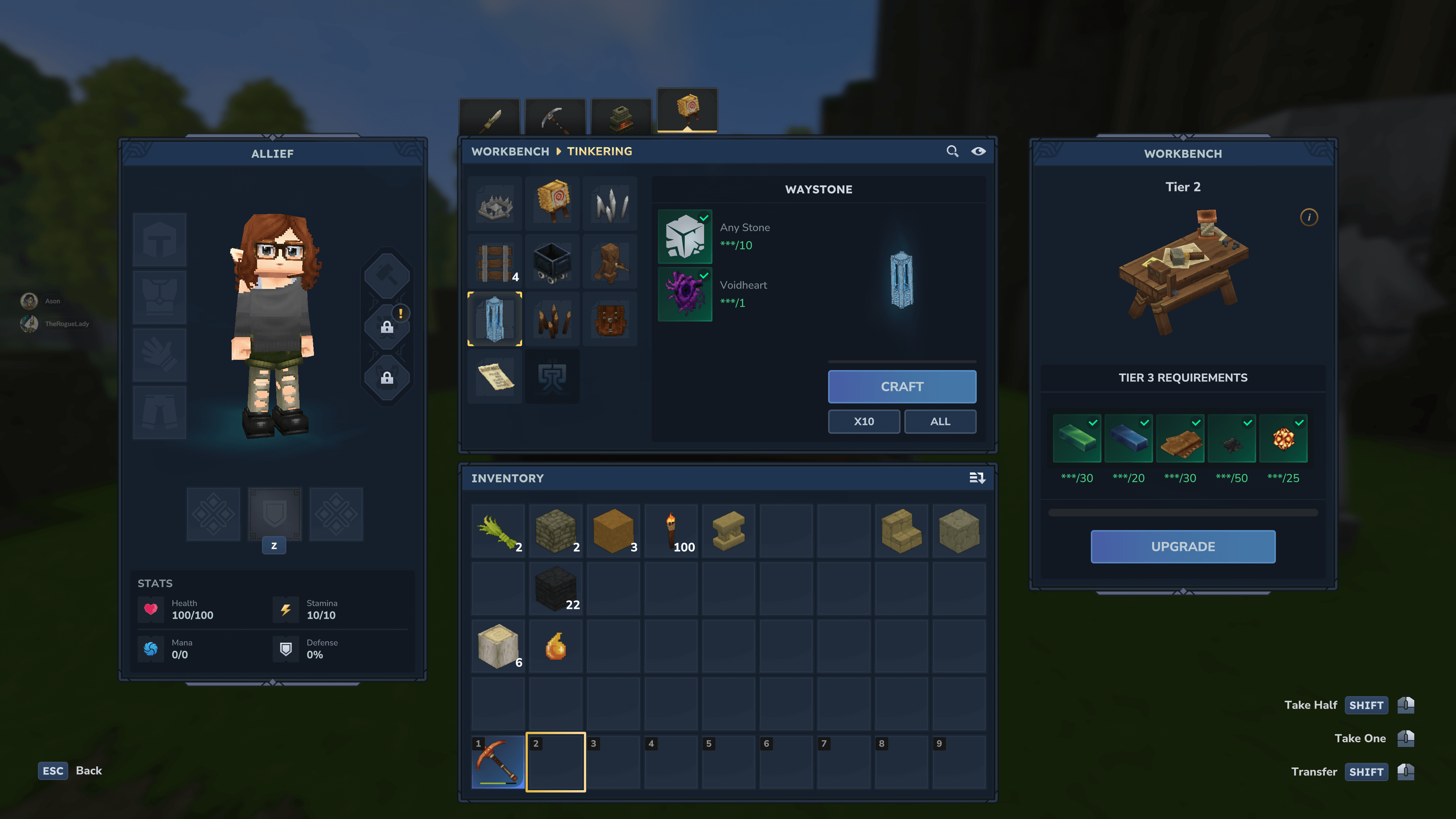
Crafting a Waystone
Waystones are crafted at a Tinkering Workbench using:
- 10x Rock
- 1x Voidheart
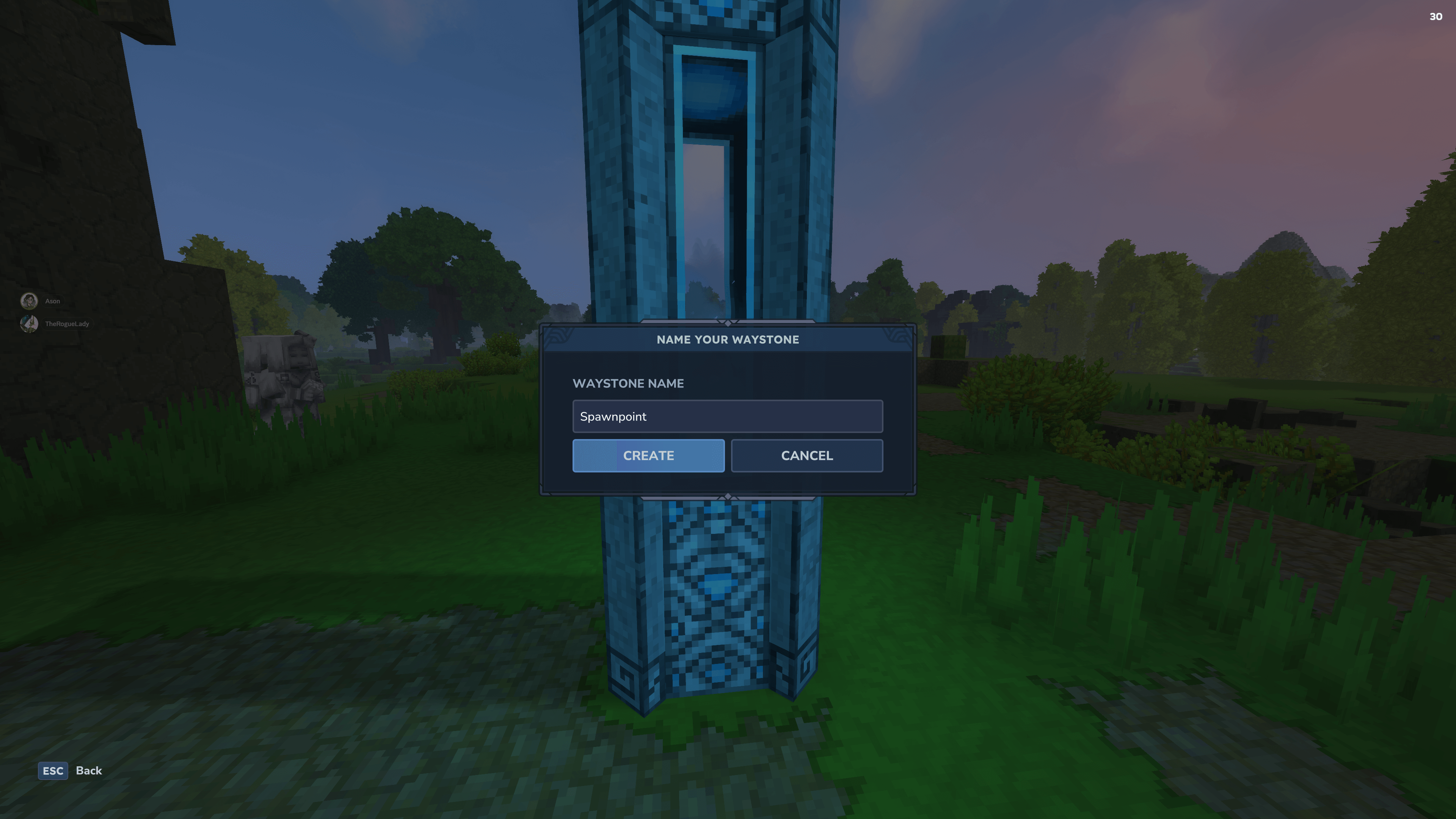
Placing & Naming
- Place the Waystone block anywhere in the world
- Right-click on it to open the naming dialog
- Enter a name for your Waystone and confirm
- Your Waystone is now registered and ready to use!
Using Waystones
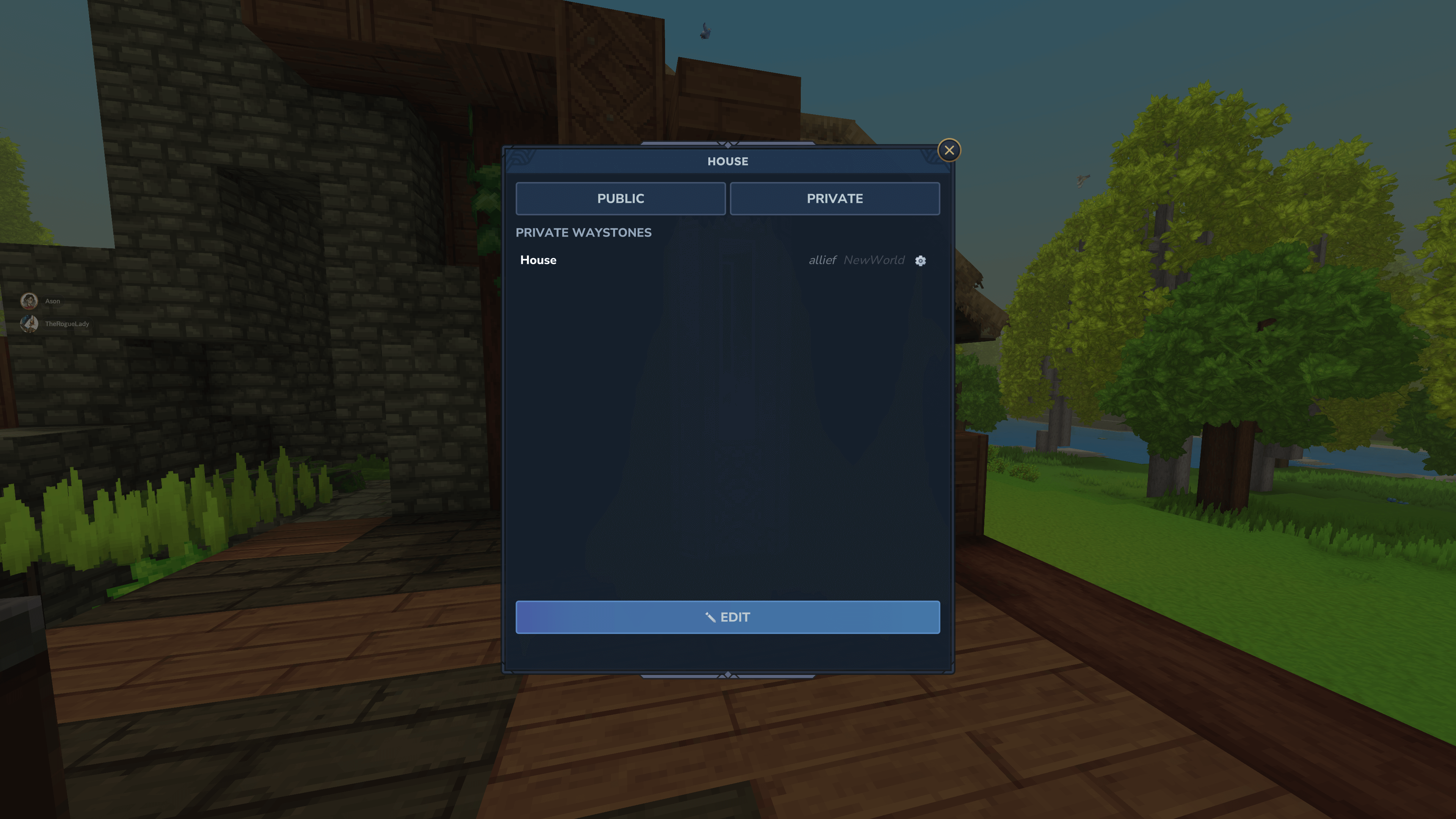
- Right-click any Waystone to open the teleport menu
- You'll see two lists - Public Waystones (visible to all) and Private Waystones (only your own)
- Click a destination to teleport there instantly
- A banner announces your arrival at the destination
Breaking Waystones
- Players can break their own waystones at any time
- Breaking removes it from the teleport network
- Server-owned waystones can only be broken by OPs
Waystone Settings
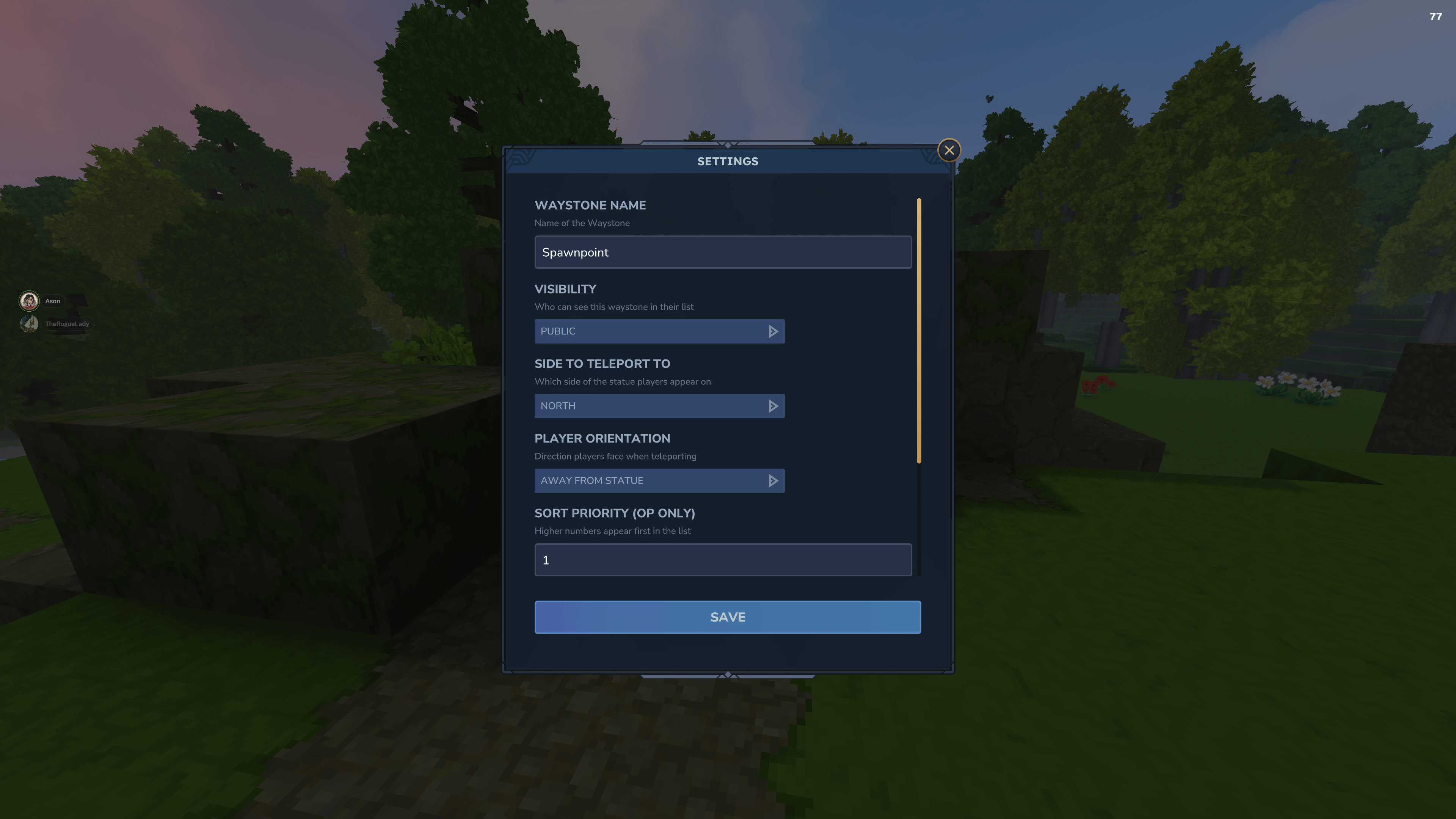
Owners can customize their waystones with these options:
| Setting | Description |
|---|---|
| Name | The display name shown in the teleport list |
| Visibility | Public (everyone can see) or Private (only you) |
| Teleport Direction | Which side of the statue players appear on (North/South/East/West) |
| Player Orientation | Direction players face after teleporting (Away from or Towards the statue) |
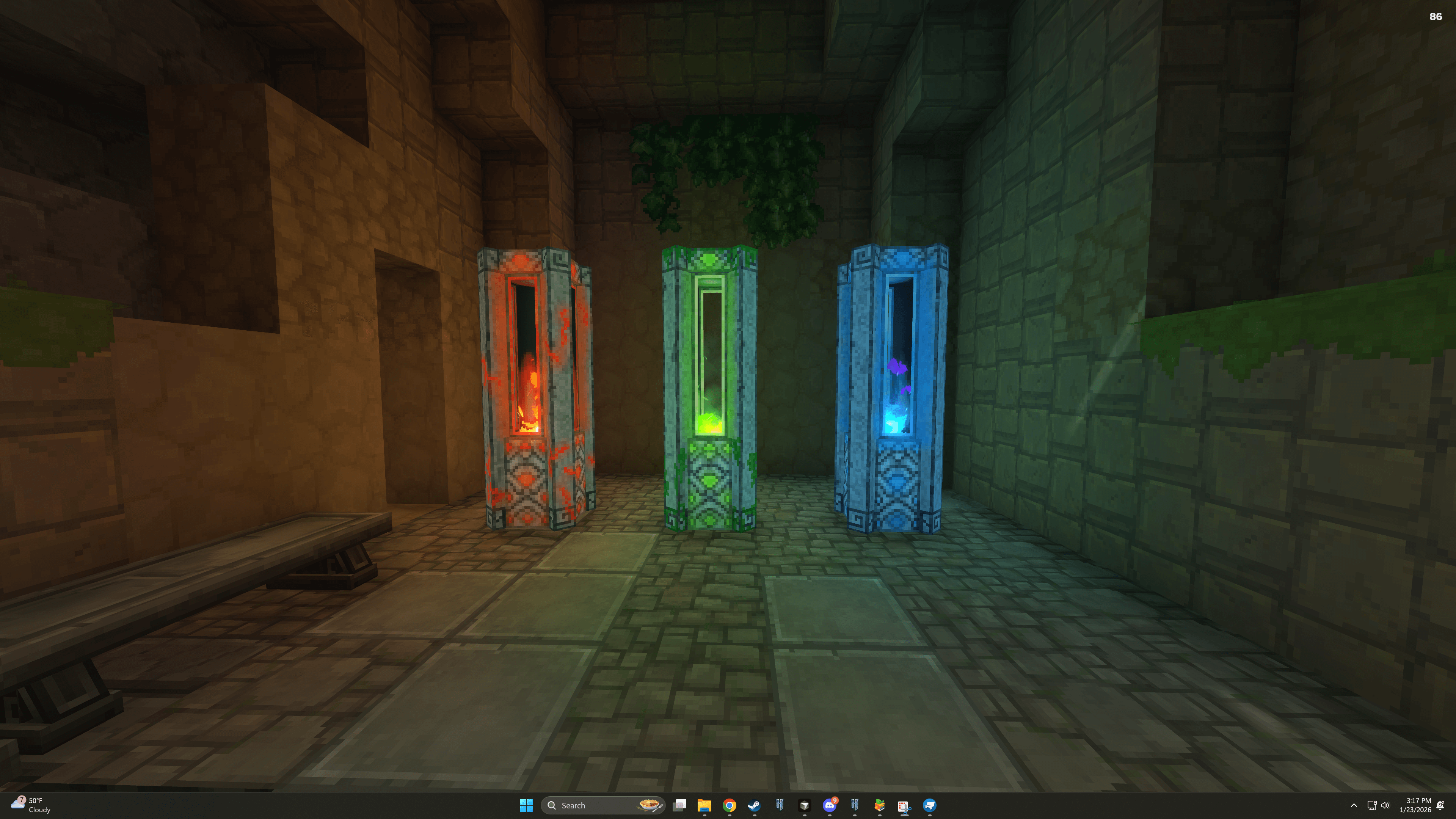
| Color | Visual style of the Waystone (Blue, Red, or Green) |
Waystone Colors
Waystones come in three visual styles:
| Color | Description |
|---|---|
| Default (Blue) | Standard cyan glow with blue fire particles |
| Red | Warm red glow with fire particles |
| Green | Nature-themed green glow with green fire particles |
Players can change the color of their waystones in the settings menu. The color is purely cosmetic and doesn't affect functionality.
Commands
| Command | Description |
|---|---|
/waystones list |
Open the waystone list without being at a waystone (requires allowListMenu permission) |
/waystones edit "<name>" <property> <value> |
Edit a waystone property (requires allowEditAll permission) |
/waystones config <property> <value> |
Edit plugin configuration (OP only) |
Edit Command Examples
/waystones edit "Spawn" name "Server Spawn"
/waystones edit "My Base" isPublic true
/waystones edit "Hub" color red
/waystones edit "Tower" teleportDirection north
/waystones edit "Market" serverOwned true
/waystones edit "Spawn" defaultDiscovered true
Editable properties: name, isPublic, priority, textColor, teleportDirection, playerOrientation, serverOwned, ownerName, ownerUuid, defaultDiscovered, color
Config Options
The plugin stores configuration in waystones.json within your universe folder. You can modify settings via commands:
| Command | Description |
|---|---|
/waystones config debugLogs true |
Enable debug logging (helpful for troubleshooting) |
/waystones config debugLogs false |
Disable debug logging |
/waystones config requireDiscover true |
Enable the discovery system |
/waystones config requireDiscover false |
Disable the discovery system |
Discovery System
When discovery is enabled:
- Players must physically visit a Waystone before they can see it in their list
- This encourages exploration - players must find Waystones before they can teleport to them
- Server admins can mark specific Waystones as "Default Discovered" so everyone can see them even without visiting
- Use
/waystones edit "Spawn" defaultDiscovered trueto make a waystone always visible
Common Server Setups
Public Server (Exploration Focus)
Enable discovery and mark spawn as always visible:
/waystones config requireDiscover true
/waystones edit "Spawn" defaultDiscovered true
/waystones edit "Spawn" serverOwned true
Survival Server (Limited Waystones)
Limit players to a few personal waystones:
/perm group add Survivors hytale.command.waystones.maxWaystones.3VIP players could get more:
/perm group add VIP hytale.command.waystones.maxWaystones.10Private Server (Full Access)
No configuration needed - the defaults work great for private servers where everyone is trusted.
Roleplay Server (No Public Waystones)
Force all player waystones to be private:
/perm group add Players hytale.command.waystones.blockPublicWaystoneCreationOnly admins can create public waystones for important locations.
Data Storage
All Waystone data is stored in your universe folder:
waystones.json- All Waystone data and configurationwaystones-players.json- Player discovery data (when discovery is enabled)
These files are automatically saved when changes occur.
Troubleshooting
Waystone not appearing in list
- Check if discovery is enabled - you may need to visit it first
- Check if it's a private Waystone owned by someone else
- Verify you have permission to see it
Can't break a Waystone
- Server-owned Waystones require OP status to break
- Check if you have the
blockWaystoneRemovalpermission - Private Waystones owned by others require
allowPrivateWaystoneRemovalpermission
Color not changing
- Make sure you saved the settings after changing the color
- The server may need a moment to update the block in the world
- Try moving away and back to the Waystone
Debug Logging
Enable debug logs to see detailed information:
/waystones config debugLogs trueCheck your server console for messages prefixed with [Waystone].
Credits
Created by AllieF, Textures and Testing by TheRogueLady
Arcane Waystones (Customizable) - Physical Warps Team
