Applied Energistics 2 (Unofficial)
- By
Unofficial port of Applied Energistics 2: ME networks, storage cells, channels, terminals and full autocrafting. me system
Bildschirmfoto 2026-11-15 um 10.31.40.png
Bildschirmfoto 2026-11-15 um 09.52.52.png
Bildschirmfoto 2026-11-15 um 09.51.53.png
Bildschirmfoto 2026-11-15 um 10.24.45.png
Bildschirmfoto 2026-11-15 um 09.51.02.png
Description
Applied Energistics 2 – Unofficial Port
Ported to Hytale by Fellurion from Applied Energistics 2, the Minecraft mod by AlgorithmX2 et al.
This is an unofficial port. It is not affiliated with or endorsed by the AE2 team. Please report bugs here, not to the Applied Energistics 2 project.
Store thousands of items in a few blocks, find anything in seconds and let your base craft for you. The game logic – ME networks, channels, energy, storage cells, autocrafting, P2P tunnels, Spatial IO – is ported from the AE2 source code with AE2's own rules and numbers, so it behaves the way AE2 players know it. Models and textures are converted from AE2 and adjusted for Hytale.
Free for everyone. One jar contains the server plugin and the asset pack – drop it into your mods folder.
Features
ME network and power
- Cables (glass, covered, smart, dense – in all 16 colours) that connect to their neighbours on their own
- Channels exactly like AE2: 8 per cable, 32 per dense cable, a controller for larger networks; smart cables light up with the channels in use
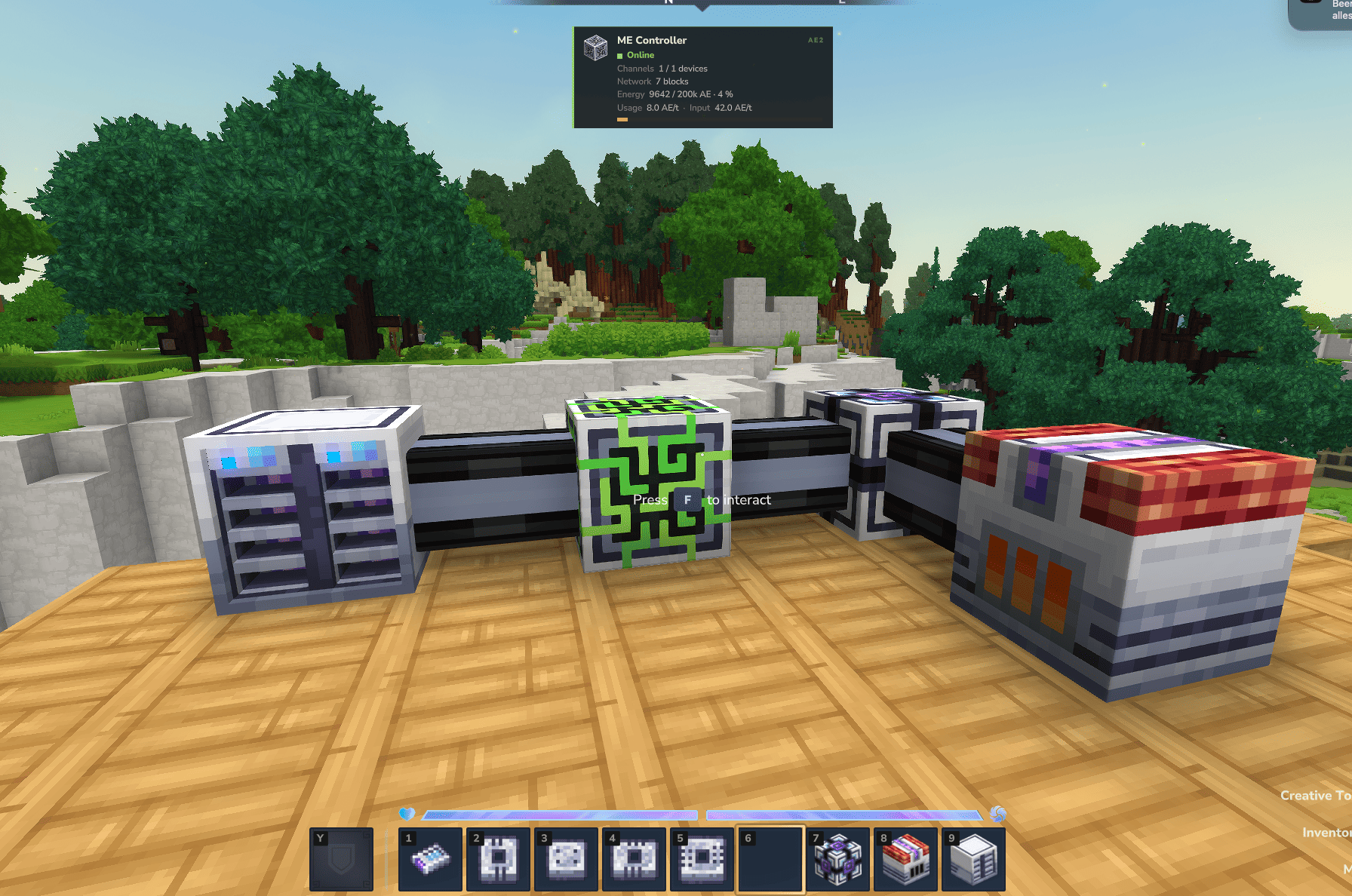
- ME Controller, energy cells, dense and creative energy cells
- Vibration Chamber (burns fuel), Crystal Resonance Generator (passive) and the Crank for the early game
Storage
- ME Drive and ME Chest with item and fluid storage cells from 1k to 256k, visible in the drive
- Cell tooltips like in AE2: bytes used, types stored and the largest contents
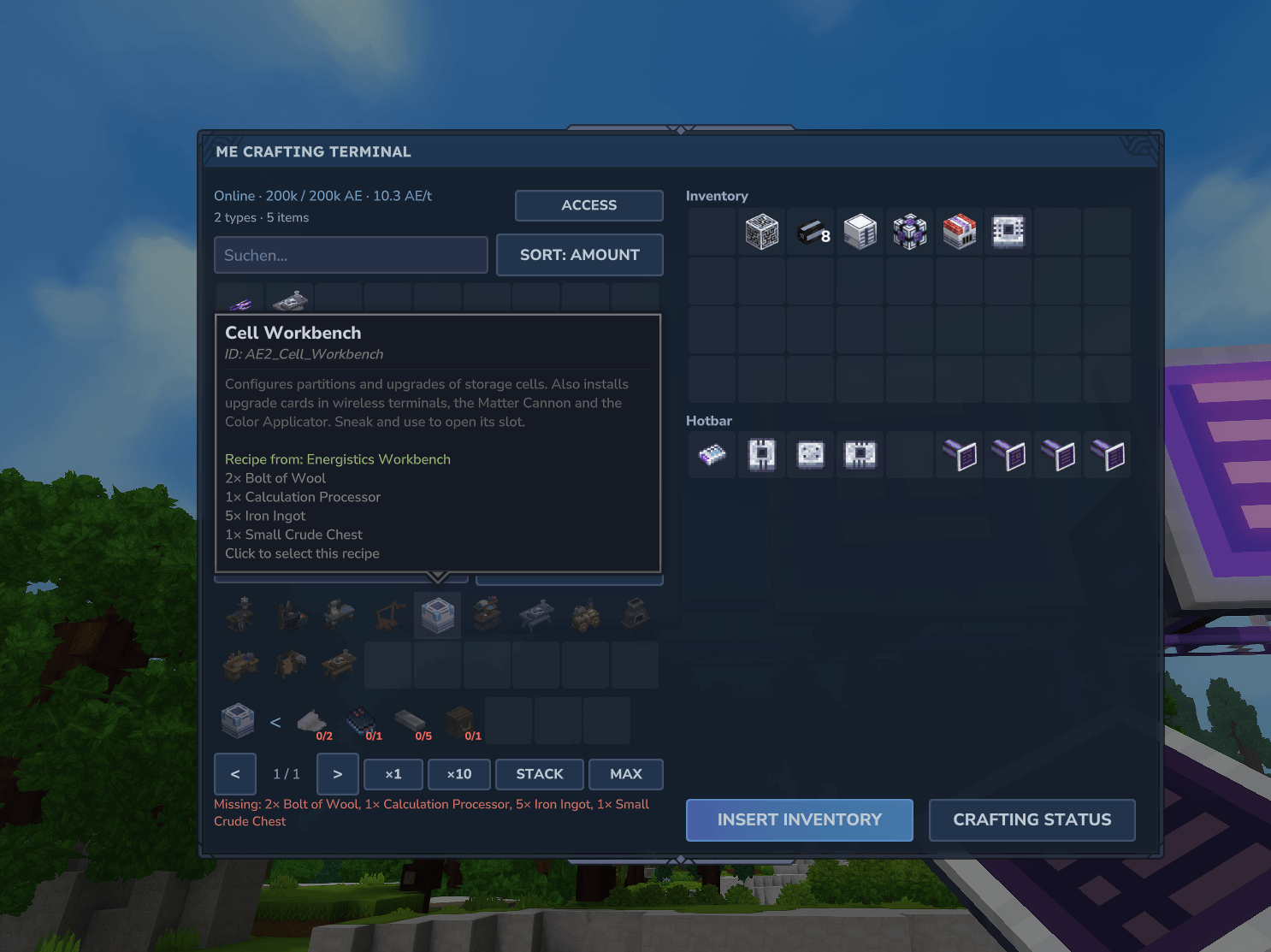
- Cell Workbench: partitions, upgrade cards, the creative cell – and upgrade cards for handheld devices
- Portable cells that open in your hand
Terminals
- ME Terminal with search, sorting, insert and extract – items and fluids
- Crafting Terminal: pick a recipe and craft it straight from the network (×1, ×10, stack, max)
- Pattern Encoding Terminal and Pattern Access Terminal
- Wireless Terminal and Wireless Crafting Terminal with the Wireless Access Point and Wireless Boosters
Autocrafting
- Pattern Provider and Molecular Assembler with Hytale recipes as crafting and processing patterns
- Crafting CPUs from crafting units, storage and co-processors
- Request crafts from the terminal and follow them on the crafting status screen
Automation
- Import Bus, Export Bus, Storage Bus and ME Interface with filters, upgrade cards and settings
- Inscriber, Charger and Condenser; upgrade cards and settings of every machine open with sneak + use
- Annihilation Plane and Formation Plane: break, collect and place blocks, items and fluid sources
- ME IO Port: empties storage cells into the network or fills them from it
- Level Emitter, Energy Level Emitter, Light Detecting Fixture and Redstone Card – Hytale has no redstone, so AE2 brings its own signal
- Storage Monitor and Conversion Monitor with a floating item display
Networks across distance
- P2P tunnels: ME (32 channels through one), item, fluid, signal and light – linked with the Memory Card
- Quantum Network Bridge: joins two places of a world into one network with a pair of entangled singularities
- Quartz Fiber shares power between networks, the Toggle Bus switches network sections
Fluids
- Fluid cells, fluids in every terminal, the Sky Stone Tank, buses on tanks and the Fluid P2P Tunnel
- Water goes in and out with a bucket; lava, poison, slime and tar through planes, tanks and buses
Spatial IO
- Frame up to 128³ blocks with Spatial Pylons, store them in a Spatial Storage Cell and bring them back at another frame – blocks, rotation, fluids and the contents of chests and machines included
- The Spatial Anchor keeps the chunks of its network loaded and running
Tools
- Wrench (rotate and dismantle), Network Tool (network status, toolbox for upgrade cards), Memory Card (copy settings, link P2P tunnels), Cutting Knife with the Name Press (rename items in the Inscriber)
- Entropy Manipulator, Charged Staff, Matter Cannon and Color Applicator, charged in the Charger
- Tiny TNT – also makes Quantum Entangled Singularities from a Singularity and Ender Dust
Meteorites
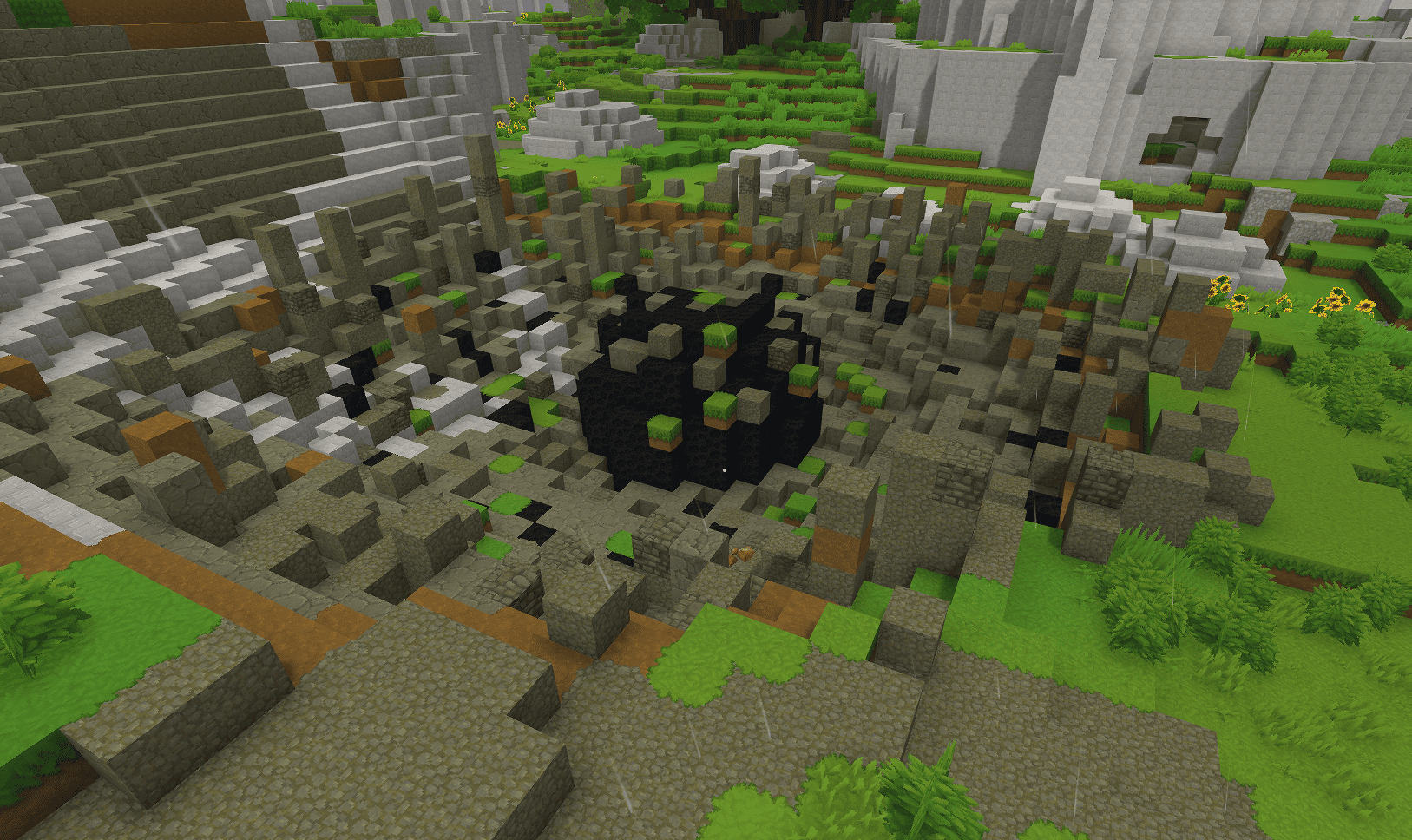
- No ores, exactly like current AE2: certus quartz, sky stone and the inscriber presses come from meteorites
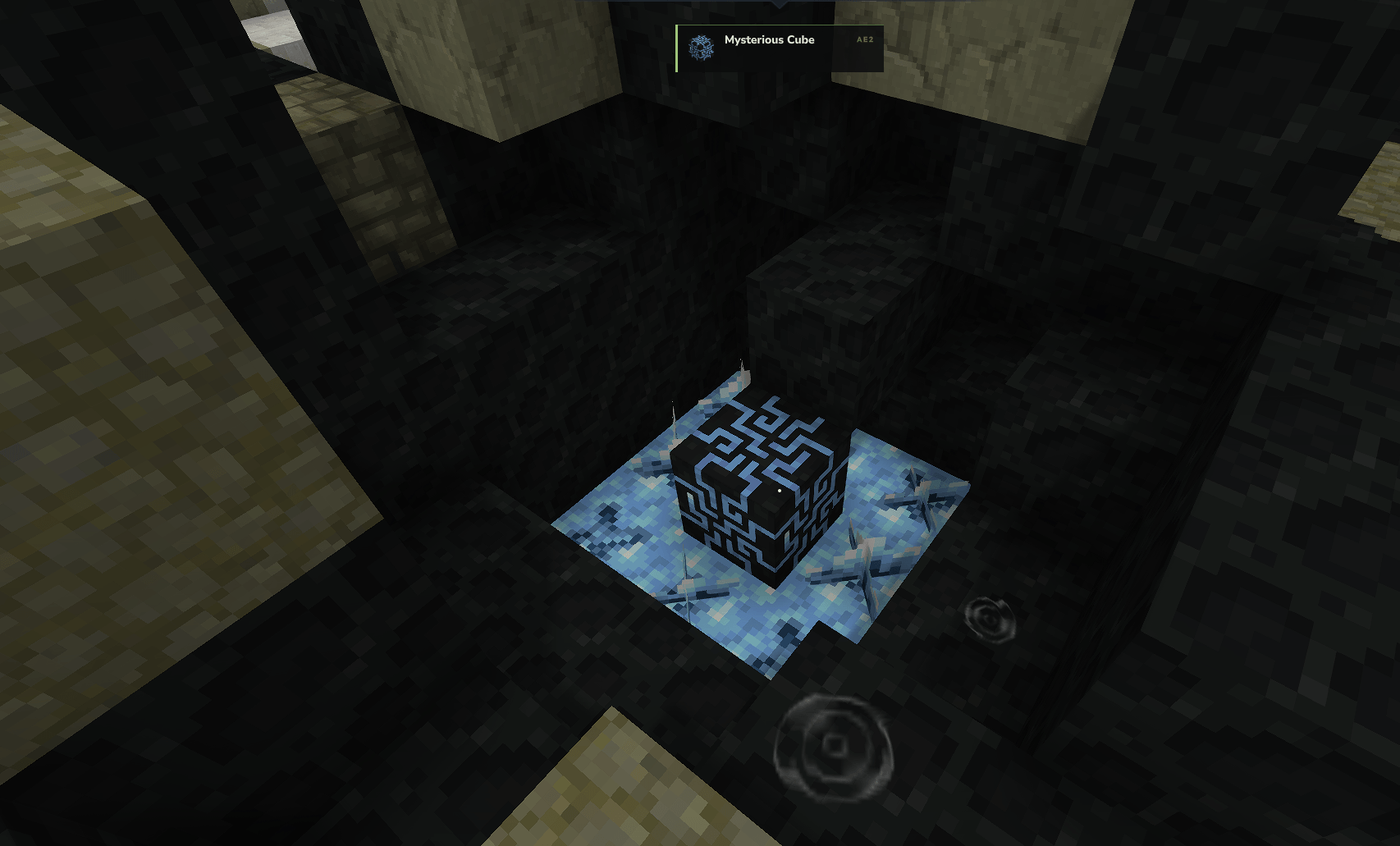
- World generation (on by default): new terrain gets meteorites with AE2's rules – crater, sky stone body, Mysterious Cube and budding certus quartz
- Impact event (optional, off by default): a meteorite falls near players with warning, fire trail and a fresh
crater – never into player builds, claims (ClaimPro, OrbisGuard, CoreSys), near beds or the spawn.
Enable it per world with
/ae2 meteorites impacts on - Certus quartz growth with budding quartz and the Growth Accelerator; Meteorite Compass in the compass bar
Extras
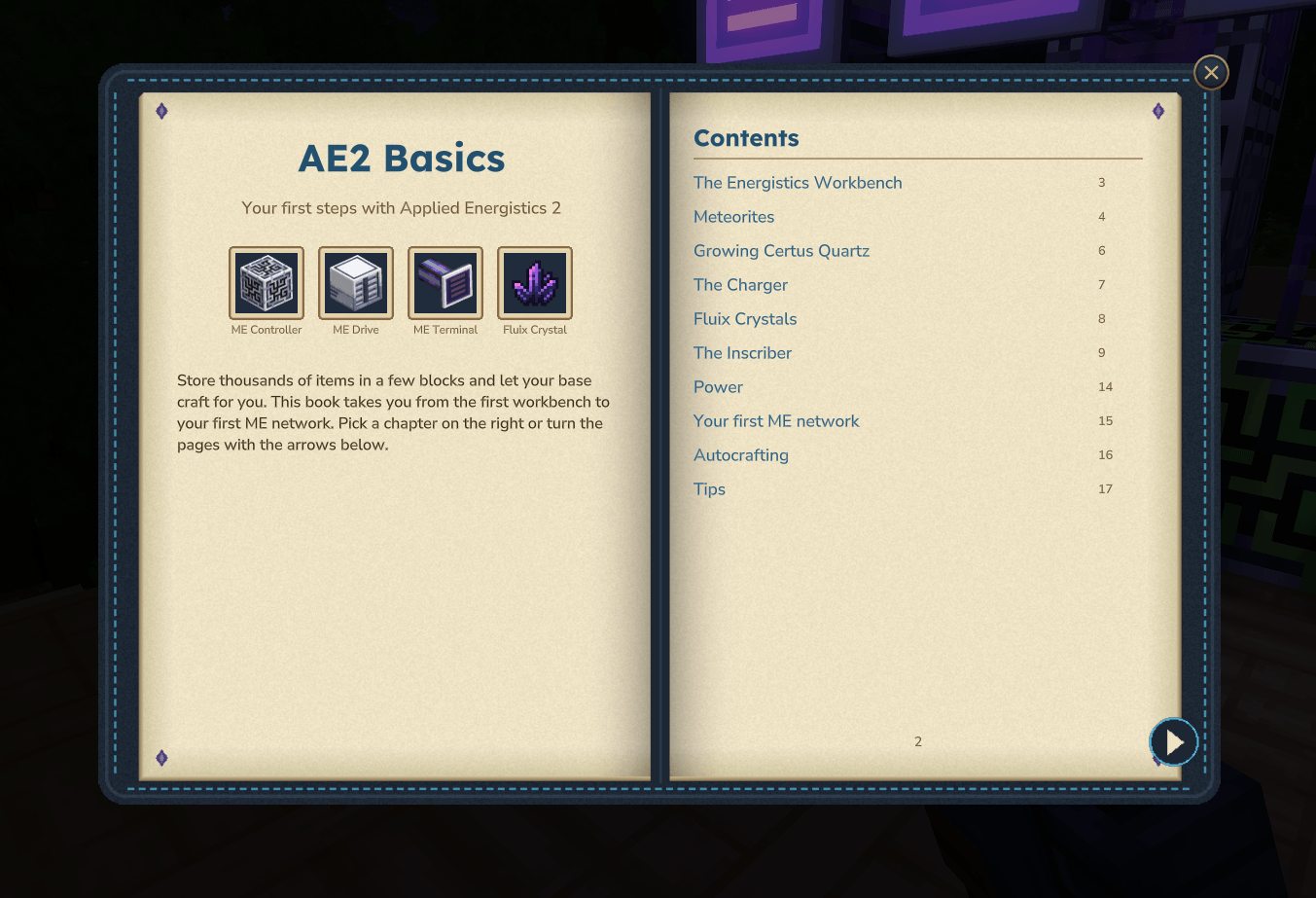
- "AE2 Basics" book: an in-game handbook with every step and all Inscriber recipes, with pictures – crafted at a normal Workbench, opened with a click
- Look-at info panel: look at any AE2 block to see channels, power, cell usage or machine progress
- Network ownership: a network belongs to the player who built it. Only the owner and the players they add under
"Access" in the terminal can use it. Admins with
ae2.admincan access everything. - Devices that change the world on their own (planes, Spatial IO, Tiny TNT) respect claims
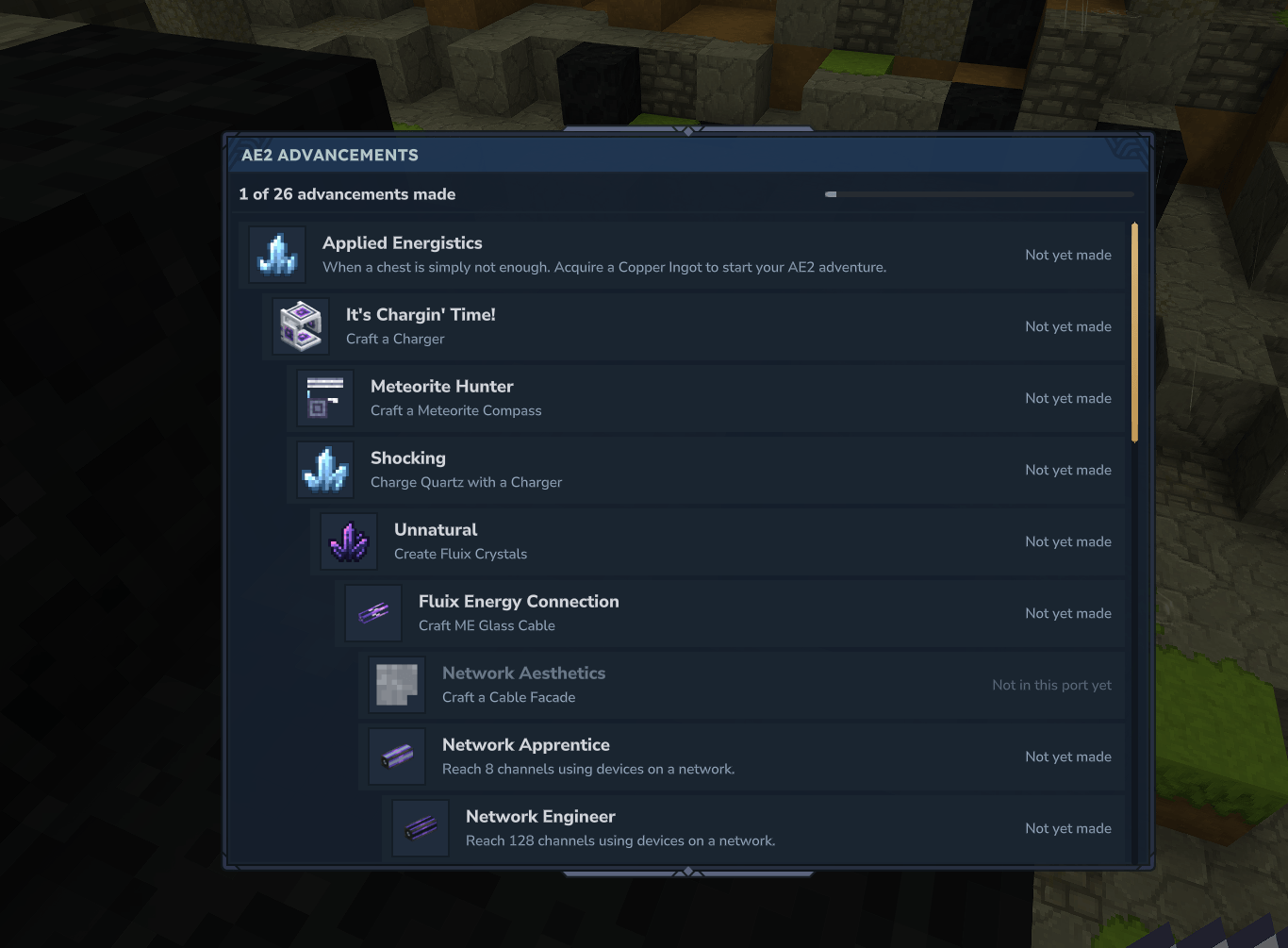
- Connected quartz glass, 26 AE2 achievements (
/ae2 advancements) - English by default; every player can switch to German with
/ae2 language de(back with/ae2 language en)
Getting started
- Craft the book AE2 Basics at a normal workbench – it explains all of the following in the game.
- Craft the Energistics Workbench at a normal workbench. All AE2 recipes are made there.
- Find a meteorite (the Meteorite Compass helps): mine the Mysterious Cube for the presses and take the budding certus quartz home to grow certus crystals.
- Make processors in the Inscriber (use a Crank for power at the start).
- Build a Vibration Chamber or Crystal Resonance Generator for power.
- Place an ME Drive with a storage cell, an ME Terminal and connect everything with cables.
- Once you have more than 8 devices, add an ME Controller.
Every AE2 item tells you in its description how to use it.
Differences from Minecraft
- Parts become blocks. Buses, terminals and panels are thin blocks you place in all 6 directions; their back connects to the network.
- Own workbench for all AE2 recipes; Minecraft ingredients are mapped to matching Hytale items.
- No crafting grid. Hytale recipes are ingredient lists, so the Crafting Terminal offers a recipe list.
- AE2 signal instead of redstone. Level Emitters and the Light Detecting Fixture send it to the blocks next to them; Redstone Cards, Toggle Buses, the IO Port, Pattern Providers, Tiny TNT and the Spatial IO Port react to it.
- Sneak + use opens upgrade cards and settings; tools and handheld devices act with a right click.
- Spatial IO keeps a stored region in a file per cell instead of a second dimension; players and creatures are not moved. The Quantum Network Bridge links places within one world.
- Fluids: Hytale's only fluid container is the water bucket; other fluids move through planes, tanks and buses.
- Existing worlds: terrain generated before the mod was installed has no meteorites. Explore new terrain, enable the impact event, or use the recipes for presses, sky stone and certus quartz.
- Like in Minecraft, AE2 machines only run while a player is nearby – or while a Spatial Anchor keeps them running.
Not ported
View cells, facades, smithing and stonecutting patterns, fluids in the ME Interface and in patterns. The Energy Acceptor and the FE P2P Tunnel exist but have nothing to do, because Hytale has no external energy system.
Commands
| Command | Who | What it does |
|---|---|---|
/ae2 info x y z |
everyone | Network info for an AE2 block (only your own networks) |
/ae2 advancements |
everyone | Your AE2 achievements |
/ae2 language en|de |
everyone | Switch your AE2 language (default English) |
/ae2 perf |
admin | AE2 tick times for the current world |
/ae2 meteorites … |
admin | Meteorites per world: status, worldgen on|off, impacts on|off, interval, protection, spawn, nearest, allow |
/ae2 monitordisplay on|off |
admin | Floating item display of the monitors |
Admin permission: ae2.admin. Settings files are in mods/de.fellurion_AppliedEnergistics2/ (meteorites, planes,
fluids, Spatial IO, tools and monitors, language).
Performance
AE2 is light on the server. A test network with 520 blocks, 200 storage cells and 2,000 item types needs about
0.5 ms per tick while idle (about 1 % of the tick budget). Use /ae2 perf to measure your own base.
Credits and licenses
Original mod: Applied Energistics 2 by AlgorithmX2 et al. Hytale port: Fellurion
| Part | License | Authors |
|---|---|---|
| Code | LGPL-3.0 | (c) 2013–2020 AlgorithmX2 et al.; port (c) Fellurion |
| API | MIT | (c) 2013–2020 AlgorithmX2 et al. |
| Textures and models | CC BY-NC-SA 3.0 | (c) 2020 Ridanisaurus Rid, (c) 2013–2020 AlgorithmX2 et al. |
| Texts and translations | CC0 | AE2 contributors |
The textures and models were converted to Hytale's formats and adjusted. They may not be used commercially: do not sell this mod or its assets, and do not put them behind a paywall (for example as part of a paid server rank).
Reusing this port? You must credit both the original AE2 authors and Fellurion as the author of the
Hytale port, and keep the license and NOTICE files. Details: NOTICE.md in the repository.
Source code: https://github.com/Fellurion/Applied-Energistics-2-Unofficial-Hytale-Port-
Applied Energistics 2 (Unofficial) Team