


Anti Mob Torch (Prevent Monster Spawn)
- By
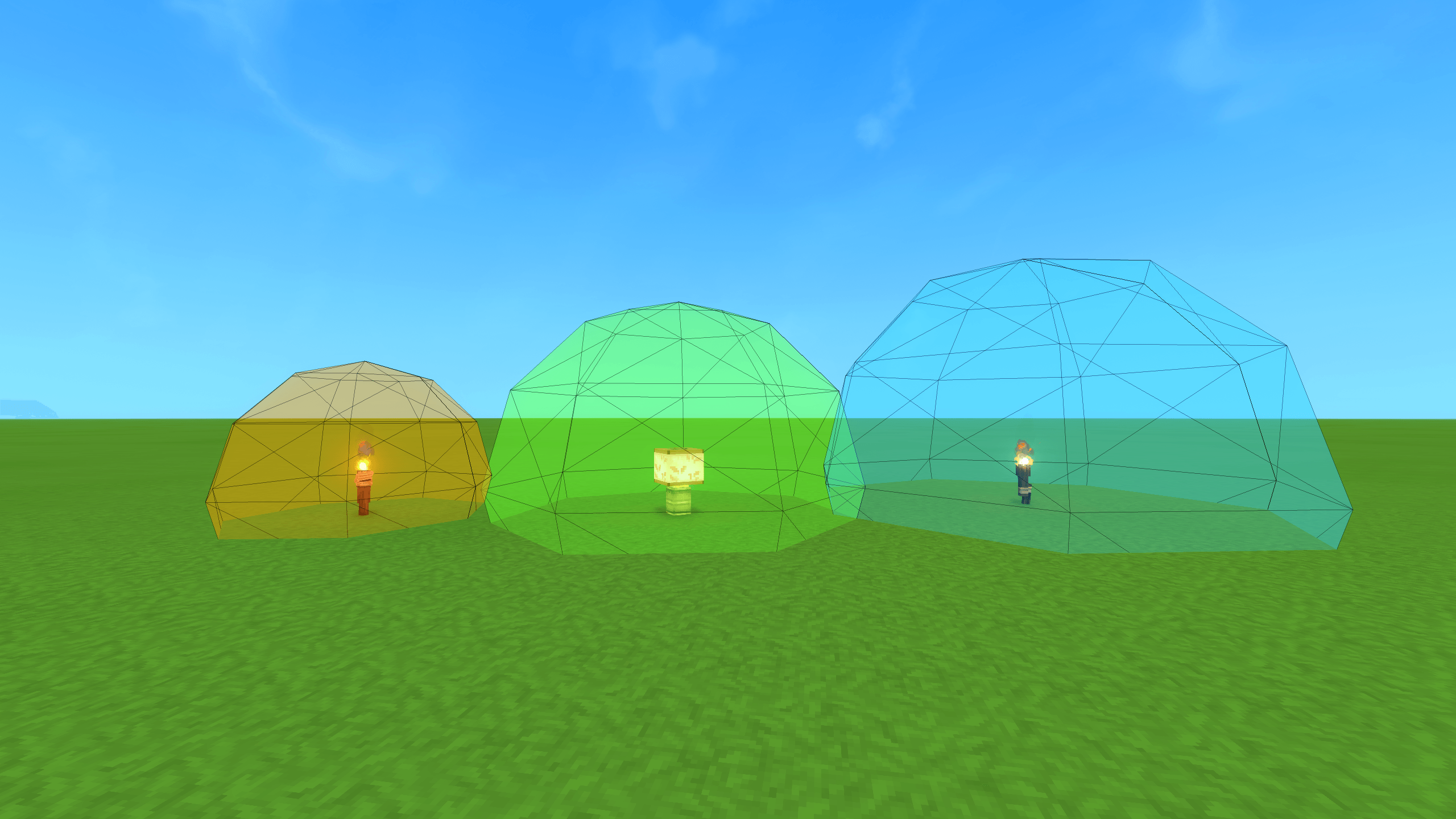
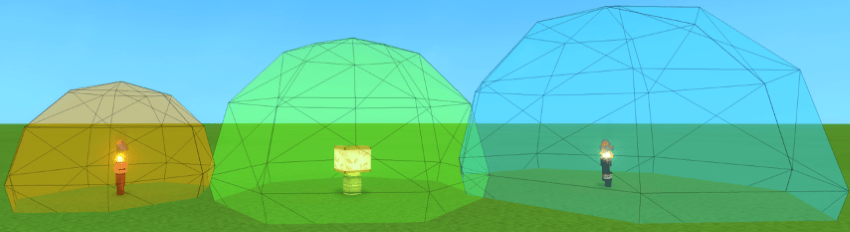
The visualization range displayed
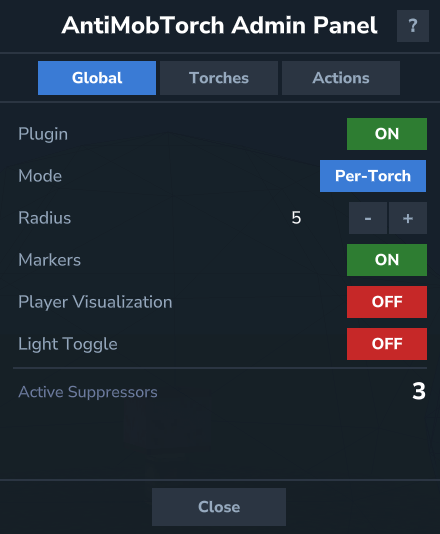
Toggle plugin on/off, switch between global and per-torch mode, adjust radius and marker suppression, view active suppressor count
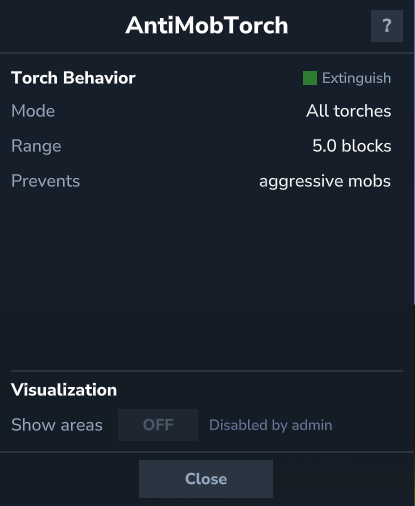
Shows current suppression status — mode, radius, which mob groups are blocked, active suppressor count
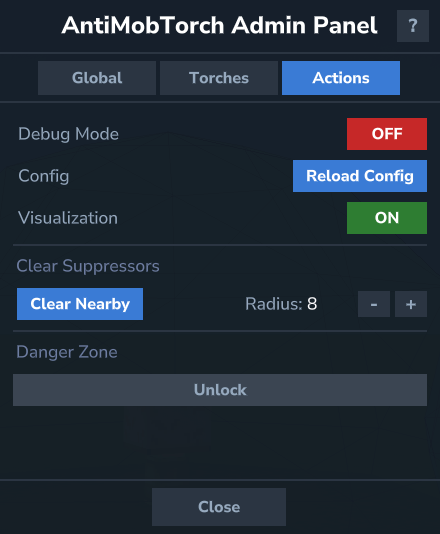
Debug toggle, reload config, visualization toggle, clear nearby/all suppressors, reset to defaults
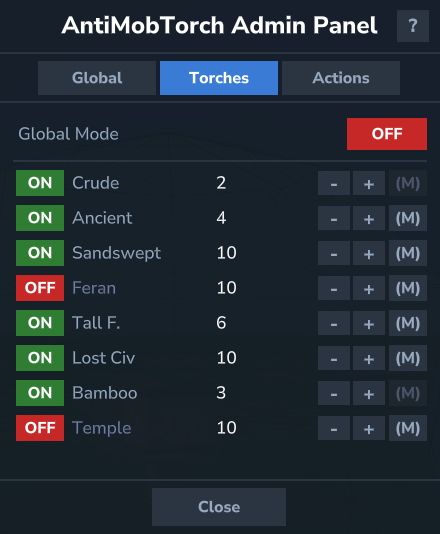
Per-torch enable/disable, individual radius and marker controls for each torch type
Description
Before Installation
This mod adds custom entities. They must all be removed before uninstalling, or the server will crash. Use /amt uninstall --confirm true and follow the instructions before removing the mod.
This mod is in early development, so bugs may occur.
ALWAYS backup your world before installing any mod.
Hytale's torch light only stops some cave mobs from spawning — most spawns ignore light entirely. AntiMobTorch uses Hytale's built-in spawn suppression system to block all (configurable) hostile spawns within a configurable radius around every placed torch.
Features
- No-spawn zones around placed torches (default: 10 block radius)
- Works on spawn types that ignore light (markers, patrols, surface spawns)
- 8 supported torch types with global or per-torch settings
- Mob group filtering — choose which groups to block
- Marker suppression — blocks dungeon/structure spawn points too
- Light toggle mode — extinguish a torch to disable its zone, relight to restore it
- Admin & player dashboard UI (
/amt ui) with visualization - Hot-reloadable config, persistent across restarts
How It Works
Hytale has several spawn systems — beacons, world spawns, markers, and manual triggers. Most of them don't care about light levels. Only some cave spawns (goblins, rats, bats) check for darkness.
AntiMobTorch bypasses light checks entirely. When you place a torch, the plugin spawns an invisible suppressor entity. The engine handles the rest — no spawns within the radius, including pre-placed dungeon markers. The suppressor stays as long as the torch exists. Remove the torch or extinguish it (with light toggle mode) and spawning resumes.
Commands
| Command | Description |
|---|---|
/amt help |
Show available commands |
/amt ui |
Open the dashboard (admin panel for OPs, status panel for players) |
/amt set <key> <value> |
Change a config value |
/amt show |
Toggle suppression radius visualization |
/amt reload |
Reload config from disk |
/amt clear |
Remove nearby suppressors |
/amt clearall |
Remove all suppressors in this world |
/amt reset |
Reset all settings to defaults |
/amt uninstall |
Prepare for safe mod removal |
Install
- Drop
antimobtorch-*.jarinto yourmods/directory - Configure with
/amt uior/amt set
The Anti Mob Torch (Prevent Monster Spawn) Team
