Anima - entity animation tool for adventure maps and servers
- By
Animate blocks to make doors, platforms, elevators and other moving objects - then control them from trigger effects or with commands!
Description
What is this?
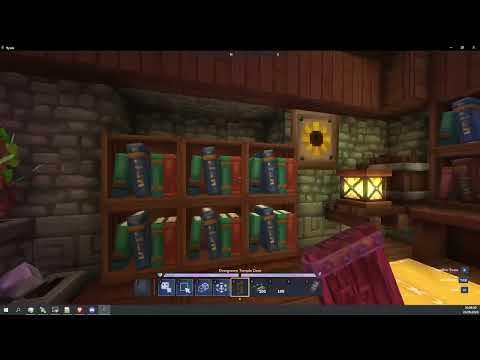
Anima is an entity manipulation and animation framework for Hytale adventure maps and servers. It lets map makers turn entities, display entities, and selected blocks into reusable animated entity groups controlled by commands and trigger effects.
It's primary purpose is to streamline creation of automatic animated doors, bridges, elevators, platforms, delivery of pickupable items, puzzles and so, so much more.
It also works with prefabs to allow instantiating movable elements and I added a trigger effect to clean them up.
I wrote it for my own private server, but I am more than happy to share this mod with everyone.
Ok so how do you use it
- Place or create the entities that should be animated.
- Use the Anima Controller to make each target an Anima entity and group related entities. You can skip this step if you used
/anima fromblocks - Open the editor, assign a handle, and(if you moved the entity around a bunch) capture the origin.
- Move the entity or group to each desired pose and save named keyframes.
- Use
/animacommands or trigger volume effects to run animations during gameplay.
If you copy your anima entity or use it in a prefab, ensure it's at its origin before copying/saving, because its position will become its new origin on paste! That's how you can use entities with prefabs.
A long and boring explanation
Basically, I am going to explain how the mod works in great detail.
Anima entities
Anima stores animation data on entities through the anima:entity component. This component tracks:
- An origin pose.
- Named keyframes.
- The last applied frame.
- A public handle used by commands and trigger volumes.
- Parent and child entity UUIDs for grouped movement.
- Active animations and queued animations.
- Whether queued animations loop after completion.
Anima entities are marked as prefab-copyable so they can survive builder workflows and prefab placement.
Origins and keyframes
The origin is the base pose for an Anima entity. It stores position, rotation, and scale in world space.
Saved keyframes store motion relative to the origin. At runtime Anima resolves those relative keyframes back into world-space targets. This allows an entity group to be moved or placed as a prefab while keeping its animation offsets intact.
The reserved keyframe names are:
origin: return to the captured origin pose.next: advance to the next saved keyframe, wrapping back tooriginafter the last keyframe.
Parent-child groups
Anima can group entities so one parent drives the movement of multiple children. When a parent animates, each child keeps its relative offset, rotation, and scale from the parent origin.
If a grouped child is manually moved with tools, Anima updates that child's stored relative offset so the edit is preserved.
Anima Controller Tool
This item appears in the Builder Tools tab. While you're holding it, you will see all Anima entities and nearby keyframe names. If entity has a handle, you will see relevant handle name in brackets along with keyframe name. I recommend to avoid spaces in keyframe names to avoid confusion.
Primary action:
- Groups the targeted Anima entity with the nearest free Anima entity within 5 blocks.
- If the target is already grouped, detaches it from its parent and refreshes its origin so it becomes independent again.
Secondary action / use:
- Opens the Anima entity editor for the targeted entity.
- If the targeted entity is a child, the editor opens for the root parent group.
While holding an Anima tool, debug visuals render around nearby Anima entities. The visuals show parent and child bounds, origin/keyframe markers, keyframe labels, and lines between keyframe points within a 48 block radius.
Commands
The root command is /anima.
Immediate animation commands:
/anima easein <entity_anima_handle> <keyframe> <duration>
/anima easeout <entity_anima_handle> <keyframe> <duration>
/anima cubic <entity_anima_handle> <keyframe> <duration>
/anima linear <entity_anima_handle> <keyframe> <duration>
/anima bounce <entity_anima_handle> <keyframe> <duration>
/anima snap <entity_anima_handle> <keyframe> <duration>
These commands find all unparented Anima entities with the matching handle and start an animation toward the requested keyframe.
Queued animation commands:
/anima queue easein <entity_anima_handle> <keyframe> <duration>
/anima queue easeout <entity_anima_handle> <keyframe> <duration>
/anima queue cubic <entity_anima_handle> <keyframe> <duration>
/anima queue linear <entity_anima_handle> <keyframe> <duration>
/anima queue bounce <entity_anima_handle> <keyframe> <duration>
/anima queue snap <entity_anima_handle> <keyframe> <duration>
/anima queue loop <entity_anima_handle> <true|false>
/anima queue clear <entity_anima_handle>
Queued animations run after the current animation. If looping is enabled, the queue rotates and repeats. If looping is disabled, queued entries are consumed once and removed.
Block conversion command
/anima fromblocksThis converts the current builder selection into grouped Anima block entities. Each selected block becomes a block entity at the block center, the block closest to the player becomes the parent, all other converted blocks become children, and the original source blocks are cleared. which means yes! Multiblock bridges, door and platforms moving perfectly in sync without much setup! I don't recommend using it with open trapdoors, however, as hitboxes dont align and I don't really know a reliable fix to this issue. Blocks converted in such a way sadly don't retain their functionality, but in theory some other plugin could fix that.
Easing Modes
Anima supports these easing modes:
linear: constant speed.easein: starts slowly and accelerates.easeout: starts quickly and slows near the target.cubic: smooth-step interpolation with eased start and end.bounce: adds a bounce near the end.snap: holds the start pose until the duration ends, then snaps to the target.
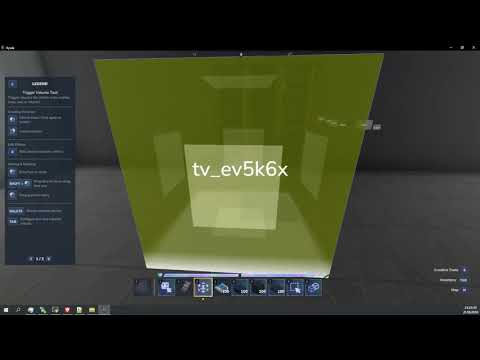
Trigger Volume Effects
Anima registers three trigger volume effects.
Anima Animation
Runs or queues an animation on Anima entities.
Fields:
Handle: targets a handle. Leave blank to target every Anima entity.Ease: interpolation mode.Keyframe: target keyframe name.NextKeyframe: ignoresKeyframeand advances to the next saved keyframe.Duration: animation time in seconds.Queue: queues the animation instead of starting immediately.LoopQueue: loops queued animations when queueing is enabled.OnlyWithinVolume: only affects Anima entities currently inside the trigger volume. You can leaveHandleempty if you use this to affect every entity within volume!
When Queue is false, the effect clears the existing queue and starts the requested animation immediately.
Clear Anima Entities
Removes Anima components from entities.
Fields:
Handle: clears a specific handle. Leave blank to clear every Anima entity.OnlyWithinVolume: only clears entities currently inside the trigger volume.
Clear Display Entities
Removes non-player display-like entities. An entity is considered display-like if it has a model, display name, or bounding box component.
Fields:
OnlyWithinVolume: only clears display-like entities currently inside the trigger volume.
AI usage disclosure
Core systems and components were written by me. As in, by my hand typing code into IDEA.
Part of the code for interactions, all of UI, and all of trigger effect code was done by AI.
And after that I made another pass, fixing bugs and weird stuff by hand as much as I could.
Anima - entity animation tool for adventure maps and servers Team

Owner