Alec's NPC Debug UI!
- By
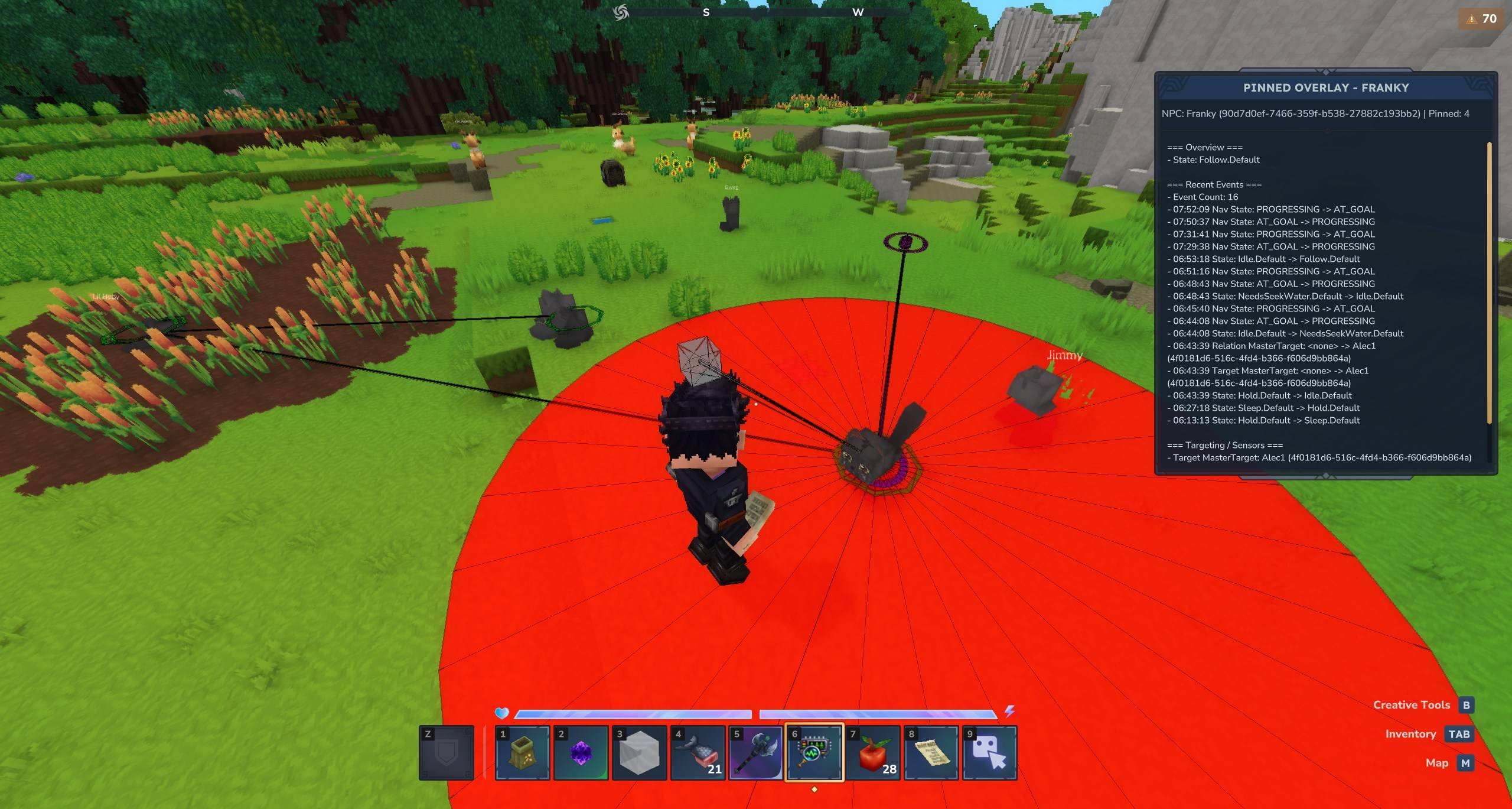
An easy to use inspection tool for working with and debugging NPCs. Link the UI to NPCs and pin important data to your screen so you can see what's working and what's not.
Discord_lVjdINmKxW.jpg
Discord_bqPAu2flZ9.png
Discord_Dijrpa4XOM.png
Discord_watC5mhvBZ.jpg
Discord_QOdER4ghqo.png
Description
)
)
)
)
)


In-game NPC debugging tool for Hytale. It can be used with any mod and is designed to inspect live NPC behavior with UI tools instead of command spam.
When Alec's Tamework is installed, the inspector now also consumes Tamework's public API to expose persisted tame/profile state alongside live ECS state.
What It Does
- Adds an in-game NPC Debug Inspector Tool item that can:
- Link/unlink multiple NPCs
- Open a linked NPC roster
- Inspect linked NPCs quickly
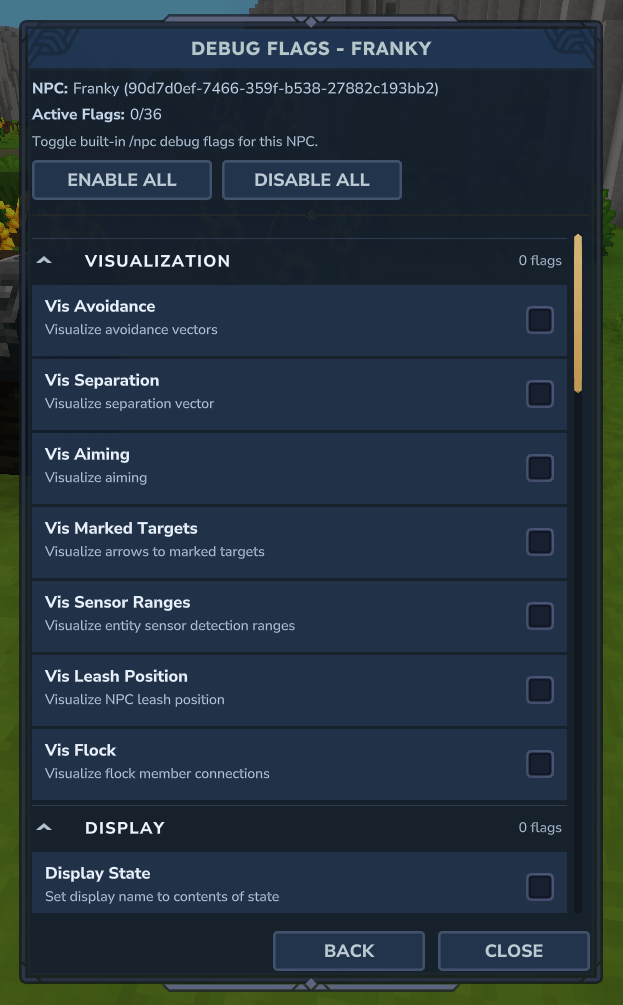
- Toggle built-in role debug flags per NPC
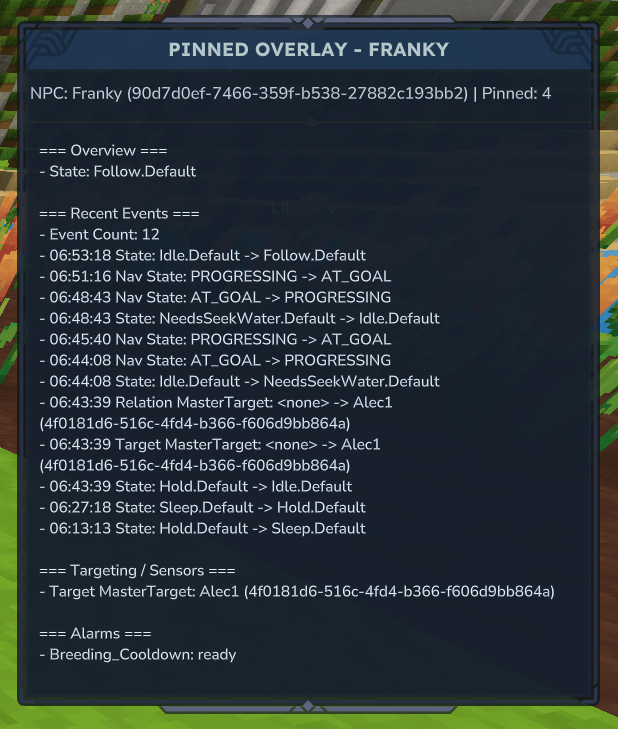
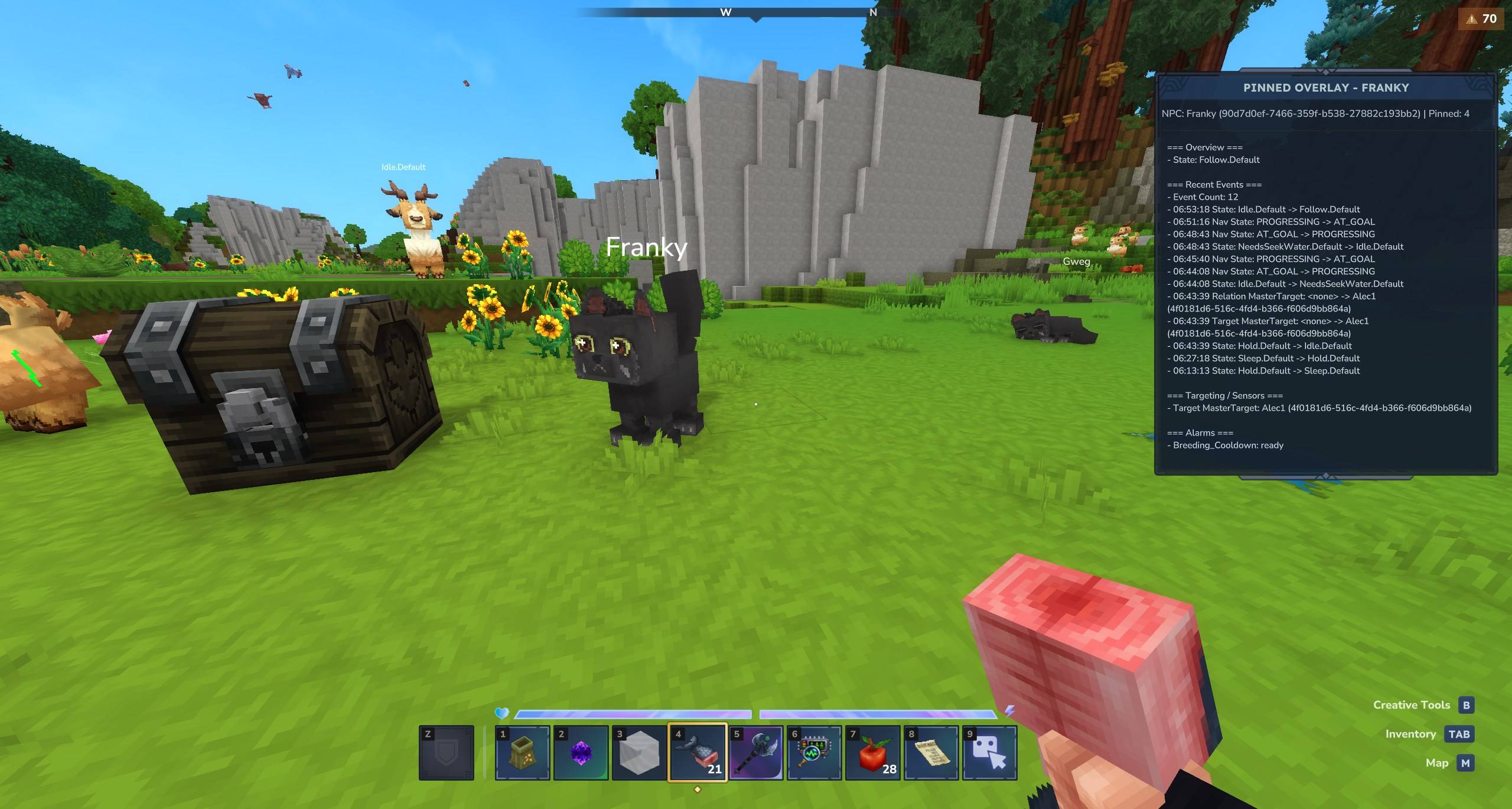
- Includes a Pinned Overlay so selected inspector fields stay visible while you keep playing.
- Tracks recent state/event transitions in the inspector data.
- When Tamework is present, adds additional API-backed debug sections for:
- persisted profile and snapshot state
- command-link/home-position state
- ownership / claim / damage policy evaluation
- resolved Tamework config views
- Tamework persistence diagnostics
- recent Tamework capture / death / lost / profile-change events
Quick Start
- Install the mod jar into your mods folders.
- Start server and join.
- Spawn and use the item
Npc_Debug_Inspector_Toolon an NPC.- Optional: Or, use
/npcdebugwhile looking at an NPC to open the inspector without an item.
- Optional: Or, use
Inspector Tool Behavior
Item asset: Server/Item/Items/Debug/Npc_Debug_Inspector_Tool.json
- Left-Click: link/unlink targeted NPC.
- Right-Click: open linked NPC roster.
Each tool stores its own linked/highlighted NPC sets in item metadata, so multiple tools can track different test groups.
UI Surfaces
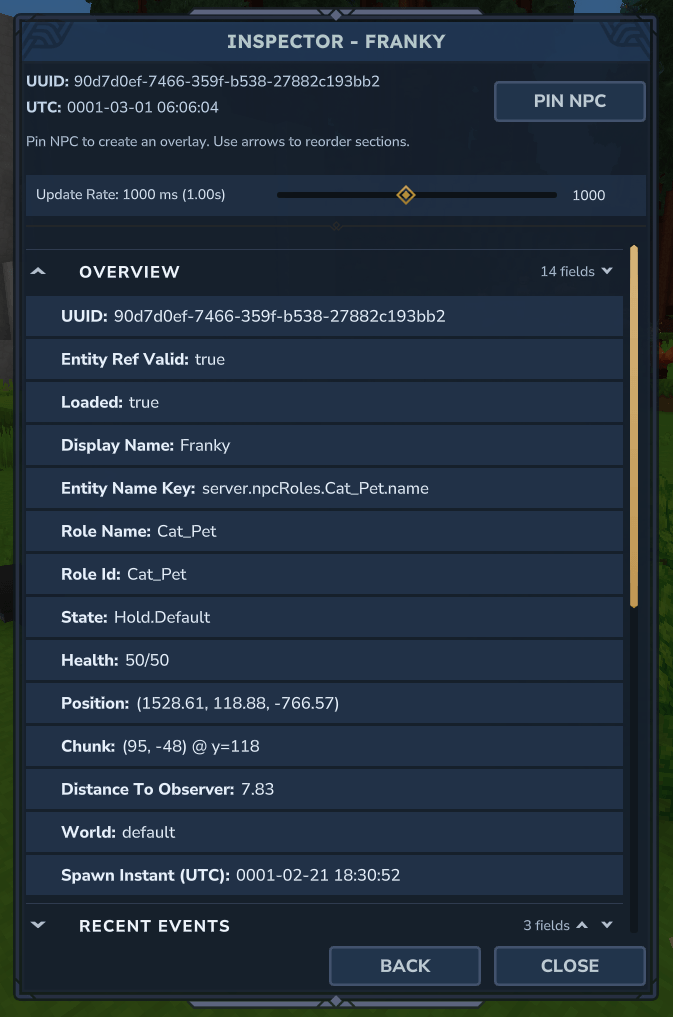
1) Inspector Page
- Sectioned NPC details (overview, AI/state, sensors, pathing, timers, components, flock, etc.).
- With Tamework installed, also shows API-backed persistence/policy/config/diagnostic sections in addition to the live Tamework component section.
- Expand/collapse sections.
- Section reorder support.
- Refresh rate slider (
150msto2000ms, step50ms). - Recent Events category filters (Core, Targeting, Timers, Alarms, Needs, Flock).
- Pin mode for selecting fields to mirror in overlay.
2) Linked Roster
- Card view of linked NPCs with basic live status.
- Filter controls:
- text search
- Per-NPC actions:
InspectDebug FlagsHighlightCopy UUID(copies into in-UI buffer field for manual Ctrl+C)Unlink
3) Debug Flags Page
- Built-in role debug flag toggles grouped by category.
- Bulk actions:
- Enable All
- Disable All
- Works on the selected linked NPC.
4) Pinned Overlay HUD
- Separate non-blocking overlay view that remains visible while interacting with the world.
- Shows only pinned fields from the currently pinned NPC.
- Keeps section grouping/order for readability.
- Includes optional pinned Events Log stream.
Lait's Entity Inspector Shoutout
If you are interested in external tools, check out Lait's Entity Inspector for an even more powerful entity inspection tool!
- View similar data in a web-based GUI
- Live-edit assets in the interface
- Detects Hytalor for live asset patching
The Alec's NPC Debug UI! Team


Owner