Alec's Console!
- By
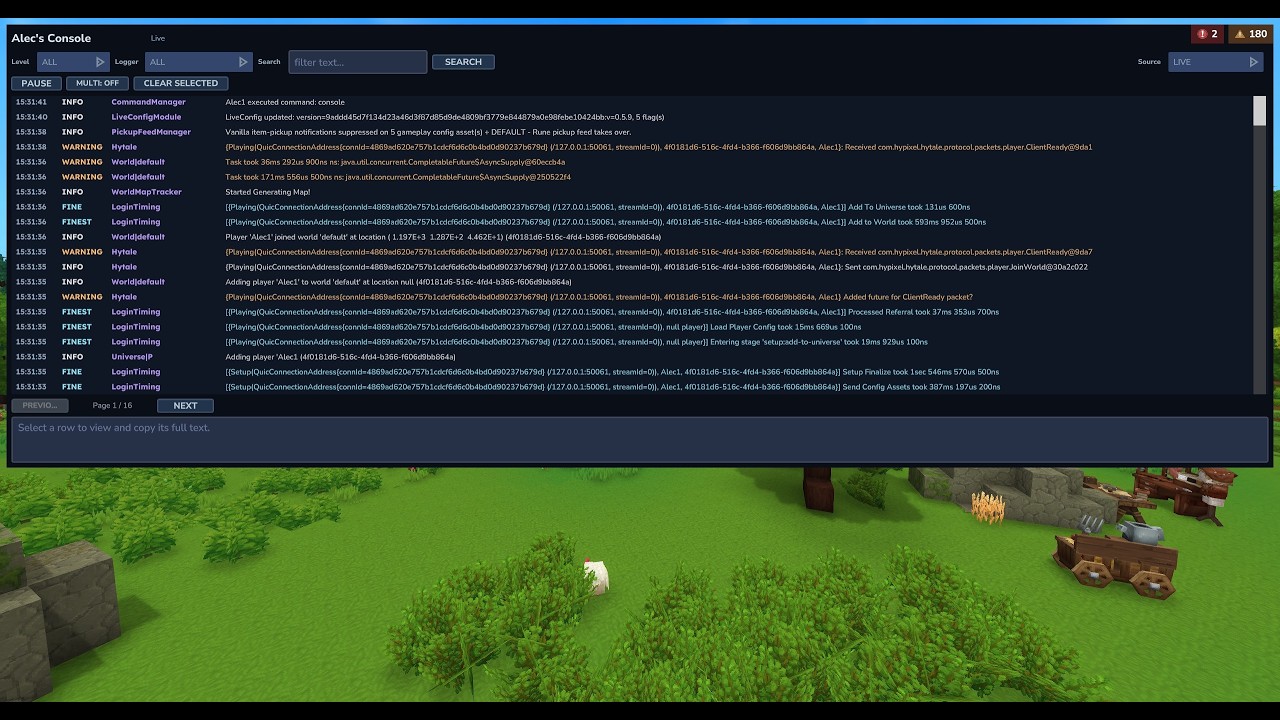
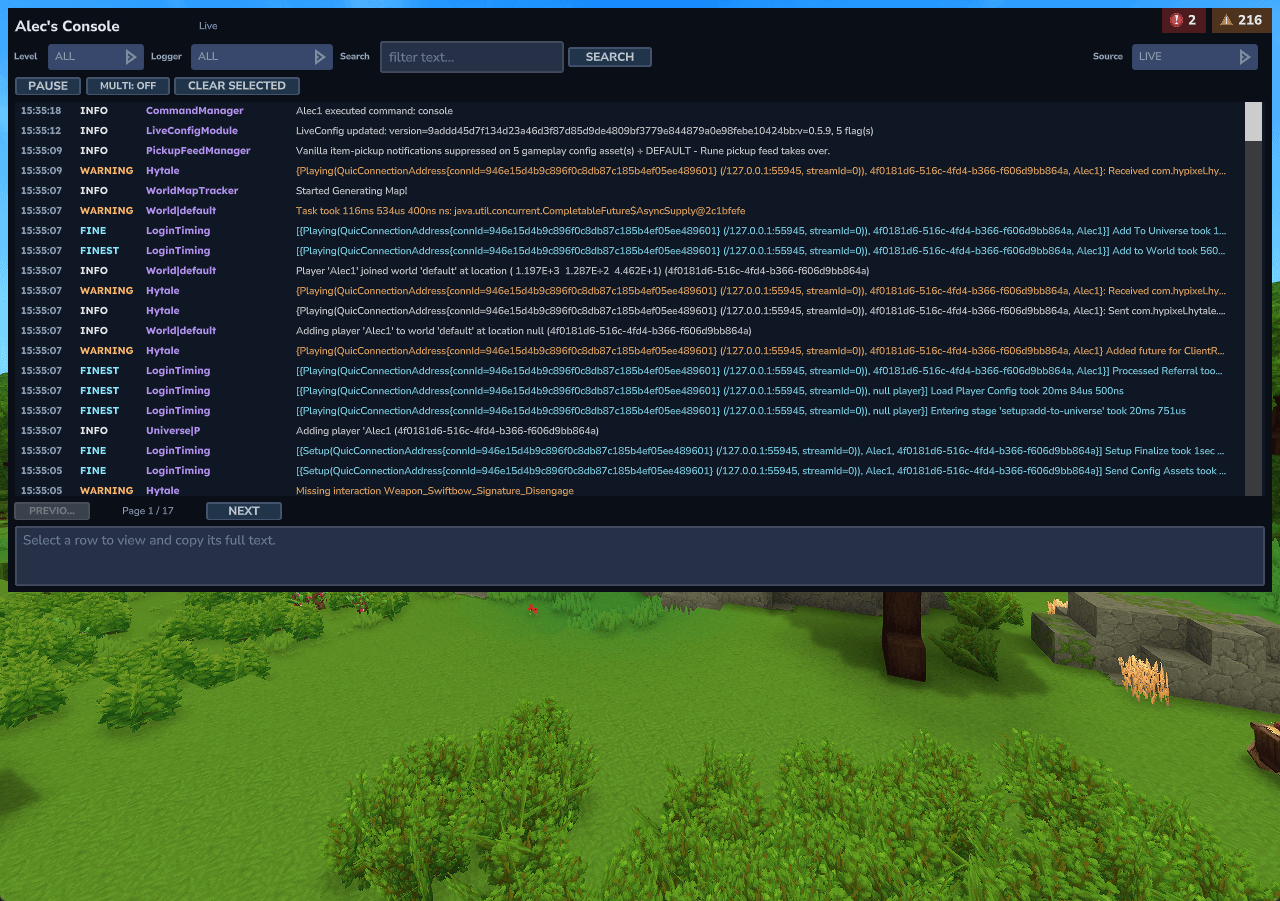
A responsive in-game viewer for live and historical Hytale logs with lots of useful filters.
Example Smaller.png
Description
Alec's Console
A responsive in-game viewer for live and historical Hytale logs, rebuilt from scratch with bounded memory and page-sized UI updates.
Installation
- Download
Alec's Console v1.0.0.jar. - Put the file in the server's
mods/directory. - Start or restart the server.
Alec's Console supports Hytale Server versions >=0.5.0 <0.7.0.
Usage
Run /console as a player with:
alechilles.alecsconsole.command.console
The page can show:
- Live server logs from the current session.
- The current and previous server
.logfiles. - Release or pre-release client logs when the client files are on the same machine as the server.
Remote players cannot upload or expose their local client logs through Hytale's plugin API. The client source is therefore same-host only; ClientLogDirectory can add one explicit local directory.
Live text filtering waits 300 ms after typing stops. Selecting a historical source or file loads it once; after changing its filters, press Search or submit the search field to scan again. Results are paged, Pause/Follow freezes and resumes the live view, and selected rows expose full text for copying. Multi-select preserves display order.
Configuration
Hytale creates config.json in the plugin's data directory on first load. Defaults:
{
  "LiveCapacity": 5000,
  "PageSize": 200,
  "SearchDebounceMs": 300,
  "DiskResultLimit": 2000,
  "ClientLogDirectory": null
}
Live records, rendered rows, discovered files, pending work, historical results, and selection text all have fixed bounds. No repeating disk scan or on-disk index is used.
Build and development
Requires Java 25 and an installed Hytale release server matching gradle.properties.
./gradlew build
./gradlew runServer
The standalone jar is written under build/libs/. Release artifacts use the name Alec's Console v<version>.jar. This repository is also registered as :alecs-console in Alec's local Hytale mod workspace.
The original feature set was inspired by duke-darius/hytale-console; this implementation is an independent ground-up rebuild.
Alec's Console! Team

Owner