Expanded Spell Slots - Supports Modded Spells
- By
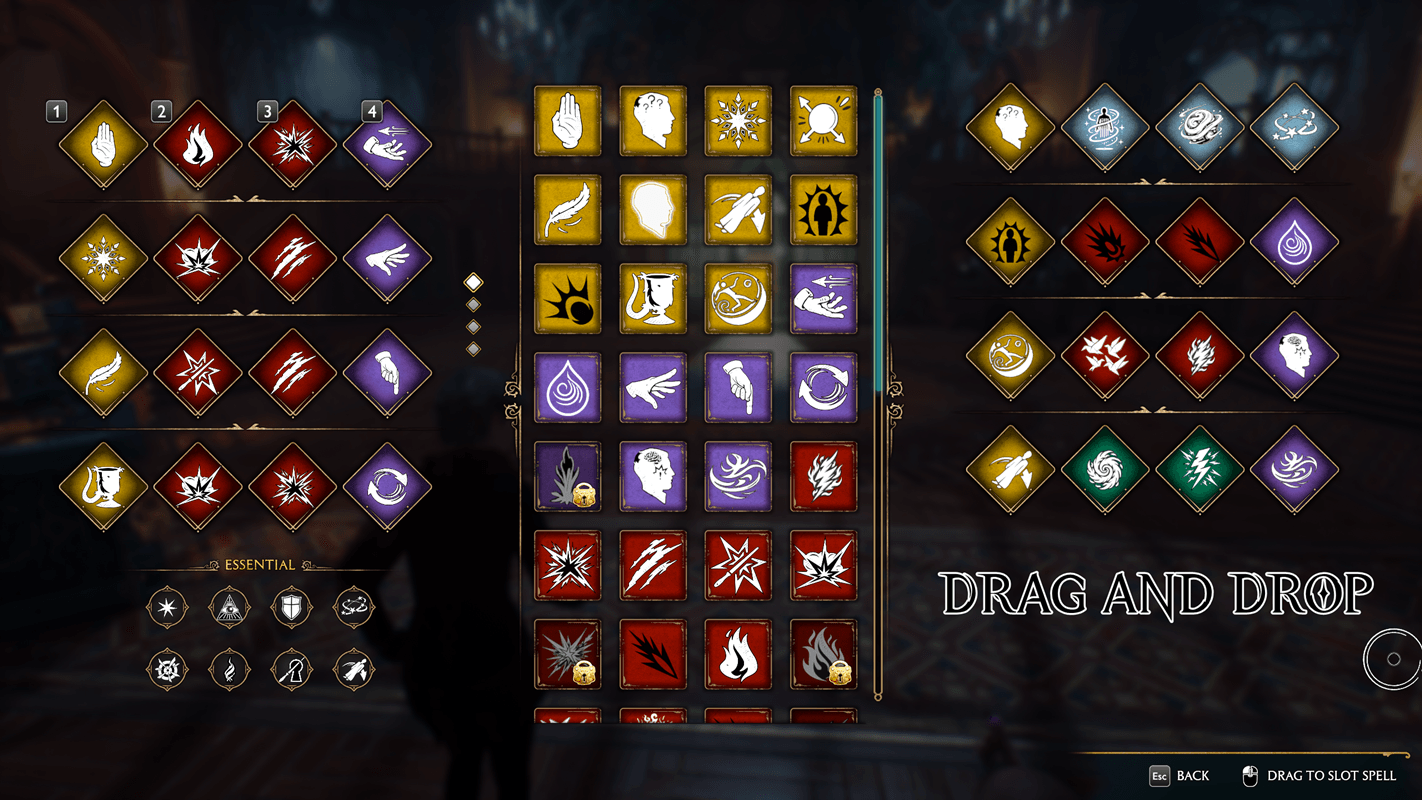
"Expanded Spell Slots" adds four extra slots to each spell set, allowing you to equip eight spells per set instead of four.
1.png
2.png
3.png
4.png
5.png
Description
"Expanded Spell Slots" adds four extra slots to each spell set, allowing you to equip eight spells per set instead of four.
Spells added by mods can also be assigned to the extra slots.
Assigning Spells
- Keyboard and Mouse: Drag spells into the extra slots in the spell assignment screen.
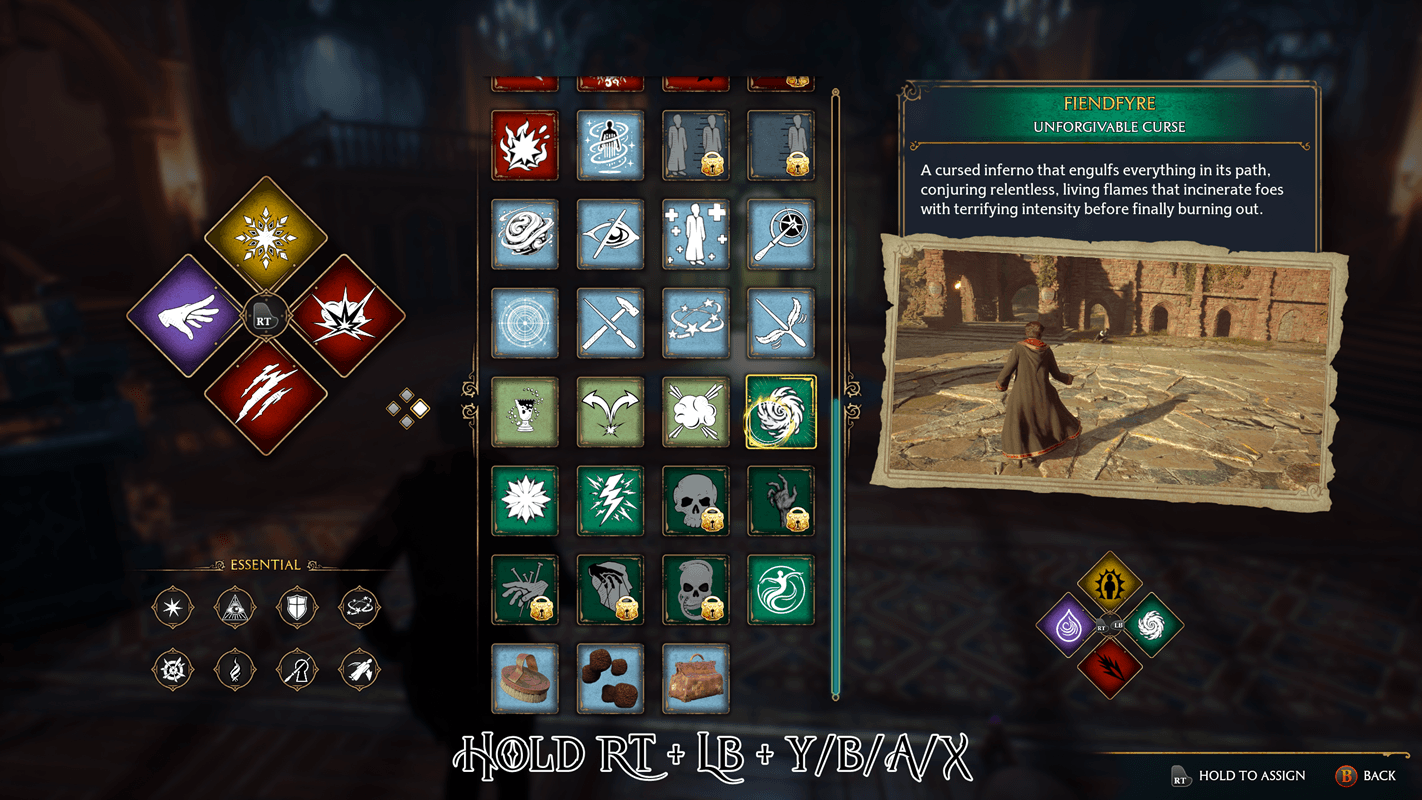
- Controller: Highlight a spell, hold RT + LB or R2 + L1, then press the corresponding face button to assign it to an extra slot.
Casting Spells
- Keyboard and Mouse: By default, hold the middle mouse button (wheel click) and press 1, 2, 3, or 4.
- Controller: [Hold RT + LB + Y/B/A/X] or [Hold R2 + L1 + △/◯/✕/☐]
In-Game Settings
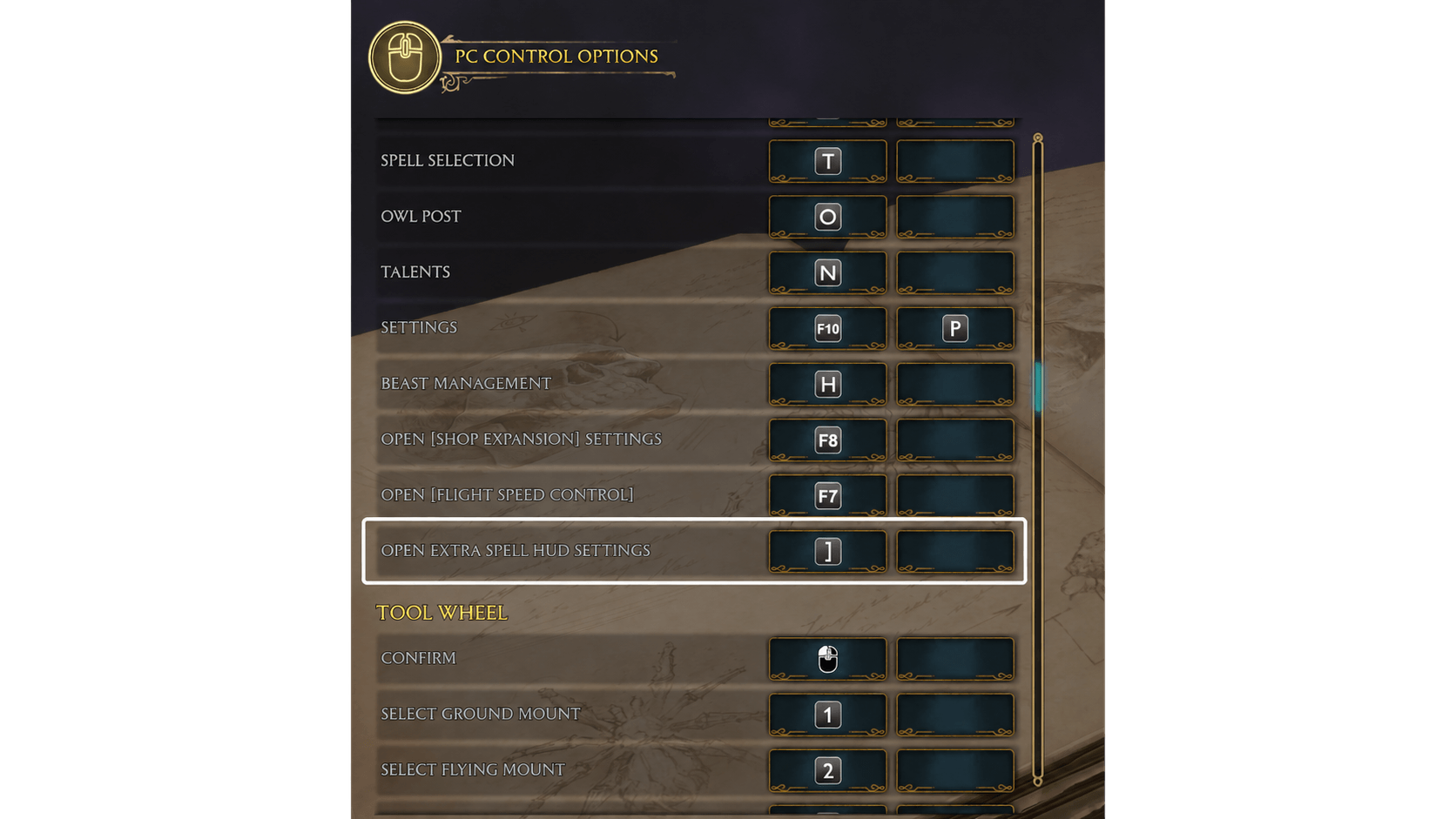
Press " ] " Key(Close bracket key) to open the settings menu.
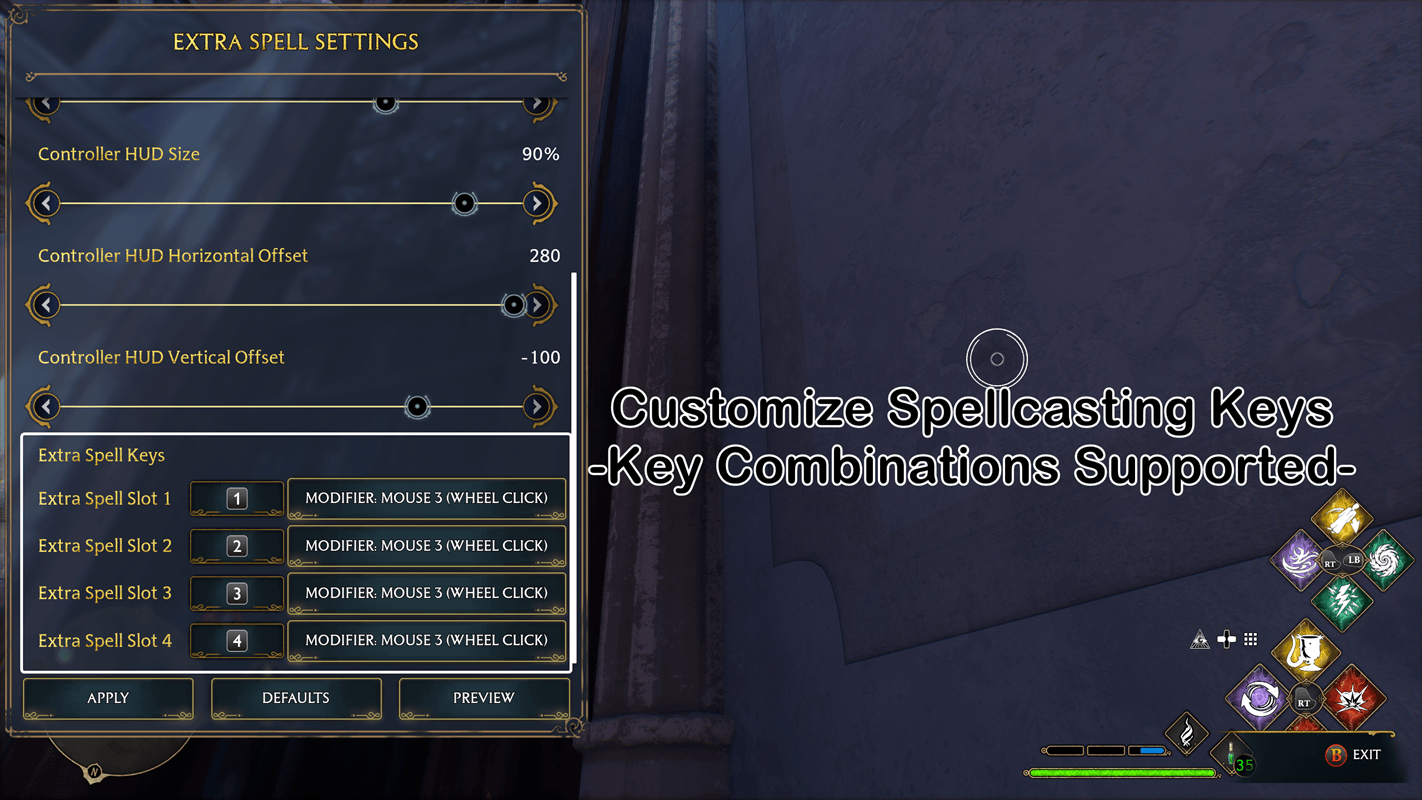
- Customize the keyboard and mouse shortcuts for each extra slot.
- Use a main key alone or combine it with a modifier.
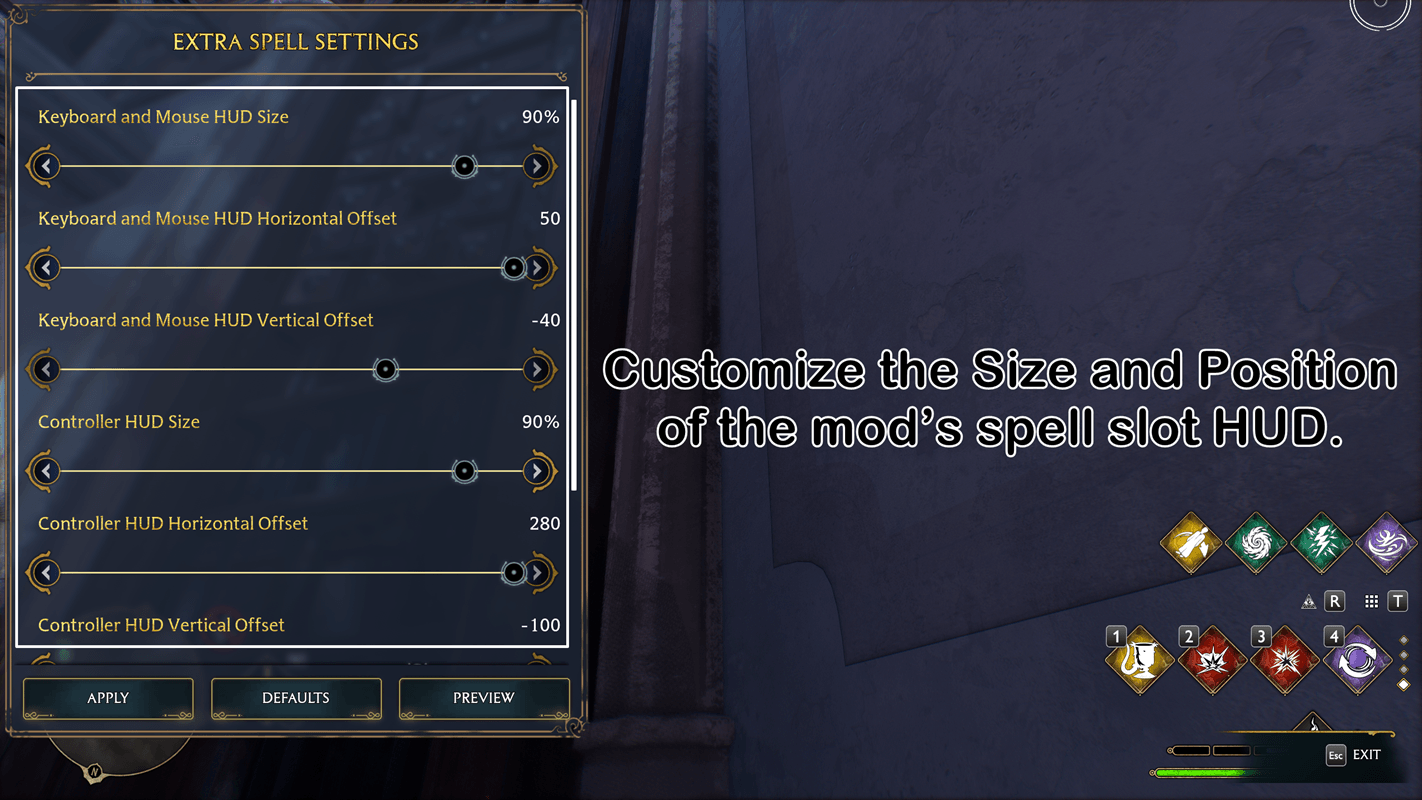
- Adjust the extra HUD’s size and position separately for keyboard/mouse and controller.
- Preview Button for preview your HUD layout before applying it.
Update v1.0.1
- Improved compatibility with other mods.
- Fixed a compatibility issue with Dark Arts Dodge mod.
Update v1.0.2
- Fixed a compatibility issue with Customizable Tool Wheel mod.
Expanded Spell Slots - Supports Modded Spells Team