Rich Traders - Merchants
- By
Traders will never run out of money. Sell to your hearts content!
Traders will never run out of money. Sell to your hearts content!
How it works
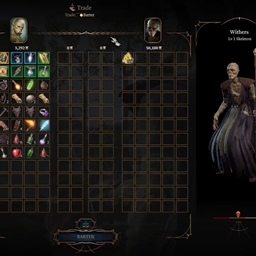
Adds 50000 gold to a trader's (any NPC that you can trade with) inventory whenever you are in their trading menu and removes the added 50000 when you're done trading. So the traders are rich only while you are in their trading menu.
Installation
- Backup your save files before using. No issues as of now but it's always best to backup your save with each new mod you're using.
- Download BG3ModManager.
- Download and install Baldur's Gate 3 Script Extender.
- Download the mod. You should get a .zip file.
- Drag and drop the .zip file in BG3ModManager.
- Move the mod up and down in your Load Order. I had to do that in order for it to appear in modsettings.lsx.
- Load Order shouldn't matter.
- Click the save icon in the Mod Manager ("Save Load Order to file").
- Make sure that the mod was included in your modsettings.lsx file. You should have these lines in it if you did everything correctly:
<node id="ModuleShortDesc">
<attribute id="Folder" value="RichTraders" type="LSString" />
<attribute id="MD5" value="" type="LSString" />
<attribute id="Name" value="RichTraders" type="LSString" />
<attribute id="UUID" value="ede9c8dc-3eb9-492b-af3b-50c6e77901db" type="FixedString" />
<attribute id="Version64" value="36028797018963972" type="int64" />
</node>

Troubleshooting
If the mod isn't working after the updates, uninstall and reinstall the mod and the dependencies. Make sure to install Baldur's Gate Script Extender with console, so that you can check if the mod is even loading. Make sure the mod appears in your modsettings file. If it doesn't appear in your modsettings file, move the mod a bit in your load order and save the load order until it does.
After the game launches, check Script Extender's console. You should be getting "Configuration for Mod Name" "#number of your mods mod configuration(s) loaded." Something like this:
Configuration for 'Oath_Spells':
MinVersion 1; Feature flags: Lua
Configuration for 'Respec_Spell':
MinVersion 1; Feature flags: Lua
Configuration for 'RichTraders':
MinVersion 1; Feature flags: Lua
3 mod configuration(s) loaded.
If you don't see the mod's name in there, something is wrong on your end. Repeat the same steps. If you see any errors you can share them in your comment/bug report.
Link for Baldur's Gate 3 official Discord server where you can get help: Larian Studios Discord Server
The Rich Traders - Merchants Team


Owner