


ShooterGameEditor_AMkEP5qqz8.jpg
ArkAscended_bYWbywId3R.webp
Description
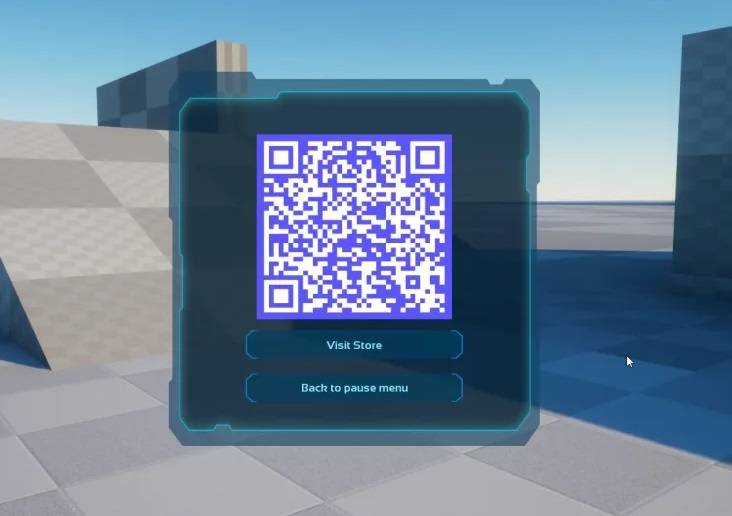
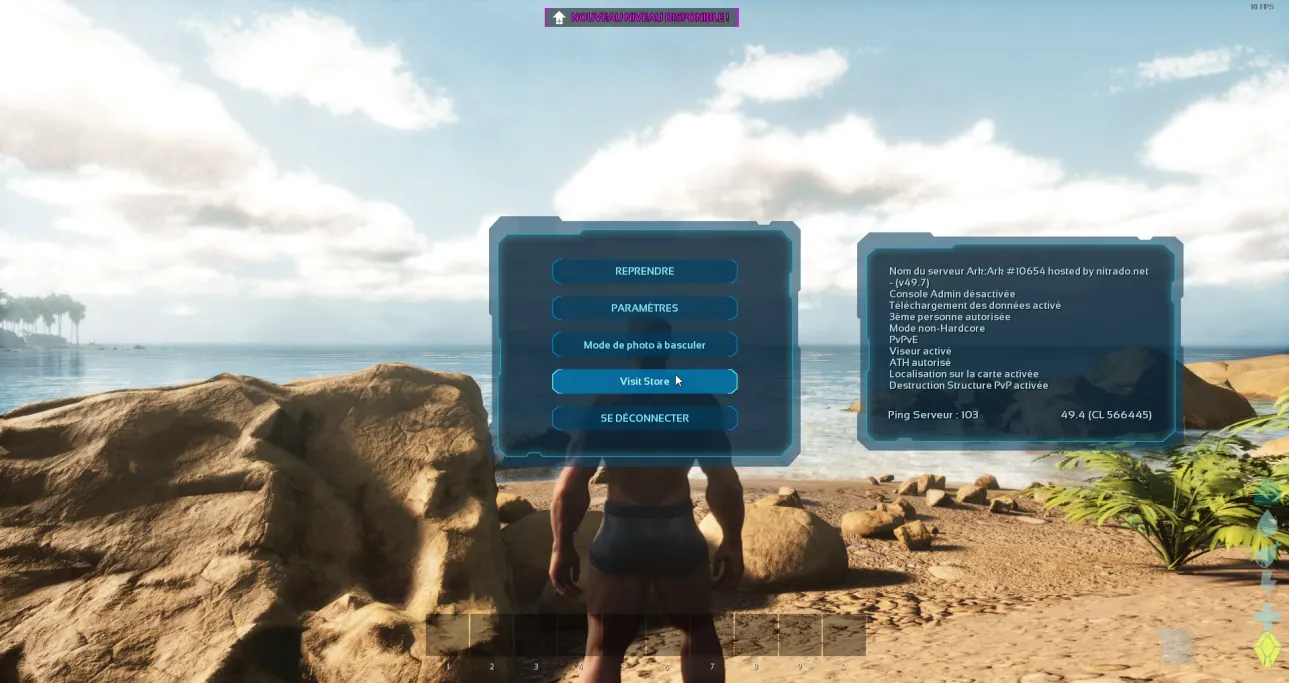
This mod introduces a button and a QRcode to the pause menu and radial wheel that directs players to a URL of your choice, along with the EOSID and TRIBEID identifier.
When a player clicks the button or scans the QR code, he will be redirected to this URL:
yourwebsite.com/?eosid=XXXXXXXXXXXXXXXXXX&tribeid=655656
This feature proves useful if you aim to identify an ARK: Survival Ascended player on your website.
Crossplatform:
The QR code allows Xbox and PlayStation players to easily access the desired content. The browser button is hidden on PS5 to prevent potential errors (only QRcode is visible on PS5).
How to change the URL and button text?
Copy paste this configuration in your GameUserSettings.ini file, replace subdomain.yourwebsite.com with the URL of your choice and restart your server:
[Tip4Serv]
URL=subdomain.yourwebsite.com
ButtonText=Visit Link
ReturnText=Back to pause menu
RadialWheelIcon="none"
⚠️Do not put http:// in the URL because it will break the config.
How to add a Radial Wheel Icon?
[Tip4Serv]
URL=subdomain.yourwebsite.com
ButtonText=Visit Link
ReturnText=Back to pause menu
RadialWheelIcon="https://tip4serv.com/pages/images/logo_round_purple.png"
⚠️Only PNG and JPG files are supported. Other image formats do not work.
⚠️Use a square image otherwise it will be stretched.
The Browser button & QR code Team



