
OvisArkLogo.png
2026-04-13.11-39-18.png
Description
Commissioned Mod for Ovis Ark
A collection of admin items and QOL features.
Regarding the inventory restore. The entries for each player are listed MOST RECENT first.
Admin Tools
Spawn Codes
cheat giveitem "/OvisArkCommunity/Items/DinoColorizer/PrimalItem_OAC_DinoColorizer.PrimalItem_OAC_DinoColorizer" 1 0 0
cheat giveitem "/OvisArkCommunity/Items/DinoStatsGun/PrimalItem_OAC_DinoStatsEditor.PrimalItem_OAC_DinoStatsEditor" 1 0 0
cheat giveitem "/OvisArkCommunity/Items/AdminItems/BossUnlockers/PrimalItem_OvisArk_BossUnlocker_VRMainBoss.PrimalItem_OvisArk_BossUnlocker_VRMainBoss" 1 0 0
cheat giveitem "/OvisArkCommunity/Structures/Cryovault/PrimalItem_CryoVault.PrimalItem_CryoVault" 1 0 0
Notes
The inventory system will NOT backup inventories unless the config time is set.
Likewise, there are no automatic broadcast messages unless the time and message config are set.
Configs
[OvisArkCommunity]
AutomaticBroadcastTimeMinutes=
AutomaticBroadcastMessage=""
InventoryBackupTimeMinutes=
MaxInventoryBackupSlots=10
Explained
AutomaticBroadcastTimeMinutes: How often in minutes your broadcast message is sent.
AutomaticBroadcastMessage: Message to send on the regular. Make sure to wrap in quotes.
InventoryBackupTimeMinutes: How often in minutes to backup player inventories. Don't go crazy with this! MaxInventoryBackupSlots: Max amount of backups to make for players. Again, don't go crazy. 10 Seems more than fine.
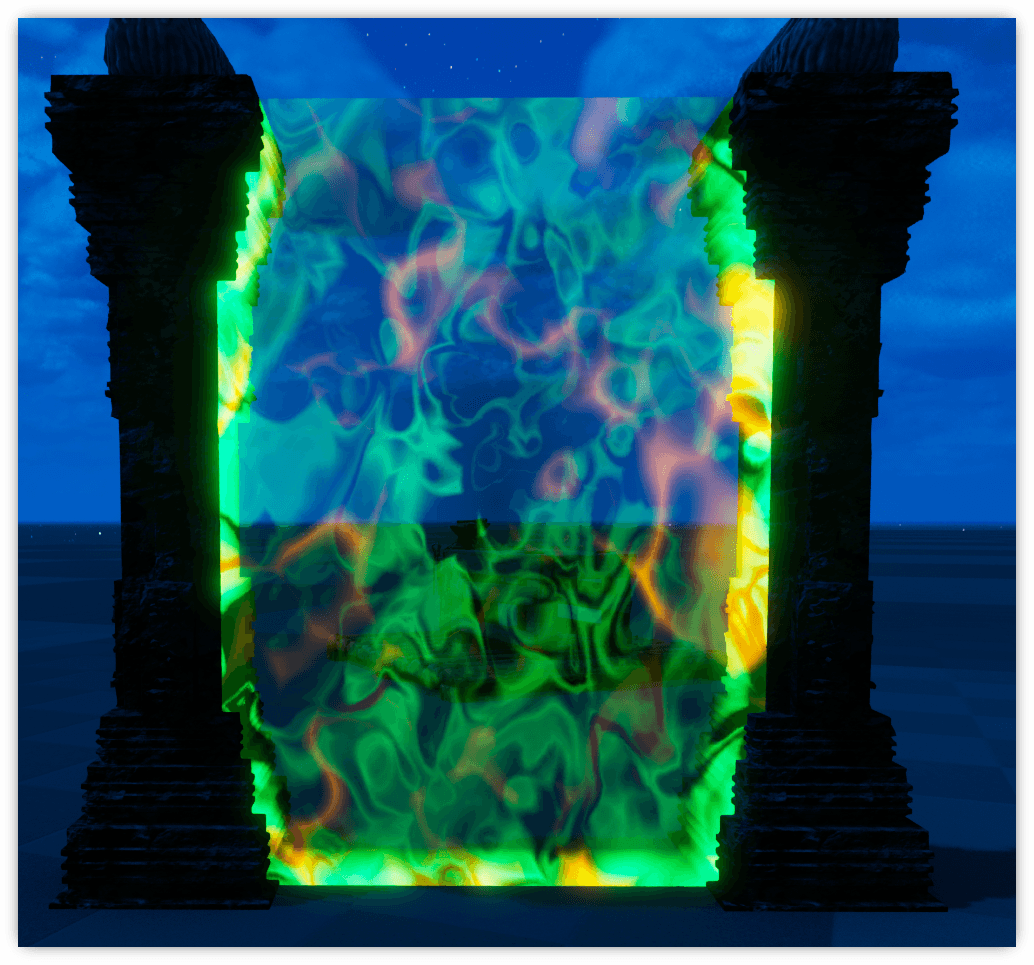
OvisArk TelePortals
Usage
Crafted in smithies.
Select your portal's destination via the world map on the structure's radial wheel. Activate the portal.
Portal stays active for 30s(config) and then has a cooldown time(if enabled) before usage is allowed again.
Tribes are limited to the amount(config) of portals per map. Admins bypass such limits.
You can NOT connect to activate portals, nor locked portals from other tribes.
By default, portals can also only connect to portals of the same size(config).
Admin Stuff
[OvisArkTelePortals]
ActiveTimeSeconds=30
MaxPortalsPerTribe=-1
UsePortalSizeRestrictions=true
CooldownAfterClosing=0
AllowMultipleIncomingConnections=false
Explained
ActiveTimeSeconds: Time in seconds portals remain active. Default: 30
MaxPortalsPerTribe: Number of portals each tribe is allowed. Default: -1(unlimited)
UsePortalSizeRestrictions: If true, portals can only connect to portals of the same size. Default: true
CooldownAfterClosing: Cooldown after closing before allowed to be used again. Default: 0
Spawn Codes
cheat giveitem "/OvisArkCommunity/Portals/PrimalItem_OATP_TelePortal_Large.PrimalItem_OATP_TelePortal_Large" 1 0 0
cheat giveitem "/OvisArkCommunity/Portals/PrimalItem_OATP_TelePortal_Medium.PrimalItem_OATP_TelePortal_Medium" 1 0 0
cheat giveitem "/OvisArkCommunity/Portals/PrimalItem_OATP_TelePortal_Small.PrimalItem_OATP_TelePortal_Small" 1 0 0
EngramEntry_OATP_TelePortal_Large_C
EngramEntry_OATP_TelePortal_Medium_C
EngramEntry_OATP_TelePortal_Small_C
Element Vouchers
cheat giveitem "/OvisArkCommunity/Items/Vouchers/PrimalItem_OvisArk_ElementShardVoucher_1000.PrimalItem_OvisArk_ElementShardVoucher_1000" 1 0 0
cheat giveitem "/OvisArkCommunity/Items/Vouchers/PrimalItem_OvisArk_ElementVoucher_1.PrimalItem_OvisArk_ElementVoucher_1" 1 0 0
cheat giveitem "/OvisArkCommunity/Items/Vouchers/PrimalItem_OvisArk_ElementVoucher_25.PrimalItem_OvisArk_ElementVoucher_25" 1 0 0
cheat giveitem "/OvisArkCommunity/Items/Vouchers/PrimalItem_OvisArk_ElementVoucher_50.PrimalItem_OvisArk_ElementVoucher_50" 1 0 0
cheat giveitem "/OvisArkCommunity/Items/Vouchers/PrimalItem_OvisArk_ElementVoucher_100.PrimalItem_OvisArk_ElementVoucher_100" 1 0 0
Admin Items
cheat giveitem "/OvisArkCommunity/Items/AdminItems/BossUnlockers/PrimalItem_OvisArk_BossUnlocker_Broodmother.PrimalItem_OvisArk_BossUnlocker_Broodmother" 1 0 0
cheat giveitem "/OvisArkCommunity/Items/AdminItems/BossUnlockers/PrimalItem_OvisArk_BossUnlocker_Dragon.PrimalItem_OvisArk_BossUnlocker_Dragon" 1 0 0
cheat giveitem "/OvisArkCommunity/Items/AdminItems/BossUnlockers/PrimalItem_OvisArk_BossUnlocker_KingTitan.PrimalItem_OvisArk_BossUnlocker_KingTitan" 1 0 0
cheat giveitem "/OvisArkCommunity/Items/AdminItems/BossUnlockers/PrimalItem_OvisArk_BossUnlocker_LostKing.PrimalItem_OvisArk_BossUnlocker_LostKing" 1 0 0
cheat giveitem "/OvisArkCommunity/Items/AdminItems/BossUnlockers/PrimalItem_OvisArk_BossUnlocker_LostQueen.PrimalItem_OvisArk_BossUnlocker_LostQueen" 1 0 0
cheat giveitem "/OvisArkCommunity/Items/AdminItems/BossUnlockers/PrimalItem_OvisArk_BossUnlocker_Manticore.PrimalItem_OvisArk_BossUnlocker_Manticore" 1 0 0
cheat giveitem "/OvisArkCommunity/Items/AdminItems/BossUnlockers/PrimalItem_OvisArk_BossUnlocker_Megapithecus.PrimalItem_OvisArk_BossUnlocker_Megapithecus" 1 0 0
cheat giveitem "/OvisArkCommunity/Items/AdminItems/BossUnlockers/PrimalItem_OvisArk_BossUnlocker_Overseer.PrimalItem_OvisArk_BossUnlocker_Overseer" 1 0 0
cheat giveitem "/OvisArkCommunity/Items/AdminItems/BossUnlockers/PrimalItem_OvisArk_BossUnlocker_Rockwell.PrimalItem_OvisArk_BossUnlocker_Rockwell" 1 0 0
cheat giveitem "/OvisArkCommunity/Items/AdminItems/PrimalItemConsumable_ExplorerNotes.PrimalItemConsumable_ExplorerNotes" 1 0 0
cheat giveitem "/OvisArkCommunity/Items/AdminItems/PrimalItemConsumable_ChibiXP.PrimalItemConsumable_ChibiXP" 1 0 0
cheat giveitem "/OvisArkCommunity/Items/AdminItems/PrimalItem_OvisArk_MaxPlayerXP.PrimalItem_OvisArk_MaxPlayerXP" 1 0 0
Base Protection
Configs
[OvisArkBaseProtection]
ItemsIgnoreDestruction=
TimeOutsideFlagsBeforeDestroySeconds=604800.0
DiscordWebhookUrl=
DisableFlags=true
FlagSizeTiny=1500
FlagSizeSmall=3000
FlagSizeLarge=9000
MaxTinyFlagsPerTribe=2
MaxLargeFlagsPerTribe=1
MaxSmallFlagsPerTribe=1
FlagSizeAdminMax=30000
NoDamageOnAdminFlags=true
SafeBaseAdminFlags=true
MaxTotalFlagsPerTribe=-1
Explained
ItemsIgnoreDestruction: A comma delimited list of items to exclude from the purge, regardless of protection status.
TimeOutsideFlagsBeforeDestroySeconds: Amount of time in seconds before an item outside protection is purged.
Spawn Codes
cheat giveitem "/OvisArkCommunity/Structures/Admin/PrimalItemStructure_OvisArkBaseProtection_Admin.PrimalItemStructure_OvisArkBaseProtection_Admin" 1 0 0
cheat giveitem "/OvisArkCommunity/Structures/Large/PrimalItemStructure_OvisArkBaseProtection_Large.PrimalItemStructure_OvisArkBaseProtection_Large" 1 0 0
cheat giveitem "/OvisArkCommunity/Structures/Small/PrimalItemStructure_OvisArkBaseProtection_Small.PrimalItemStructure_OvisArkBaseProtection_Small" 1 0 0
cheat giveitem "/OvisArkCommunity/Structures/Tiny/PrimalItemStructure_OvisArkBaseProtection_Tiny.PrimalItemStructure_OvisArkBaseProtection_Tiny" 1 0 0
EngramEntry_OvisArkBaseProtection_Large_C
EngramEntry_OvisArkBaseProtection_Small_C
EngramEntry_OvisArkBaseProtection_Tiny_C
Admin Shop
Usage - Admins
- Access the admin menu via the player radial wheel.
- Create new package.
- Set the cost, name and max amount of purchases(per player).
- Add item from the list on the left(items are comprised from all engrams and your inventory contents).
- You can manually add missing if by bp code or simply having the item in your inventory.
- Switch to the dino tab to add dinos to the package.
- The dino list is from all nearby dinos.
- Dinos added to the package will be added as cryopods.
- When your package is complete, save it.
- Save & Close the admin menu.
Usage - Players
- Access the shop via the player radial wheel.
- Any viable packages will be listed, including their cost and how many purchases are left(if applicable).
- Your total balance is also listed. The balance is the quantity of the currencies deposited into the system. These will survive server transfers, deaths, etc. They can not be lost or withdrawn, but they can be transferred to others.
- Press the deposit button to deposit any and all valid currencies into the system.
- Purchases will remove the cost from your inventory, if possible, otherwise will attempt to withdraw it from the deposited amounts.
Usage - Players Send Currency
- Access the Send Currency menu via the player radial wheel.
- Select the currency type and amount, as well as the current online player.
- Press send.
- The amounts will ONLY be removed from your deposited amounts.
Admin Stuff
cheat giveitem "/OvisArkCommunity/Items/Coins/PrimalItem_OvisArk_Coin_100k.PrimalItem_OvisArk_Coin_100k" 1 0 0
cheat giveitem "/OvisArkCommunity/Items/Coins/PrimalItem_OvisArk_Coin_15k.PrimalItem_OvisArk_Coin_15k" 1 0 0
cheat giveitem "/OvisArkCommunity/Items/Coins/PrimalItem_OvisArk_Coin_1k.PrimalItem_OvisArk_Coin_1k" 1 0 0
cheat giveitem "/OvisArkCommunity/Items/Coins/PrimalItem_OvisArk_Coin_20k.PrimalItem_OvisArk_Coin_20k" 1 0 0
cheat giveitem "/OvisArkCommunity/Items/Coins/PrimalItem_OvisArk_Coin_50k.PrimalItem_OvisArk_Coin_50k" 1 0 0
cheat giveitem "/OvisArkCommunity/Items/Coins/PrimalItem_OvisArk_Coin_5k.PrimalItem_OvisArk_Coin_5k" 1 0 0
[OvisArkShop]
DiscordUrl=""
CurrencyClasses=qwe,asd,zxc
CoinIntervalMinutes=900
CoinQuantity=1
Currency classes are the full spawn code to the item you wish to use as a valid currency. ie: /Game/PrimalEarth/CoreBlueprints/Resources/PrimalItemResource_Thatch.PrimalItemResource_Thatch
cheat scriptcommand ResetOvisArkShop
cheat scriptcommand DumpOvisArkShopData


OvisArks Admin Tools Team

Owner