Offline Decay Ascended (Freemium)
- By
ARK Survival Ascended cleanup mod that removes abandoned structures and tames after tribe inactivity. Premium adds custom decay settings, Discord alerts, cleanup notices, and player notifications.
Admin-panel.jpg
Overview.jpg
Description
Offline Decay Ascended automatically removes abandoned tribe structures and tames after a period of inactivity.
It is designed for server owners who want:
- Automatic abandoned-base cleanup
- Protection for active tribes
- Structure and tame cleanup
- Controlled cleanup for large bases
- Optional Discord notifications
- Custom tribe decay rules
- Cluster support
- No external ARK server plugin required
Free Version
The Free version works automatically.
Default settings:
[OfflineDecayAscended]
DecayEnabled=True
DecayDays=90
ScanIntervalSeconds=300
DestroyStructures=True
DestroyTames=True
WarnOnly=False
MaxDestroyedPerScan=250
EnableDiscordWarnings=False
Free Defaults
- 90-day inactivity timer
- Structures removed
- Tames removed
- Active tribes protected
- Maximum 250 objects removed per scan
- Persistent tribe activity tracking
- Alt+F8 status menu
You do not need to add anything to GameUserSettings.ini to use the Free version.
Premium
Premium unlocks advanced server controls, including:
- Custom decay time
- Custom scan interval
- Structure/tame cleanup controls
- Warn-only mode
- Custom cleanup limits
- Server Discord notifications
- Personal Discord Alerts
- Pause decay while maps are offline
- Prevent cleanup loot drops
- Excluded tribes
- Up to 8 custom tribe decay groups
- Admin tribe tracking panel
- Cluster Premium support
Premium is purchased through the official ARK/CurseForge Premium Mod system.
Premium Setup
Add your settings to:
GameUserSettings.ini
under:
[OfflineDecayAscended]
Example:
[OfflineDecayAscended]

DecayEnabled=True
DecayDays=90
ScanIntervalSeconds=300

DestroyStructures=True
DestroyTames=True
WarnOnly=False
MaxDestroyedPerScan=250

EnableDiscordWarnings=True
DiscordWarningHours=24
DiscordWebhookURL="YOUR_DISCORD_WEBHOOK_URL"

PauseDecayWhileServerOffline=True
PreventDecayLootDrops=True

ExcludedTribeIDs=

DecayGroup1Days=180
DecayGroup1TribeIDs=

StartupDecayGraceMinutes=30

ResetDecayTimersOnNextStartup=False
DecayTimerResetRequestID=
DiscordWebhookURL should be inside quotation marks.
Main Settings
Decay Time
DecayDays=90
How long a tribe can remain inactive before becoming eligible for cleanup.
Scan Interval
ScanIntervalSeconds=300
How often Offline Decay checks tribe activity.
Structures / Tames
DestroyStructures=True
DestroyTames=True
Premium servers can enable or disable structure and tame cleanup independently.
Warn Only
WarnOnly=True
Tracks decay without deleting anything.
Useful for testing your settings.
Cleanup Limit
MaxDestroyedPerScan=250
Limits how many objects can be removed during each scan.
Large bases are cleaned over multiple scans.
Pause Decay While a Map Is Offline
PauseDecayWhileServerOffline=True
Useful for rotating-map clusters.
When enabled, time that the map is completely shut down does not count toward tribe inactivity.
Default:
PauseDecayWhileServerOffline=False
Prevent Cleanup Loot Drops
PreventDecayLootDrops=True
Prevents inventories from structures and tames removed by Offline Decay from being left behind as cleanup loot.
Default:
PreventDecayLootDrops=False
Excluded Tribes
Make specific tribes immune to Offline Decay:
ExcludedTribeIDs=123456789,987654321
Excluded tribes are not warned or cleaned up.
Custom Tribe Decay Times
Different tribes can have different decay periods.
Example:
DecayDays=90

DecayGroup1Days=180
DecayGroup1TribeIDs=111111111,222222222

DecayGroup2Days=120
DecayGroup2TribeIDs=333333333,444444444
This example gives:
- Default tribes: 90 days
- Group 1: 180 days
- Group 2: 120 days
Up to 8 custom groups are supported.
If a tribe is also in ExcludedTribeIDs, the exclusion takes priority.
Finding a Tribe ID
Enable ARK's admin HUD:
setcheatplayer true
Look at a tribe-owned structure or tame and find its Team/Tribe ID.
Disable the HUD afterward:
setcheatplayer false
Discord Notifications
Premium servers can send decay warnings to Discord:
EnableDiscordWarnings=True
DiscordWarningHours=24
DiscordWebhookURL="YOUR_DISCORD_WEBHOOK_URL"
Notifications can include:
- Server
- Map
- Tribe
- Tribe ID
- Time remaining
- Structures removed
- Tames removed
Repeated warnings are deduplicated to reduce spam.
Personal Discord Alerts
Players with Offline Decay Premium can also receive private Discord alerts.
To set them up:
- Join a server running Offline Decay Ascended.
- Press Alt + F8.
- Select Enable Discord Alerts.
- Select Open Discord Link.
- Authorize Discord.
- Return to ARK.
- Open Alt + F8 again.
- Confirm the status shows Enabled.
- Use Test Alert.
Personal alerts are separate from the server owner's webhook.
Alt+F8 Menu
Press:
Alt + F8
to open the Offline Decay interface.
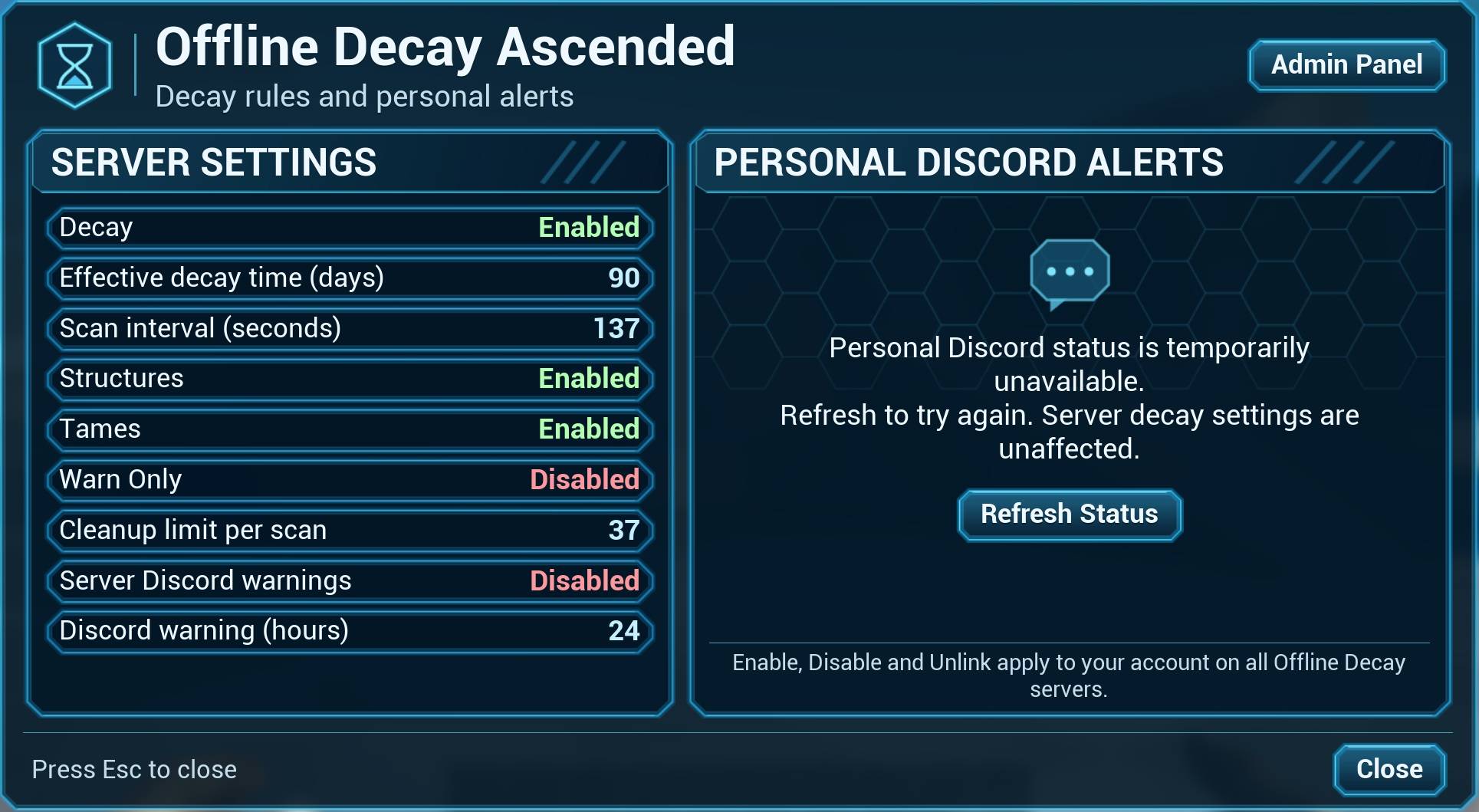
Players can view:
- Current decay settings
- Structure/tame cleanup state
- Effective decay time
- Personal Discord status
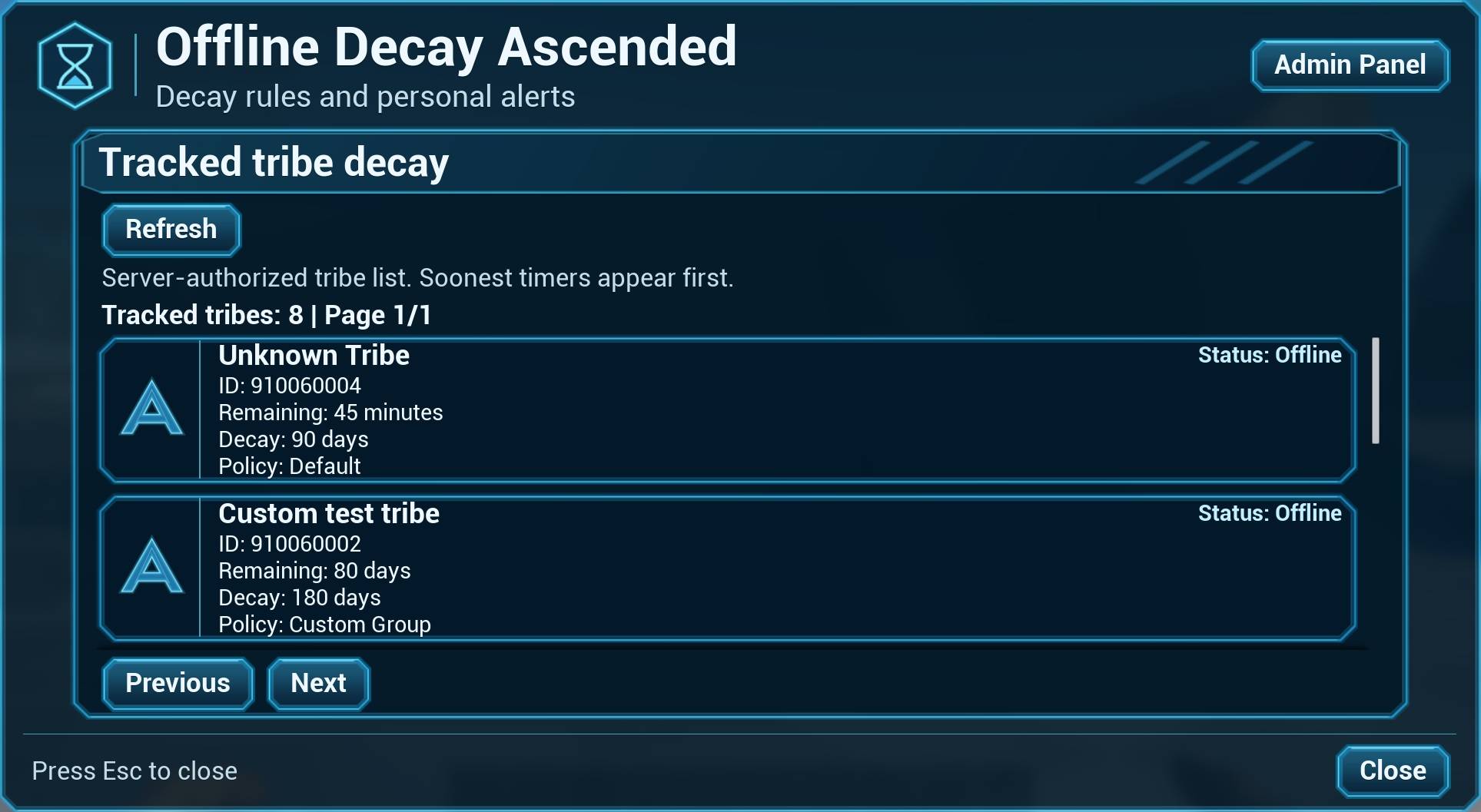
Server admins can open the Admin Panel to view tracked tribes and remaining decay time.
Startup Grace Period
StartupDecayGraceMinutes=30
Temporarily blocks destructive cleanup after the map starts.
Useful after maintenance or restoring a save.
Default:
StartupDecayGraceMinutes=0
Restoring an Older Map Save
Restoring an older .ark save can also restore older Offline Decay tribe timers.
Offline Decay includes a safe one-shot reset system for this.
Use:
[OfflineDecayAscended]
ResetDecayTimersOnNextStartup=True
DecayTimerResetRequestID=reset1
StartupDecayGraceMinutes=30
DecayTimerResetRequestID is simply a unique name for that reset request.
Examples:
DecayTimerResetRequestID=reset1
or:
DecayTimerResetRequestID=rollback-nov9
How the Reset Works
First startup:
- Offline Decay resets all tracked tribe timers on that map
- The reset ID and new timers are saved with the map
- Destructive cleanup stays suspended
Second startup:
Restart the map with the same settings:
ResetDecayTimersOnNextStartup=True
DecayTimerResetRequestID=reset1
Offline Decay confirms that the same reset ID was successfully saved.
It does not reset the timers a second time.
After confirmation, you can change:
ResetDecayTimersOnNextStartup=False
Important
For every new intentional timer reset, use a new request ID.
Example:
DecayTimerResetRequestID=reset2
A reset ID from an older restored save cannot confirm a new reset request.
If the request ID is missing, blank, or not successfully saved, destructive cleanup remains suspended.
For clusters, repeat the reset separately on each affected map.
The reset changes only the tracked tribe activity timers and preserves the other Offline Decay saved data.
How It Works
Offline Decay tracks tribe activity.
When tribe members are online, their activity timer is refreshed.
When the tribe becomes inactive, the decay timer begins.
If the tribe remains inactive beyond its configured decay period, its eligible structures and tames can be cleaned up.
If a tribe member returns before cleanup, the timer is refreshed.
Online tribes are skipped.
Support
Discord:
Join for:
- Setup help
- Configuration questions
- Bug reports
- Update information
Offline Decay Ascended (Freemium) Team

Owner