Dino Hud Plus 1
Dino Hud Plus 3
Dino Hud Plus 7
Dino Hud Plus 4
Dino Hud Plus 2
Dino Hud Plus 6
Dino Hud Plus Settings
Description
Dino HUD Plus v2 – Smarter Tracking, Cleaner Visibility! 🦖
Keep an eye on your dinos without losing sight of the adventure. Dino HUD Plus v2 brings a cleaner HUD, customizable settings, smarter visibility, and controller-accessible menus to ARK: Survival Ascended. Check important stats at a glance, choose which dinos appear, and adjust the HUD to suit your playstyle.
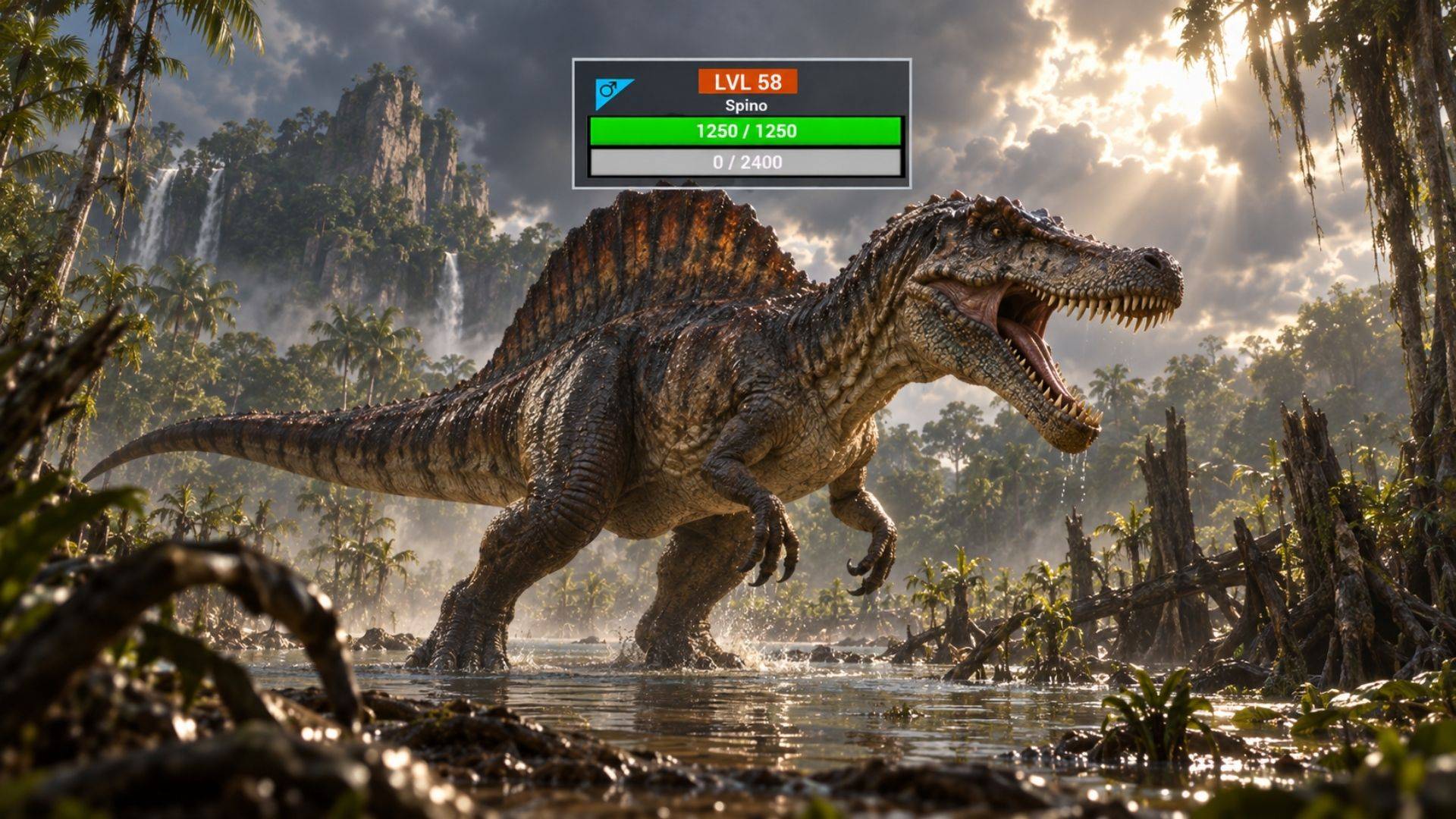
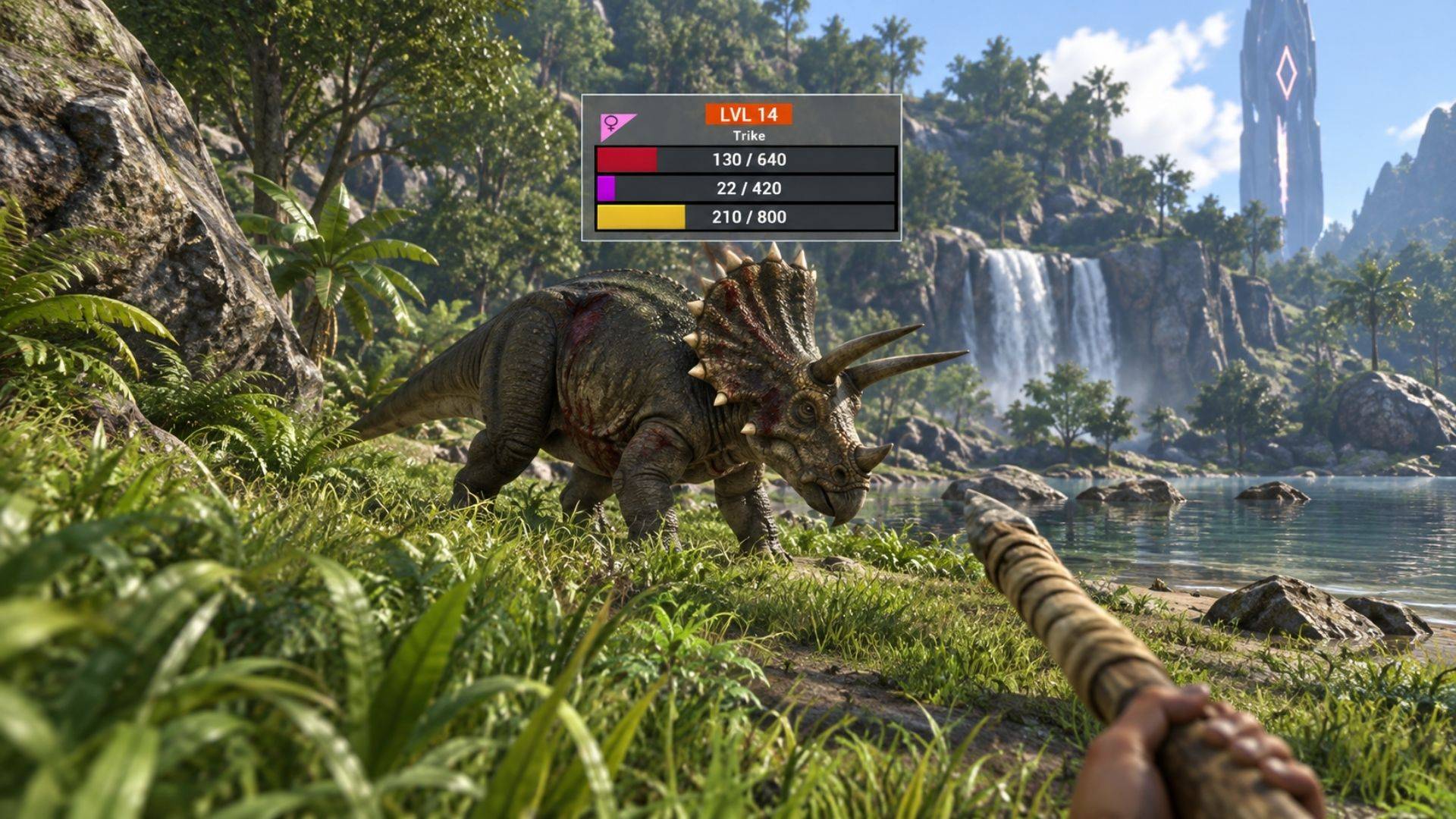
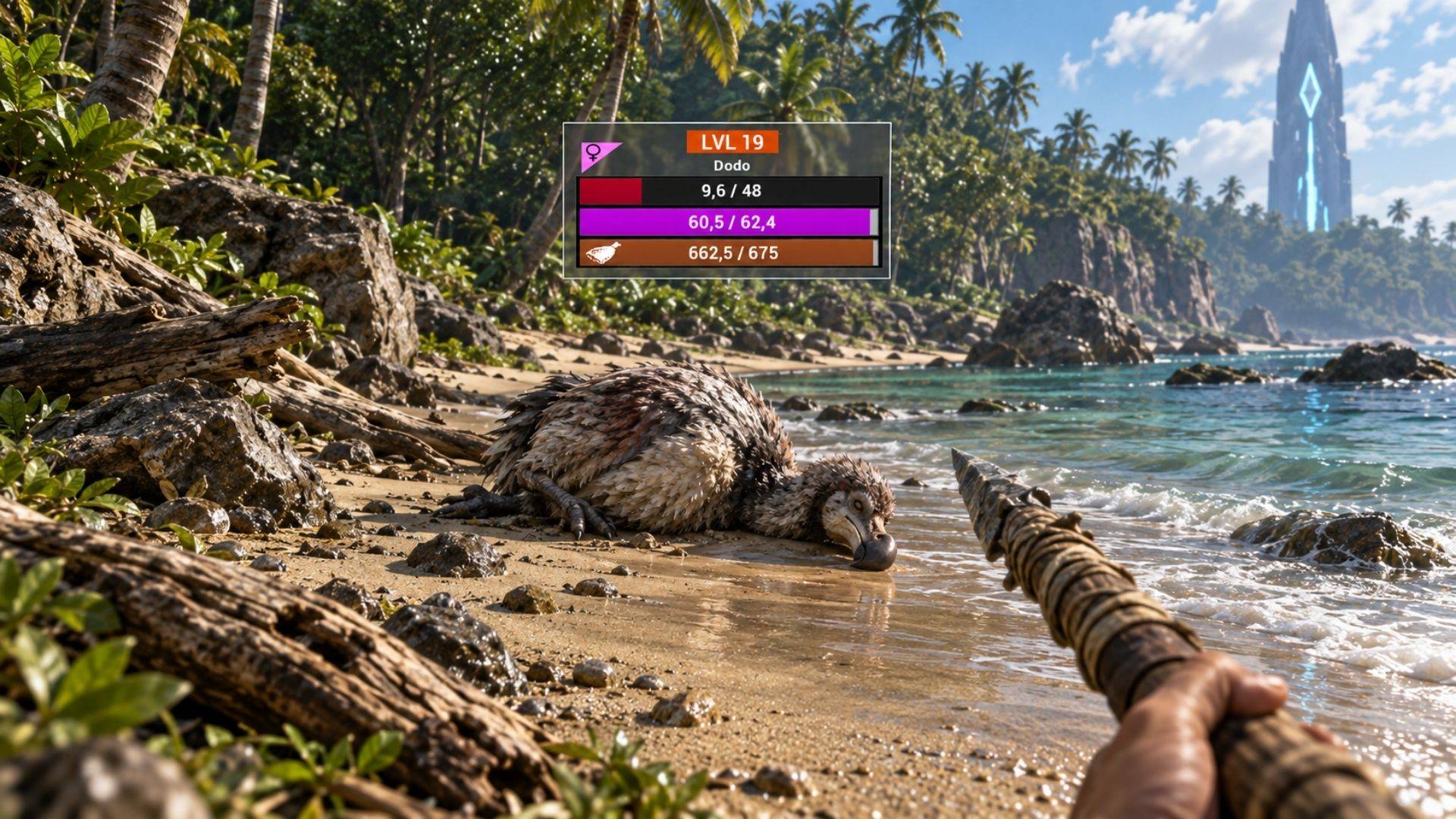
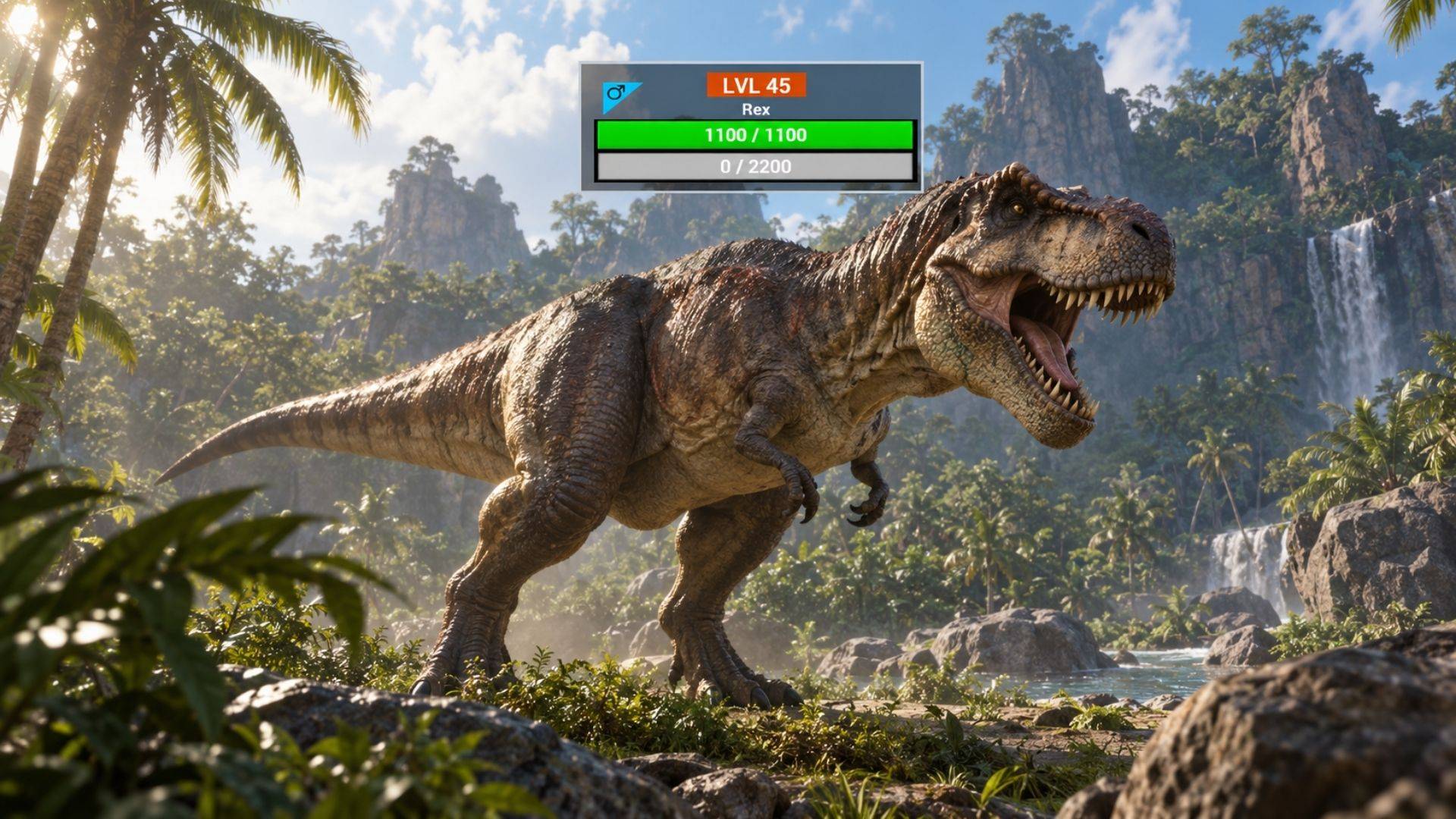
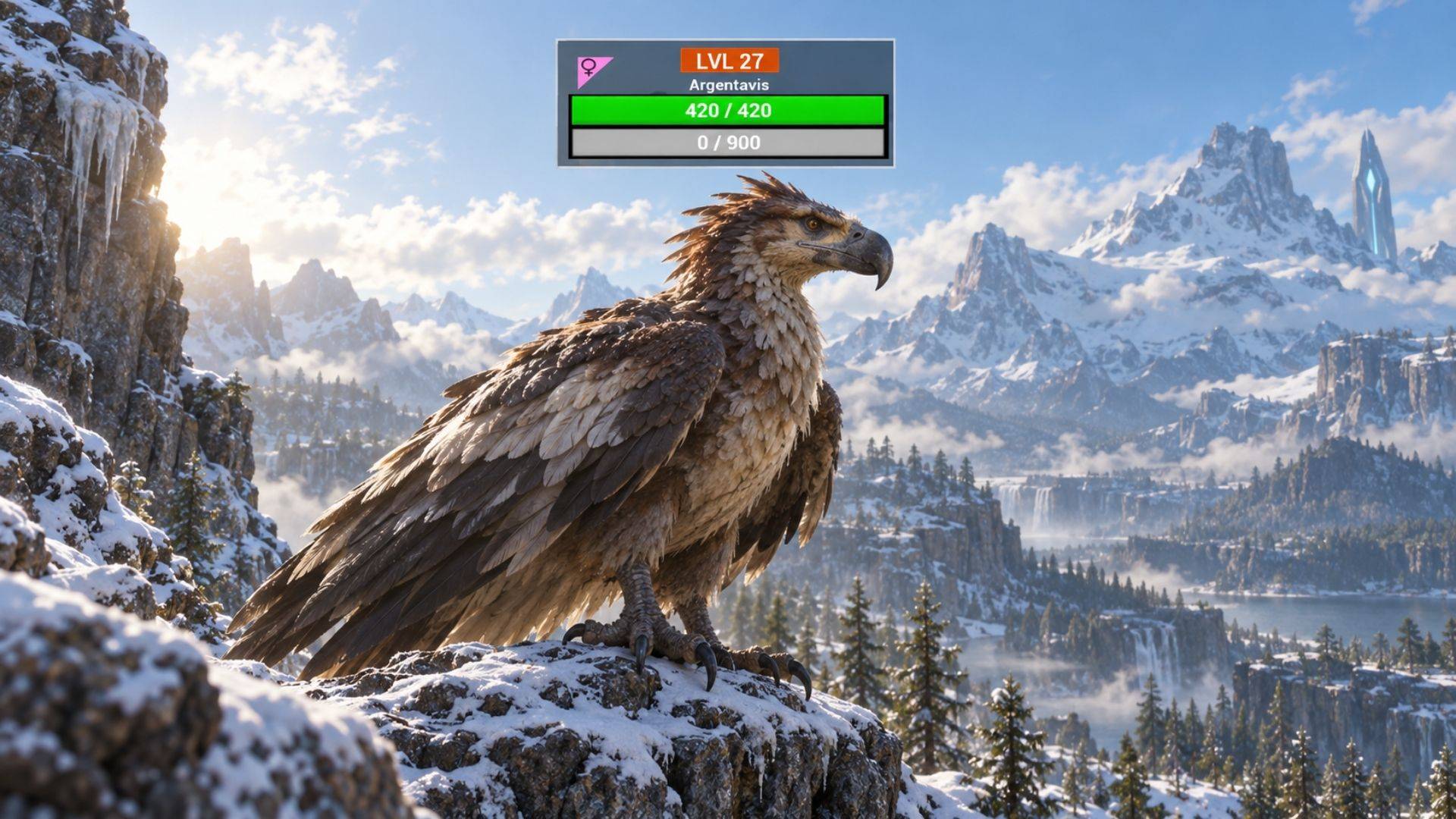
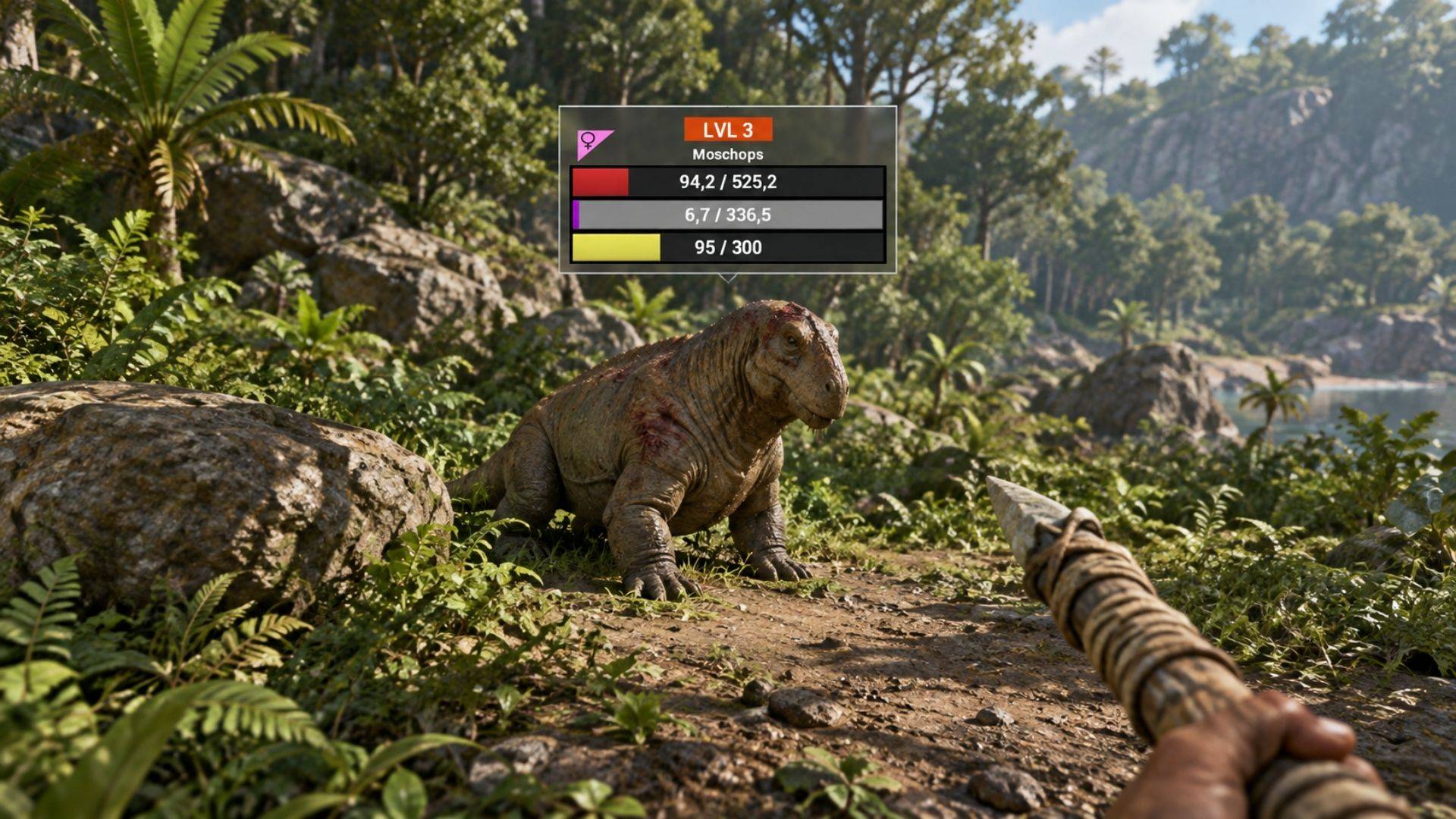
Overview Dino HUD Plus v2 displays useful information above nearby dinosaurs, with automatically updated Health and Torpor bars. The third bar adapts to the dinosaur’s state:
- Conscious tamed dinos: displays Stamina, with an option to hide it.
- Unconscious dinos: displays Food, helping you monitor food levels during taming.
- Conscious wild dinos: keeps the third bar hidden for a cleaner view. The Food bar now has a distinct orange-brown color and food icon, making it easier to distinguish from Stamina.
What’s New in v2?
✅ Smarter visibility — dinos behind your camera or outside the screen are filtered out. ✅ Line-of-sight detection — HUDs disappear when an obstacle blocks the view to the dinosaur’s head area. ✅ Nearby dino prioritization — when your display limit is reached, the system prioritizes nearby eligible dinos. ✅ More stable HUD tracking — reduces unnecessary switching between dinos at similar distances. ✅ Separate wild and tamed filters — choose which groups you want to see. ✅ Adjustable HUD size and opacity — make the display as prominent or subtle as you prefer. ✅ Persistent personal settings — save your preferences for future sessions. ✅ Controller-friendly settings menu — navigate, adjust, and save settings with your controller.
PC Shortcuts ⌨️
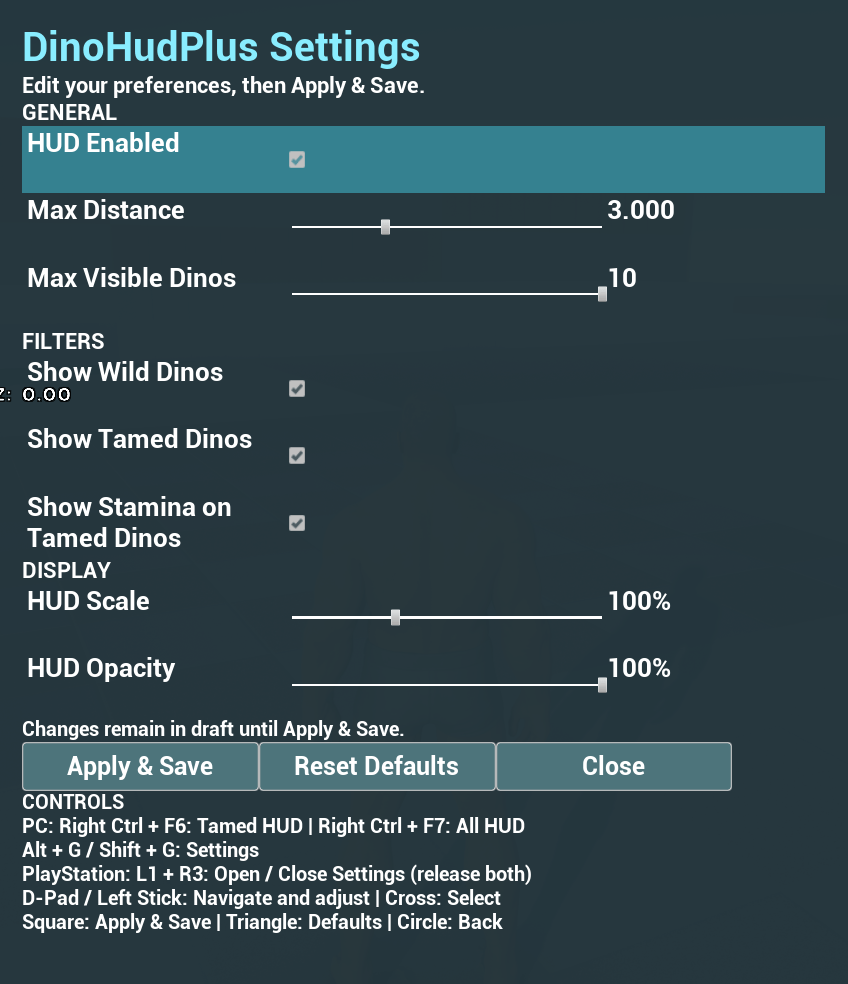
Alt + G or Shift + G Open / close Settings Right Ctrl + F6 Toggle HUDs for tamed dinos Right Ctrl + F7 Toggle all dino HUDs
The HUD toggle shortcuts automatically save your preference. Returning players: the previous Left Shift + F6/F7 shortcuts have changed to Right Ctrl + F6/F7.
PlayStation Controls 🎮
Press L1 + R3 to open or close Settings. R3 means pressing the right stick. Release both buttons before using the combination again. Inside the settings menu: Control Action D-Pad / Left Stick Navigate and adjust sliders ✕ Cross Select / toggle □ Square Apply & Save △ Triangle Reset the settings draft to defaults ○ Circle Close without applying unsaved changes
Use the settings menu to toggle all HUDs or change the wild/tamed filters. Customize Your HUD ⚙️ Open Settings to adjust:
- HUD Enabled
- Maximum HUD Distance
- Maximum Visible Dinos
- Show Wild Dinos
- Show Tamed Dinos
- Show Stamina on Tamed Dinos
- HUD Scale
- HUD Opacity
Choose Apply & Save to apply your changes and remember them. Reset Defaults prepares the default settings; select Apply & Save to confirm them. Closing the menu discards unapplied changes. Clear, Informative Stat Bars
- Health: color changes at 50% and 25%.
- Torpor: color changes at 75%.
- Food: a dedicated color and icon for unconscious dinos.
- Stamina: optional display for conscious tamed dinos. Latest Fixes & Improvements
- Fixed duplicate HUDs appearing above the same dinosaur.
- Fixed HUD visibility toggles leaving an extra HUD behind.
- Fixed settings changes sometimes requiring a second click or save.
- Improved HUD positioning and screen alignment.
- Added automatic recovery for the missing HUD buff that previously required dying and respawning after loading an existing character.
- Improved HUD reuse and stat updates to reduce unnecessary work.
Compatibility Supports Singleplayer, Non-dedicated server and Multiplayer gameplay.
Credits 💙
- Yasin Güler (YouTuber) — for his support and contribution.
- Jolinah (ASE Dino Bars) — for the original UI concept and inspiration. Community & Support Your feedback helps shape the next update. Share your suggestions, report issues, and help make Dino HUD Plus better!
💬 Join our Discord: discord.gg/xRjHNYuhaU
💖 Support my work on Patreon: patreon.com/FaraziYusuf
💸 Support via PayPal: fuatozdemir2@hotmail.com
Dino Hud Plus v2 Team