OneWoW
- By
Modular Retail 12.0+ addon suite. One hub powers themes, tooltips, overlays, and search; enable QoL, Bags, Notes, AltTracker, Catalog, Trackers, and more as needed.
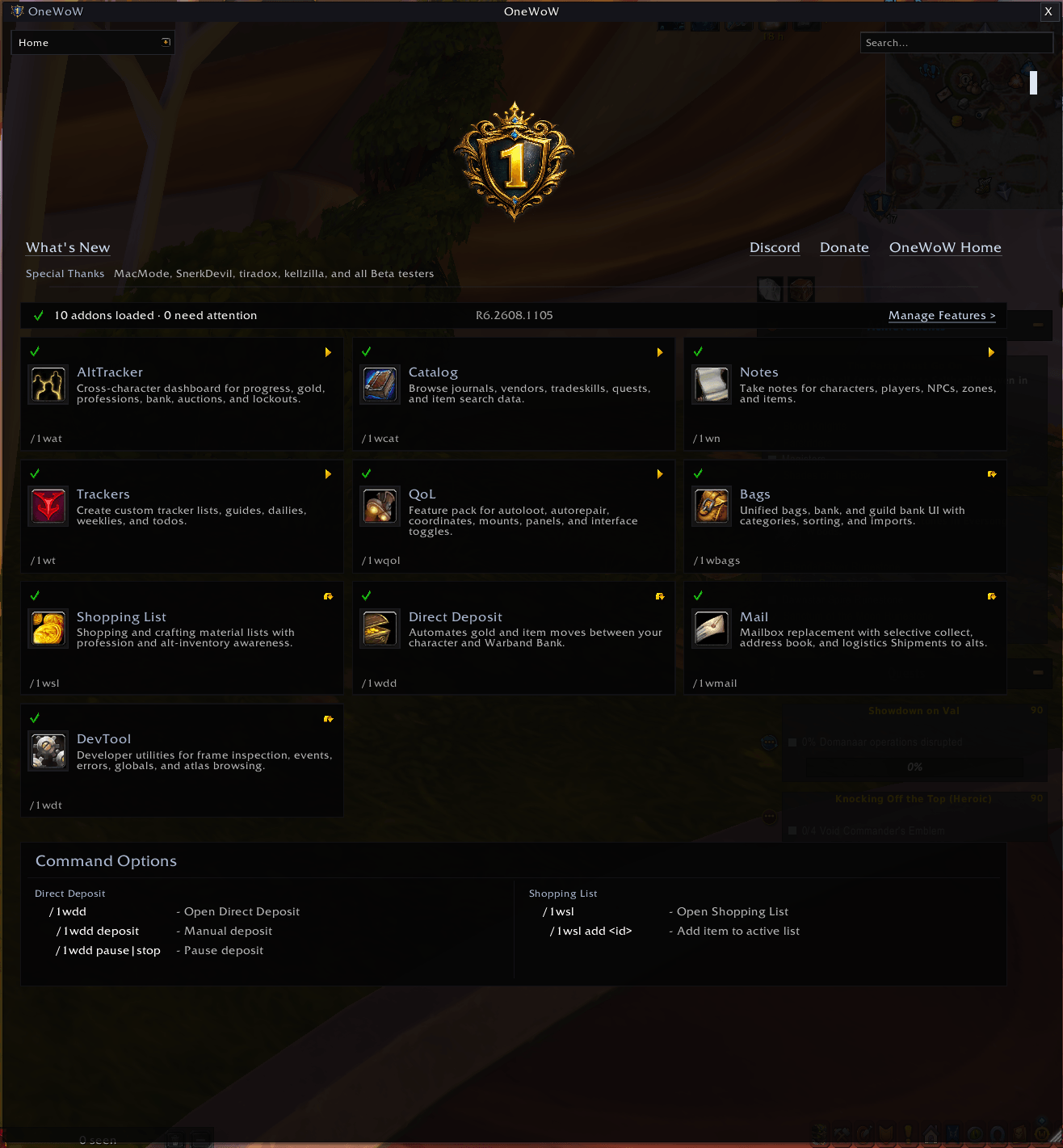
OneWoW Home screen shows addons loaded, which versions were detected, and alerts you to any problems detected.
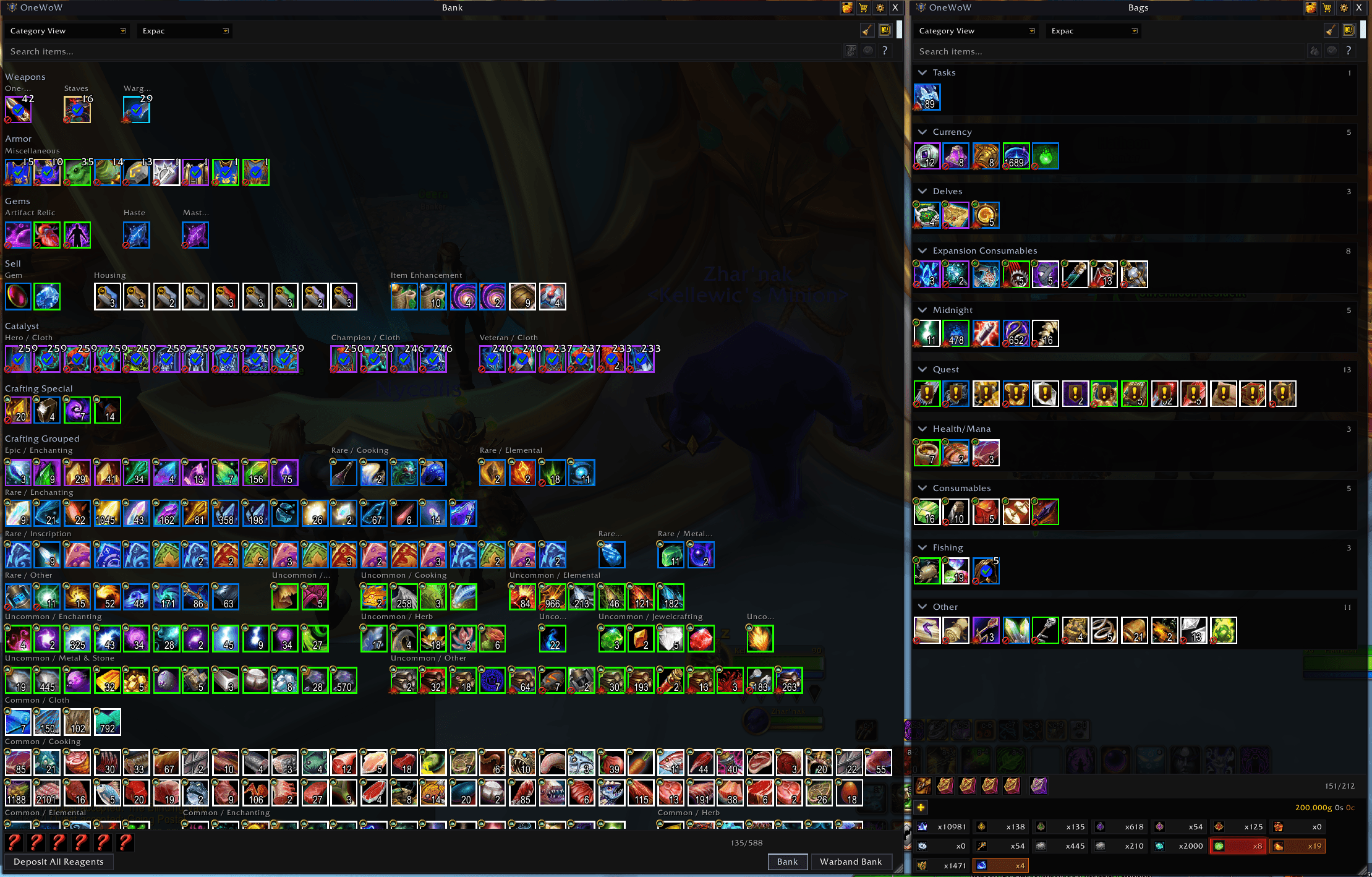
Built-in bags, personal/warband banks, and guild bank. Custom syntax for searching. Categories and sub-categories. Customize away!
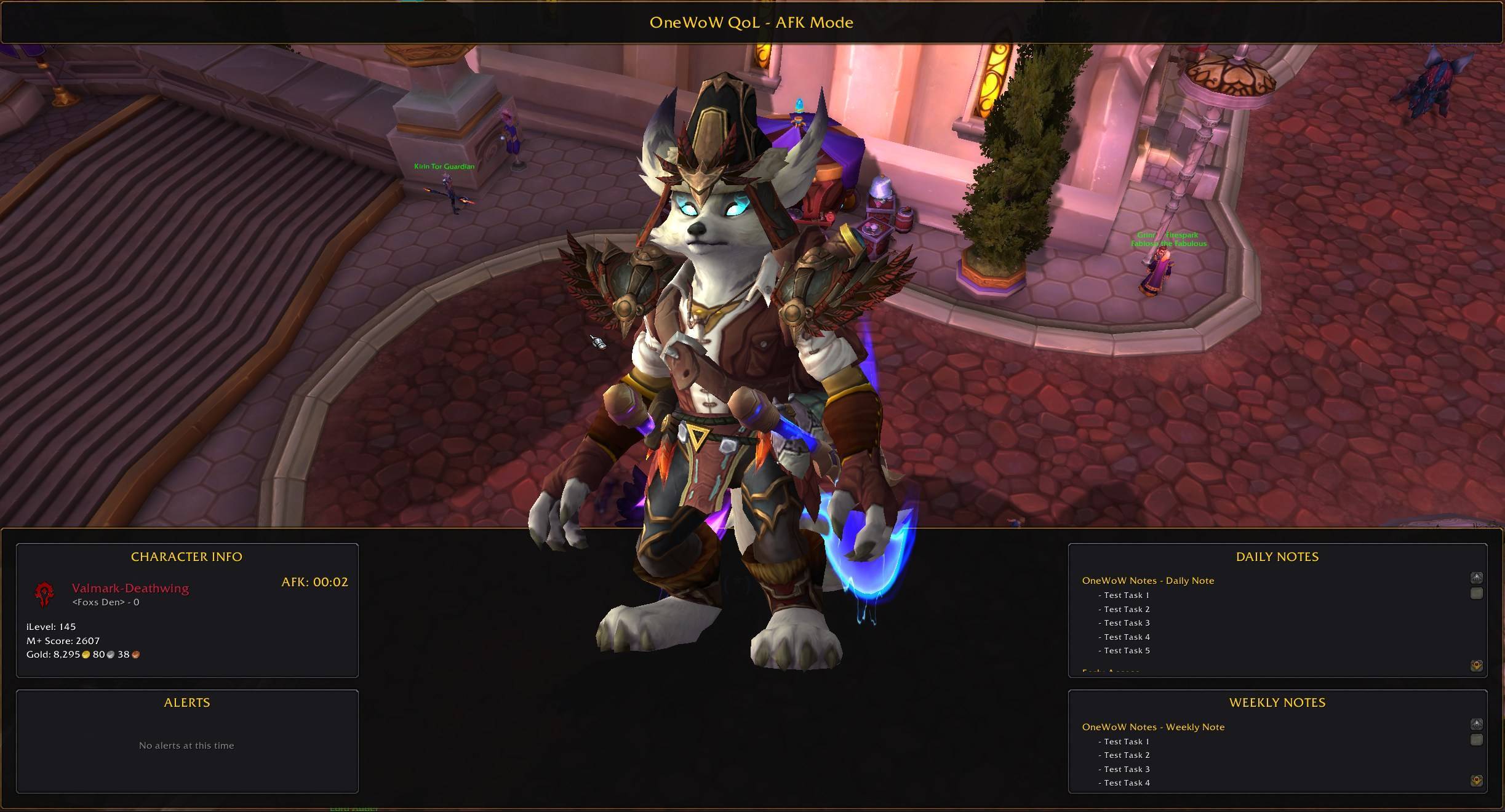
AFK Screen
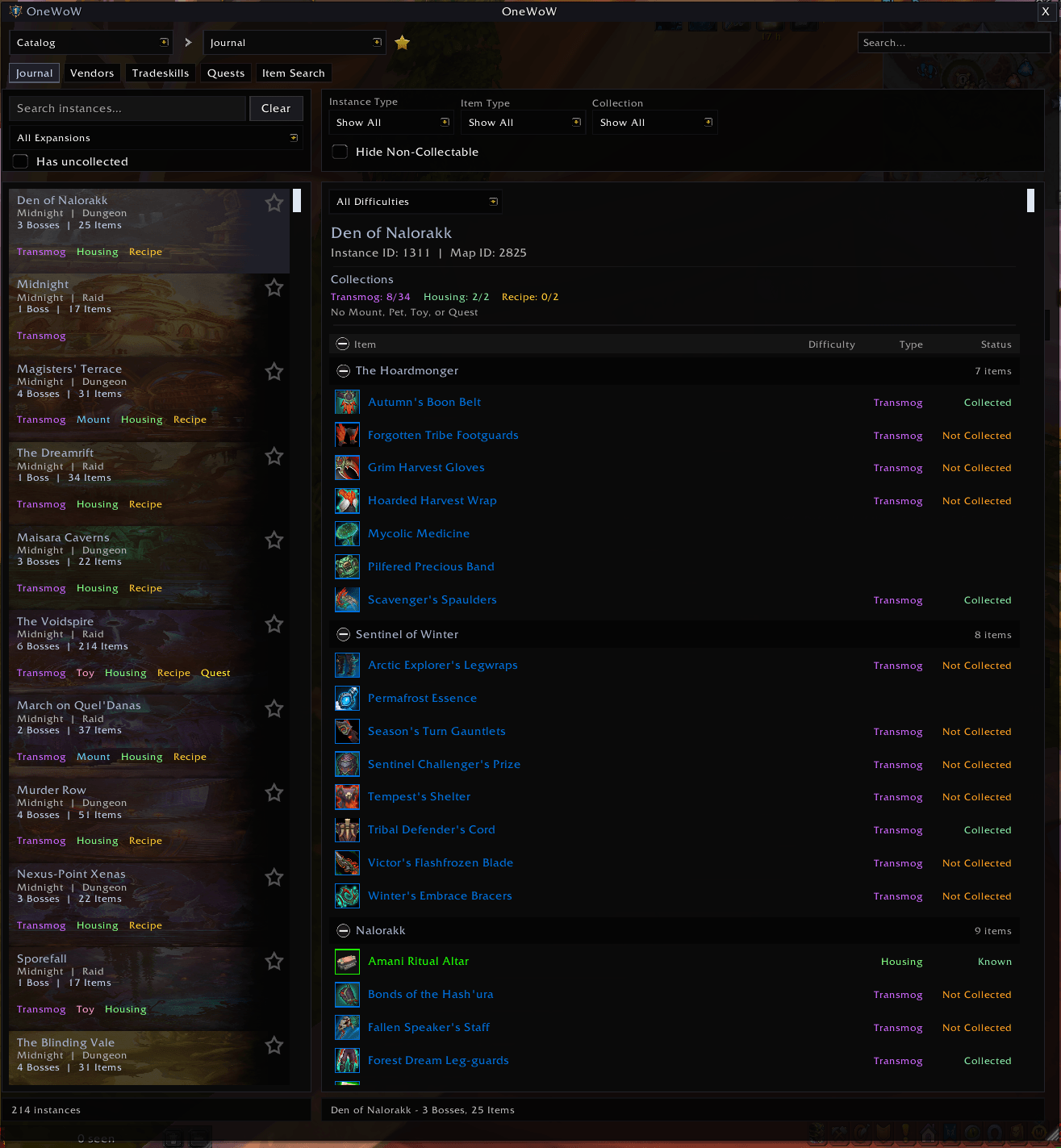
Catalog's journal gives you quick access to dungeons and raids including drops.
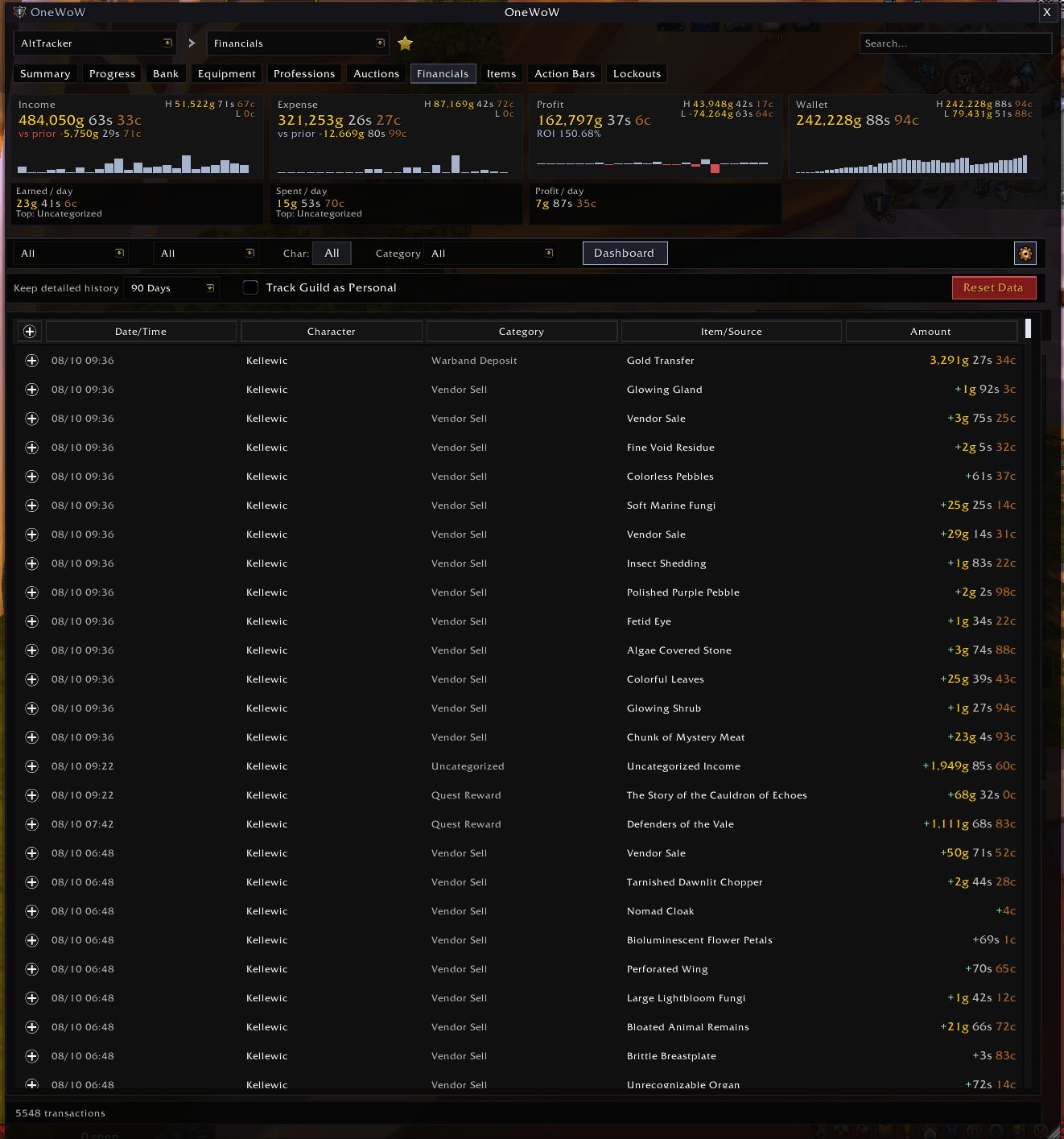
Track financials for all your alts!
Description
OneWoW Suite
A modular World of Warcraft addon suite for Retail 12.0+. One shared hub, unified themes, eleven locales, and optional feature addons you enable only when you need them.
Website: https://wow2.xyz/
Player docs (wiki): https://github.com/kellewic/OneWoW_Suite/wiki
Discord: https://discord.gg/nvgMkvs8V
Features
Central Hub
The foundation for every OneWoW addon — Manage Features, suite themes, universal search, smart tooltips, and bag overlays.
- Open with
/ow,/1w,/one, or/onewow - Manage Features — enable or disable suite modules (disabling truly unloads them)
- Universal Search — jump to settings, portals, and suite data without digging through menus (
/1wkeysfor search keyword help) - Suite-wide themes and profiles
Bag Overlays
Icons and markers on bag (and compatible inventory) slots — no hover required:
- Collections status (mounts, pets, toys, transmog)
- Item level (gear, battle pets, bag slot counts)
- Quality border
- Junk and Protected
- Quest items, reagents, recipes
- Housing decor, consumables
- Soulbound, warbound, BoE / Warbound-until-equipped
- Gear upgrade indicators
- Custom overlays with your own item rules
Enhanced Item Tooltips
Hover over items for extra context:
- Collected / not collected (mounts, pets, toys, transmog, recipes)
- Recipe learning status (you, or an alt when AltTracker data is available)
- Gear upgrade suggestions
- Item notes (with OneWoW_Notes)
- Tracker sources and progress (with OneWoW_Trackers)
- Item categories, bind status, and optional technical IDs
Portal Hub
Organized portals, teleports, and hearthstones (via OneWoW_QoL):
- Browse portals and teleport items; favorites for quick access
- Class portals, profession locations, instances, housing
- Automatic hearthstone detection (optional random hearthstone)
- One-click use; customize layout and appearance
- Optional portal strip beside the ESC menu
Collection Notifications
Toast alerts when you earn something new (via OneWoW_QoL):
- Mounts, pets, toys, recipes, transmog appearances
- Optional instance alerts and note alerts
Installation
- Install with the CurseForge / WowUp client, or extract every
OneWoW*folder from the zip intoWorld of Warcraft\_retail_\Interface\AddOns\ - Restart WoW or type
/reload - Open OneWoW (
/owor/1w) and use Manage Features to enable the modules you want
You do not need every module — install or enable only what you use. Catalog and AltTracker data stores load with their parent when enabled.
Slash Commands
/ow,/one,/onewow,/1w— Open OneWoW/1wkeys,/owkeys— Search keyword help
Module slash commands (when that module is enabled): /1wqol, /1wat, /1wn, /1wcat, /1wt, /1wb, /1wmail, /1wsl, /1wdd, and more — listed on the Home tab in-game.
Localization
English, Korean, French, German, Simplified Chinese, Spanish (Spain), Traditional Chinese, Spanish (Mexico), Russian, Brazilian Portuguese, Italian.
Suite Modules
OneWoW works best alongside these addons (included in this package):
- OneWoW_QoL — Quality of life modules, Portal Hub, collection toasts
- OneWoW_Bags — Inventory management and bag organization
- OneWoW_Notes — Notes plus Collectibles / Want List
- OneWoW_AltTracker — Track characters, gold, professions, and progress
- OneWoW_Catalog — Game data reference (instances, vendors, professions, quests)
- OneWoW_Trackers — Custom tracker lists (guides, dailies, todos, farm value)
- OneWoW_ShoppingList — Shopping and crafting lists
- OneWoW_Mail — Mailbox UI, collect/compose, and shipments to characters or roles
- OneWoW_DirectDeposit — Automatic Warband Bank gold and item transfers
Support
Website: https://wow2.xyz/
Player docs (wiki): https://github.com/kellewic/OneWoW_Suite/wiki
Discord: https://discord.gg/nvgMkvs8V
Report issues through the Discord community or the website.
Author: MichinMuggin / Ricky
All rights reserved. Part of the OneWoW Suite.
OneWoW Team

Owner