Vespe's Nameplate Triage
- By
VPT_01Hide_selected.jpg
VPT_02Isolate_Trivial.jpg
VPT_03Dispel_Highlights.jpg
VPT_04Menu.jpg
Description
Vespe's Nameplate Triage (VNT)
Less clutter. Better visibility. Full manual control.
Vespe's Nameplate Triage is a lightweight World of Warcraft addon designed to reduce enemy nameplate clutter in Mythic+ dungeons, Delves and other PvE content.
Large pulls can quickly become a wall of overlapping nameplates, making important enemies difficult to see, select and react to.
VNT lets you selectively hide less important nameplates, reduce visual clutter and keep important enemies accessible, without automating combat or targeting.
Features
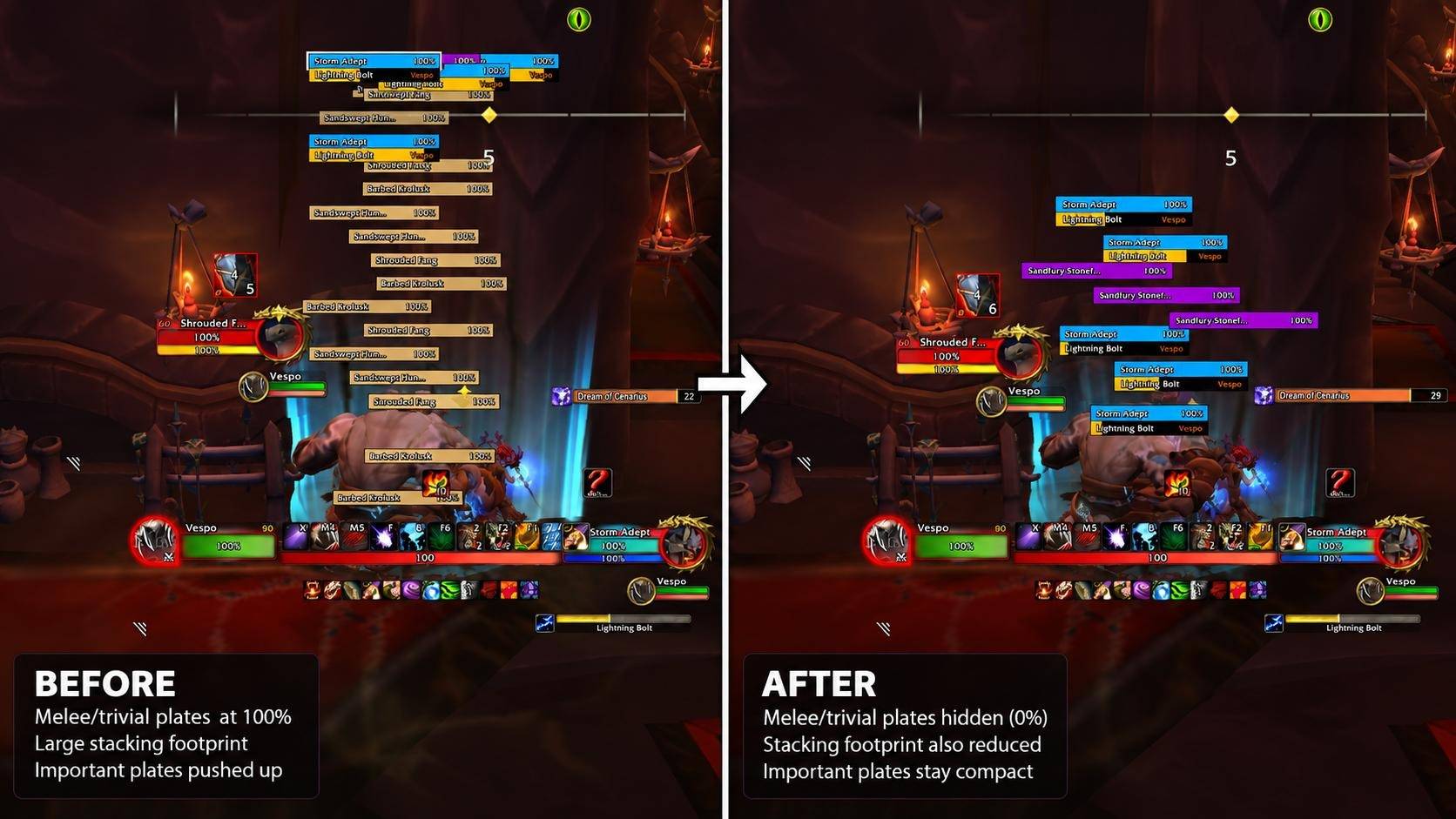
1. Hide Selected Enemies
Reduce nameplate clutter by selectively hiding:
-Melee enemies
-Trivial enemies
-Caster enemies (use with caution, as hiding casters can make important spells harder to notice)
Choose which categories to filter, then toggle the feature using a configurable keybind.
Hidden nameplates reduce visual clutter, allowing important enemies to remain easier to identify.
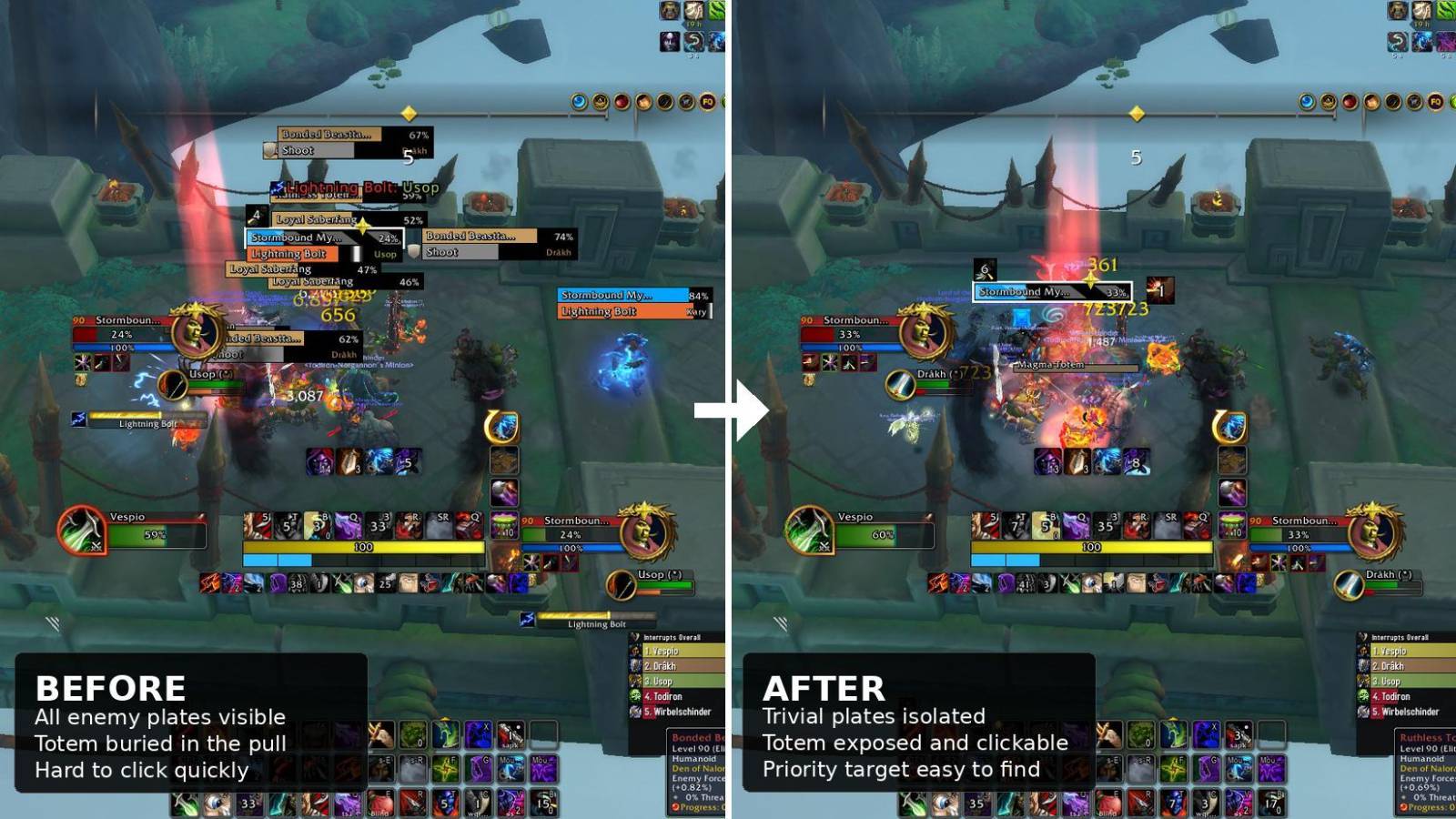
2. Isolate Trivial (Totems!)
Sometimes the smallest enemy in a pull is the one you need to deal with immediately.
Isolate Trivial temporarily filters out other enemy nameplates to make trivial enemies and totems easier to find and manually target.
This is particularly useful when an important totem becomes buried beneath a large group of enemies.
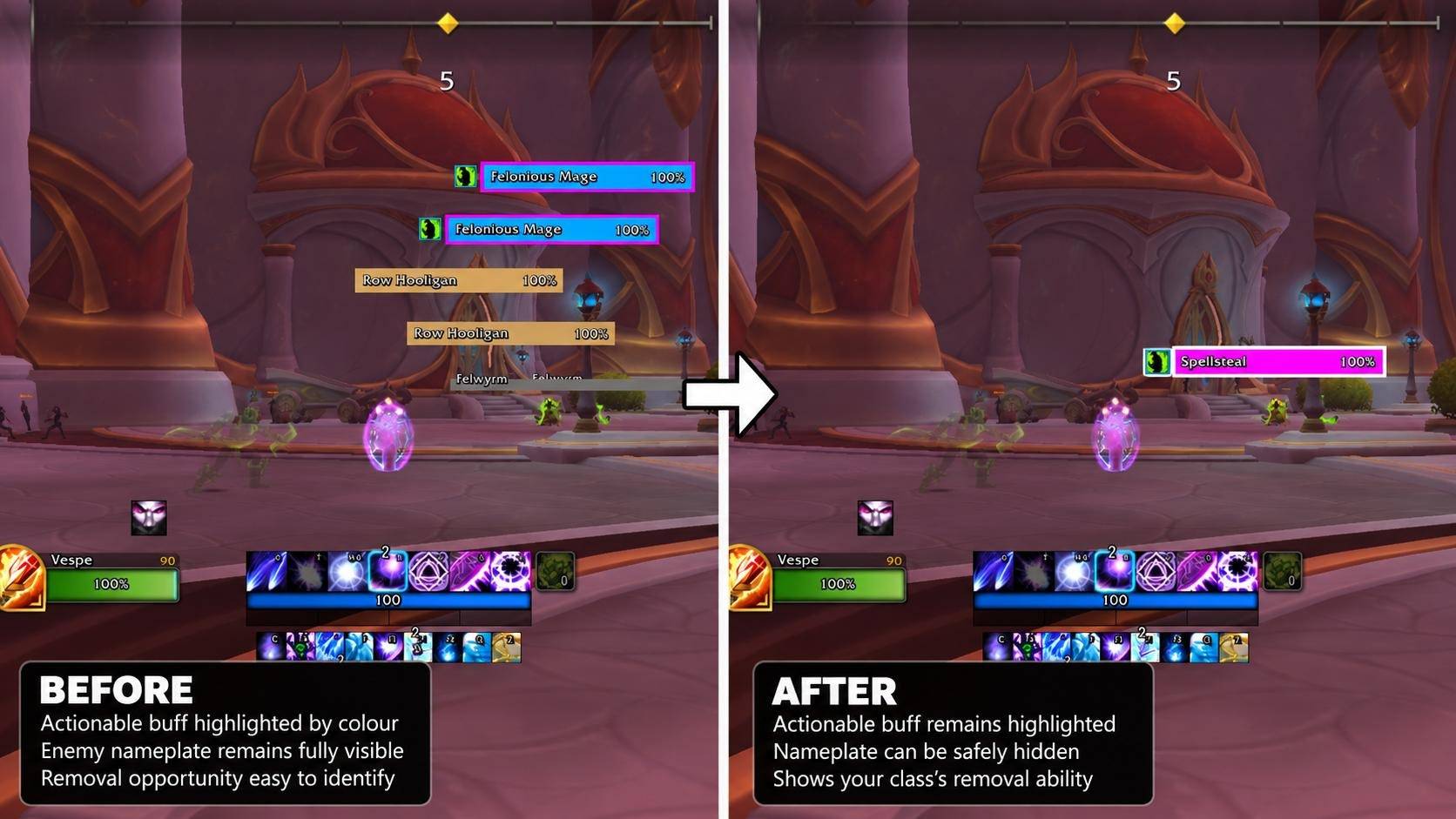
3. Dispel Highlights
VNT can highlight enemies carrying buffs that your class has an ability to remove.
Actionable buffs receive a configurable coloured border around their normal nameplate.
When the normal nameplate is hidden, VNT can retain a coloured replacement bar displaying the relevant removal ability, such as Spellsteal, while preserving the actionable buff indicator.
This makes opportunities easier to recognise without requiring every enemy nameplate to remain visible.
Supported class-specific abilities include:
-Mage: Spellsteal
-Druid: Soothe
-Hunter: Tranquilizing Shot
-Priest: Dispel Magic
-Shaman: Purge
-Demon Hunter: Consume Magic
-Rogue: Shiv
-Evoker: Overawe
-Warlock: Devour Magic
Available highlights depend on your class. Colours and mouseover highlighting can be customised.
4. Built-in Safety Protections
Bosses and other high-priority enemies are intended to remain visible under normal Triage filtering, helping ensure that reducing clutter doesn't come at the expense of important encounters.
Core protections include:
-Target protection: Your current target remains visible.
-Focus protection: Your focus remains visible.
-Raid-marker protection: Marked enemies remain visible.
-Casting protection: When enabled, any enemy nameplate hidden by Triage will automatically become visible if that enemy begins casting or channeling a spell. Once the cast or channel ends, Triage hides the nameplate again if it still meets your filtering criteria.
-Threat protection: Optionally keep enemies visible when your threat becomes unsafe, regardless of your role. For tanks, this helps identify enemies you've lost aggro on. For DPS and healers, it highlights enemies you've gained unwanted aggro from. These enemies remain visible even when they would normally be hidden by Triage, helping you react quickly to potential threats.
Bosses and minibosses are kept prominent by the normal triage rules.
5. Channel Interrupt Colour (Platynator Only)
VNT allows you to assign a separate, configurable colour to interruptible channelled spells, making them easier to distinguish from regular casts.
This helps players recognise opportunities to stop channels using crowd-control abilities such as stuns, disorients, knockbacks or knock-ups, potentially saving their interrupt for a more important cast.
This feature is exclusive to Platynator and its settings are hidden/disabled when Platynator is not enabled.
Installation
-
Install Vespe's Nameplate Triage.
-
Enable the addon.
-
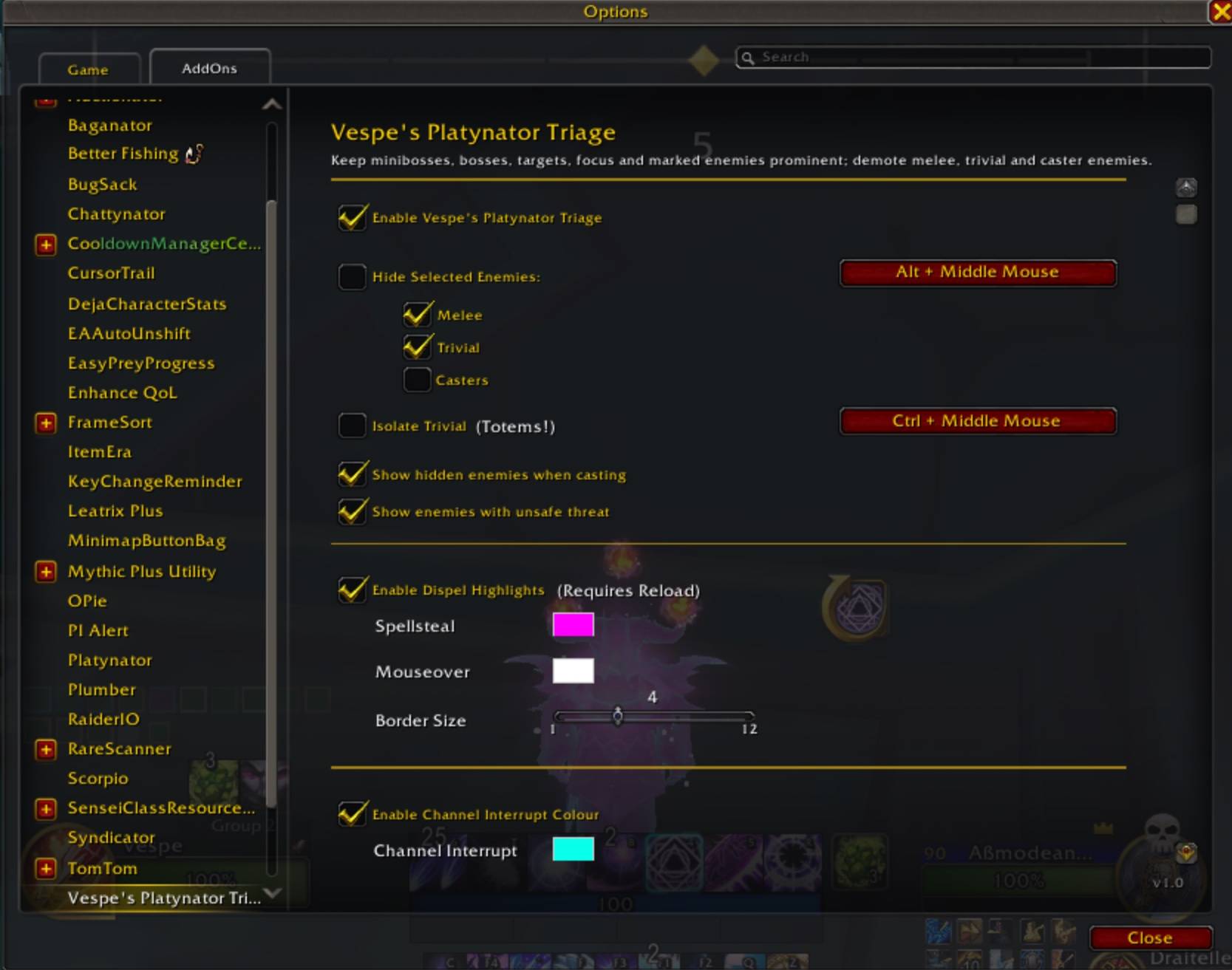
Open VNT's settings through the WoW AddOns options menu or by typing
/vnt. -
Configure your filters and keybinds.
Some highlight settings require /reload to take effect.
Important Notes
Manual control: VNT does not automatically select targets, cast abilities or perform combat actions. Players remain responsible for targeting and reacting to enemies.
Mythic+ restrictions: Due to World of Warcraft's protected UI restrictions, settings for Dispel Highlights and Channel Interrupt Colour cannot be changed during an active Mythic+ run. Both features continue to function using their previously configured settings. Configure these options before starting a key. Core nameplate filtering and its keybinds remain usable during Mythic+.
Compatibility: VNT was originally developed as a companion addon for Platynator, but has since evolved into a fully standalone addon that works with Blizzard's default nameplates.
Platynator is no longer required, but remains recommended for a more customisable nameplate experience. When enabled, VNT integrates with Platynator's active nameplate configuration, supports its visual styling for Dispel Highlights and provides the additional Channel Interrupt Colour feature.
Created by Vespe.
Vespe's Nameplate Triage Team