Target Nameplate Indicator
- By
Puts a texture on your target's nameplate to make them stand out. Configure by editing the options at the top of core.lua.
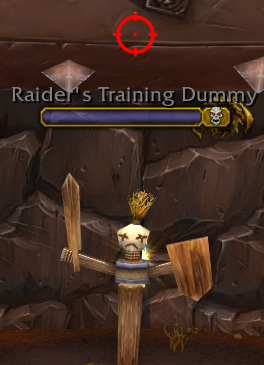
Red targeting reticule (contributed by Dridzt of WoWI)
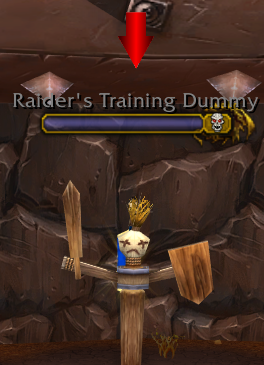
Red arrow pointing downwards (contributed by DohNotAgain of WoWI)
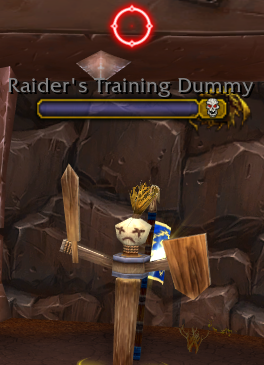
Neon version of the reticule (contributed by mezmorizedck of Curse)
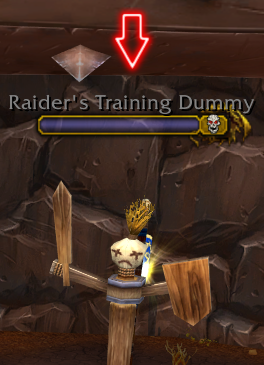
Neon version of the red arrow (contributed by mezmorizedck of Curse)
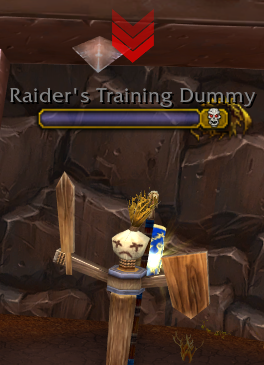
Red inverted triple chevron (contributed by OligoFriends of WoWI)
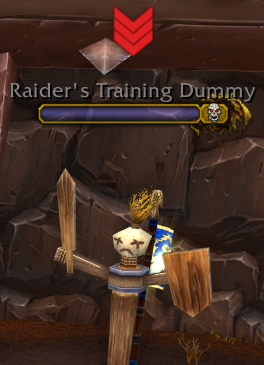
Pale red version of the chevron (contributed by OligoFriends of Curse/WoWI)
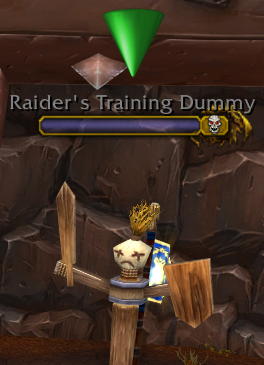
Green 3D arrow (contributed by OligoFriends of Curse/WoWI)
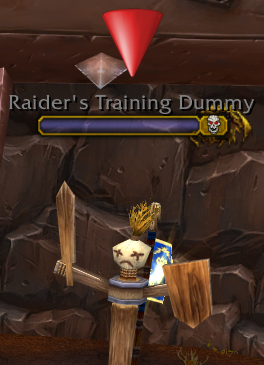
Red 3D arrow (contributed by OligoFriends of Curse/WoWI)
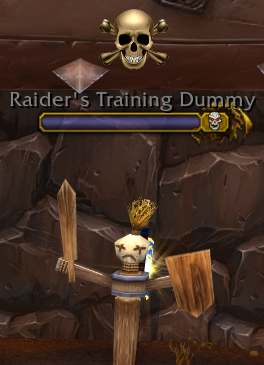
Skull and crossbones (contributed by OligoFriends of Curse/WoWI)
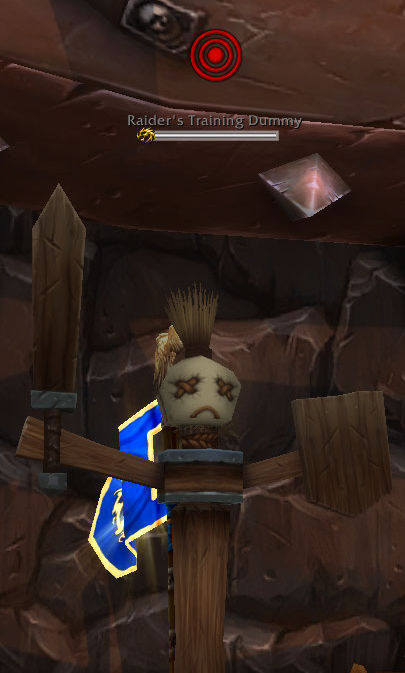
Red concentric circles in the style of a target (contributed by OligoFriends of Curse/WoWI)
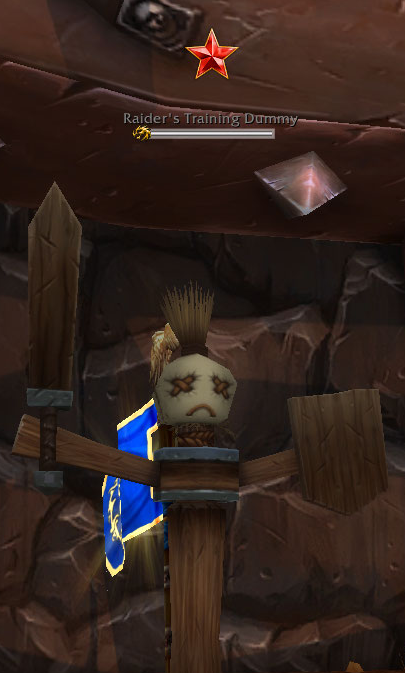
Red star with gold outline (contributed by OligoFriends of Curse/WoWI)
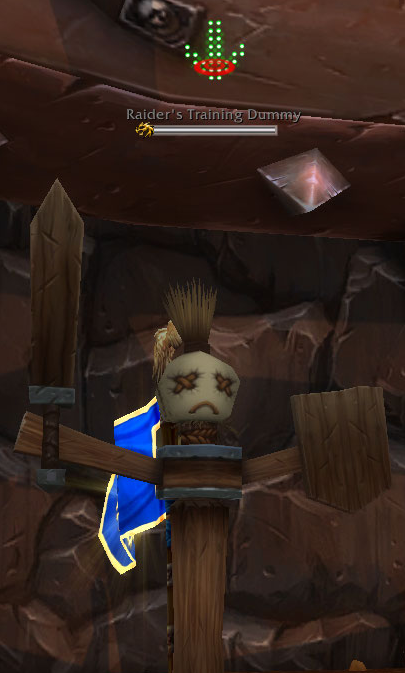
Neon green arrow with a red target (contributed by mezmorizedck of Curse)
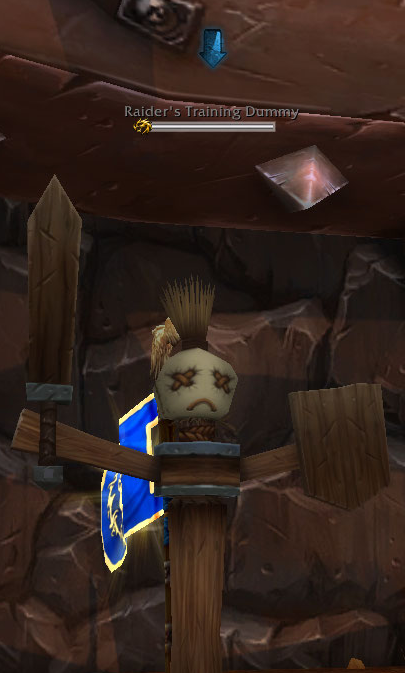
Blue arrow pointing downwards (contributed by Imithat of WoWI)
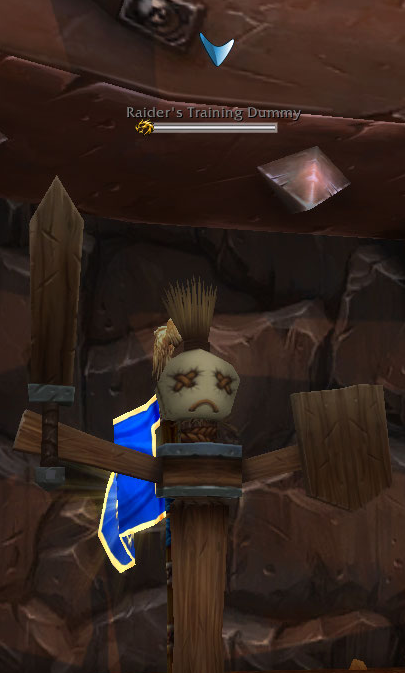
Abstract style blue arrow pointing downwards (contributed by Imithat of WoWI)
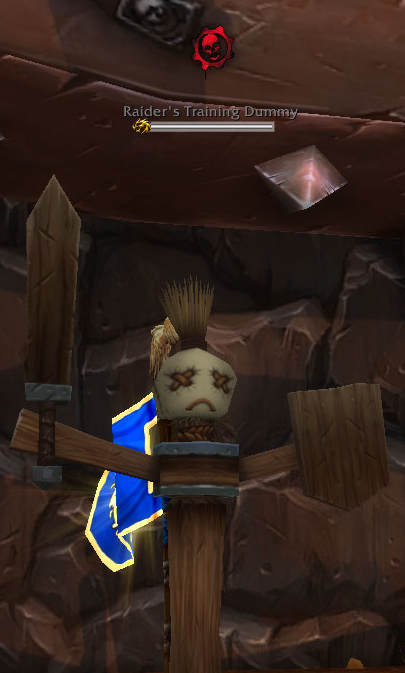
Gears of War logo (contributed by Imithat of WoWI)
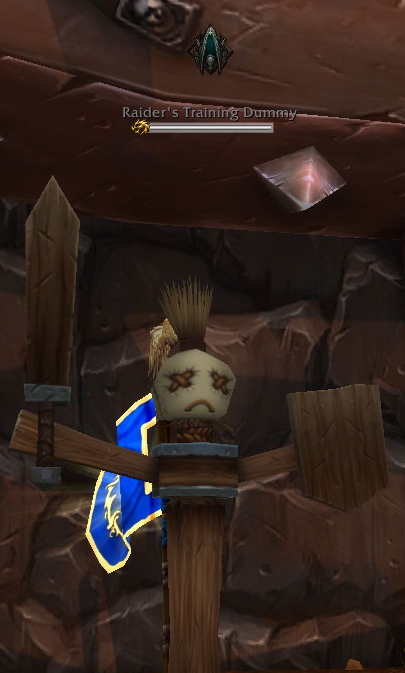
Malthael (Diablo) logo (contributed by Imithat of WoWI)
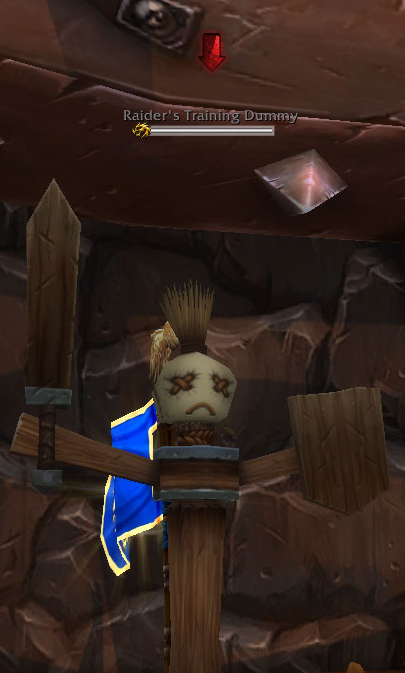
Red arrow pointing downwards, same style as BlueArrow (contributed by Imithat of WoWI)
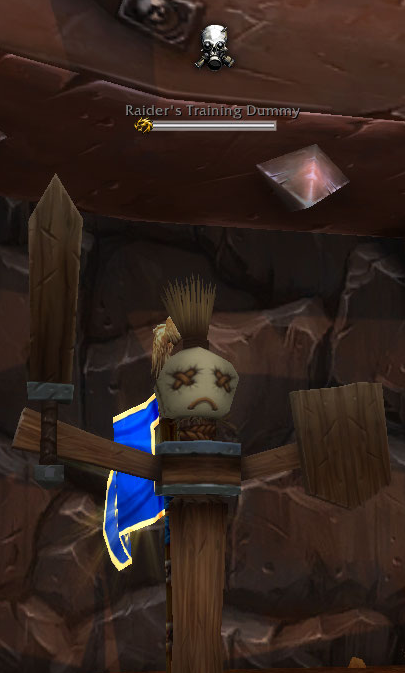
Skull with gas mask (contributed by Imithat of WoWI)
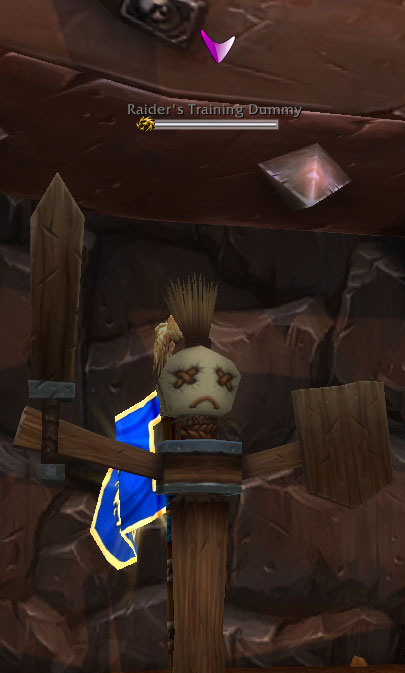
Abstract style purple arrow pointing downwards, same style as bluearrow1 (contributed by Imithat of WoWI)
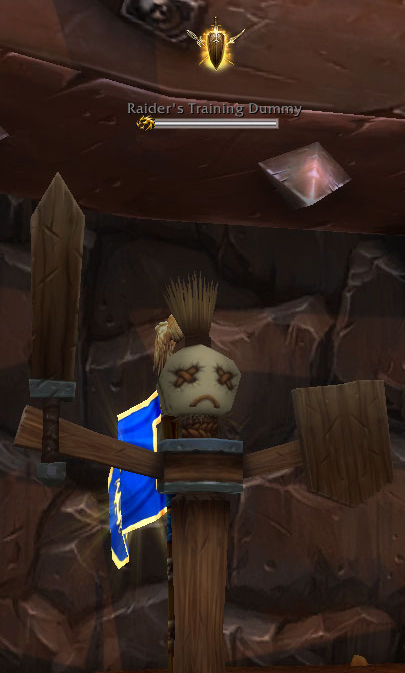
Kite shield with sword and crossed spears/polearms (contributed by Imithat of WoWI)
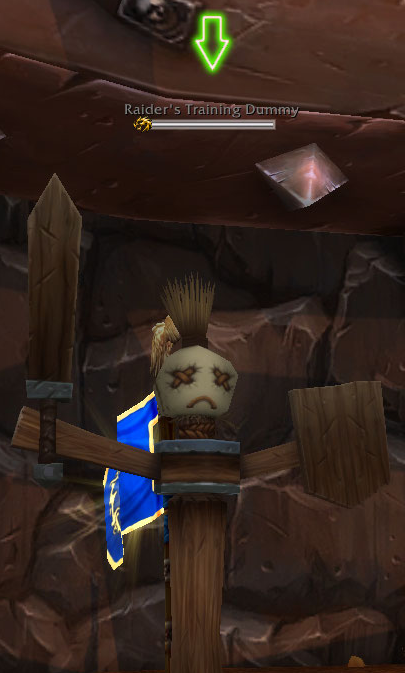
Green version of the neon red arrow (contributed by Nokiya420 of Curse)
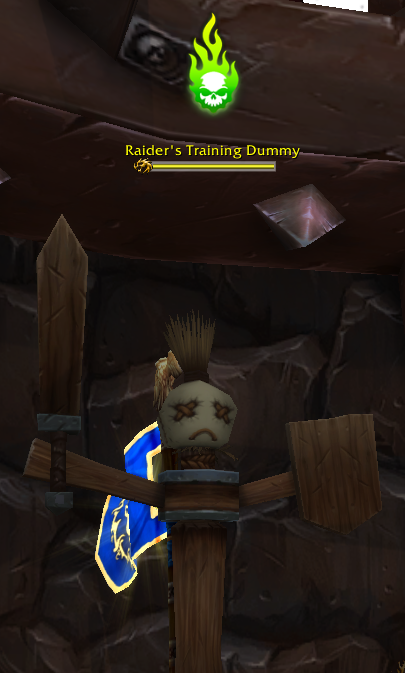
Fel green flaming skull (contributed by ContinuousQ of Curse) - Suggested scale is 80x80 rather than 50x50
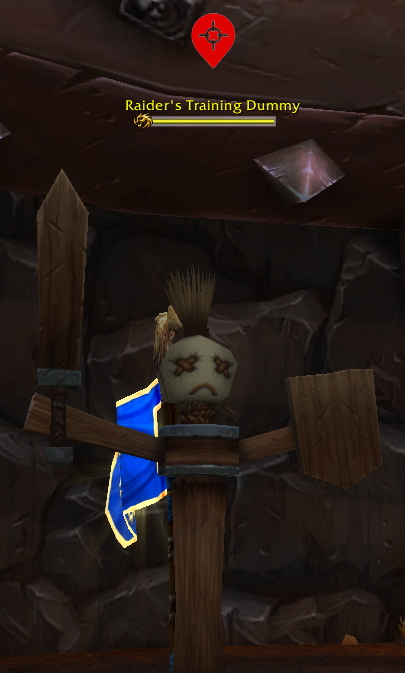
Red flaming skull (contributed by ContinuousQ of Curse) - Suggested scale is 80x80 rather than 50x50
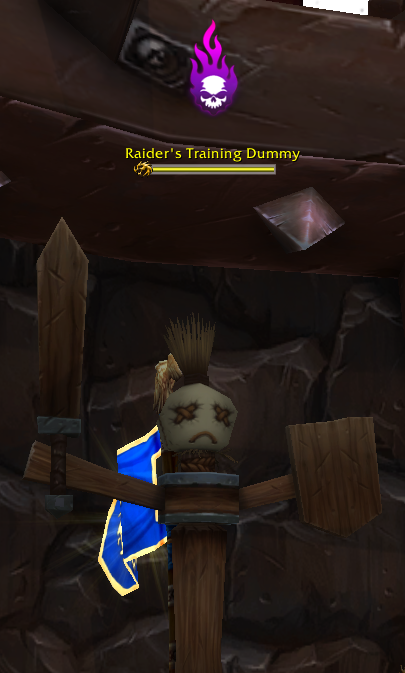
Shadow purple flaming skull (contributed by ContinuousQ of Curse) - Suggested scale is 80x80 rather than 50x50
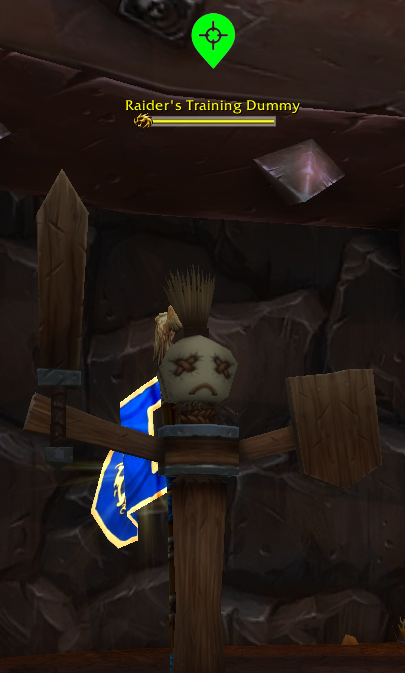
Green map pin/GPS symbol (contributed by ContinuousQ of Curse)
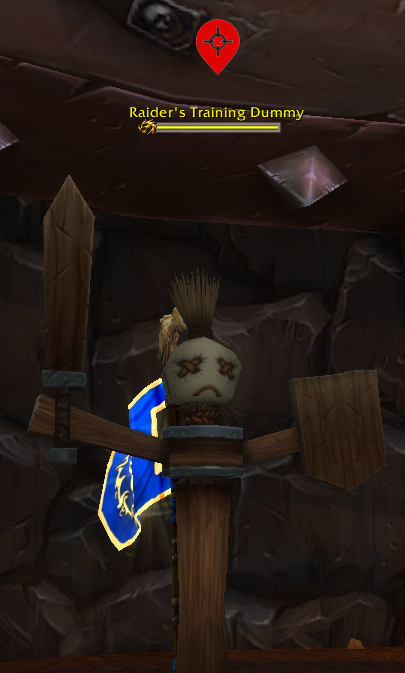
Red map pin/GPS symbol (contributed by ContinuousQ of Curse)
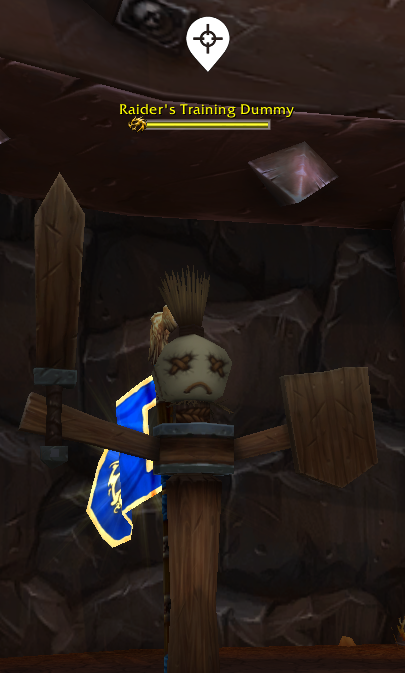
White map pin/GPS symbol (contributed by ContinuousQ of Curse)
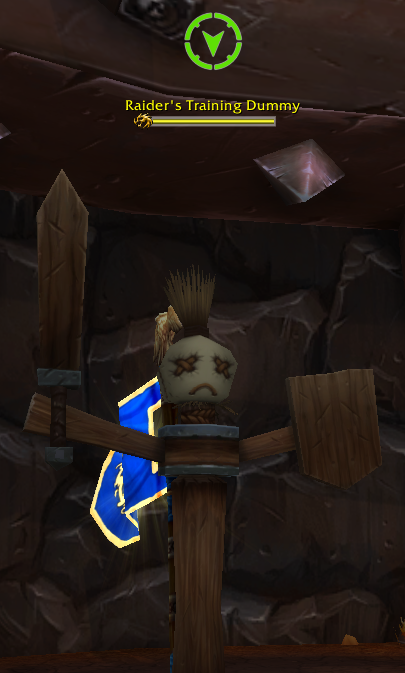
Green target arrow (contributed by ContinuousQ of Curse)
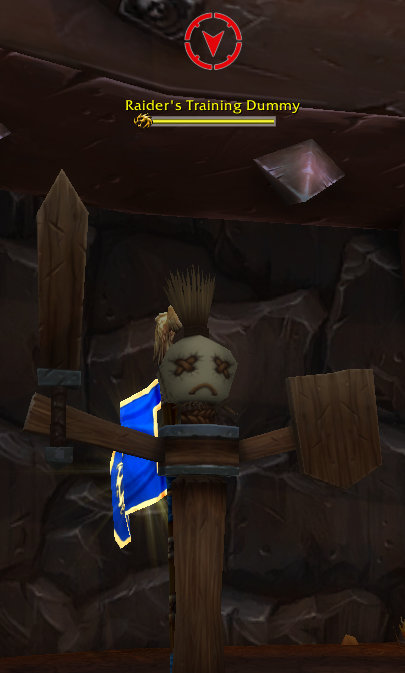
Red target arrow (contributed by ContinuousQ of Curse)
White target arrow (contributed by ContinuousQ of Curse)
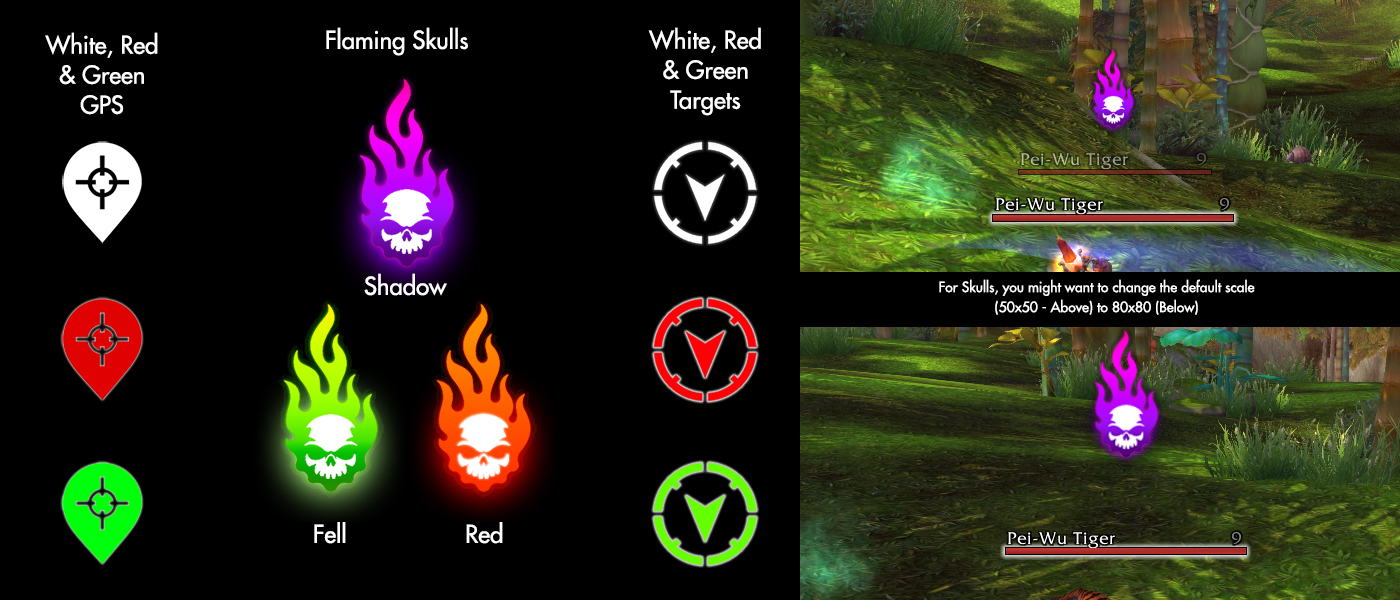
Skull, GPS and Target textures contributed by ContinuousQ of Curse
Description
Target Nameplate Indicator attaches a texture to the nameplates of your target, mouseover, focus and target's target to make them easier to spot.
NOTE: As of 12.0, the Target of Target indicator no longer works in dungeons or raids.
NOTE: As of 7.2, this AddOn no longer works for friendly nameplates in dungeons or raids. See this MMO-Champion article or this Wowhead article for Blizzard's original announcement of the change.
NOTE: This AddOn currently doesn't work with EKPlates, see this comment thread on CurseForge for details.
NOTE: If you want indicators to display for a unit, make sure you have nameplates enabled for that unit type. If nameplates are disabled, the indicators can't be displayed.
The AddOn now includes forty textures:
- Red targeting reticule (the default texture, contributed by Dridzt)
- Red arrow (contributed by DohNotAgain)
- Neon versions of the reticule and arrow (contributed by mezmorizedck)
- Two red inverted triple chevrons (contributed by OligoFriends)
- Red and green 3D arrows (contributed by OligoFriends)
- Skull and crossbones (contributed by OligoFriends)
- Red concentric circles in the style of a target (contributed by OligoFriends)
- Red star with gold outline (contributed by OligoFriends)
- Neon green arrow with a red target (contributed by OligoFriends)
- Blue arrow (contributed by Imithat)
- Abstract blue arrow (contributed by Imithat)
- Gears of War logo (contributed by Imithat)
- Malthael (Diablo) logo (contributed by Imithat)
- Red arrow (contributed by Imithat)
- Skull with gas mask (contributed by Imithat)
- Abstract purple arrow (contributed by Imithat)
- Kite shield with sword and crossed spears/polearms (contributed by Imithat)
- Neon green arrow (contributed by Nokiya420)
- Fel green flaming skull (contributed by ContinuousQ)
- Red flaming skull (contributed by ContinuousQ)
- Shadow purple flaming skull (contributed by ContinuousQ)
- Green map pin/GPS symbol (contributed by ContinuousQ)
- Red map pin/GPS symbol (contributed by ContinuousQ)
- White map pin/GPS symbol (contributed by ContinuousQ)
- Green target arrow (contributed by ContinuousQ)
- Red target arrow (contributed by ContinuousQ)
- White target arrow (contributed by ContinuousQ)
- Red Hunter's Mark arrow (contributed by thisguyyouknow)
- Red Arrows Towards Nameplate (contributed by Inokis)
- Red Arrows Away From Nameplate (contributed by Inokis)
- Blue Arrows Towards Nameplate (contributed by Inokis)
- Blue Arrows Away From Nameplate (contributed by Inokis)
- Green Arrows Towards Nameplate (contributed by Inokis)
- Green Arrows Away From Nameplate (contributed by Inokis)
- Yellow Arrows Towards Nameplate (contributed by Inokis)
- Yellow Arrows Away From Nameplate (contributed by Inokis)
- Green arrow pointing downwards (suggested by Hayan, from Iconpacks)
You can also use any texture in the WoW Interface folder (feature contributed by markgravity). To use your own texture:
- Open the WoW game folder from Battle.net
- Open the Interface folder
- Create a new folder called TargetNameplateIndicator_CustomTextures
- Place your texture file in this folder
- In-game, open the configuration menu
- In the Texture dropdown, choose the "Custom" option
- In the Custom Texture field, enter Interface\TargetNameplateIndicator_CustomTextures\[Your Texture Name] (without the file extension)
The AddOn's configuration menu can be opened using the /tni or /targetnameplateindicator commands.
If you want to contribute a custom texture (that you own), simply leave a comment here or on Curse with the image embedded or a direct link to the image.
If you want to translate the configuration menu into another language, please contribute translations on CurseForge.
Thanks to Meneltel for posting this request, which inspired me to write Target Nameplate Indicator.
Imithat's iMedia AddOn includes additional textures for Target Nameplate Indicator.
Suggested Indicator Settings:
- Fel green/Red/Shadow purple flaming skull - Size = 80x80
- Red/Blue/Green/Yellow Arrows Towards/Away From Nameplate - Size = 150x24, Texture/Anchor Point = Centre, X Offset = 0, Y Offset = -5
Target Nameplate Indicator Team

Owner