Synaptic is a lightweight rotation helper for World of Warcraft: Midnight that integrates with
Blizzard's Assisted Combat system to display your next suggested ability in a clean, minimal overlay.
It helps you focus on the fight instead of watching your action bars.
It will never be as good as Hekili! but I wanted to make something for myself and thought others
might enjoy it. I will be working on it more to add more features if possible.
Feedback can be given to me here too at discord.gg/thebestguild

 Spell Suggestions
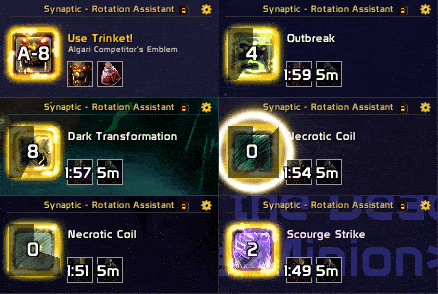
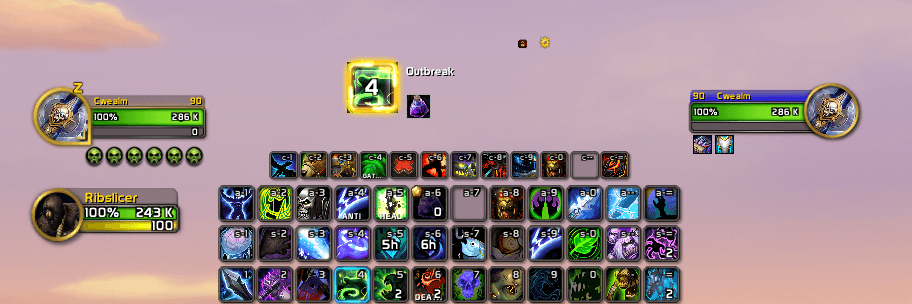
Displays the next recommended ability with its icon, name, and keybind. The icon reacts to your
situation in real time — it dims when the spell is on cooldown, shows "Out of range" in red if
your target is too far away, and shows a crosshair prompt when you have nothing targeted. Hover
the icon to read the full tooltip.
Priority Items
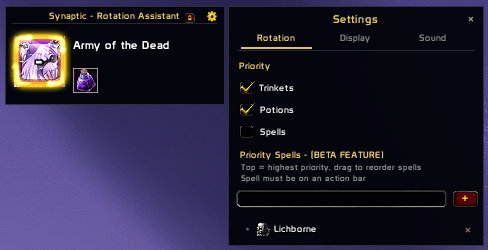
Promotes trinkets, potions, and custom spells so they appear as suggestions at the right moment,
taking priority over the default rotation. All priority settings are saved per specialisation and
per character.
- Trinkets: automatically detects your equipped on-use trinkets
- Potions: a personal whitelist — add exactly the potions you want tracked, and the addon only
suggests them when they are off cooldown and in your bags
- Priority Spells: add up to 10 spells from your action bars, drag to set cast order. The addon
checks cooldown and resources before suggesting — you will never be prompted to cast something
you cannot afford
Cooldown Strip
A compact row showing your trinkets, potions, and priority spells with live cooldown sweeps and
countdown numbers. Scales automatically to fit however many items you have tracked.
Global Cooldown Indicator
The main suggestion icon visually shows when you are on the global cooldown.
Keybind Display
Shows the keybind for the suggested ability, including modifier keys. Works with all action bar
addons (ElvUI, Bartender4, etc.) and reads bindings directly from WoW's internal system rather
than from UI frames. Also supports numpad bindings.
ConsolePort users: if you play with a controller, Synaptic will automatically show your controller
button icon instead of a keyboard keybind. No setup required.
Sound Alerts
Optional audio cue when a priority item becomes available, with independent volume control.
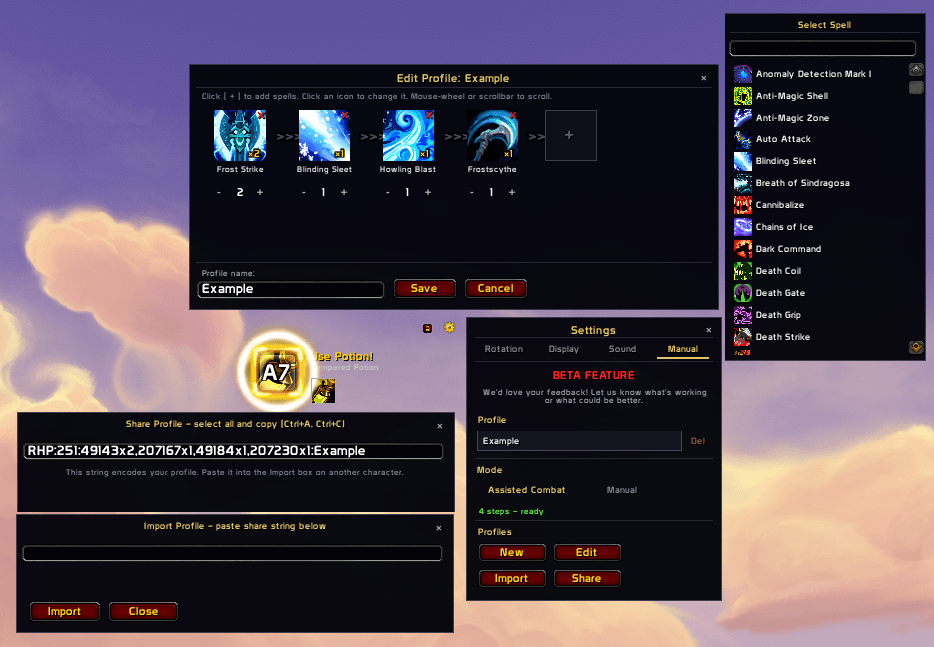
Manual Rotation Builder (BETA FEATURE)
Don't want to use Blizzard's suggested rotation? Build your own. Pick spells from your action bars,
set the order, and Synaptic will walk you through them in sequence — automatically skipping
anything on cooldown or anything you cannot currently afford to cast.
- Profiles are named and saved per specialisation
- Export and import share codes to share rotations with others
- Trinkets and potions still fire as priority suggestions over your manual rotation
- Proc support: spells that transform mid-fight (e.g. Sinister Strike → Ambush) are handled
correctly — the addon shows the proc version and advances when either form is cast
- Toggle "Ignore action bar validation" if your rotation uses macros rather than direct spell
slots — removes the "Paused" warning for macro-based setups
We are still actively developing this feature. Feedback is hugely appreciated!

Rotation tab
- Toggle trinket, potion, and spell priority independently
- Manage your priority potion and spell lists (add, remove, drag to reorder)
- Keybind to toggle priority suggestions on the fly
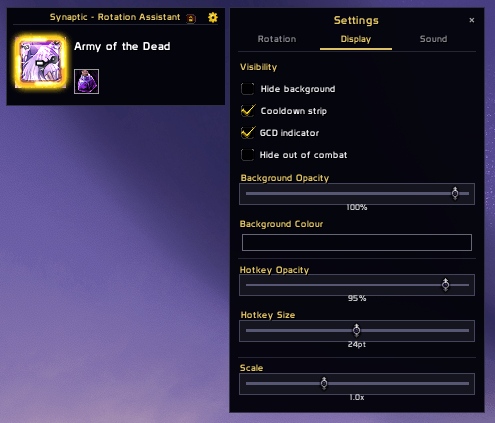
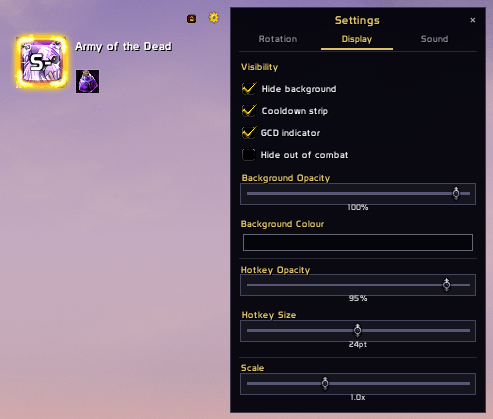
Display tab
- Hide or show the background panel
- Toggle the cooldown strip and GCD indicator
- Toggle spell glow effect (replaced by a clean border when off)
- Show or hide the spell name label for a minimal icon-only look
- Fade the overlay out of combat automatically
- Adjust background opacity and colour
- Adjust hotkey label opacity, font size, and position (X/Y offset)
- Scale the entire overlay
- Hide the cog and lock buttons when not needed
Sound tab
- Toggle the priority alert sound on or off
- Set alert volume independently of your game sound settings
Manual tab
- Switch between Assisted Combat and Manual rotation mode
- Create, edit, delete, import, and share rotation profiles
- Ignore action bar validation for macro-based rotations
Other
- Lock or unlock the frame position
- Slash command: /sy (e.g. /sy help, /sy toggle, /sy reset)

Built for World of Warcraft: Midnight (13.x) using Blizzard's modern UI systems.
Uses:
- C_AssistedCombat for spell suggestions
- CooldownFrameTemplate for cooldown visuals
- SavedVariables for persistent settings (per-character, per-specialisation)
- ConsolePort public API for controller button display (optional, auto-detected)
Owen